
ETOE A1222
ETOE Starfish 720P Projector User Manual (Model A1222)
Ваш водич за подешавање, рад и одржавање
1. Увод
Welcome to the ETOE Starfish 720P Projector user manual. This guide provides essential information for setting up, operating, and maintaining your projector. The ETOE Starfish projector offers a native 720P resolution with 300 ANSI lumens, a built-in Google Android system for streaming, and features like 140-degree rotation, auto keystone correction, and dual-band Wi-Fi connectivity. Please read this manual thoroughly before using your device to ensure optimal performance and longevity.
2. Шта је у кутији
Carefully unpack your ETOE Starfish projector and ensure all items are present:
- Пројектор
- Адаптер
- Упутство за употребу
- Ремоте Цонтрол
- Повер Цорд
3. Производ је готовview
Familiarize yourself with the main components and features of your ETOE Starfish projector.

Слика: Фронт view of the ETOE Starfish Projector, showcasinг његовим компактним и модерним дизајном.
3.1. Портови и везе
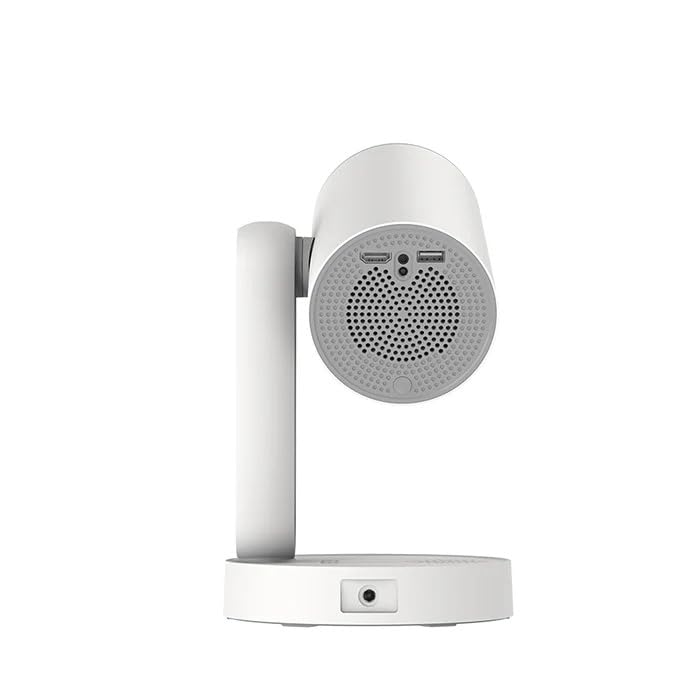
Слика: Са стране view of the ETOE Starfish Projector, highlighting its connectivity ports including USB and HDMI.
The projector includes various ports for connectivity:
- ХДМИ порт: For connecting external devices like gaming consoles, Blu-ray players, or laptops.
- УСБ порт: За повезивање УСБ уређаја за складиштење података ради репродукције медија files.
- Улазна снага: За повезивање адаптера за напајање.
3.2. Кључне карактеристике
- Ротација за 140°: The projector head can be rotated up to 140 degrees for flexible projection angles, including ceiling projection.
- Touch-controlled Ambient Light: A customizable seven-color night light feature with adjustable brightness and color temperature.
- Built-in Google Android System: Access popular streaming services like Netflix, YouTube, and Prime Video directly.
- Ауто Кеистоне Цоррецтион: Automatically adjusts the image for a perfectly rectangular display.
- Двопојасни Ви-Фи: Supports 2.4G and 5G Wi-Fi for stable wireless connectivity.
- Рад са ниским нивоом буке: Designed for quiet performance, operating at approximately 24.5 dB.
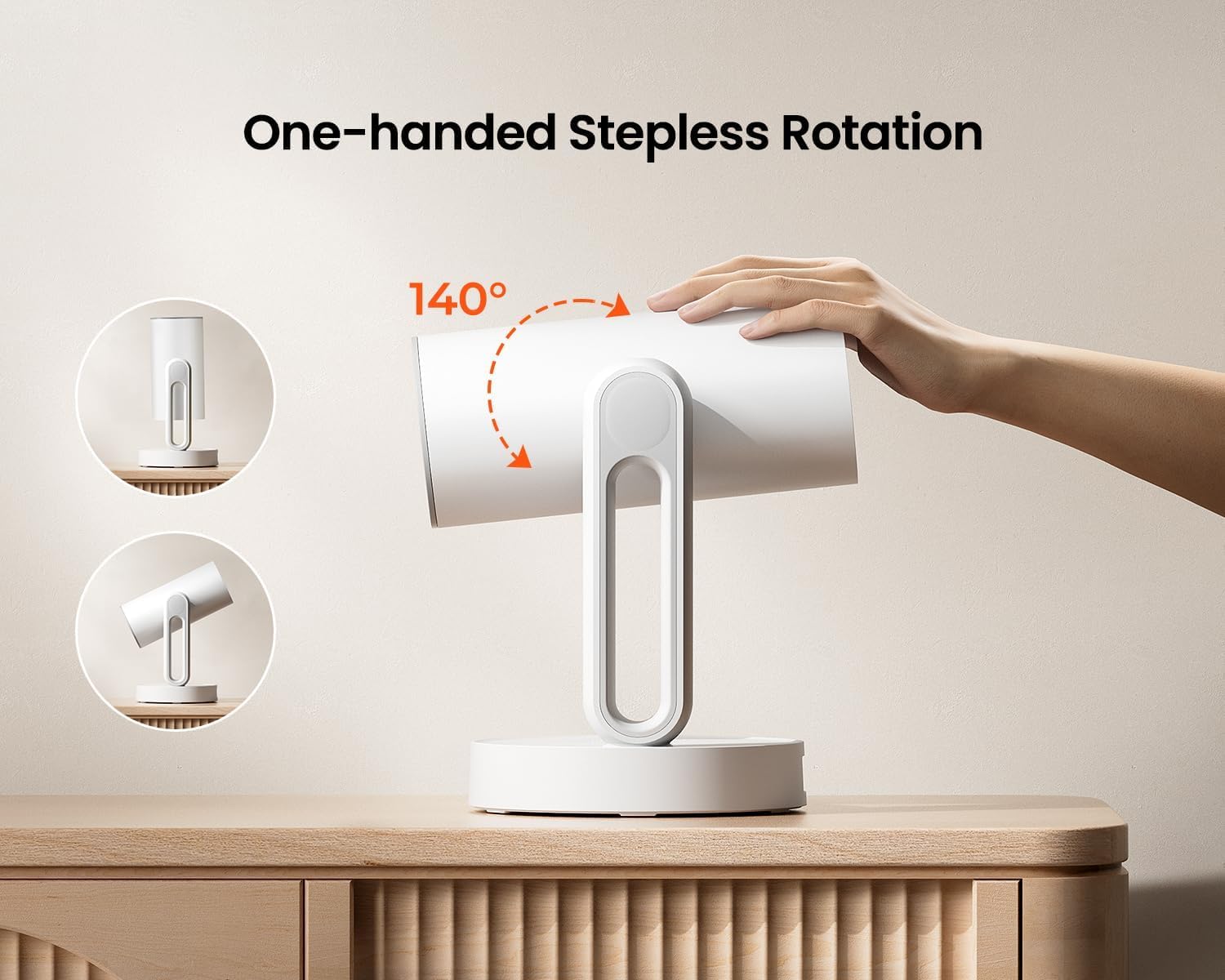
Image: The ETOE Starfish Projector shown rotating 140 degrees, illustrating its flexible projection capabilities.

Image: The ETOE Starfish Projector displaying its touch-controlled ambient light feature with various color options.
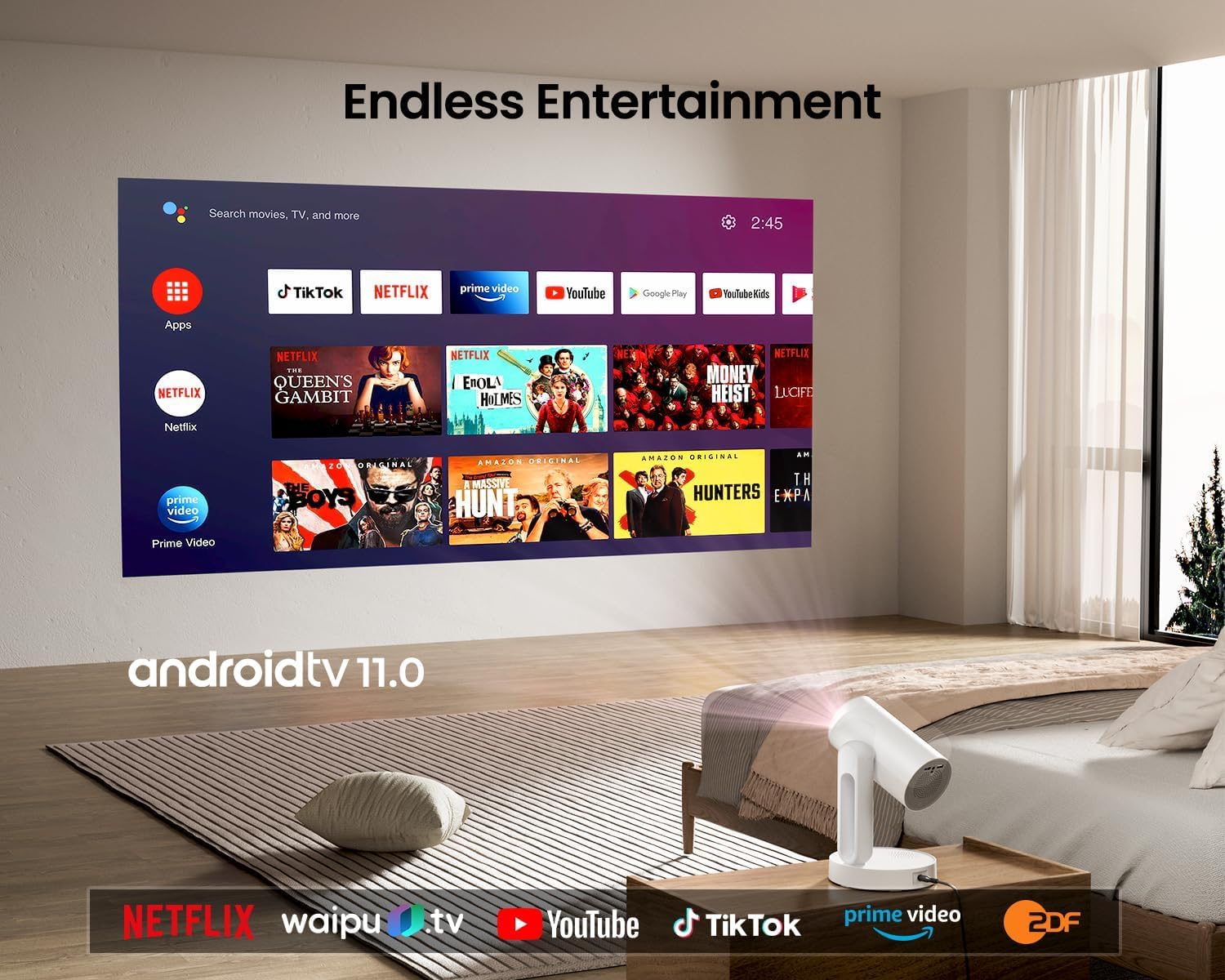
Image: The ETOE Starfish Projector displaying the Android TV interface, showing various streaming applications like Netflix, YouTube, and Prime Video.

Image: The ETOE Starfish Projector automatically correcting a distorted image to a perfect rectangle.

Image: Illustration comparing the low noise level of the ETOE Starfish Projector (24.5 dB) to common sounds.
4. Подешавање
4.1. Прикључак за напајање
- Connect the power cord to the adaptor.
- Plug the adaptor into the projector's power input port.
- Укључите други крај кабла за напајање у зидну утичницу.
4.2. Почетно смештање
Поставите пројектор на стабилну, равну површину. За оптимално viewing, ensure the projection surface (wall or screen) is clean and smooth. The 140° rotation feature allows for flexible positioning, including ceiling projection.
4.3. Подешавање даљинског управљача
Уметните две ААА батерије (нису укључене) у даљински управљач, водећи рачуна о исправном поларитету.
4.4. First Boot and Network Connection
- Притисните дугме за напајање на пројектору или даљинском управљачу да бисте га укључили.
- Follow the on-screen instructions for the initial Google Android system setup. This will include language selection and connecting to a Wi-Fi network.
- Select your preferred 2.4G or 5G Wi-Fi network and enter the password.
5. Упутство за употребу
5.1. Основна операција
- Укључивање/искључивање: Press the power button on the remote or projector.
- Навигација: Use the directional buttons on the remote to navigate the Android interface.
- Контрола јачине звука: Use the volume buttons on the remote.
5.2. Подешавање слике
- Дигитални фокус: Adjust the image clarity using the focus controls on the remote or through the settings menu.
- Ауто Кеистоне Цоррецтион: The projector automatically corrects trapezoidal distortion. If manual adjustment is needed, access it via the settings.
- Дигитални зум: Adjust the image size from 50% to 100% without moving the projector, accessible in the settings menu.
- Ротација за 140°: Physically rotate the projector head to project onto different surfaces, including ceilings. The auto keystone will adjust the image accordingly.

Image: The ETOE Starfish Projector projecting content onto a ceiling, demonstrating its versatility for different viewing angles, with a smartphone mirroring content.
5.3. Smart System Features
- Streaming Applications: Access pre-installed apps like Netflix, YouTube, and Prime Video. Ensure you are logged into your respective accounts.
- Гоогле помоћник: Use voice commands via the remote control for navigation, content search, and system control.
- Уграђен Цхромецаст: Cast content directly from compatible Android, iOS, and PC devices to the projector. Ensure both devices are on the same Wi-Fi network.
5.4. Функција амбијенталног осветљења
The projector features a touch-controlled ambient light. Touch the designated area on the projector to cycle through seven colors, adjust brightness, and change color temperature to create your desired atmosphere.
6. Одржавање
Правилно одржавање осигурава дуготрајност и оптималне перформансе вашег пројектора.
- Чишћење сочива: Use a soft, lint-free cloth specifically designed for optical lenses to gently wipe the projector lens. Avoid abrasive materials or harsh chemicals.
- Заштита од прашине: The ETOE Starfish features a fully sealed optical engine designed to protect against dust ingress, minimizing the need for internal cleaning.
- Генерално чишћење: Обришите спољашњост пројектора меком, сувом крпом. Не користите течна средства за чишћење директно на уређају.
- Складиштење: Када се пројектор не користи дуже време, чувајте га на хладном и сувом месту, даље од директне сунчеве светлости и екстремних температура.
КСНУМКС. Решавање проблема
Ако наиђете на проблеме са пројектором, погледајте следеће уобичајене проблеме и решења:
| Проблем | Могући узрок | Решење |
|---|---|---|
| Пројектор се не укључује. | Кабл за напајање није правилно повезан; проблем са утичницом. | Ensure power cord is securely connected to both projector and outlet. Test outlet with another device. |
| Нема приказане слике. | Input source incorrect; external device not connected; projector in standby. | Check input source settings. Ensure HDMI/USB devices are connected and powered on. Wake projector from standby. |
| Слика је мутна. | Фокус није подешен; пројектор је преблизу/предалеко од платна. | Adjust digital focus using the remote. Ensure optimal projection distance. |
| Image is distorted (not rectangular). | Потребна је корекција кејстоун-а. | The projector has auto keystone. If manual adjustment is required, access it in the settings menu. |
| Нема звука. | Volume too low; external audio device issue; mute enabled. | Increase volume. Check external audio connections. Disable mute. |
| Проблеми са Wi-Fi везом. | Incorrect password; router too far; network interference. | Re-enter Wi-Fi password. Move projector closer to router. Restart router. |
| Даљински управљач не ради. | Batteries low/dead; line of sight blocked. | Replace batteries. Ensure no obstructions between remote and projector. |
8. Спецификације
Detailed technical specifications for the ETOE Starfish 720P Projector (Model A1222).
| Бранд | ЕТОЕ |
| Модел | А1222 |
| Произвођач | JVDN International |
| Димензије производа | 61 к 48 к 43 цм |
| Тежина артикла | 3 кг |
| Дисплаи Типе | ЛЦД |
| Осветљеност слике | КСНУМКС АНСИ Луменс |
| Однос контраста слике | 3000:1 |
| Аспецт Ратио | 16:9 |
| Нативе Ресолутион | 1280 к 720 |
| Волtage | 240 Волтс |
| Ватtage | 5 Ваттс |
| Рефресх Рате | 60 Хз |
| Технологија повезивања | Wi-Fi (2.4G & 5G) |
| Хардверски интерфејс | ХДМИ, УСБ |
| Компатибилни уређаји | Smartphones (Android & iOS), Gaming Consoles, Blu-ray Players, Media Players |
| Посебне карактеристике | Digital Focus, Portable, Wireless, Auto Keystone, 140° Rotation, Built-in Android System, Ambient Light |
| Тип монтаже | Таблетоп Моунт |
9. Гаранција и подршка
9.1. Информације о гаранцији
The ETOE Starfish Projector is manufactured by JVDN International. For specific warranty terms and conditions, please refer to the warranty card included with your product or contact the manufacturer directly. Keep your purchase receipt as proof of purchase for warranty claims.
9.2. Корисничка подршка
For technical assistance, troubleshooting not covered in this manual, or warranty inquiries, please contact JVDN International customer support:
- Контакт особа: JAYESH KUMAR JAGETIYA
- Телефон: +91 91361 87951
- Емаил: jayesh@jvdninternational.com
- Адреса: B-1122 Sun Westbank, Ashram Road, Ahmedabad, Gujarat, India, 380009
Ask a question about this manual
Ask about setup, troubleshooting, compatibility, parts, safety, or missing instructions. Manuals+ will review the question and use this page’s manual context to help answer it.