
1. Увод
Thank you for choosing the ADE CK2406-2 Radio-Controlled Digital Projection Alarm Clock. This device offers precise timekeeping, temperature monitoring, and convenient projection features to enhance your daily routine. Please read this manual carefully to ensure proper setup and operation of your new alarm clock.
2. Садржај пакета
- ADE CK2406-2 Projection Alarm Clock
- External Wireless Sensor
- Кабл за напајање (АЦ адаптер)
- 1 x CR2032 батерија (унапред инсталирана за резервну копију)
- 2 x AAA Batteries (for external sensor)
- Кориснички приручник (овај документ)
3. Производ је готовview
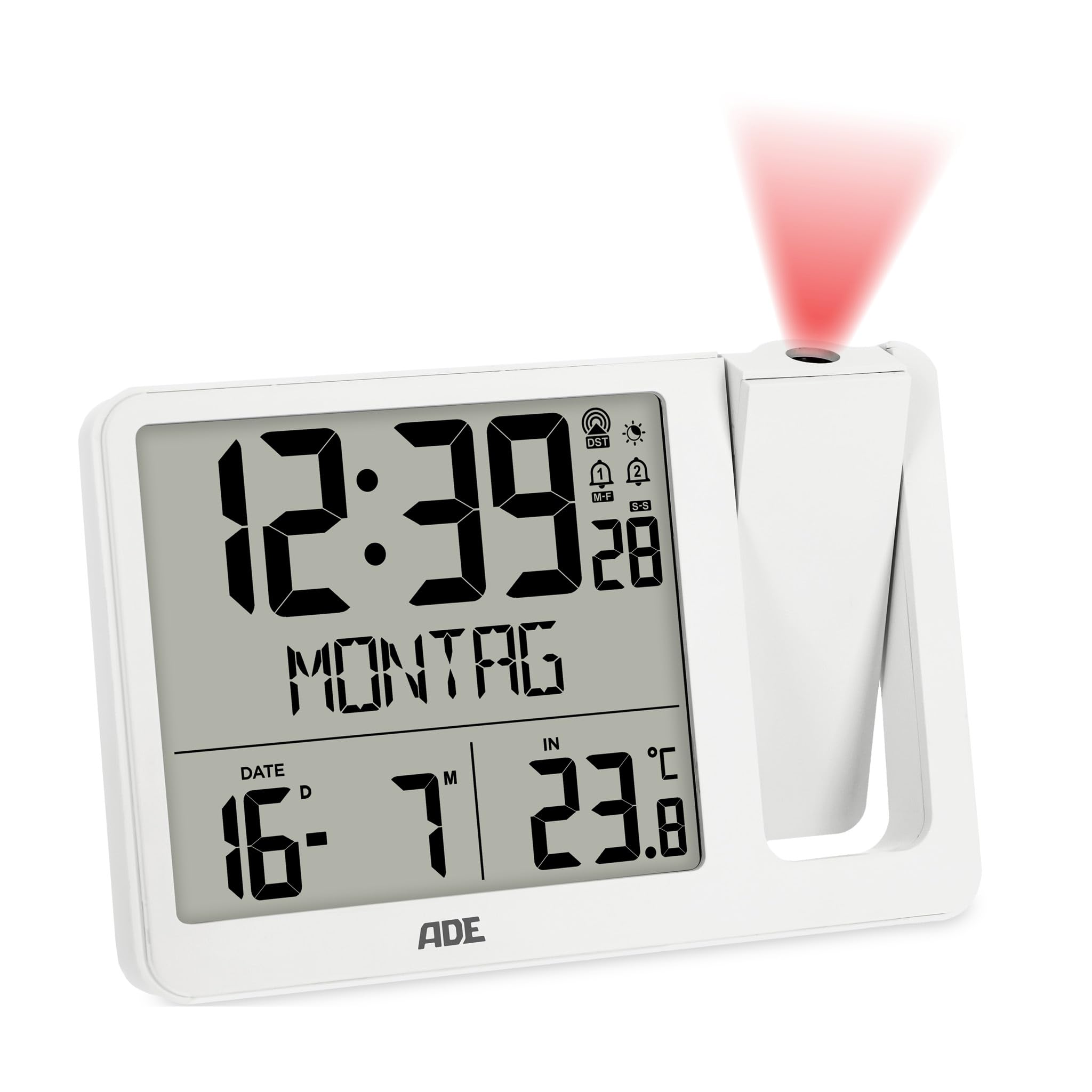
Слика 3.1: Предња страна view of the ADE CK2406-2 Projection Alarm Clock, showing the main unit with its large LCD display and the separate external sensor.
3.1 Главна јединица
- ЛЦД екран: Large screen (9.4 x 8.2 cm) showing time, date, day of the week, and temperature.
- Пројекциона рука: Adjustable arm for projecting time and temperature onto a wall or ceiling. Can be rotated 180 degrees.
- Контролна дугмад: Located on the unit for setting time, alarms, display brightness, and other functions.
- УСБ пуњач: За пуњење мобилних уређаја.
- Улазна снага: За повезивање АЦ адаптера.
- Одељак за батерије: За резервну батерију CR2032.
3.2 Екстерни сензор
- Сензор температуре: Measures outdoor temperature.
- Одељак за батерије: For 2 x AAA batteries.
- Индикатор преноса: Light indicating data transmission.
4. Подешавање
4.1 Напајање главне јединице
- Insert the pre-installed CR2032 battery into the main unit's battery compartment. This battery serves as a backup for time settings during power outagес.
- Connect the provided power cable to the DC input port on the alarm clock and then plug it into a standard electrical outlet.
- The display will light up, and the clock will begin searching for the DCF radio signal to set the time automatically. This process may take several minutes.
4.2 Installing and Pairing the External Sensor
- Open the battery compartment of the external sensor.
- Insert the 2 x AAA batteries, ensuring correct polarity (+/-).
- Close the battery compartment. The sensor will automatically attempt to pair with the main unit.
- Place the external sensor in a sheltered outdoor location, away from direct sunlight and rain, to ensure accurate temperature readings.
- The main unit will display the outdoor temperature once successfully paired. If pairing fails, refer to the troubleshooting section.
5. Упутство за употребу
5.1 Подешавања времена и датума
The clock automatically sets the time via the DCF radio signal. If manual adjustment is needed:
- Притисните и држите дугме „SET“ да бисте ушли у режим подешавања времена.
- Користите дугмад „+“ или „-“ да бисте подесили сате, минуте, годину, месец и дан.
- Поново притисните „SET“ да бисте потврдили свако подешавање и прешли на следеће.
- The day of the week will automatically update based on the date. The day of the week can be displayed in 7 languages.
5.2 Alarm Settings (Alarm 1 & Alarm 2)
The device features two independent alarm times.
- Press the 'ALARM' button to select Alarm 1 or Alarm 2.
- Press and hold the 'ALARM' button to enter alarm setting mode for the selected alarm.
- Use the '+' or '-' buttons to set the desired alarm hour and minute.
- Press 'ALARM' to confirm.
- To activate/deactivate an alarm, press the 'ALARM' button repeatedly until the alarm icon appears/disappears on the display.
5.3 Функција одлагања
When an alarm sounds, press the 'SNOOZE' button (usually a large button on top) to temporarily silence the alarm. The alarm will sound again after a few minutes (default snooze time is typically 5-10 minutes).
5.4 Projection Function
- Adjust the projection arm to direct the projection onto a wall or ceiling.
- Rotate the projection lens to adjust the focus and clarity of the projected image.
- The projection can be rotated 180 degrees for optimal viewинг.
- Press the 'PROJECTION' button (or similar) to toggle the projection on/off or to switch between displaying time, indoor temperature, or outdoor temperature.
5.5 Осветљеност екрана
The LCD display has automatic brightness control and three manual brightness levels.
- Аутоматска осветљеност: The display brightness adjusts automatically based on ambient light conditions.
- Ручно подешавање осветљености: Press the 'BRIGHTNESS' button (or similar) to cycle through three manual brightness levels.
5.6 Приказ температуре
The clock displays both indoor and outdoor temperatures.
- Press the 'TEMP' button (or similar) to switch between indoor and outdoor temperature display on the main screen.
- The device records daily minimum and maximum temperature values, which reset at midnight.
5.7 УСБ пуњење
Connect your mobile device to the USB charging port on the alarm clock to charge it. Note that this port is for charging only and does not transfer data.
6. Одржавање
- Clean the alarm clock and external sensor with a soft, dry cloth. Do not use abrasive cleaners or solvents.
- Avoid exposing the main unit to direct sunlight, extreme temperatures, or high humidity.
- Ensure the external sensor is placed in a location protected from direct weather elements.
- Replace batteries in the external sensor (2 x AAA) and the main unit's backup (1 x CR2032) as needed.
КСНУМКС. Решавање проблема
- No Display / Power: Ensure the power cable is securely connected to both the alarm clock and the power outlet. Check the outlet for power.
- Нетачно време: Ensure the clock is receiving a clear DCF radio signal. Place the unit near a window if possible. Manual time setting is also available.
- External Sensor Not Displaying Temperature: Check if the external sensor batteries are correctly installed and not depleted. Ensure the sensor is within range of the main unit and free from obstructions. Re-pair the sensor if necessary (refer to setup section).
- Projection Unclear: Adjust the focus ring on the projection arm. Ensure the projection arm is correctly angled towards the desired surface.
- Аларм се не оглашава: Verify that the alarm is activated (alarm icon visible on display) and the volume is not set to minimum (if adjustable).
8. Спецификације
| Феатуре | Детаљ |
|---|---|
| Бранд | АДЕ |
| Број модела | ЦК2406-2 |
| Боја | Бела |
| Димензије производа (Д к Ш к В) | 15.4 к 3.81 к 10.4 цм |
| Тежина | 410 грама |
| Материјал | акрилонитрил бутадиен стирен (АБС) |
| Дисплаи Типе | Дигитални ЛЦД |
| Извор напајања | Electric Cable (AC Adapter) |
| Резервна батерија | 1 к ЦР2032 (укључено) |
| External Sensor Batteries | 2 к ААА (укључено) |
| Посебне карактеристике | Temperature display, Calendar display, Dual Alarms, Snooze, Summer time, USB Charging Port, Radio-controlled time, Projection |
9. Гаранција и подршка
For warranty information or technical support, please refer to the documentation provided with your purchase or contact ADE customer service through the retailer where the product was purchased. Please retain your proof of purchase for any warranty claims.