
RAINPOINT WG0212
RAINPOINT 2 Zone Smart Water Timer Instruction Manual
Модел: ВГ0212
Увод
This manual provides comprehensive instructions for the RAINPOINT 2 Zone Smart Water Timer. This device is designed to efficiently manage two separate watering zones, offering up to three daily schedules per zone. Key features include a rain delay sensor for water conservation, a child lock for schedule security, and a weather-resistant design for outdoor durability. The easy-to-read LCD screen ensures simple operation, and a low battery alert keeps you informed for uninterrupted watering. It is suitable for both garden hoses and larger irrigation systems.

Слика 1: Предња страна view of the RAINPOINT 2 Zone Smart Water Timer.
Сетуп
1. Инсталација батерије
To power the timer, prepare two new AA batteries. Open the battery compartment, insert the batteries, and ensure the back cover is completely sealed to maintain waterproofing.
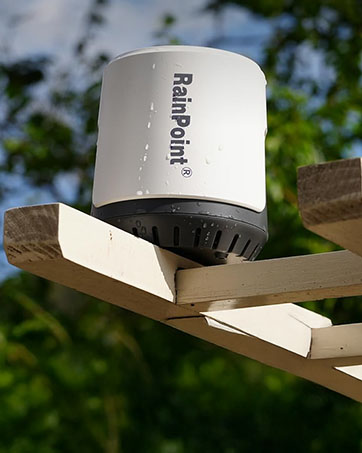
Figure 2: Proper battery installation for the timer.
2. Timer Placement
Install the timer vertically on your faucet, ensuring it is as vertical as possible to the ground. This orientation helps with proper water flow and rain sensor operation.

Figure 3: Correct vertical installation of the water timer.
Упутство за употребу
1. Подешавање тренутног времена
To set the current time, hold down the gear key to enter the setup mode. Use the '+' and '-' buttons to adjust the value. Press the gear key again to confirm and move to the next step.
2. Програмирање распореда заливања
The timer allows for up to three independent watering schedules per zone. You can switch between Zone 1 and Zone 2 using the faucet icon key. For each plan, you can set the start time, duration, and frequency.

Figure 4: The timer managing two distinct watering zones.

Figure 5: All scheduled data is clearly displayed on the LCD screen.
3. Ручно заливање
To initiate manual watering, press the finger icon button. Use the '+' or '-' buttons to increase or decrease the manual watering time. Press the finger icon button again to exit the manual watering mode.
4. Функција браве за децу
The child lock feature prevents accidental changes to your programmed schedules. To enable or disable the key lock, press and hold the '+' and '-' buttons simultaneously. A lock icon will appear on the screen when enabled.
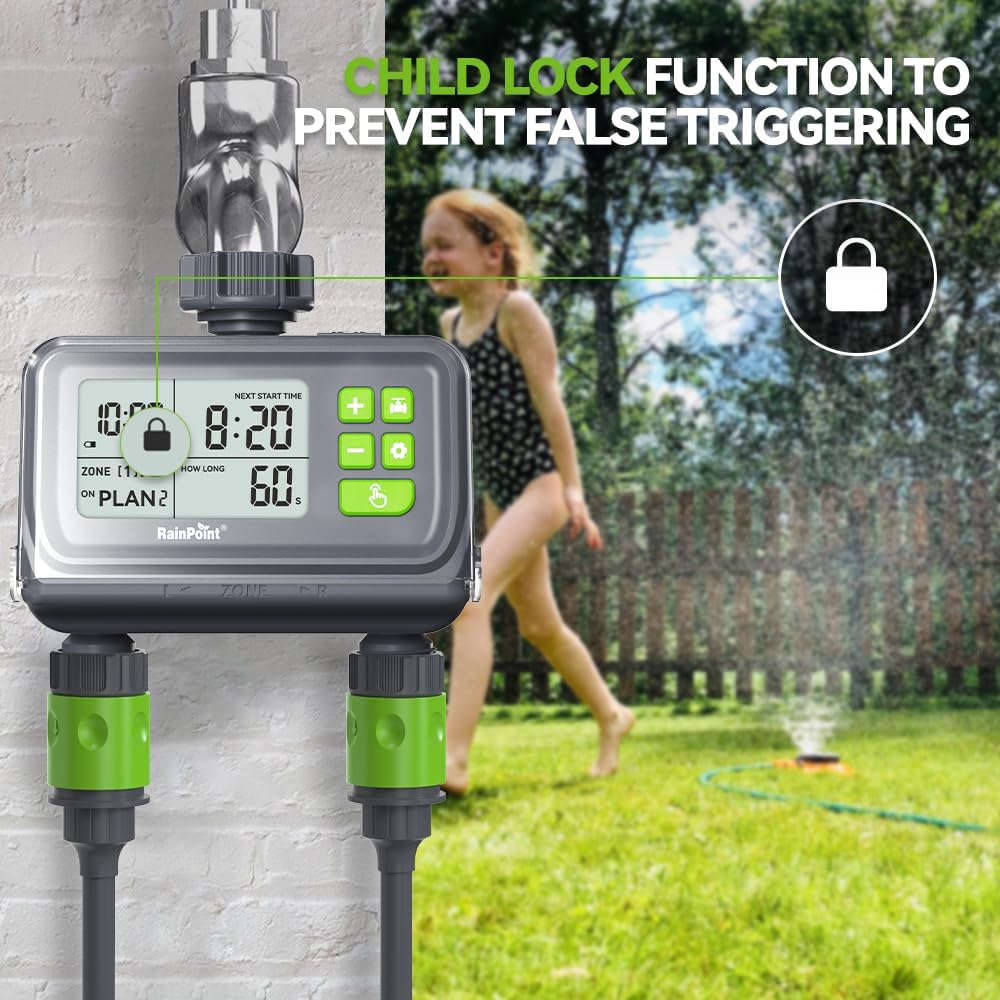
Figure 6: The child lock function ensures schedule security.
5. Rain Delay Sensor
The built-in rain delay sensor conserves water by pausing irrigation when rain is detected. When the timer's sensor comes into contact with rainwater, the LCD will flash, and all scheduled watering will be paused. Watering will resume automatically once the sensor dries out.

Figure 7: The rain sensor automatically pauses watering during rainfall.
Званични видео производа
This video provides a visual guide to the setup and operation of the RainPoint Digital Water Timer, including battery installation, setting schedules, manual watering, and demonstrating the child lock and rain sensor features.
Одржавање
1. Отпорност на временске услове
The timer is designed for outdoor durability. Its flip cover enhances waterproofing and helps prevent accidental touches to the buttons, ensuring reliable operation in various weather conditions.

Figure 8: The LCD screen is designed for easy readability, and the flip cover provides protection.
2. Упозорење о ниској батерији
The automatic sprinkler timer includes a low battery alert. When the low power symbol flashes, the valve automatically closes to prevent overwatering and ensures you know when to replace the batteries, preventing unexpected watering gaps.

Figure 9: Low battery alert on the timer's display.
Решавање проблема
| Иссуе | Могући узрок | Решење |
|---|---|---|
| Тајмер не залива | Low batteries, incorrect schedule, water supply off | Replace batteries, check programming, ensure faucet is open |
| Watering at wrong times | Incorrect current time or schedule settings | Verify and adjust current time and watering schedules |
| Timer display is blank | Истрошене батерије | Замените батерије новим |
| Цурење воде из прикључака | Лабава веза, истрошена подлошка | Tighten connections, check and replace rubber washers if necessary |
| Rain sensor not working | Sensor dirty or obstructed | Clean the rain sensor contacts |
If you encounter issues not listed here, please refer to the contact information in the support section.
Спецификације
| Феатуре | Детаљ |
|---|---|
| Бранд | РАИНПОИНТ |
| Број модела | ВГ0212 |
| Боја | Црно |
| Димензије производа | 5"Д к 3"Ш к 4"В |
| Тежина артикла | 1 фунти |
| Број подешавања | 3 (per zone) |
| Величина екрана | 2 инча |
| Први доступан датум | 5. новембар 2024 |
Гаранција и подршка
For warranty information, technical support, or any inquiries regarding your RAINPOINT 2 Zone Smart Water Timer, please visit the official RAINPOINT store or contact customer service through the platform where you purchased the product.
Посетите RAINPOINT Store за више производа и подршке.
Ask a question about this manual
Ask about setup, troubleshooting, compatibility, parts, safety, or missing instructions. Manuals+ will review the question and use this page’s manual context to help answer it.