
HyperGear 16181
HyperGear Flip 2-in-1 Headphones + Speaker User Manual
Модел: 16181
1. Увод
Welcome to the HyperGear Flip 2-in-1 Headphones + Speaker user manual. This guide provides detailed instructions to help you get the most out of your device, which combines the functionality of over-ear headphones with a portable speaker. Featuring Bluetooth 5.0 connectivity and 40mm audio drivers, this device is designed for versatile audio experiences.
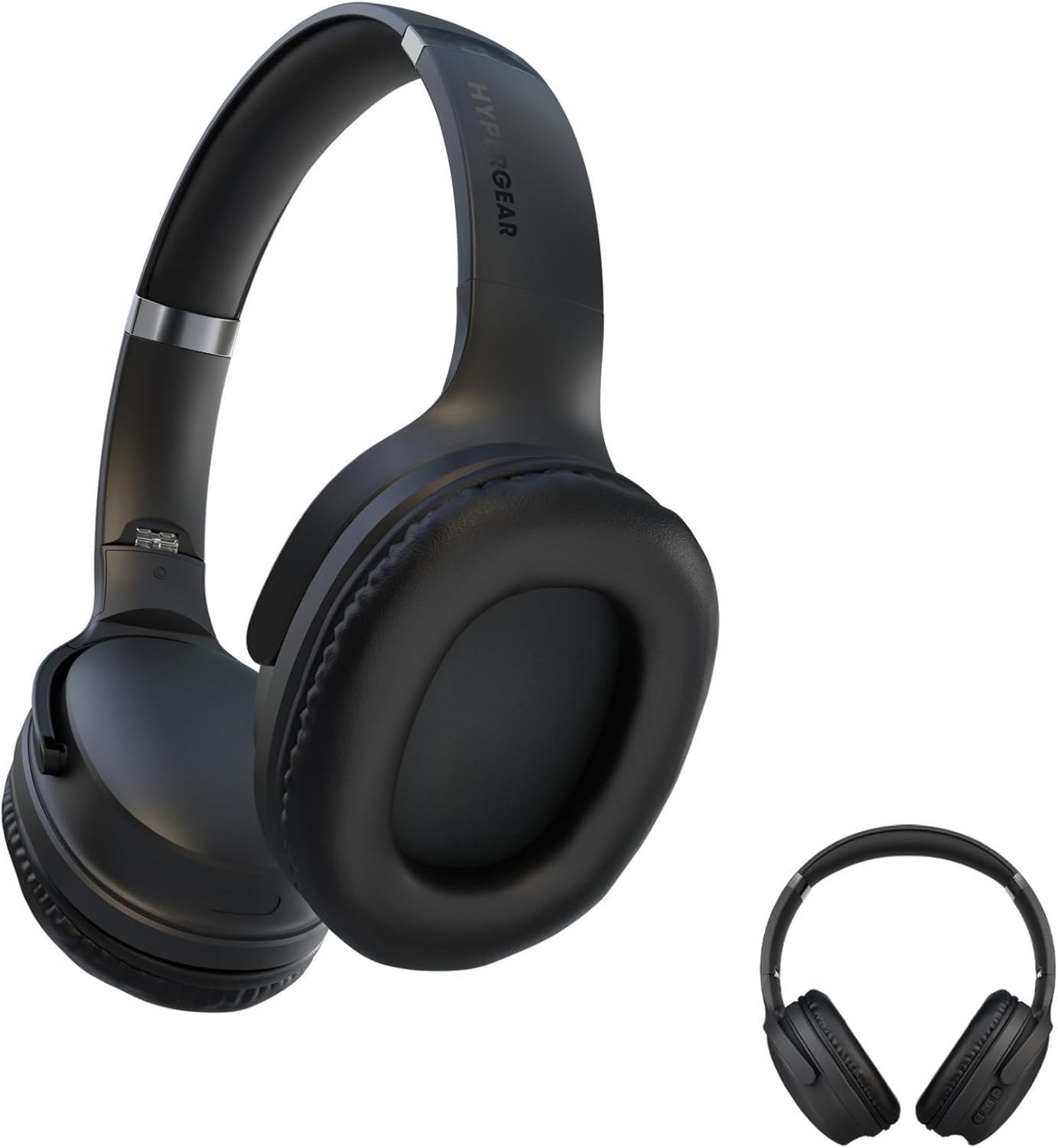
This image displays the HyperGear Flip 2-in-1 Headphones in their black finish, illustrating both the over-ear configuration for listening and the compact, folded state for portability.
2. Садржај пакета
Молимо вас да означите поље за следеће ставке:
- HyperGear Flip 2-in-1 Headphones + Speaker
- УСБ-Ц кабл за пуњење
- Кориснички приручник (овај документ)
3. Производ је готовview
The HyperGear Flip 2-in-1 device features an adjustable headband, comfortable memory foam ear cups, and intuitive on-ear controls. The unique design allows the ear cups to flip outwards, transforming the headphones into a portable speaker.
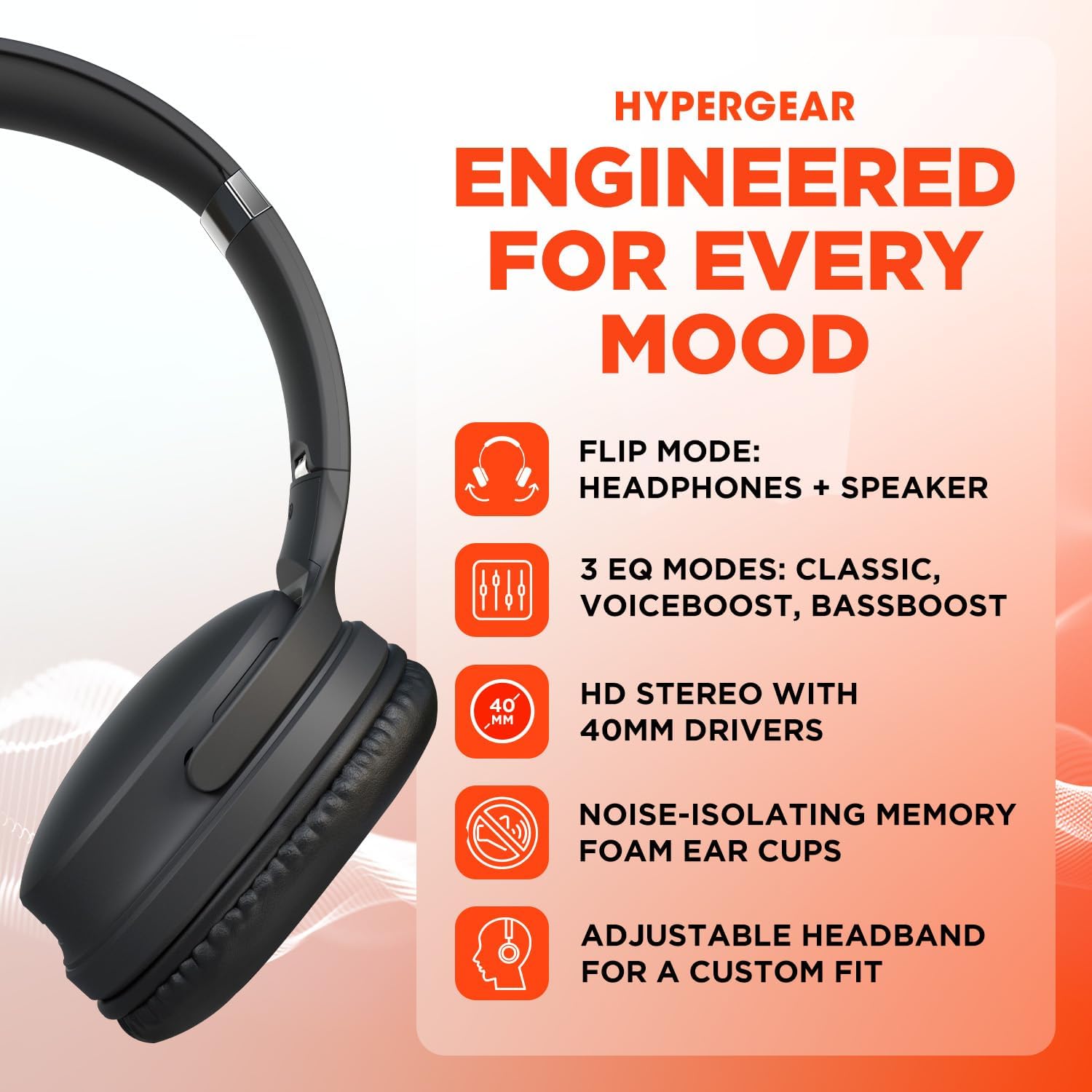
A visual representation of the HyperGear Flip 2-in-1 Headphones' main features, including its dual headphone and speaker functionality, multiple equalization modes, high-definition 40mm audio drivers, comfortable noise-isolating memory foam ear cups, and an adjustable headband for a customized fit.
Контроле на уху
The right earcup houses the primary controls for power, volume, track navigation, and EQ mode selection.

This graphic illustrates the battery performance of the HyperGear headphones, indicating 10 hours of playtime in headphone mode and 4 hours in speaker mode. It also highlights the location of the on-ear controls and the availability of three distinct EQ modes.
4. Подешавање
4.1 Пуњење уређаја
- Повежите приложени USB-C кабл за пуњење са портом за пуњење на слушалицама.
- Повежите други крај кабла са УСБ адаптером за напајање (није укључен) или УСБ портом рачунара.
- ЛЕД индикатор ће приказивати статус пуњења. Потпуно пуњење обично траје приближно 2 сата.
4.2 Укључивање/искључивање
- За укључивање: Притисните и држите дугме за напајање док се ЛЕД индикатор не упали.
- За искључивање: Притисните и држите дугме за напајање док се ЛЕД индикатор не искључи.
4.3 Блуетоотх упаривање
The HyperGear Flip 2-in-1 Headphones use Bluetooth 5.0 for a stable wireless connection up to 10.06 meters (33 feet).
- Уверите се да су слушалице искључене.
- Притисните и држите дугме за напајање приближно 5 секунде док ЛЕД индикатор не почне да трепери плаво и црвено, што указује на режим упаривања.
- На свом уређају (паметном телефону, таблету, рачунару) омогућите Блутут и потражите доступне уређаје.
- Select "HyperGear Flip" from the list of found devices.
- Once connected, the LED indicator will show a solid blue light.
- The headphones will automatically reconnect to the last paired device when powered on, if within range.
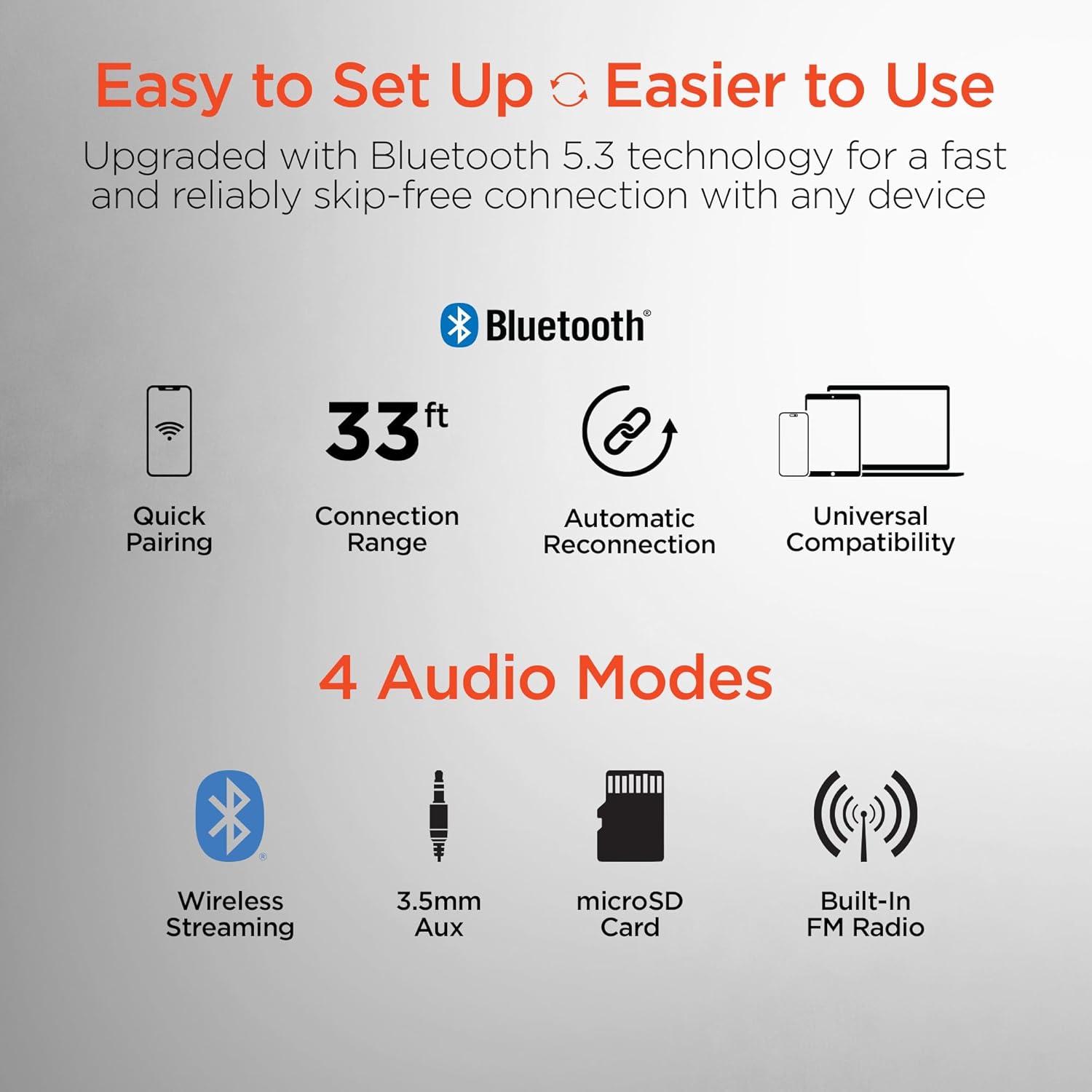
This image highlights the user-friendly aspects of the HyperGear headphones, detailing its Bluetooth 5.0 technology for quick pairing, a 33-foot connection range, automatic reconnection feature, and universal compatibility with various devices. It also lists the four available audio input modes: wireless streaming, 3.5mm auxiliary, microSD card, and built-in FM radio.
5. Упутство за употребу
5.1 Switching Between Headphone and Speaker Mode
The HyperGear Flip offers two distinct audio modes:
- Режим слушалица: For private listening, ensure the ear cups are folded inwards, covering your ears. This mode provides immersive HD sound with up to 10 hours of playtime.
- Режим звучника: To share your music, flip the ear cups outwards. The device will project powerful stereo sound, offering up to 4 hours of playtime.
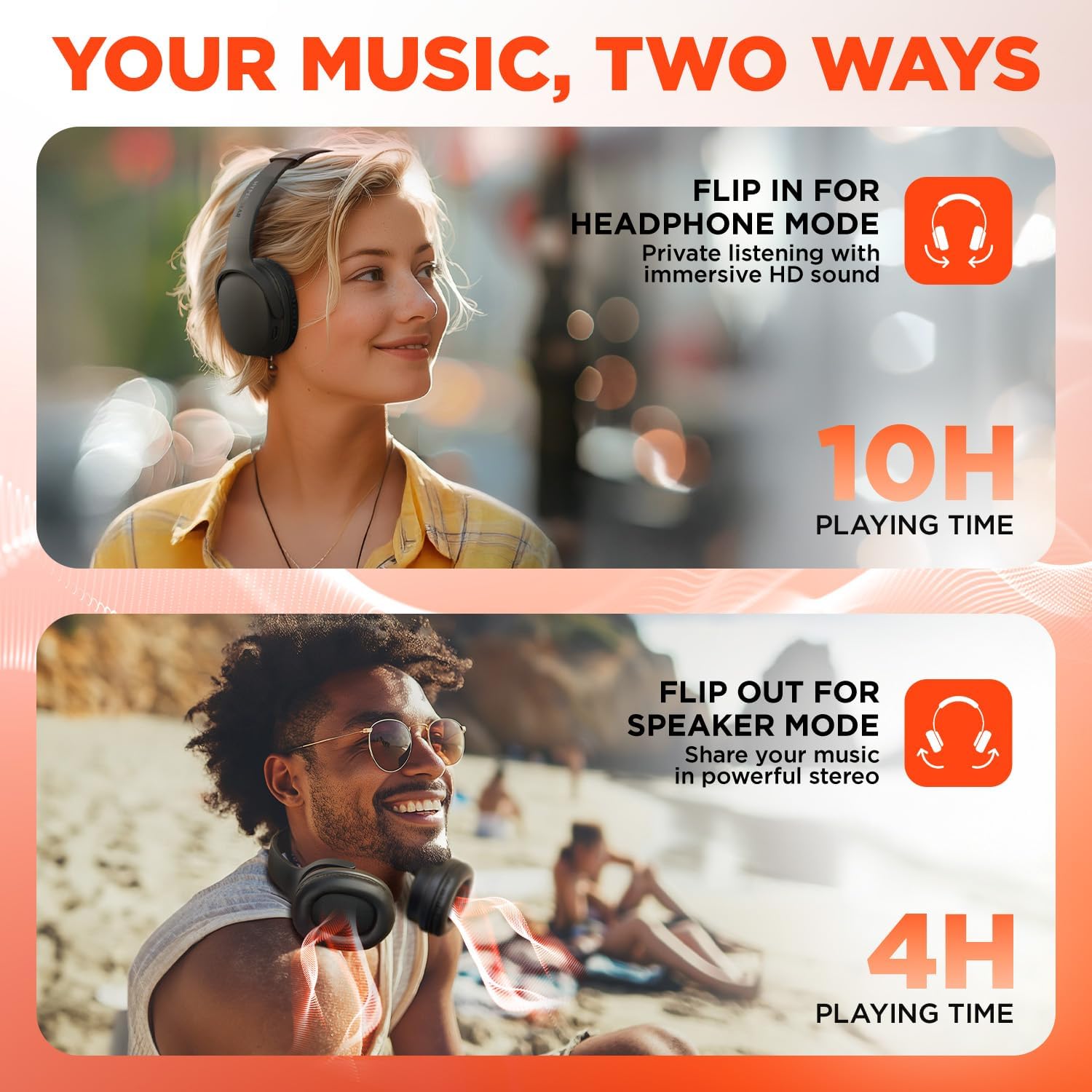
This visual demonstrates the dual functionality of the HyperGear headphones. The top image shows a woman wearing the headphones for private listening, while the bottom image shows a man with the earcups flipped out, utilizing the device as a portable speaker to share music.
5.2 On-Ear Control Functions
| Дугме/Радња | Функција |
|---|---|
| Power Button (Press & Hold) | Укључивање/искључивање |
| Дугме за напајање (кратки притисак) | Пуштање/паузирање музике, одговарање/прекидање позива |
| Волуме + / Нект Трацк | Short press for Volume Up, Long press for Next Track |
| Volume - / Previous Track | Short press for Volume Down, Long press for Previous Track |
| ЕК дугме | Cycle through EQ Modes (Classic, Voiceboost, Bassboost) |
5.3 ЕК режима
Customize your audio experience with three distinct Equalizer (EQ) modes:
- класична: Provides pure, balanced sound suitable for most music genres.
- Voiceboost: Enhances crisp, clear vocals with added detail, ideal for podcasts or audiobooks.
- Bassboost: Delivers deep, thumping bass for a more impactful listening experience.

Детаљно view of the headphone earcup, focusing on the 'EQ' button. Text descriptions explain the three available sound modes: 'Classic' for balanced audio, 'Voiceboost' for clear vocals, and 'Bassboost' for enhanced low frequencies.
5.4 Additional Audio Modes
Beyond Bluetooth, the headphones support other audio input methods:
- 3.5mm Aux: Connect via a 3.5mm audio cable (not included) for wired listening.
- МицроСД картица: Insert a microSD card with audio fileс за директно репродуковање.
- Built-In FM Radio: Tune into FM radio stations directly from the device.
6. Одржавање
6.1 Чишћење
- Обришите слушалице меком, сувом крпом.
- Не користите абразивна средства за чишћење, алкохол или хемијске раствараче.
- Држите порт за пуњење чистим од прашине и прљавштине.
6.2 Складиштење
- Слушалице чувајте на хладном и сувом месту, даље од директне сунчеве светлости и екстремних температура.
- When not in use, fold the ear cups for compact storage.
6.3 Одржавање батерије
- Да бисте продужили век трајања батерије, избегавајте често потпуно пражњење батерије.
- Редовно пуните уређај, чак и ако га не користите често.
КСНУМКС. Решавање проблема
| Проблем | Могуће решење |
|---|---|
| Уређај се не укључује | Уверите се да је батерија напуњена. Повежите се са извором напајања помоћу USB-C кабла. |
| Не могу да упарим преко Bluetooth-а | Ensure the headphones are in pairing mode (flashing blue/red LED). Turn off and on Bluetooth on your device. Move closer to the headphones. |
| No sound in headphone mode | Check volume levels on both the headphones and your connected device. Ensure ear cups are properly positioned over ears. |
| No sound in speaker mode | Ensure ear cups are fully flipped outwards. Check volume levels. |
| Лош квалитет звука | Move closer to your connected device to reduce interference. Ensure no physical obstructions are blocking the signal. |
| Батерија се брзо празни | Ensure the device is fully charged before use. Speaker mode consumes more power than headphone mode. |
8. Спецификације
| Феатуре | Детаљ |
|---|---|
| Назив модела | HyperGear Flip 2-in-1 Headphones + Speaker |
| Број модела | 16181 |
| Технологија повезивања | Бежично (Bluetooth 5.0) |
| Блуетоотх домет | 10.06 метара (33 стопа) |
| Величина аудио драјвера | 40мм |
| Фреквенцијски опсег | 20Хз - 20,000Хз |
| Контролни метод | Притисните дугме |
| Облик слушалице | Преко уха |
| Контрола буке | Звучна изолација |
| Време репродукције са слушалицама | До 10 сати |
| Време репродукције звучника | До 4 сати |
| Време пуњења | Прибл. 2 сата |
| Порт за пуњење | УСБ-Ц |
| Тежина артикла | 16 унци (0.45 килограма) |
| Димензије производа | 7.88 к 10.24 к 3.55 инча |
| Ниво отпорности на воду | Није водоотпоран |
| Компатибилни уређаји | Phones, Tablets, Computers, Gaming Consoles, Desktops, Laptops |
| УПЦ | 633755161803 |
9. Гаранција и подршка
9.1 Информације о гаранцији
HyperGear products are designed for durability and performance. This product is covered by a limited manufacturer's warranty against defects in materials and workmanship under normal use. Please refer to the warranty card included with your purchase or visit the official HyperGear webсајт за конкретне услове гаранције.
9.2 Корисничка подршка
For technical assistance, troubleshooting, or warranty claims, please contact HyperGear customer support:
- Webсајт: www.hypergear.com (Молимо вас да проверите званичну website for the most current contact information)
- Емаил: support@hypergear.com (Example, please verify on official webсајт)
- Телефон: (Прample, please verify on official webсајт)
Ask a question about this manual
Ask about setup, troubleshooting, compatibility, parts, safety, or missing instructions. Manuals+ will review the question and use this page’s manual context to help answer it.