
1. Увод
The MiBOXER K3S Rotating Wheel Remote provides intuitive control over LED lighting systems, allowing for precise adjustment of both color temperature and brightness. Utilizing 2.4GHz wireless technology, this remote ensures stable and responsive operation. Its ergonomic design facilitates easy handling and accurate adjustments, making it suitable for various lighting applications.
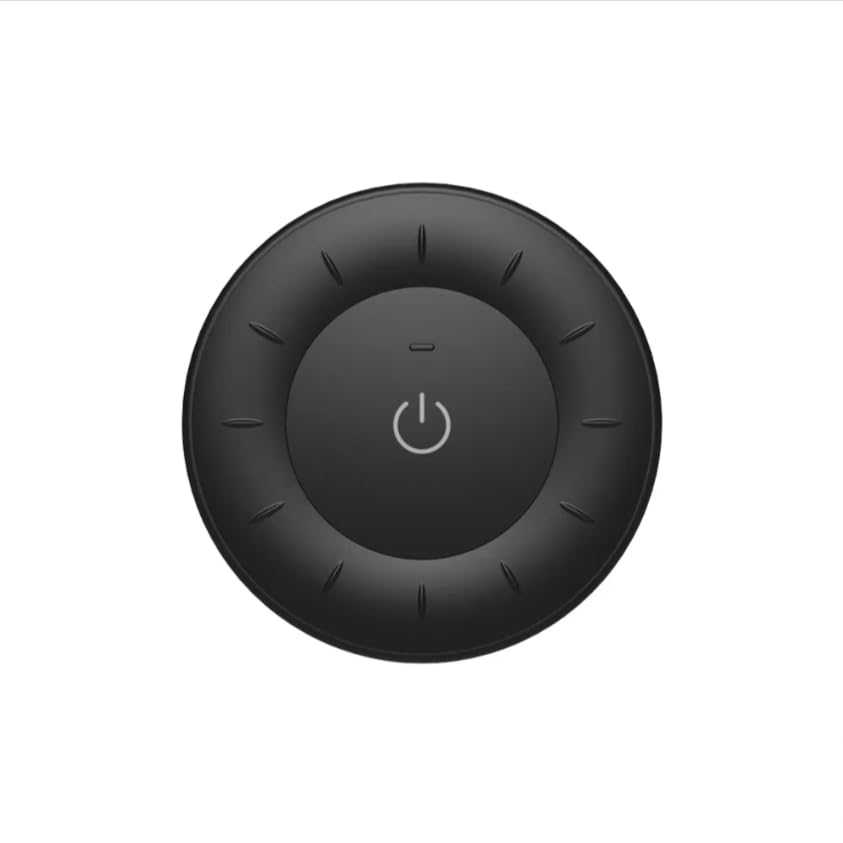
Image 1.1: MiBOXER K3S Rotating Wheel Remote (Black)
This image displays the MiBOXER K3S remote control in black, highlighting its circular design and central power button.
2. Карактеристике производа
- Adjustable Brightness & Color Temperature: Allows fine-tuning of lighting intensity and warmth.
- Дизајн ротирајућег точка: Provides smooth and intuitive control for easy adjustments.
- 2.4ГХз бежична технологија: Ensures stable, interference-free connectivity with compatible devices.
- Ергономски дизајн: Удобно за држање и рад.
- Multi-Environment Compatibility: Suitable for various settings including homes, offices, and commercial spaces.
3. Садржај пакета
Након отварања паковања, проверите да ли су све компоненте присутне:
- МиБОКСЕР К3С даљински управљач са ротирајућим точковима
- Упутство за употребу
Note: CR2032 battery is purchased separately and is not included in the package.
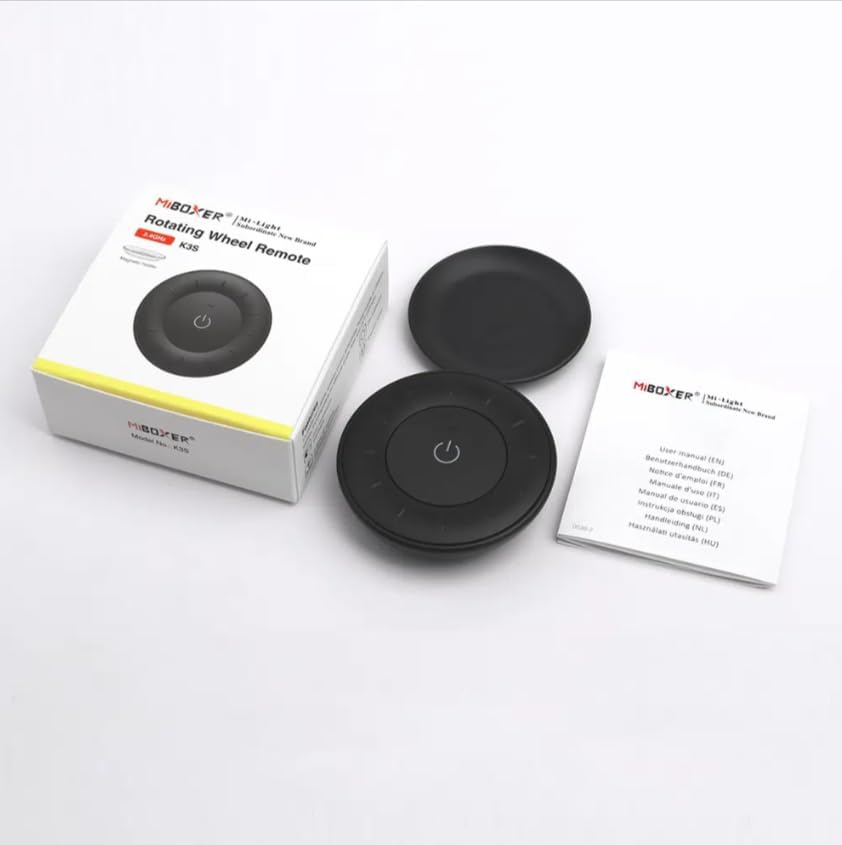
Image 3.1: Package Contents Overview
This image shows the MiBOXER K3S remote, its packaging box, and the included user manual, laid out on a surface.
4. Дијаграм производа

Image 4.1: Remote Control Components
This diagram illustrates the main components of the MiBOXER K3S remote, including the ON/OFF button, brightness/color temperature rotating wheel, and the battery compartment with Link/Unlink button.
- Дугме за укључивање/искључивање: Central button to power the connected light on or off.
- Brightness / Color Temperature Rotating Wheel: The outer ring used to adjust brightness by default. Long press the ON/OFF button for 3 seconds to switch to color temperature adjustment mode.
- Link / Unlink Button: Located inside the battery compartment, used for pairing the remote with compatible lighting devices.
5. Подешавање
5.1 Инсталација батерије
- Пронађите одељак за батерије на полеђини даљинског управљача.
- Отворите поклопац одељка за батерије.
- Уметните једну CR2032 батерију, водећи рачуна о исправном поларитету (+/-).
- Добро затворите поклопац одељка за батерије.
Image 5.1: Battery Installation Area
This image shows the underside of the remote, indicating the location for the CR2032 battery and the Link/Unlink button.
5.2 Linking / Unlinking the Remote
The K3S remote uses 2.4GHz RF wireless technology to communicate with compatible MiBOXER lighting devices.
Linking Procedure:
- Уверите се да је расветно тело које желите да контролишете искључено из струје.
- Power on the light fixture.
- Within 3 seconds of powering on the light, press the "Link/Unlink" button (located inside the battery compartment) on the K3S remote три пута.
- Светло би требало да трепери три пута полако, што указује на успешно повезивање.
Unlinking Procedure:
- Уверите се да је расветно тело које желите да искључите искључено.
- Power on the light fixture.
- Within 3 seconds of powering on the light, press the "Link/Unlink" button (located inside the battery compartment) on the K3S remote пет пута.
- Светло би требало да брзо трепери десет пута, што указује на успешно раскидање везе.
6. Упутство за употребу
6.1 Укључивање/искључивање напајања
- Press the central ⏻ (ON/OFF) button once to turn the connected light on or off.
6.2 Подешавање осветљености
- By default, rotating the outer wheel adjusts the brightness of the light.
- Ротирајте у смеру казаљке на сату да бисте повећали осветљеност.
- Rotate counter-clockwise to decrease brightness.
6.3 Подешавање температуре боје
- To switch to color temperature adjustment mode, дуги притисак the central ⏻ (ON/OFF) button for 3 seconds.
- Once in color temperature mode, rotate the outer wheel to adjust the color temperature.
- Rotate clockwise for cooler (bluer) light.
- Rotate counter-clockwise for warmer (yellower) light.
- To switch back to brightness adjustment, long press the ⏻ (ON/OFF) button for another 3 seconds.
7. Спецификације
| Назив модела | К3С |
| Бранд | МиБОКСЕР |
| Технологија повезивања | 2.4G РФ бежични |
| Тип контроле | Осветљеност, температура боје |
| Максимални домет | 30 метара |
| Тип батерије | CR2032 (purchased separately) |
| Димензије (пречник к висина) | Ø60mm x 15mm (approx.) |
| Weight (Gross Weight per box) | 0.05 KGS (approx.) |

Image 7.1: Remote Control Dimensions
This diagram provides the physical dimensions of the MiBOXER K3S remote, showing a diameter of 60mm and a thickness of 15mm (or 19.5mm with the base).
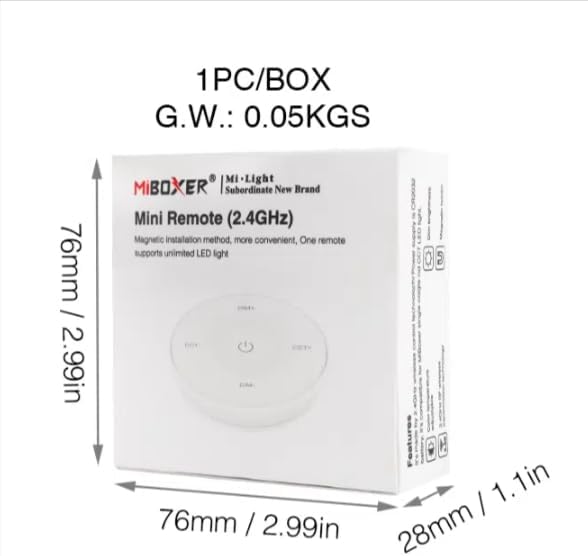
Image 7.2: Packaging Dimensions
This image displays the dimensions of the product packaging, indicating it is 76mm x 76mm x 28mm with a gross weight of 0.05 KGS.
8. Одржавање
- Даљински управљач одржавајте чистим брисањем меком, сувом крпом.
- Avoid exposing the remote to moisture, extreme temperatures, or direct sunlight.
- If the remote is not used for an extended period, remove the battery to prevent leakage.
- Replace the battery when the remote's performance degrades or it stops responding.
КСНУМКС. Решавање проблема
| Проблем | Могући узрок | Решење |
|---|---|---|
| Даљински не реагује | Празан или празна батерија | Замените ЦР2032 батерију. |
| Light not linking | Incorrect linking procedure or light not compatible | Ensure the light is powered on within 3 seconds of pressing the link button. Verify light compatibility with MiBOXER 2.4G RF remotes. |
| Ограничен домет | Препреке или сметње | Reduce distance between remote and light. Remove obstructions. Avoid areas with strong 2.4GHz interference. |
| Brightness/Color Temp adjustment not working | Даљински управљач у погрешном режиму | Long press the ON/OFF button for 3 seconds to switch between brightness and color temperature adjustment modes. |
10. Гаранција и подршка
The product comes with a manufacturer's warranty. For specific warranty details and duration, please refer to the documentation included with your purchase or contact MiBOXER customer support.
For technical support or inquiries, please visit the official MiBOXER webсајту или се обратите њиховом одељењу за корисничку подршку.
Произвођач: Мибокер