
1. Увод
Thank you for choosing the FOFUN T-Fun NC95 Hybrid Active Noise Cancelling Headphones. This manual provides essential information for the safe and efficient use of your headphones. Please read it thoroughly before use and retain it for future reference.

Image 1.1: T-Fun NC95 Hybrid Active Noise Cancelling Headphones.
2. Садржај пакета
Проверите да ли су све ставке присутне у пакету:
- NC95 ANC Headphones
- 3.5 мм аудио кабл
- Type A-C Charging Cable
- PU Bag (Carrying Case)
- Водич за брзи почетак
- Digital Manual (Downloadable)

Image 2.1: Included accessories and headphones.
3. Производ је готовview
3.1 Компоненте слушалица

Слика 3.1: Готовоview of headphone ports and buttons.
3.2 Fit and Adjustability
- Подесива трака за главу: The headband can be extended or retracted to fit various head sizes, ensuring a personalized and comfortable fit.
- 90° Rotatable Earcups: The earcups rotate more than 90 degrees, allowing for a comfortable fit and easy storage when not in use.
- Меки јастучићи за уши: Made with quality protein memory foam for extended comfort.
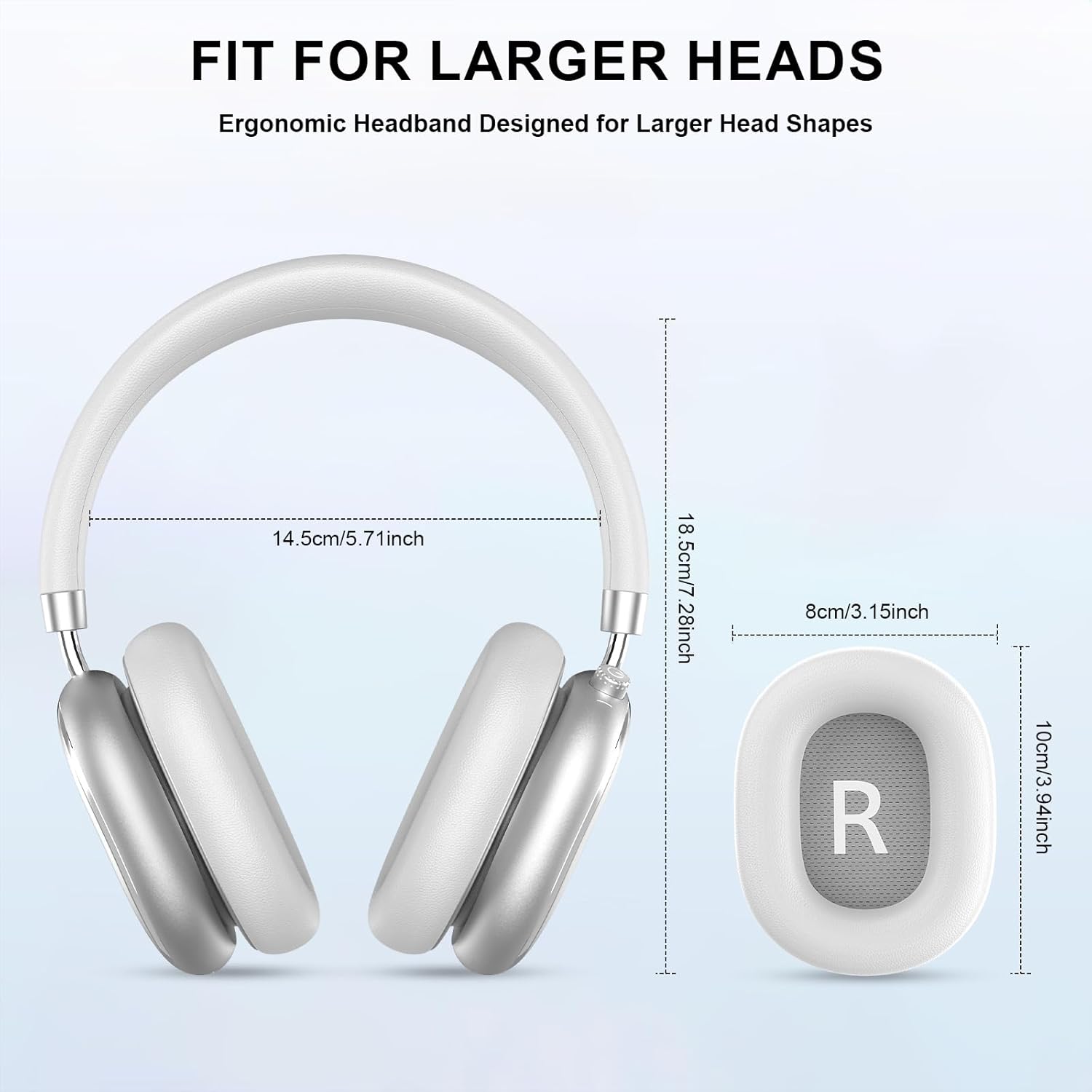
Image 3.2: Headphone dimensions for fit reference.
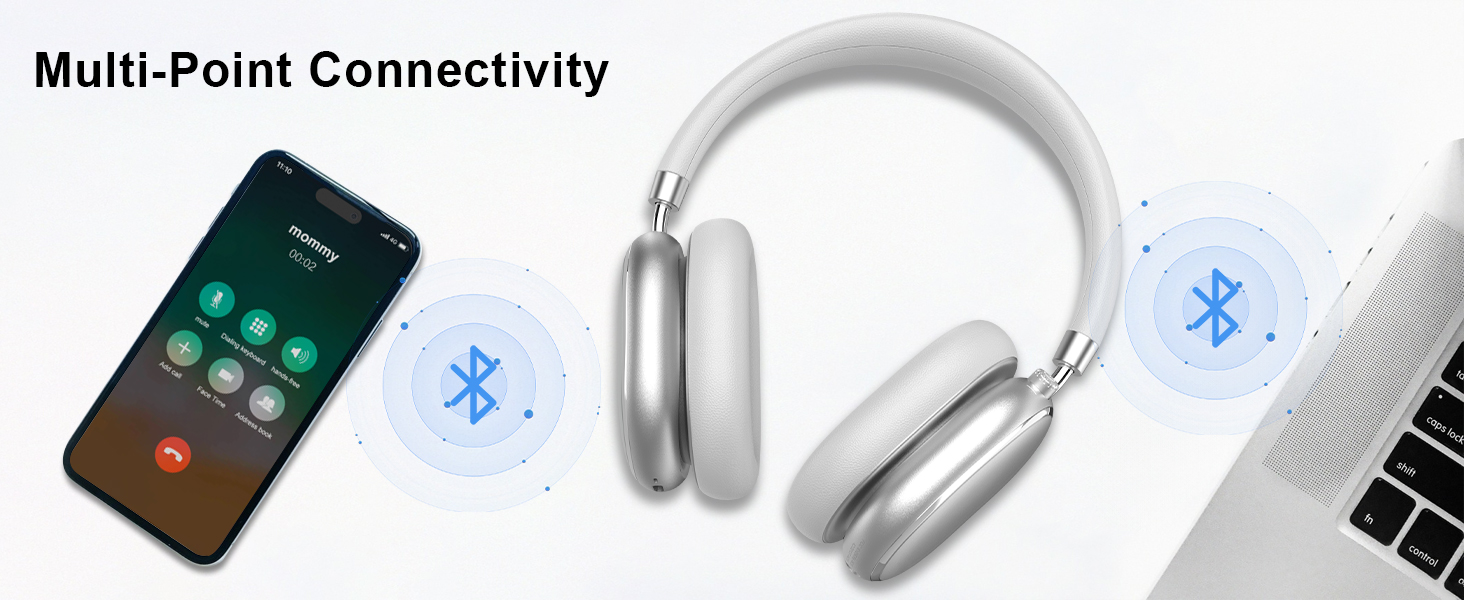
Image 3.3: Adjustable headband for personalized comfort.
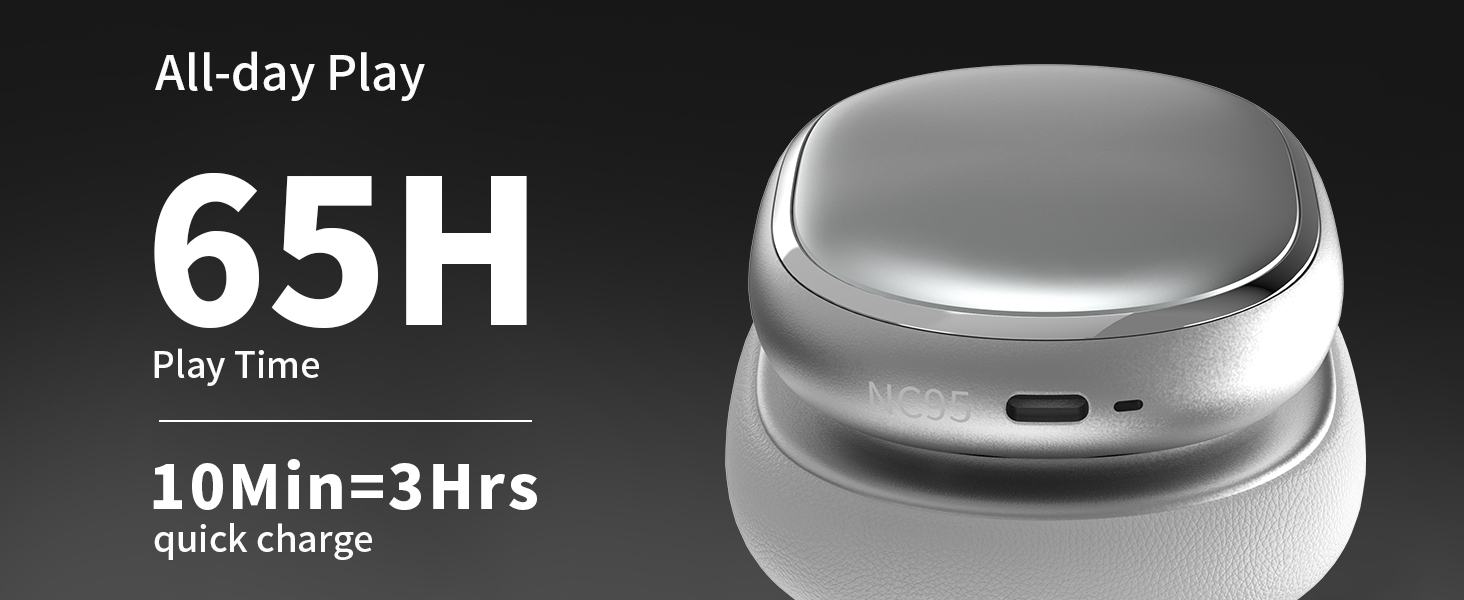
Image 3.4: Earcups rotate for comfort and storage.

Image 3.5: Ultra-soft protein leather ear cushions for comfort.
4. Подешавање
4.1 Почетна припрема
- Уклоните заштитну налепницу: Before first use, gently remove the protective sticker from the sides of the headphones. You may warm the area with a hairdryer (low heat) for easier removal. Peel slowly and remove any sticky residue with warm water or rubbing alcohol.

Image 4.1: Steps for removing the protective sticker.
4.2 Пуњење слушалица
Before initial use, fully charge the headphones. Use the provided Type A-C charging cable.
- Connect the USB-C end of the cable to the charging port on the headphones.
- Повежите USB-A крај са компатибилним USB извором напајања (нпр. адаптером за зид, USB портом рачунара).
- ЛЕД индикатор ће приказивати статус пуњења. Потпуно пуњење траје отприлике 2.5 сата.
- A 10-minute quick charge provides approximately 3 hours of playback.

Image 4.2: Battery life and charging information.
4.3 Блуетоотх упаривање
- Уверите се да су слушалице напуњене и искључене.
- Press and hold the power button (located on the knob control) for 3-5 seconds until the LED indicator flashes, indicating pairing mode.
- На свом уређају (паметном телефону, таблету, лаптопу) омогућите Блутут и потражите доступне уређаје.
- Select "T-Fun NC95" from the list of devices.
- Једном када се повеже, ЛЕД индикатор ће променити светло у стално или ће полако трептати.
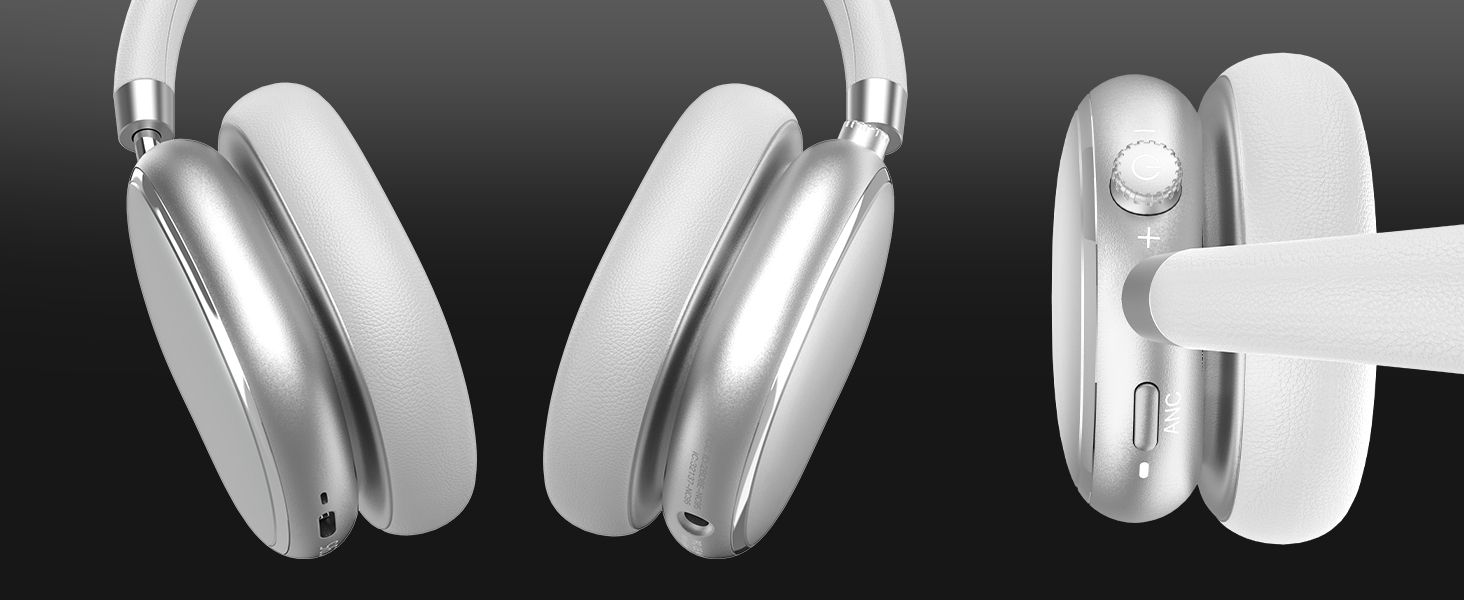
Image 4.3: Multipoint Bluetooth connectivity.
4.4 T-Fun App Installation
For enhanced control and customization, download the official "T-fun" app.
- Тражи "T-fun" on the Apple App Store or Google Play Store.
- Преузмите и инсталирајте апликацију.
- Open the app and follow the on-screen instructions to connect your NC95 headphones.

Image 4.4: T-Fun app customization features.

Image 4.5: App download and connection process.
5. Упутство за употребу
5.1 Укључивање/искључивање
- Укључено: Press and hold the power button (on the knob) for 3-5 seconds.
- Искључивање: Press and hold the power button (on the knob) for 3-5 seconds.
5.2 Knob Control Functions
The multi-functional knob control allows for intuitive operation:
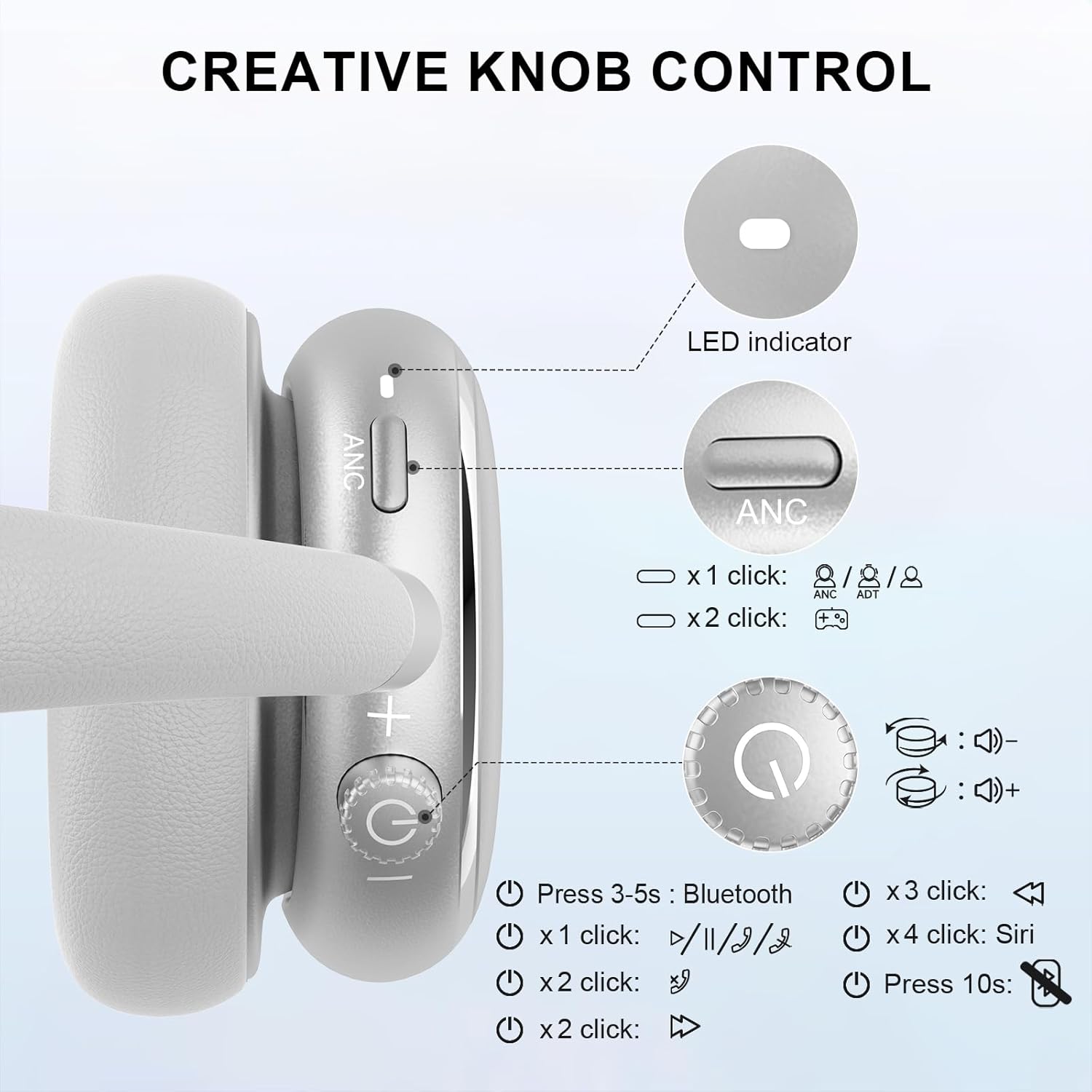
Image 5.1: Creative Knob Control functions.
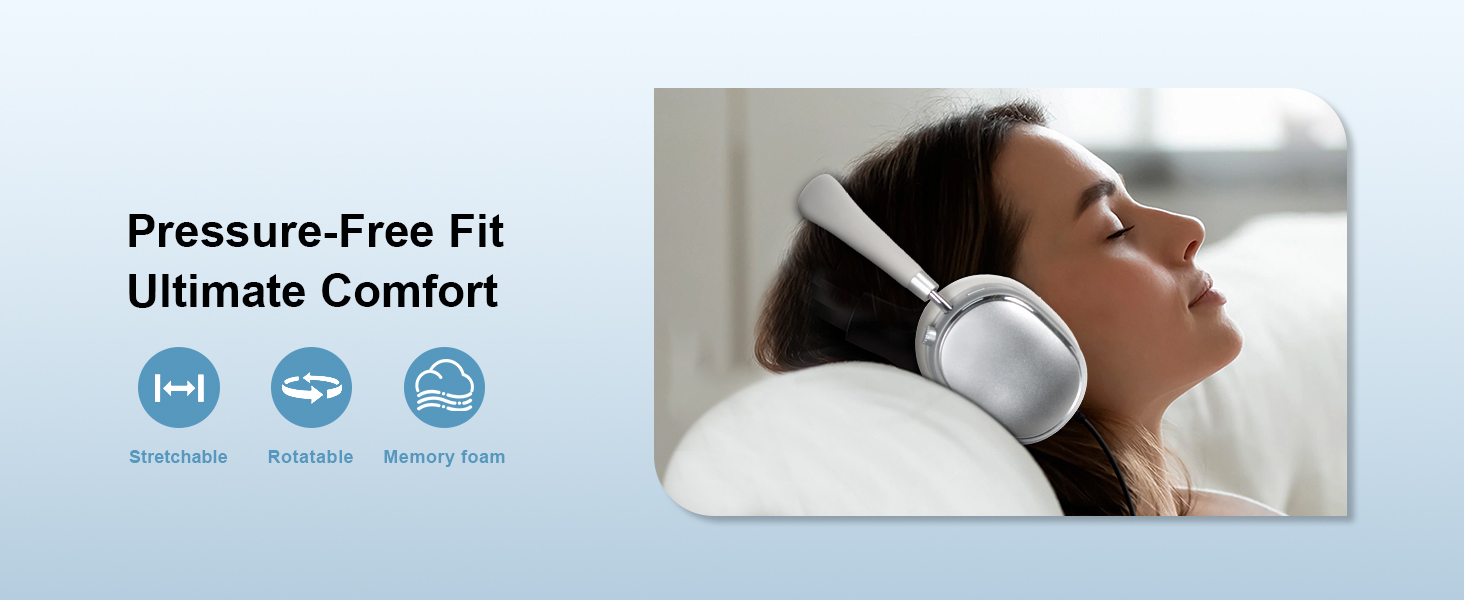
Image 5.2: Multi-functional Knob Control for volume adjustment.
- Подешавање јачине звука: Rotate the knob clockwise to increase volume, counter-clockwise to decrease volume.
- Пусти/паузирај: Press the knob once.
- Одговори/заврши позив: Press the knob once.
- Следећа нумера: Press the knob twice.
- Претходни запис: Press the knob three times.
- Активирајте гласовног асистента (Сири): Press the knob four times.
- Ресетовати: Притисните и држите дугме 10 секунде.
Note: Knob functions are only available in wireless connection mode.
5.3 Active Noise Cancellation (ANC) and Transparency Mode
The NC95 headphones feature Hybrid Active Noise Cancellation and Transparency Mode, controlled by a dedicated button.
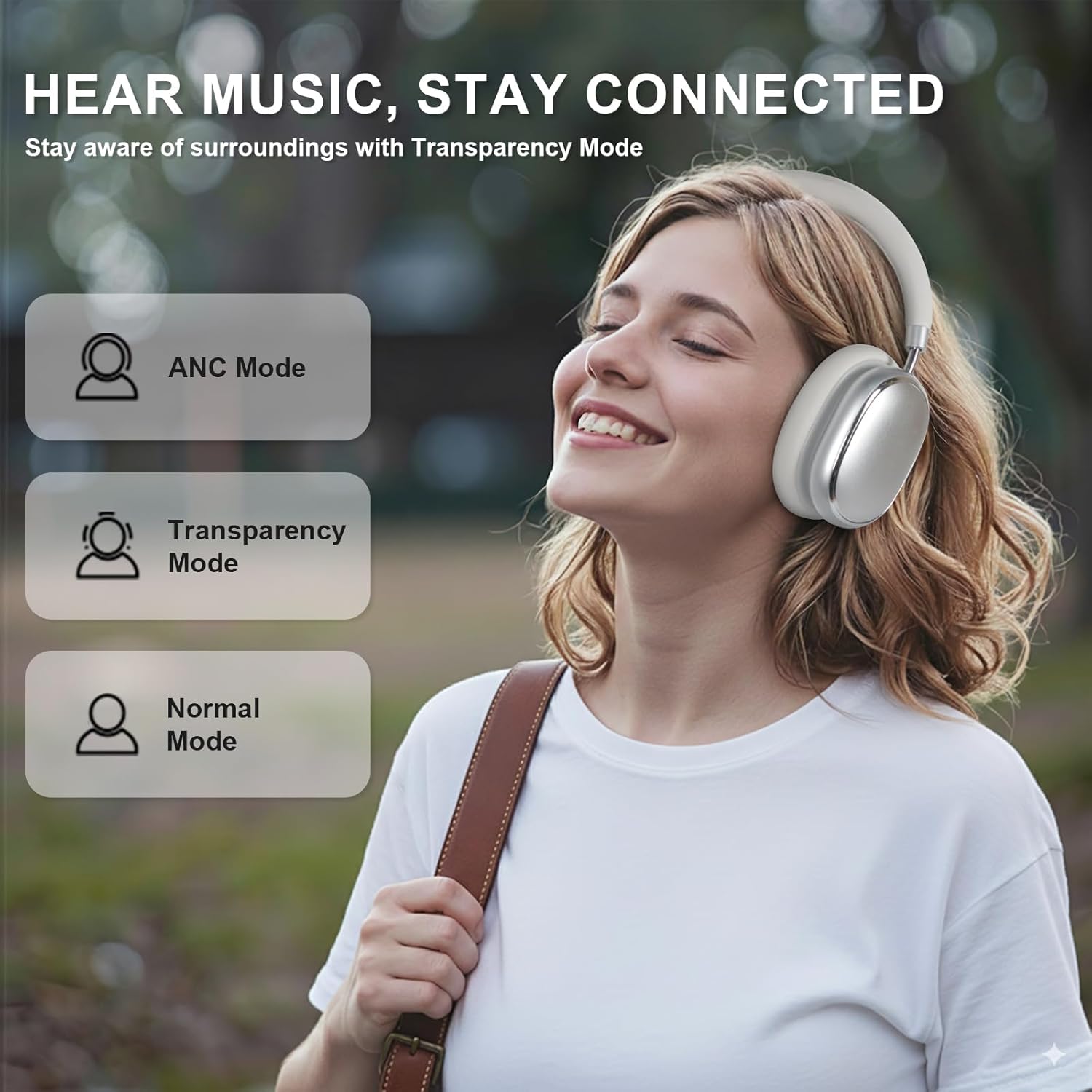
Image 5.3: ANC, Transparency, and Normal modes.

Image 5.4: Noise reduction effectiveness.
- АНЦ режим: Press the ANC button once to activate Hybrid Active Noise Cancellation, reducing ambient noise by up to 35dB.
- Транспарентни режим: Press the ANC button again to switch to Transparency Mode, allowing you to hear your surroundings without removing the headphones.
- нормалан режим: Press the ANC button a third time to return to Normal Mode, with ANC and Transparency off.
Note: ANC mode is only available in wireless connection mode.
5.4 Жична веза
For a wired audio experience or when battery is low, use the 3.5mm audio cable.
- Connect one end of the 3.5mm audio cable to the audio jack on the headphones.
- Повежите други крај са 3.5 мм аудио излазом вашег уређаја.
- In wired mode, the knob control functions for volume, playback, and calls are not available.
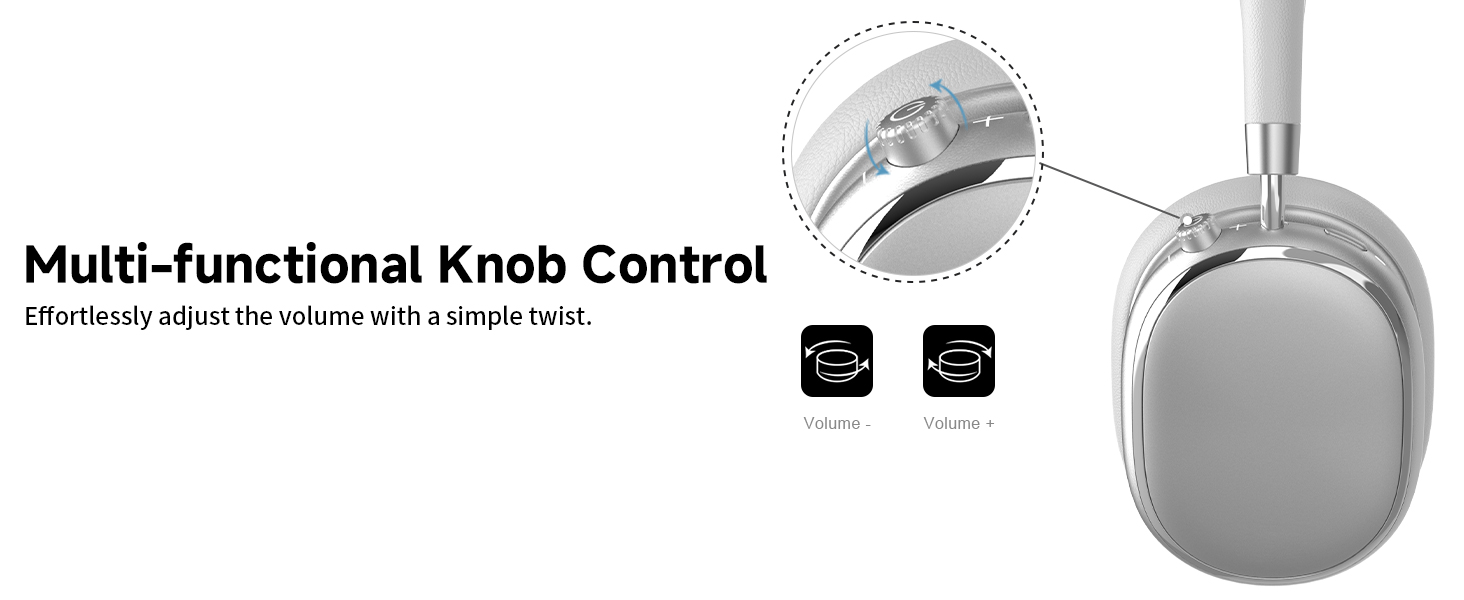
Image 5.5: Wired connection with 3.5mm audio cable.
5.5 Управљање позивима
When connected via Bluetooth, you can manage calls using the knob control.
- Одговори/заврши позив: Press the knob once.
- Одбиј позив: Притисните и држите дугме 2 секунде.

Image 5.6: Clear hands-free calls with built-in microphones.
6. Одржавање
6.1 Чишћење
- Обришите слушалице меком, сувом крпом.
- Немојте користити јаке хемикалије или абразивне материјале.
- Избегавајте улазак влаге у било какве отворе.
6.2 Складиштење
- Store the headphones in the provided PU bag when not in use to protect them from dust and scratches.
- Избегавајте складиштење на екстремним температурама или високој влажности.
6.3 Detachable Ear Cushions
The ear cushions are detachable for easy cleaning and replacement, ensuring long-term use.

Image 6.1: Detachable ear cushions for easy care.
КСНУМКС. Решавање проблема
If you encounter issues with your NC95 headphones, refer to the following common solutions:
| Проблем | Могући узрок | Решење |
|---|---|---|
| Слушалице се не укључују | Ниска батерија | У потпуности напуните слушалице. |
| Не могу да упарим преко Bluetooth-а | Слушалице нису у режиму упаривања; Блутут уређаја је искључен; Сметње | Ensure headphones are in pairing mode (flashing LED). Turn device Bluetooth off and on. Move closer to the device. |
| Нема звука | Volume too low; Incorrect audio source; Loose wired connection | Increase volume on headphones and device. Check audio output settings on your device. Re-insert 3.5mm cable firmly. |
| АНК не функционише ефикасно | ANC not activated; Environmental noise too high | Press the ANC button to cycle through modes. ANC is most effective against low-frequency noise. |
| Проблеми са везом апликације | Bluetooth not connected; App glitch | Ensure headphones are connected via Bluetooth. Restart the app or your phone. |
Ако проблем и даље постоји, обратите се корисничкој подршци.
8. Спецификације
| Феатуре | Детаљ |
|---|---|
| Назив модела | НЦ95 |
| Контрола буке | Хибридно поништавање буке |
| Фреквенцијски одзив | 20 Hz - 20 kHz |
| Осетљивост | 105 дБ |
| Импеданса | 32 Охм |
| Јацк за слушалице | 3.5 мм прикључак |
| Технологија повезивања | Wireless (Bluetooth), Wired |
| Бежична комуникациона технологија | Блуетоотх 5.3 |
| Блуетоотх домет | 15 метара |
| Аудио Латенци | 50 милисекунди |
| Величина аудио драјвера | 40 милиметара |
| Тип контроле | App Control, Push Button, Knob |
| Трајање батерије | Up to 65 Hours (ANC playback) |
| Време пуњења | 2.5 сата |
| Ниво отпорности на воду | Није водоотпоран |
| Тежина артикла | 1.28 фунти |
| Произвођач | FOFUN |
9. Гаранција и подршка
9.1 Информације о гаранцији
For detailed warranty information, please refer to the documentation included with your purchase or contact FOFUN customer service directly. Warranty terms may vary by region and retailer.
9.2 Корисничка подршка
If you require further assistance or have questions not covered in this manual, please contact FOFUN customer support through their official channels. You can also visit the T-Fun Store on Amazon за додатне ресурсе.