
Ergear EGESD7W-CA
Упутство за употребу електричног стоног стола ErGear
Model: EGESD7W-CA | Brand: ErGear
Увод
Thank you for choosing the ErGear Electric Standing Desk. This manual provides detailed instructions for assembly, operation, maintenance, and troubleshooting to ensure optimal performance and longevity of your desk. Please read this manual thoroughly before installation and use, and retain it for future reference.
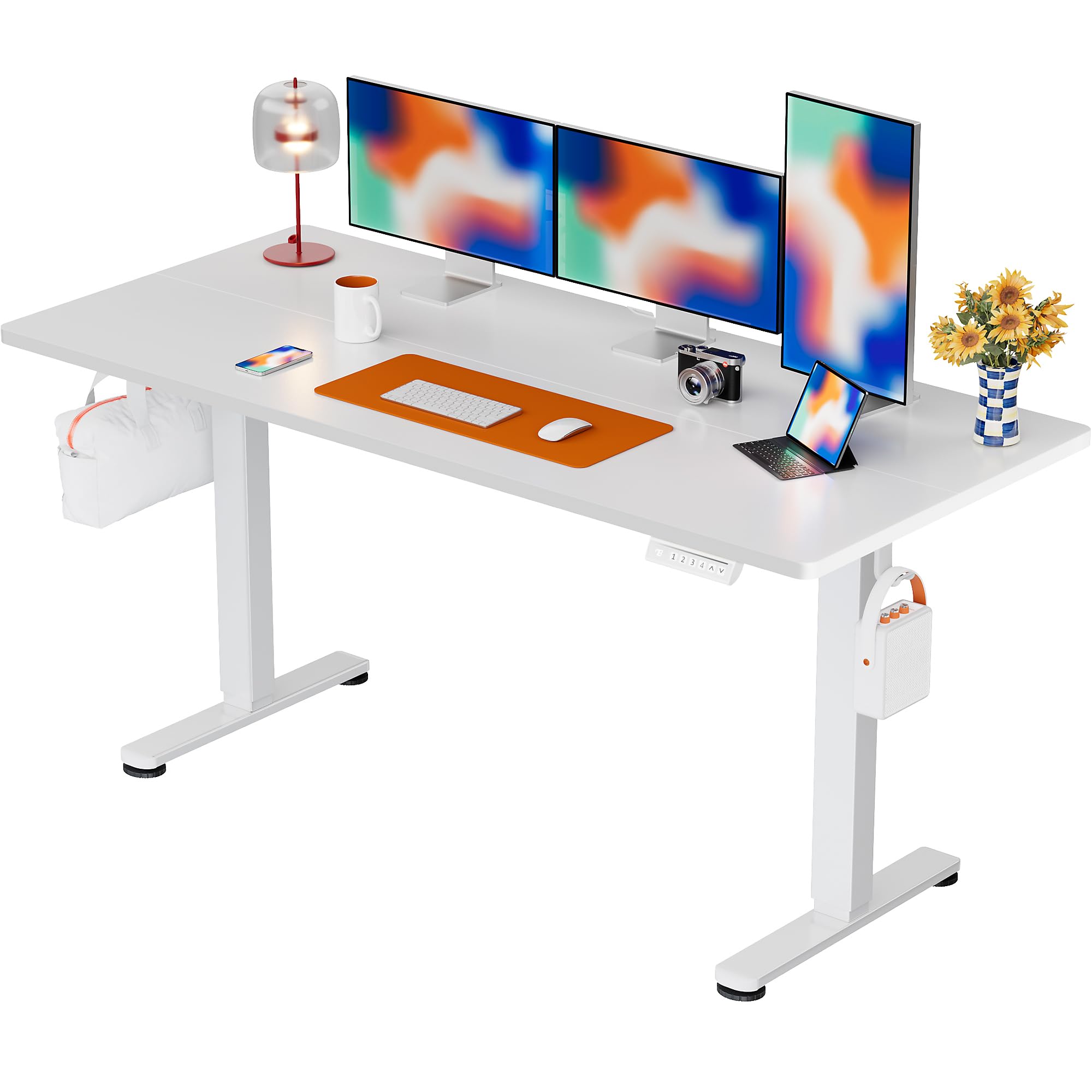
The ErGear Electric Standing Desk, 63x28 inch, in a white finish, featuring a spacious desktop and electric height adjustment capabilities.
Безбедносне информације
- Пре склапања проверите да ли су све компоненте присутне и неоштећене. Не користите ако неки делови недостају или су неисправни.
- Keep children and pets away from the desk during operation to prevent injury.
- Do not overload the desk. The maximum weight recommendation is 176 pounds (80 kg).
- Ensure the power cord is not pinched or damaged. Connect to a grounded outlet.
- Избегавајте стављање течности директно на контролну таблу или близу електричних компоненти.
- Редовно проверавајте све завртње и спојеве како бисте били сигурни да су чврсто затегнути и безбедно причвршћени.
- Овај сто је дизајниран само за унутрашњу употребу.
Садржај пакета
Before beginning assembly, please verify that all the following components are included in your package:
- Desktop Boards ×2
- Leg with Motor ×1
- Лег ×1
- Leg Bases ×2
- Crossbar & Transmission Rod
- Controller & Power Cable
- Сви потребни алати и хардвер за монтажу
Упутство за монтажу
Follow these steps carefully to assemble your ErGear Electric Standing Desk. An assembly video is also provided for visual guidance.
Official ErGear Electric Standing Desk Assembly Video. This video demonstrates the step-by-step process for setting up your desk.
Step 1: Assemble the Desk Legs
Attach the leg bases to the desk legs using the provided screws. Ensure they are securely fastened.

The stable T-shaped desk legs provide a sturdy foundation for the electric standing desk.
Step 2: Attach Side Plates and Transmission Rod
Connect the side plates to the desk legs. Insert the transmission rod fully into the left leg and secure it. If the two desk legs are not at the same height, insert the rod into the left leg and turn to adjust.
Step 3: Assemble and Attach the Desktop
Place the two desktop boards together, aligning the dowels. Secure the desktop to the assembled frame using the provided screws and brackets. Ensure all connections are tight.
Корак 4: Повежите каблове
Connect the motor and control panel cables to the main control box. Ensure all connections are firm and correctly oriented.
Step 5: Install Cable Hole Covers
Place the cable hole covers into the designated openings on the desktop to manage wires neatly.

Ergonomic guidelines for using the standing desk, showing optimal monitor and arm positions for both sitting and standing.
Упутство за употребу
Контролна табла је завршенаview
The desk features an intuitive control panel with height adjustment buttons and memory presets.
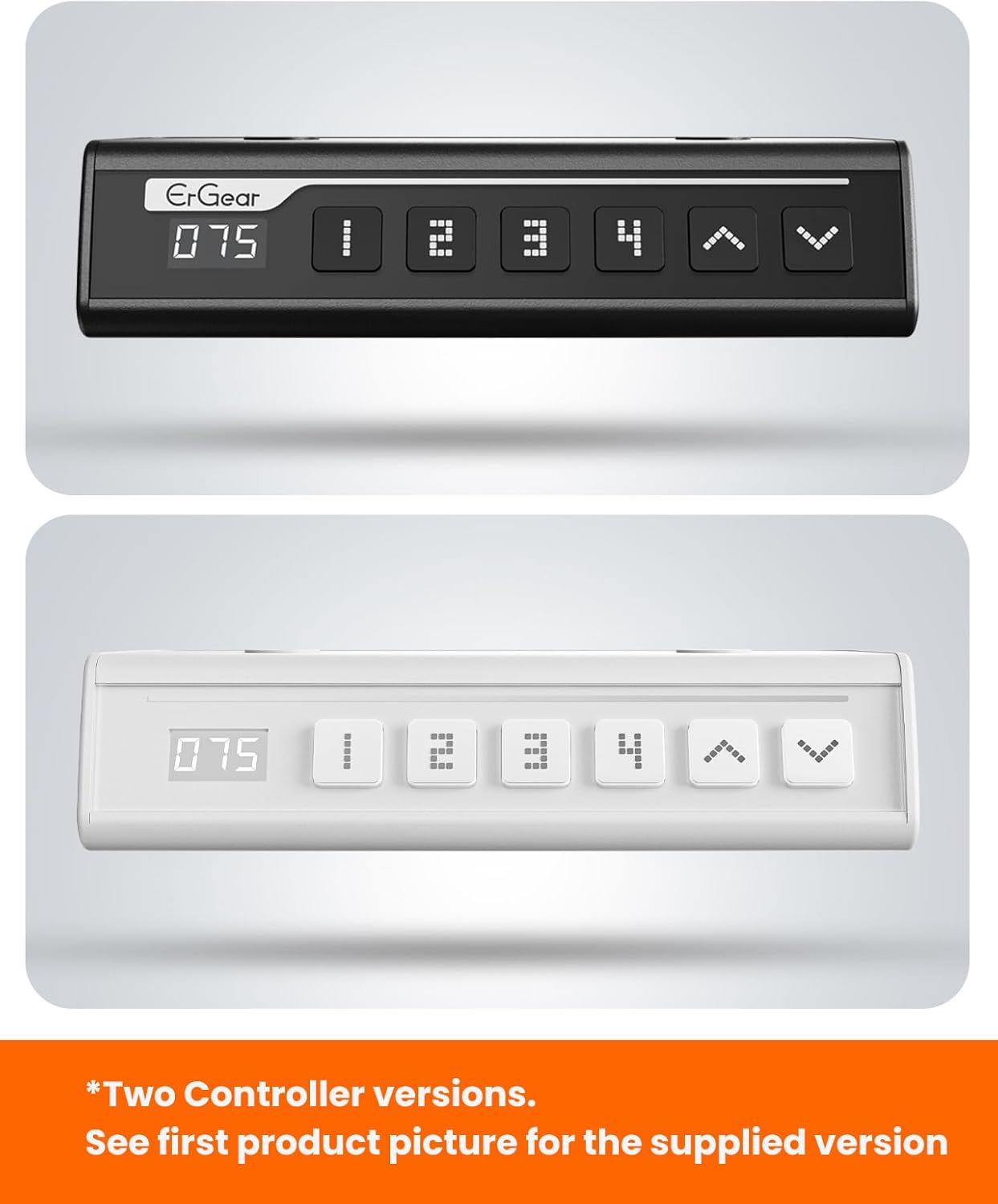
The ErGear control panel, available in two versions, features a digital height display and four programmable memory settings.
Подешавање висине
- Користите Горе (^) и Доле (v) arrows to smoothly adjust the desk height between 28.35 inches and 46.46 inches.
- Release the button at your desired height.
Мемори Пресетс
The desk allows you to save up to 4 preferred height settings.
- Подесите сто на жељену висину помоћу стрелица горе/доле.
- Притисните тастер M button (or equivalent memory set button). The display will flash.
- Press one of the numbered preset buttons (1, 2, 3 или 4) within 3 seconds to save the current height to that preset.
- Да бисте позвали сачувану висину, једноставно притисните одговарајуће нумерисано дугме за унапред подешену вредност. Сто ће се аутоматски померити на сачувану позицију.
This video demonstrates the smooth and quiet operation of the ErGear Electric Standing Desk, showcasing its height adjustment and memory preset features.
Одржавање
- Чишћење: Обришите радну површину и оквир меком крпомamp крпу. Избегавајте јаке хемикалије или абразивна средства за чишћење.
- инспекција: Periodically check all screws and connections for tightness. Re-tighten if necessary.
- Управљање кабловима: Ensure cables are neatly organized and not tangled or pinched to prevent damage.
Решавање проблема
If you encounter any issues with your ErGear Electric Standing Desk, please refer to the following common problems and solutions:
| Проблем | Могући узрок | Решење |
|---|---|---|
| Радни сто се не помера | Power cable disconnected, motor error, overloaded desk. | Check power connections. Unplug for 30 seconds and plug back in. Reduce weight on the desk. |
| Неуједначена висина | Transmission rod not fully inserted or adjusted. | Refer to Step 2 of assembly to ensure the transmission rod is correctly installed and adjusted. |
| Бука током рада | Normal operation sound, loose screws. | A slight motor sound is normal. Check and tighten any loose screws on the frame. |
| Пресет меморије не раде | Неправилан поступак чувања. | Follow the memory preset instructions carefully (press M, then the number within 3 seconds). |
Спецификације
| Феатуре | Детаљ |
|---|---|
| Бранд | ЕрГеар |
| Број модела | EGESD7W-CA |
| Деск Десигн | Стојећи сто |
| Облик | Правоугаона |
| Димензије производа (Д x Ш x В) | 71.1 Д x 160 Ш x 118 В центиметара |
| Величина | 63*28 инча |
| Боја | Бела |
| Минимална висина | 28.35 инча |
| Максимална висина | 46.46 инча |
| Таблетоп Тхицкнесс | 1.5 центиметара |
| Основни материјал | легирани челик |
| Врх Врста материјала | Engineered Wood (Walnut Wood finish) |
| Посебне карактеристике | Adjustable Height, Electric, Ergonomic |
| Препорука за максималну тежину | 176 фунти (80 кг) |
| Обавезна монтажа | Да (Укључује све алате за монтажу) |
Гаранција и подршка
ErGear is committed to providing high-quality products and customer satisfaction. This product comes with:
- Двогодишња заштита on the desktop and desk frame.
- Двогодишња заштита on motors and electrical components.
For any questions, concerns, or warranty claims, please contact ErGear customer support. You can typically find contact information on the product packaging or the official ErGear website. Please have your model number (EGESD7W-CA) and purchase details ready when contacting support.

The ErGear Electric Standing Desk seamlessly integrates into various home office environments.
Ask a question about this manual
Ask about setup, troubleshooting, compatibility, parts, safety, or missing instructions. Manuals+ will review the question and use this page’s manual context to help answer it.