
1. Увод
Thank you for choosing the YOOREAL Digital Kitchen Timer RL-HM206. This multi-function timer is designed to assist you with precise time management for various activities, including cooking, studying, fitness, and more. It features four independent countdown timers, a clock display, adjustable alarm volume, and convenient placement options. Please read this manual thoroughly to ensure proper use and optimal performance of your device.

2. Производ је готовview
Кључне карактеристике:
- Four Independent Countdown Timers: Set up to four separate timers (T1, T2, T3, T4) simultaneously, each programmable for up to 99 hours and 59 minutes.
- Подесива јачина звука аларма: Choose between high, low, or silent alarm modes to suit your environment.
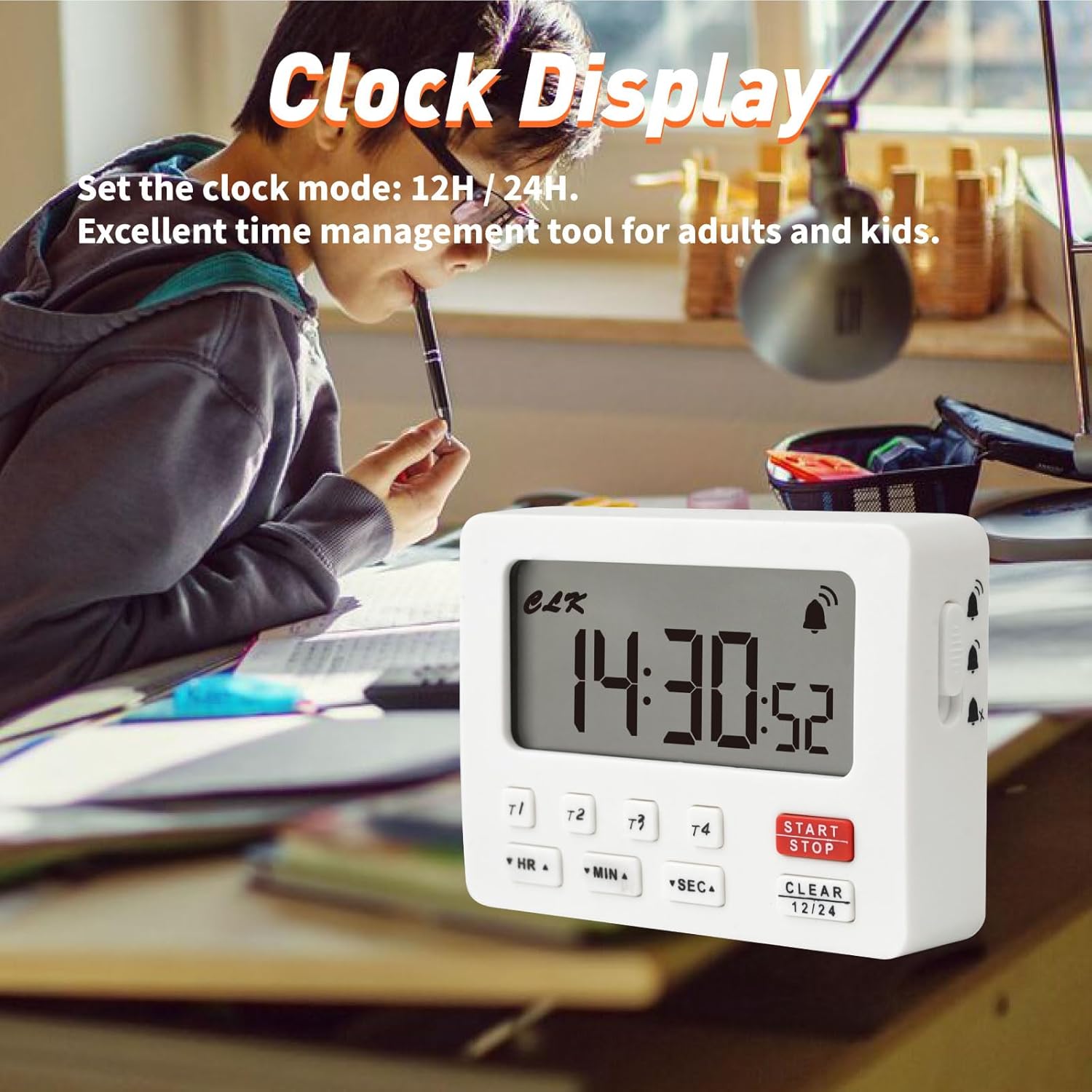
- Режим сата: Functions as a standard clock with 12-hour or 24-hour display options when not in timer mode.
- Функција меморије: Each timer retains its last setting for convenient repeated use.
- Више опција за пласман: Features a magnetic back for attachment to metal surfaces and a built-in stand for tabletop use.
- Велики екран: Clear, easy-to-read digital display.
Садржај пакета:
- YOOREAL Digital Kitchen Timer RL-HM206
- Кориснички приручник (овај документ)
Напомена: 2 x AAA batteries are required and not included in the package.


3. Подешавање
3.1 Инсталација батерије
- Пронађите поклопац одељка за батерије на задњој страни тајмера.
- Померите поклопац надоле да бисте га отворили.
- Insert two (2) AAA batteries, ensuring the correct polarity (+/-) as indicated inside the compartment.
- Вратите поклопац одељка за батерију тако што ћете га померити нагоре док не кликне на своје место.
The timer will power on automatically once batteries are installed. If the display does not light up, check battery polarity or replace with new batteries.

4. Упутство за употребу
4.1 Подешавање сата
- In clock mode (when no timer is active), press and hold the CLEAR (12/24) дугме 3 секунде да бисте ушли у режим подешавања времена. Цифре за сате ће трептати.
- Притисните HR да подесите сат.
- Притисните МИН да подесите минут.
- Притисните СЕЦ да подесите други.
- Притисните CLEAR (12/24) again to switch between 12-hour and 24-hour format.
- Притисните СТАРТ/СТОП to confirm the time and exit setting mode.
4.2 Using Countdown Timers (T1, T2, T3, T4)
The timer features four independent countdown channels. Each channel can be set and operated separately.
- Select a Timer Channel: Press the desired timer button (T1, T2, T3, или T4) to select it. The display will show the selected timer channel.
- Подесите време:
- Притисните HR to set the hours (up to 99 hours).
- Притисните МИН to set the minutes (up to 59 minutes).
- Притисните СЕЦ to set the seconds (up to 59 seconds).
- Hold down the buttons for faster adjustment.
- Започни одбројавање: Притисните СТАРТ/СТОП to begin the countdown. The timer icon will appear.
- Паузирај/настави: Притисните СТАРТ/СТОП again to pause the countdown. Press it once more to resume.
- Clear the Timer: To clear the current timer setting, press ЦЛЕАР while the timer is paused or stopped.
- Аларм: When the countdown reaches zero, the alarm will sound according to the selected volume setting. Press any button to stop the alarm.
- Функција меморије: Each timer channel remembers its last set time. To recall the last setting, select the timer channel and press ЦЛЕАР једном.
4.3 Using Count-up Timer (Stopwatch)
The timer can also function as a stopwatch.
- Ensure all four countdown timers (T1-T4) are cleared (displaying 00:00:00).
- Притисните СТАРТ/СТОП to begin counting up from 00:00:00.
- Притисните СТАРТ/СТОП again to pause the count-up.
- Притисните ЦЛЕАР to reset the count-up timer to 00:00:00.
4.4 Adjusting Alarm Volume & Silent Mode
The timer offers three alarm settings: High, Low, and Off (Silent Mode).
- Locate the volume switch on the side of the timer.
- Slide the switch to select your desired alarm volume:
- висока: Loud alarm for noisy environments.
- ниско: Softer alarm for general use.
- Off (Silent Mode): No audible alarm. The display will flash when a timer reaches zero.

4.5 Опције пласмана
The timer can be placed in several ways:
- Магнетни додатак: The back of the timer has two strong magnets, allowing it to be securely attached to metallic surfaces like refrigerators or oven doors.
- Уграђено постоље: A foldable stand on the back allows the timer to be placed upright on a countertop or desk for easy viewинг.
- Рупа за вешање: A small hole is provided for hanging the timer on a hook.

5. Одржавање
5.1 Чишћење
- Обришите тајмер меком, дamp тканина.
- Do not use abrasive cleaners or immerse the timer in water.
5.2 Замена батерије
- When the display becomes dim or the timer functions erratically, it's time to replace the batteries.
- Пратите кораке за инсталацију батерије у одељку 3.1.
- Старе батерије одлажите одговорно у складу са локалним прописима.
КСНУМКС. Решавање проблема
| Проблем | Могући узрок | Решење |
|---|---|---|
| Екран је празан или замагљен. | Слабе или празне батерије; погрешан поларитет батерија. | Замените батерије новим ААА батеријама. Водите рачуна о исправном поларитету. |
| Аларм се не оглашава. | Alarm volume set to "Off" (Silent Mode). | Check the volume switch on the side of the timer and set it to "Low" or "High". |
| Timer not starting/stopping. | Incorrect button press; timer already running/paused. | Уверите се да притискате СТАРТ/СТОП button. If paused, press again to resume. If stopped, press to start. |
| Timer settings are not saving. | This model has a memory function for the last set time on each channel. If cleared, it resets. | After setting a timer, it will remember that setting until cleared or new time is set. |
7. Спецификације
| Феатуре | Детаљ |
|---|---|
| Број модела | RL-HM206 |
| Бранд | YOOREAL |
| Материјал | акрилонитрил бутадиен стирен (АБС) |
| Димензије (Д к Ш к В) | 88 мм к 23.9 мм к 64 мм (3.46" к 0.94" к 2.52") |
| Тежина | 79 грама |
| Извор напајања | 2 к ААА батерије (нису укључене) |
| Max Countdown Time | 99 Hours, 59 Minutes, 59 Seconds |
| Timer Channels | 4 Independent Channels (T1, T2, T3, T4) |
| Подешавања аларма | High, Low, Off (Silent Mode) |
| Приказ сата | 12H / 24H избор |

8. Гаранција и подршка
8.1 Информације о гаранцији
YOOREAL provides a Трогодишња постпродајна услуга for this product. During this period, if any quality problems arise with the product, YOOREAL offers a free replacement service.
8.2 Корисничка подршка
For any questions, concerns, or support needs, please contact our customer service team via the Amazon Platform. Our professional online services are available 7 days a week, 24 hours a day. The YOOREAL Care Team is always ready to assist you.
Even if the standard Amazon return window has closed, we are committed to resolving any issues you may encounter with your product.