
RECCAZR 7db0509d-6c84-42db-8f45-28efbeb33d5f
RECCAZR Ergonomic Wired USB Keyboard User Manual
Model: 7db0509d-6c84-42db-8f45-28efbeb33d5f
Увод
Thank you for choosing the RECCAZR Ergonomic Wired USB Keyboard. This manual provides essential information for setting up, operating, and maintaining your new keyboard. Designed for comfort and efficiency, this keyboard features an ergonomic layout, a comfortable wrist rest, and a spill-resistant design, making it ideal for extended use.
Кључне карактеристике
- Ергономски дизајн: Scientific stepped keycap design and curved surface layout for natural typing posture and hand comfort.
- Comfortable Wrist Rest: Integrated wrist rest and foldable stands reduce pressure on hands and wrists during prolonged typing.
- Membrane Keys: Equipped with high-quality rubber dome keys for responsive and comfortable typing.
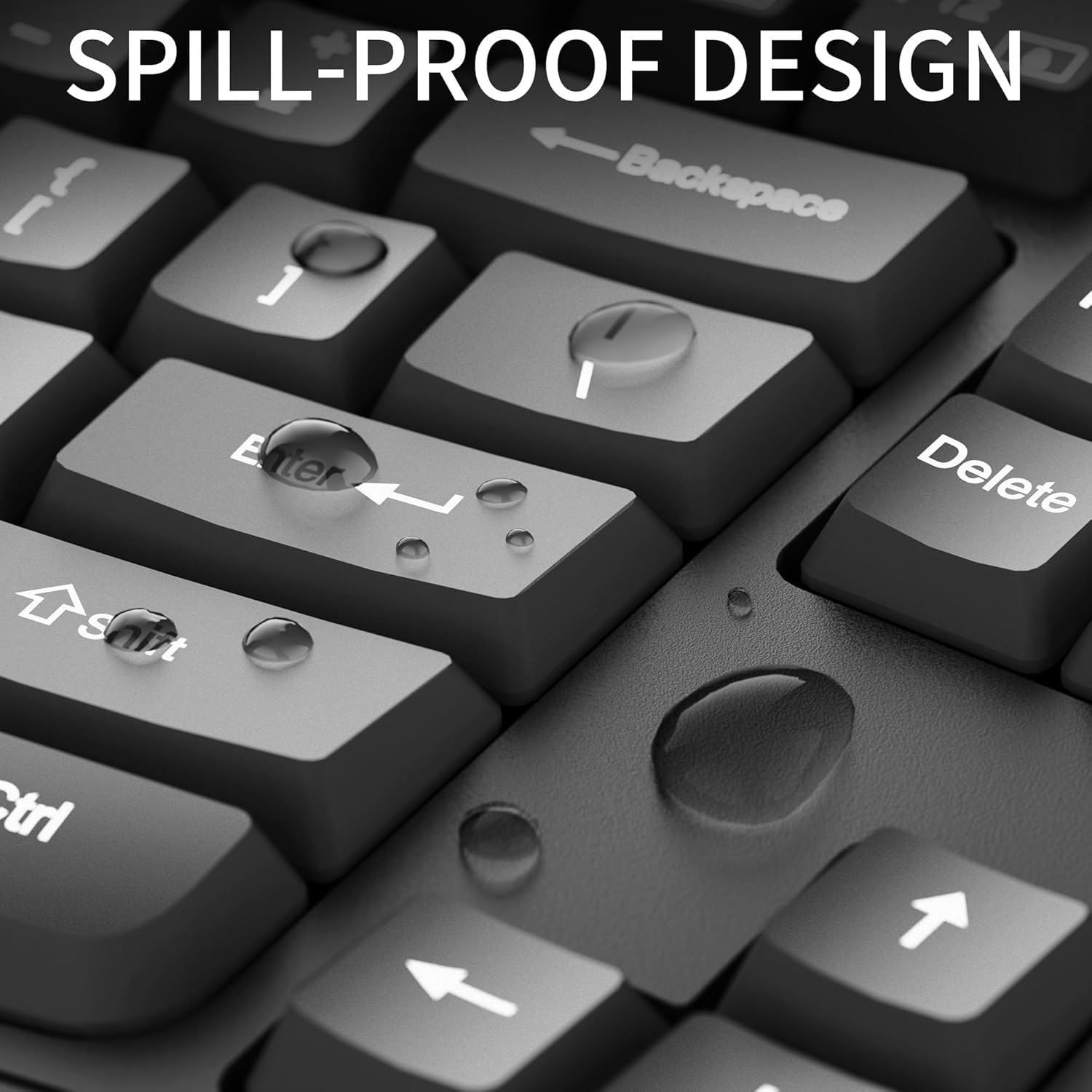
- Дизајн отпоран на проливање: Built to withstand minor spills with bottom drain holes for drainage.
- Плуг анд Плаи: No additional drivers or software required for immediate use.
- Широка компатибилност: Compatible with Windows XP/Vista/7/8/10/X, Chrome-book, PC, and Laptops.
Упутства за подешавање
Setting up your RECCAZR Ergonomic Keyboard is straightforward due to its plug-and-play functionality.
- Распакујте тастатуру: Пажљиво извадите тастатуру из паковања.
- Повежите се са рачунаром: Locate an available USB-A port on your computer (desktop, laptop, or Chrome-book). Insert the USB connector of the keyboard firmly into the USB port.
- Препознавање система: Your operating system (Windows XP/Vista/7/8/10/X) will automatically detect and install the necessary drivers. This process usually takes a few seconds.
- Почните да куцате: Once recognized, the keyboard is ready for immediate use.
Упутство за употребу
The RECCAZR Ergonomic Keyboard is designed for intuitive and comfortable typing.
- Typing Posture: Position your hands naturally on the keyboard, allowing your wrists to rest comfortably on the integrated wrist rest. The wave key design and curved surface promote a natural typing posture, reducing strain.
- Распоред тастера: This is a full-size 104-key keyboard, including a standard alphanumeric section, function keys (F1-F12), and a numeric keypad.
- Подесиви нагиб: Utilize the foldable stands on the underside of the keyboard to adjust the tilt angle for your preferred comfort level.

Одржавање
Proper care will ensure the longevity of your RECCAZR Ergonomic Keyboard.
- Чишћење: Use a soft, dry cloth to wipe down the keyboard surface regularly. For deeper cleaning, a slightly damp cloth with mild soap can be used, ensuring no liquid enters the key mechanisms.
- Управљање изливањем: While the keyboard is spill-resistant, it is not waterproof. In case of accidental spills, immediately disconnect the keyboard from your computer. Turn the keyboard upside down to drain any liquid. Allow the keyboard to dry completely before reconnecting and resuming use. Do not use a hairdryer or other heat sources to dry the keyboard, as this may damage internal components.
- Складиштење: Чувајте тастатуру на хладном и сувом месту, даље од директне сунчеве светлости и екстремних температура када се не користи дуже време.

Решавање проблема
Ако имате проблема са тастатуром, погледајте следећа уобичајена решења:
- Тастатура не реагује:
- Уверите се да је USB кабл безбедно прикључен у исправан USB порт на рачунару.
- Покушајте да прикључите тастатуру на други УСБ порт.
- Поново покрените рачунар.
- Тастери не функционишу исправно:
- Check for any debris or foreign objects lodged under the keys.
- Уколико дође до просипања, уверите се да је тастатура потпуно сува пре употребе.
- Неочекивано понашање:
- Уверите се да је ваш оперативни систем ажуриран.
- If issues persist, try connecting the keyboard to another computer to determine if the problem is with the keyboard or the computer.
For further assistance, please contact RECCAZR customer support.
Спецификације
| Феатуре | Детаљ |
|---|---|
| Бранд | РЕЦЦАЗР |
| Број модела | 7db0509d-6c84-42db-8f45-28efbeb33d5f |
| Технологија повезивања | USB-A (жичани) |
| Опис тастатуре | Мембране |
| Број кључева | 104 |
| Боја | Дееп Блацк |
| Материјал | Пластика, гума |
| Тежина артикла | 2.05 фунти |
| Димензије пакета | 17.8 к 8.9 к 1.5 инча |
| Компатибилни уређаји | Лаптоп, ПЦ |
| Посебна карактеристика | Ергономски |
Гаранција и подршка
RECCAZR is committed to providing excellent customer service. If you encounter any problems during the use of your keyboard, please do not hesitate to contact us.
- Сервис након продаје: For any issues or inquiries, please contact us via Amazon email. We are dedicated to providing a satisfactory solution.
- Доступност подршке: Our RECCAZR Service Team offers 24 hours, 365 days support to address your concerns and suggestions.

Ask a question about this manual
Ask about setup, troubleshooting, compatibility, parts, safety, or missing instructions. Manuals+ will review the question and use this page’s manual context to help answer it.