
1. Увод
Thank you for choosing the MOUNTUP Dual Monitor Arm MU8012-W-07. This instruction manual provides essential information for the safe and correct installation, operation, and maintenance of your new monitor arm. Please read this manual thoroughly before installation and keep it for future reference.
Мере предострожности
- Пре склапања проверите да ли су све компоненте присутне и неоштећене. Не користите ако неки делови недостају или су неисправни.
- Verify that your desk surface is strong enough to support the combined weight of the monitor arm and your monitors.
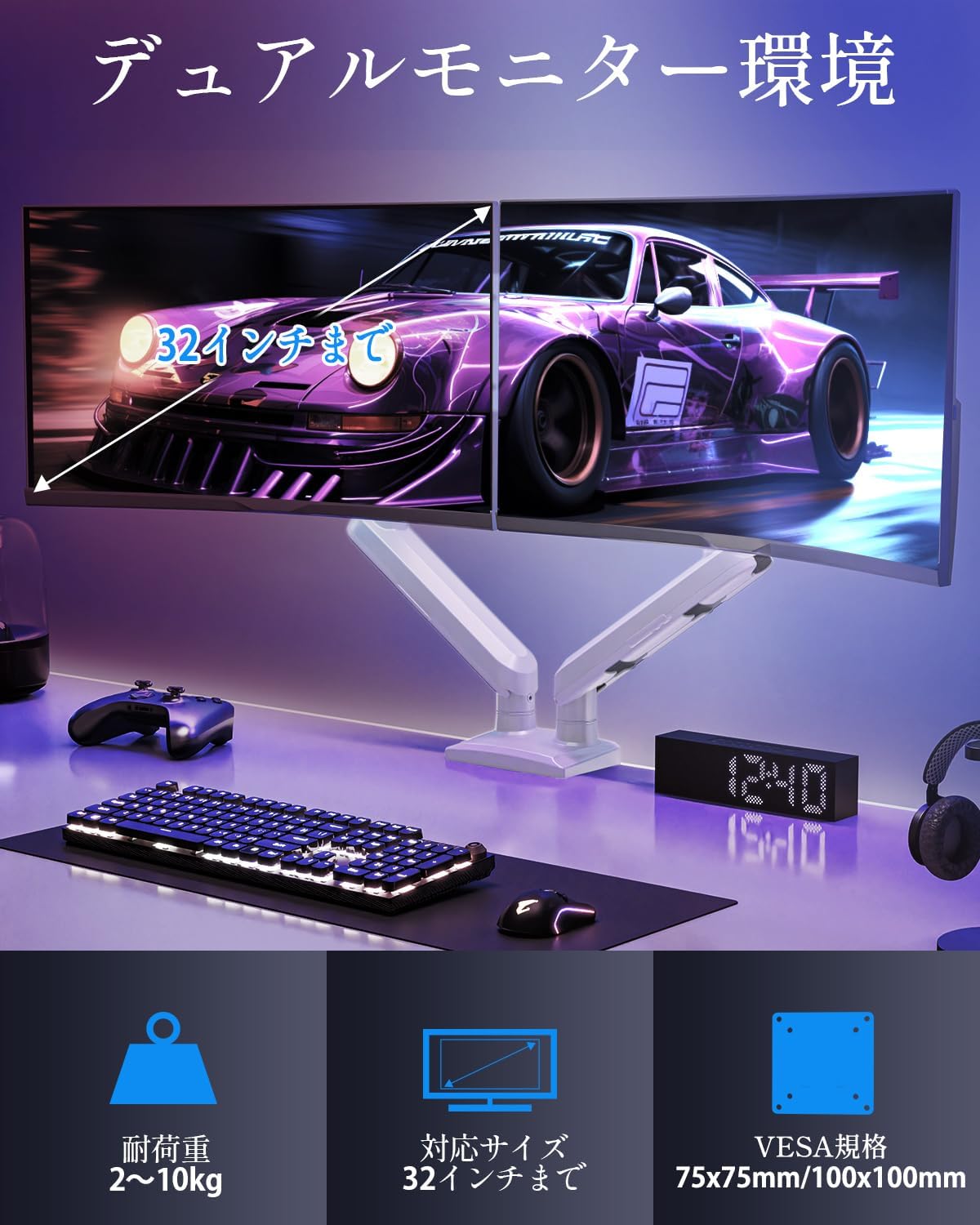
- Не прекорачујте максималну носивост од 10 кг (22 фунти) по руци.
- Always follow the installation steps carefully. Improper installation may result in product damage or personal injury.
- Keep children away from the product during assembly. Small parts may be a choking hazard.
2. Садржај пакета
Молимо вас да проверите да ли су све следеће компоненте укључене у ваш пакет:
- Monitor Arm Assembly (x1)
- ВЕСА плоча (к2)
- Деск Цлamp Основа (к1)
- Grommet Base (x1)
- Комплет за монтажу (шрафови, подлошке, одстојници)
- Hex Wrenches (various sizes)
- Упутство за употребу (к1)
3. Спецификације
| Феатуре | Спецификација |
|---|---|
| Модел | MU8012-W-07 |
| Материјал | легирани челик |
| Боја | Бела |
| Компатибилност величине екрана | 13 - 32 инча |
| Носивост (по руци) | 2 - 10 кг (4.4 - 22 фунти) |
| ВЕСА компатибилност | 75к75мм, 100к100мм |
| Опције монтаже | Clamp, Ушница |
| Тилт Ранге | +85° до -45° |
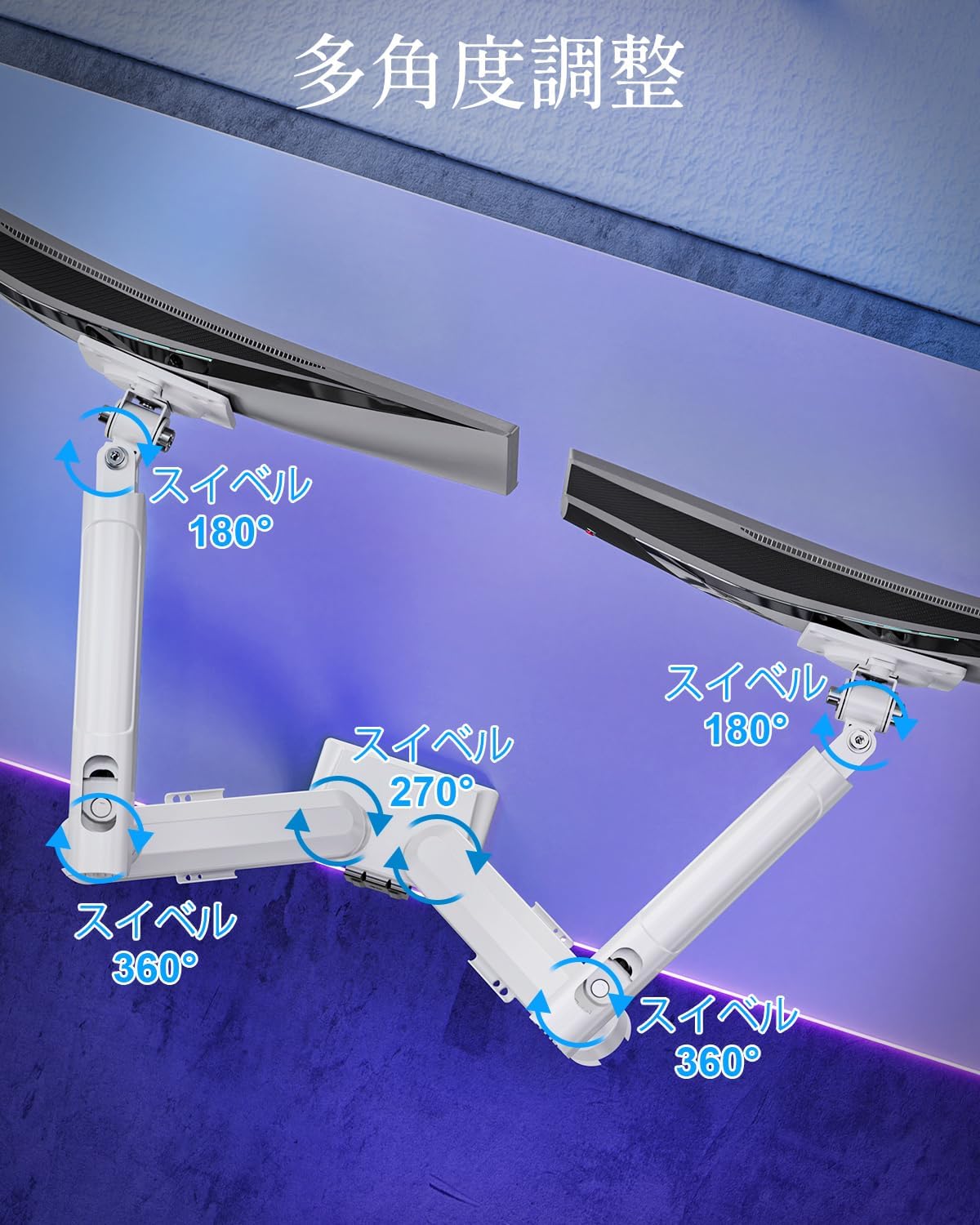
| Свивел Ранге | 180° (monitor plate), 270° (middle joint), 360° (base) |
| Rotation (Pivot) | 360° |
| Подешавање максималне висине | 44 цм (17.3 инча) |
| Максимално истезање руке | 50 цм (19.7 инча) |
| Тежина производа | 3.1 кг (6.8 лбс) |

4. Подешавање и инсталација
Step 1: Choose Your Mounting Method
The MOUNTUP Dual Monitor Arm supports two installation methods: Clamp Mount and Grommet Mount. Choose the method that best suits your desk.

Clamp Монтажа Монтажа
- Причврстите цлamp base to the main pole of the monitor arm.
- Ставите цлamp onto the edge of your desk. Ensure the desk thickness is between 10-70mm (0.4-2.7 inches).
- Затегните цлamp Заврните док рука не буде чврсто причвршћена за сто. Уверите се да је стабилна и да се не клима.

Монтажа отвора за монтажу
- If your desk has a grommet hole, ensure its diameter is between 10-60mm (0.4-2.4 inches) and the desk thickness is between 10-70mm (0.4-2.7 inches).
- Attach the grommet base to the main pole.
- Insert the grommet bolt through the desk hole and secure it from underneath with the provided plate and nut.
- Tighten the nut until the arm is firmly attached to the desk.
Корак 2: Причврстите ВЕСА плоче на мониторе
- Carefully lay your monitor face down on a soft, clean surface.
- Поравнајте VESA плочу са отворима за монтажу на задњој страни монитора.
- Use the appropriate screws (M4 or M5) and washers from the hardware kit to secure the VESA plate to the monitor. Do not overtighten.
Step 3: Mount Monitors to Arms
- Slide the monitor (with the attached VESA plate) onto the VESA head of the monitor arm.
- Ensure the monitor clicks into place or is securely fastened by the quick-release mechanism.
- Поновите за други монитор.

Корак 4: Управљање кабловима
Route your monitor cables through the integrated cable management clips on the underside of the arms. This helps maintain a tidy workspace.

5. Руковање и подешавања
The MOUNTUP Dual Monitor Arm offers flexible adjustments to optimize your viewинг искуство.

Adjusting Arm Tension (Gas Spring)
The gas spring mechanism allows for smooth height adjustments. If your monitor sags or is difficult to move, you may need to adjust the tension.

- To increase tension (if monitor sags): Use the provided hex wrench to turn the adjustment screw clockwise.
- To decrease tension (if arm is too stiff): Turn the adjustment screw counter-clockwise.
- Always adjust tension with the arm held horizontally. Test the movement after each small adjustment until the monitor holds its position freely.
Монитор Адјустментс
- Подешавање висине: Gently push or pull the monitor up or down to your desired height. The gas spring will assist in holding the position. Max height is 44cm (17.3 inches).
- Подешавање нагиба: Tilt the monitor screen up to +85° or down to -45° to reduce glare and optimize viewing angles. Loosen the tilt bolt, adjust, then re-tighten.
- Подешавање окретања: The arm allows for 180° swivel at the monitor plate, 270° at the middle joint, and 360° at the base, providing wide range of motion.
- Ротација (окретање): Ротирајте монитор за 360° да бисте прелазили између пејзажне и портретне оријентације.

6. Одржавање
- Чишћење: Обришите држач монитора меком,amp крпом. Избегавајте абразивна средства за чишћење или раствараче који би могли оштетити завршну обраду.
- Периодичне провере: Периодично проверавајте све завртње и спојеве како бисте били сигурни да су чврсто затегнути. По потреби поново затегните.
- Gas Spring Longevity: The high-quality gas spring is tested for over 20,000 cycles. Proper tension adjustment will help maintain its performance over time.

КСНУМКС. Решавање проблема
- Monitor Sags or Won't Stay Up: The gas spring tension is too low. Refer to the "Adjusting Arm Tension" section and turn the adjustment screw clockwise to increase tension.
- Arm is Too Stiff or Difficult to Move: The gas spring tension is too high. Refer to the "Adjusting Arm Tension" section and turn the adjustment screw counter-clockwise to decrease tension.
- Monitor Wobbles: Ensure all mounting screws (VESA plate to monitor, arm to desk) are securely tightened. Check that the desk clamp or grommet mount is firm.
- Monitor Tilt Angle Won't Hold: The tilt bolt may be loose. Tighten the tilt bolt on the VESA head.
8. Гаранција и подршка
MOUNTUP provides a 2-годишња гаранција квалитета from the date of purchase for this product. This warranty covers manufacturing defects and issues arising from normal use.
If you encounter any problems with your MOUNTUP Dual Monitor Arm, or if you have questions regarding installation or operation, please contact our customer support. You can typically find seller contact information through your purchase history on the platform where you bought the product (e.g., Amazon order details).
Please have your model number (MU8012-W-07) and purchase date ready when contacting support to ensure a swift resolution.