
Geshowit S1 Pro
Geshowit S1 Pro Portable Air Conditioner User Manual
Model: S1 Pro | Brand: Geshowit
Увод
Thank you for choosing the Geshowit S1 Pro Portable Air Conditioner. This manual provides essential information for the safe and efficient operation of your new device. Please read it thoroughly before use and retain it for future reference.
Важне информације о безбедности
Да бисте смањили ризик од пожара, струјног удара или повреде, увек следите ове основне мере предострожности:
- електрична безбедност: Уверите се да извор напајања одговара запреминиtage requirements of the unit. Do not use damaged power cords or plugs. Avoid operating the unit with wet hands.
- Пласман: Place the unit on a stable, level surface. Ensure adequate ventilation around the unit, keeping at least 12 inches (30 cm) clear from walls or other objects. Do not block air inlets or outlets.
- Вода и влага: Do not expose the unit to rain or excessive moisture. If using in high humidity, ensure the drain hose is properly connected to prevent water overflow.
- Деца и кућни љубимци: Keep the unit out of reach of children and pets. Do not allow them to play with or operate the appliance.
- Одржавање: Always unplug the unit before cleaning or performing any maintenance. Do not attempt to repair or modify the unit yourself. Contact qualified service personnel for assistance.
- Наменска употреба: This appliance is designed for cooling and dehumidifying purposes in various environments such as rooms, tents, RVs, cars, and trucks. Do not use it for any other purpose.
Производ је завршенview
Садржај пакета
The Geshowit S1 Pro Portable Air Conditioner package includes the following items:
- Geshowit S1 Pro Portable Air Conditioner Unit
- Предњи ваздушни поклопац
- Задњи ваздушни поклопац
- Drain Pipe (D: 1.6cm, L: 100cm)
- Air Duct (D: 10cm, L: 120cm)
- Air Duct (D: 13cm, L: 120cm)
- Упутство за употребу
- Note: Remote Control and Storage Bag are sold separately.

Кључне карактеристике
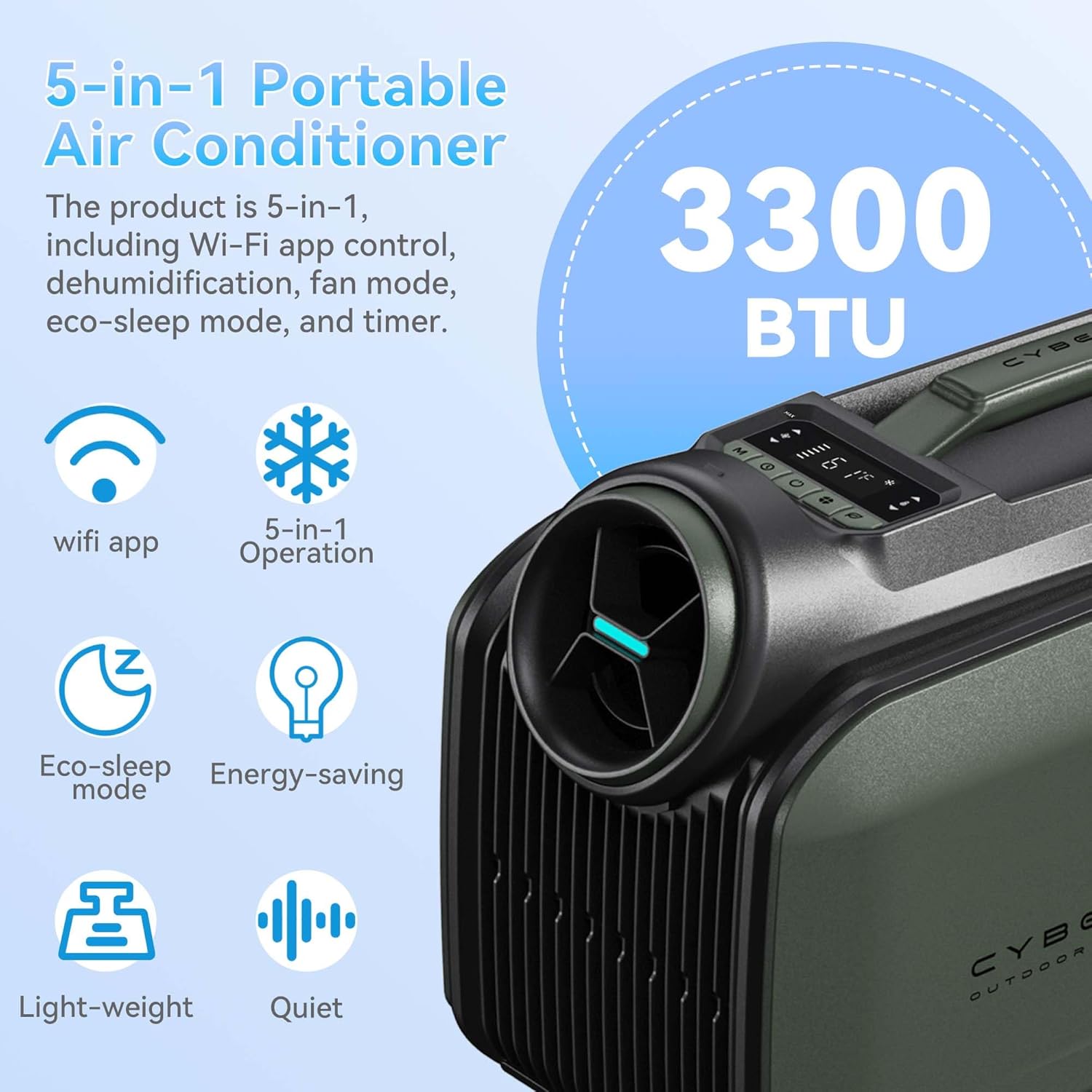
- Моћно хлађење: Rapidly cools spaces by 18°F (10°C) in approximately 5 minutes with 3300 BTU cooling capacity.
- Енергетска ефикасност: Features a high-efficiency 48V DC system and smart 3.0 inverter algorithm, consuming only 100W per hour in sleep mode.
- Више опција напајања: Supports AC power, DC battery, portable power stations (with solar panels), and car chargers.
- Тих рад: Ultra-quiet 38 dB Sleep Mode for undisturbed comfort.
- Функција без одвода: Operates without drainage in cooling mode when humidity is below 70%. A drain hose can be connected for high humidity conditions.
- Компактан и преносив: Weighs 21.6 lbs (9.8 kg) with an aluminum alloy frame and ergonomic handle for easy transport.
- 5-у-1 Свестраност: Offers Cooling, Dehumidifier, Fan, Eco-Sleep Mode, and a 24-hour Timer.
- Смарт Цонтрол: WiFi App Control and a top-mounted control panel with LED display.
Подешавање и инсталација
1. Уградња цеви
Follow these steps to properly install the air ducts:
- Повежите цев: Attach the air duct to the tube connector by twisting it clockwise.
- Insert Cold Air Outlet: Insert the tube connector into the cold air outlet on the unit.
- Insert Air Inlet: Insert the other end of the tube connector into the air inlet on the unit.

2. Постављање јединице
The Geshowit S1 Pro offers flexible placement options depending on your cooling needs:
- Outside the Tent: For optimal cooling and reduced noise inside, place the AC unit outside the tent and direct the cold air in.
- Inside the Tent/Room: The unit can also be placed inside the tent or room, ensuring proper ventilation for the exhaust.
- Under a Canopy/Awning: Position the unit under a canopy or awning to provide cooling for outdoor seating areas.
Упутство за употребу
Цонтрол Панел
The unit features a top-mounted control panel with an LED display for easy operation. Refer to the diagram below for button functions:

- Дугме за напајање: Укључује/искључује уређај.
- Дугме за режим: Cycles through Cooling, Dehumidifier, Fan, and Eco-Sleep modes.
- Дугмад за подешавање температуре: Increase or decrease the target temperature.
- Дугме тајмера: Sets the 24-hour timer for automatic operation.
- ЛЕД дисплеј: Shows current temperature, mode, and timer settings.
Оперативни режими
- Режим хлађења: Provides powerful cooling to lower ambient temperature.
- Режим одвлаживача: Reduces humidity in the air. In high humidity, connect the drain hose.
- Режим вентилатора: Циркулише ваздух без хлађења.
- Eco-Sleep Mode: Operates quietly and efficiently, consuming only 100W per hour. Ideal for overnight use.
- Режим тајмера: Set the unit to turn on or off automatically after a specified duration (up to 24 hours).
WiFi App Control
The Geshowit S1 Pro can be controlled via a dedicated WiFi application. Download the app from your device's app store and follow the in-app instructions for pairing and control.
Опционални даљински управљач
An optional remote control (sold separately) can be used to operate the unit. This remote also functions as a temperature and humidity display.

Одржавање
Редовно одржавање осигурава оптималне перформансе и продужава век трајања вашег клима уређаја.
- Чишћење ваздушног филтера: Ваздушни филтер треба чистити сваке две недеље или чешће, у зависности од употребе.
- Искључите јединицу из извора напајања.
- Скините поклопац филтера за ваздух.
- Пажљиво уклоните филтер.
- Оперите филтер топлом водом са сапуном. Добро исперите и оставите да се потпуно осуши на ваздуху пре него што га поново уметнете.
- Reattach the filter cover.
- Draining Water (High Humidity): If operating in high humidity, water may accumulate.
- Ensure the unit is off and unplugged.
- Connect the drain pipe to the drainage outlet.
- Direct the other end of the drain pipe into a suitable container or drain.
- Monitor the water level in the container and empty as needed.
- Спољно чишћење: Обришите спољашњост јединице меком крпом, дamp тканина. Немојте користити јаке хемикалије или абразивна средства за чишћење.
- Складиштење: When not in use for extended periods, unplug the unit, clean it thoroughly, and store it in a cool, dry place.
Решавање проблема
Пре него што контактирате корисничку подршку, погледајте следећу табелу за уобичајене проблеме и њихова решења:
| Проблем | Могући узрок | Решење |
|---|---|---|
| Јединица се не укључује. | No power supply; power cord not properly connected; power outlet faulty. | Check power connection; try a different outlet; ensure battery is charged if using DC power. |
| Недовољно хлађење. | Air filter is dirty; air inlets/outlets blocked; room/area too large; doors/windows open. | Clean the air filter; ensure clear airflow; close doors/windows; consider unit capacity for the space. |
| Јединица је бучна. | Уређај није на равној површини; унутрашње компоненте вибрирају. | Place unit on a stable, level surface; ensure no loose parts. |
| Вода цурење. | Drain pipe not connected or blocked (in high humidity); unit tilted. | Ensure drain pipe is properly connected and clear; place unit on a level surface. |
| Даљински управљач не ради. | Batteries dead; remote out of range; obstruction between remote and unit. | Replace batteries; ensure remote is within range and pointed at the unit; remove obstructions. |
Техничке спецификације
| Феатуре | Спецификација |
|---|---|
| Бранд | Geshowit |
| Назив модела | С1 Про |
| Цоолинг Повер | 3300 британских термалних јединица (BTU) |
| Тежина артикла | 21.6 фунти (9.8 кг) |
| Димензије производа | 18.1" Д x 9.4" Ш x 13" В (46 x 24 x 33 цм) |
| Ниво буке | 48 dB (as low as 38 dB in Sleep Mode) |
| Волtage | 110 Волтс |
| Ватtage | 400 Watt-hours (100W/hour in Sleep Mode) |
| Расхладно средство | Р-290 |
| Врста инсталације | Installation free |
| Посебне карактеристике | Fast Cooling, No Drainage Required (under 70% humidity), Sleep saving energy mode, Timer Mode, WiFi App Control |
Гаранција и подршка
For information regarding product warranty, please refer to the warranty card included with your purchase or contact Geshowit customer support directly. Protection plans are available for purchase separately to extend coverage.
If you encounter any issues not covered in the troubleshooting section, or require further assistance, please contact Geshowit customer service through the official webсајт или контакт информације наведене у документацији вашег производа.
Ask a question about this manual
Ask about setup, troubleshooting, compatibility, parts, safety, or missing instructions. Manuals+ will review the question and use this page’s manual context to help answer it.