
1. Увод
This manual provides detailed instructions for the installation, operation, and maintenance of your Walfront 50A Shunt Battery Monitor. This device is designed to accurately measure and display various battery parameters, including voltage, current, capacity, and power, for a wide range of battery types in applications such as RVs, boats, cars, motorcycles, and golf carts.

Figure 1: Complete Walfront 50A Shunt Battery Monitor Kit, including the display unit, sampler, and connecting cables.
2. Производ је готовview
2.1 Кључне карактеристике
- Интерфејс прилагођен кориснику: Features a clear 1.8-inch display with larger text and responsive silicone keys for easy operation.
- Једноставна инсталација: Designed for versatile embedding with multiple bracket options, including a handlebar bracket, ensuring stable mounting.
- Мултифункционални екран: Provides real-time data on power, voltage, current, remaining capacity, discharge status, estimated time, and capacity percentage.
- Блуетоотх повезивање: Allows remote monitoring and settings adjustment via a mobile app within a 10-meter unobstructed range.
- Широка компатибилност са батеријама: Suitable for various battery types including lead-acid, LiFePO4, lithium-ion, and Ni-MH batteries.
2.2 Компоненте
The Walfront 50A Shunt Battery Monitor package includes the following components:
- Display Unit (1.8-inch screen)
- Sampler (50A Shunt)
- 3-Meter Communication Cable
- 1-Meter Positive Pole Cable
- Handlebar Mount Bracket
- Упутство за употребу
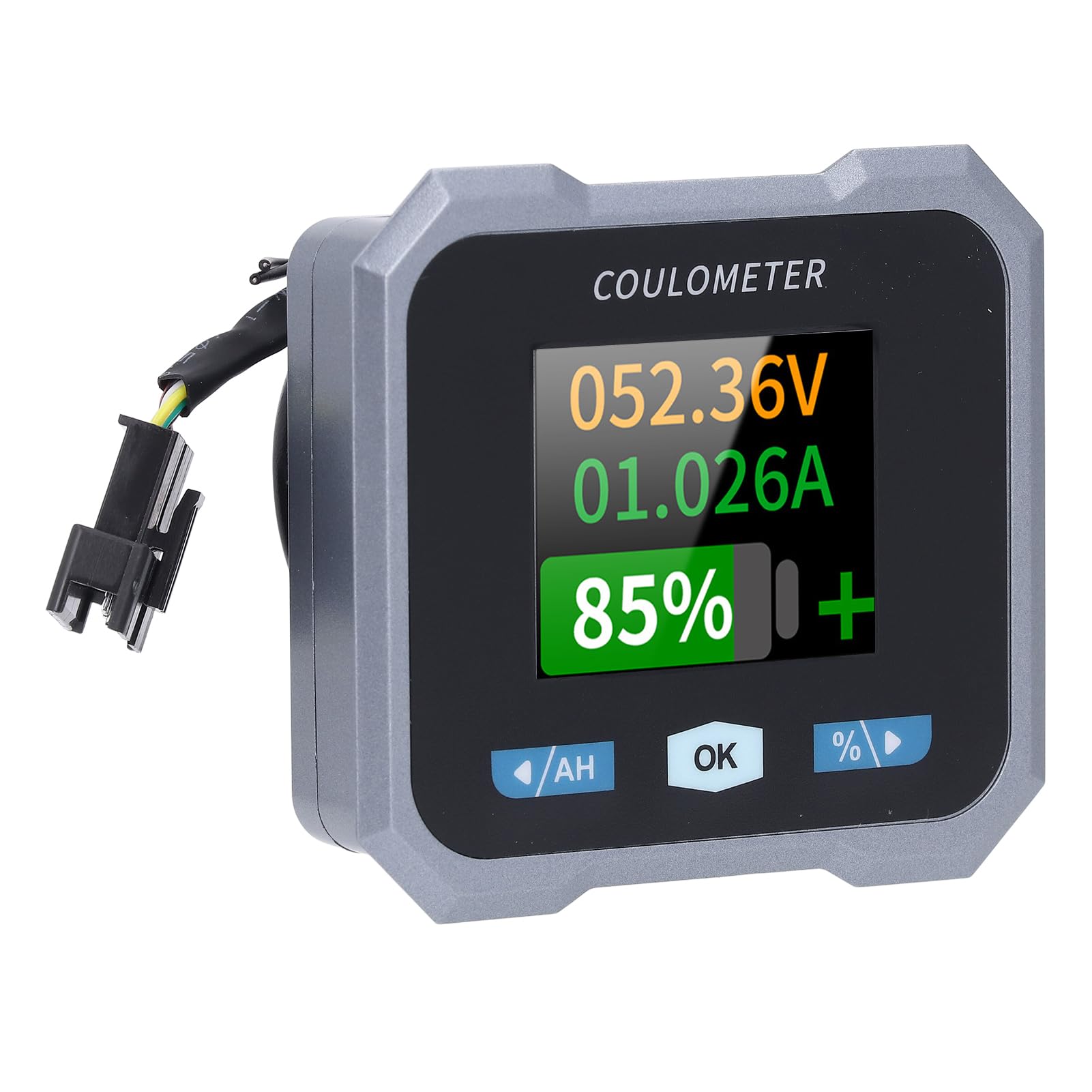
Figure 2: Individual components of the Walfront 50A Shunt Battery Monitor kit.
3. Подешавање и инсталација
3.1 Мере предострожности
- Ensure the power is disconnected from the battery before installation.
- Носите одговарајућу заштитну опрему, укључујући заштиту за очи.
- Verify correct polarity when connecting wires to prevent damage to the device or battery.
3.2 Монтирање јединице за приказ
The display unit can be embedded or mounted using the provided handlebar bracket.
- Монтажа на волан: Attach the handlebar bracket to your desired location. Secure the display unit into the bracket. The bracket features mechanical locking knobs and thickened anti-slip washers for a secure, non-destructive installation.
- Embedded Mounting: For custom installations, ensure the cutout dimensions match the display unit's specifications (refer to Section 6. Specifications for dimensions).

Figure 3: Display unit mounted on a handlebar, showing clear visibility.

Figure 4: Illustration of the handlebar bracket installation process, highlighting locking knobs and anti-slip washers.
3.3 Wiring the Sampler and Display
Тхе сampler is the current sensing component and must be installed in series with the negative terminal of the battery. The display unit connects to the sampler via the provided communication cable.
- Повежите Сampлер: Connect the negative terminal of your battery to the 'B-' terminal on the sampler. Connect the load's negative terminal to the 'P-' terminal on the sampлер.
- Connect Positive Power: Use the 1-meter positive pole cable to connect the 'V+' terminal on the sampler to the positive terminal of your battery. This provides power to the sampler and display.
- Повежите комуникациони кабл: Plug one end of the 3-meter communication cable into the sampler and the other end into the display unit.
- Проверите везе: Double-check all connections for tightness and correct polarity before restoring power to the battery.

Figure 5: The compact size of the sampler, designed for easy installation even in small battery compartments.
4. Упутство за употребу
4.1 Интерфејс екрана
The 1.8-inch display provides a clear view of various battery parameters. The interface can be viewed manually or set to auto-rotate.
- Мануал Паге View: Press the left and right arrow keys (labeled '/AH' and '%/>') to manually switch between different display interfaces and view content such as voltage, current, remaining capacity, power, and estimated time.
- Auto Page Rotation: Access the settings interface to enable the auto-rotate function. When active, the monitor will sequentially switch and display different interfaces in a cycle.
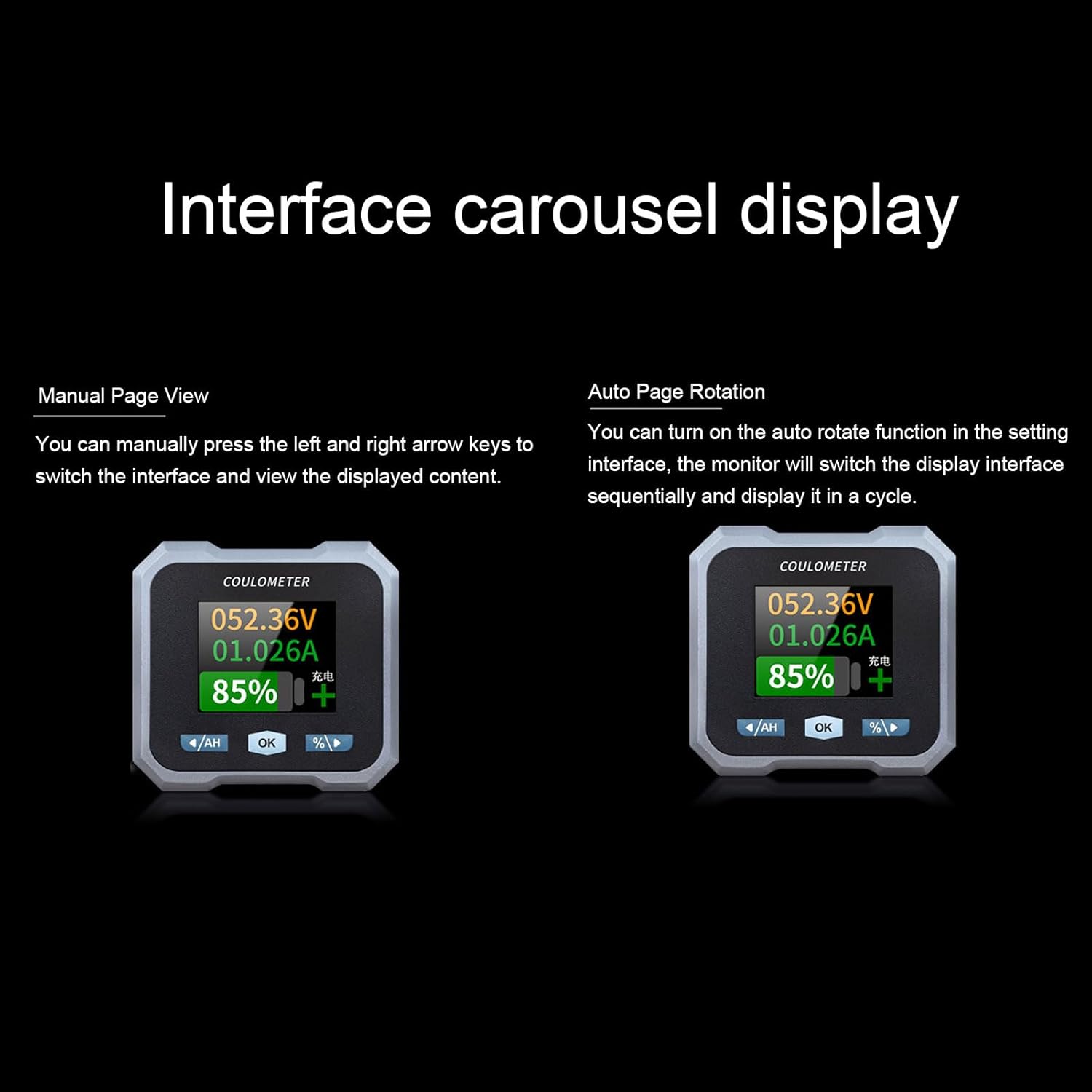
Figure 6: Interface carousel display options, showing manual page view and auto page rotation.

Figure 7: The multifunctional display showing voltage, current, estimated charge/discharge time, percentage of capacity, remaining capacity, and power.
4.2 Функције дугмета
- '/AH' Button (Left Arrow): Navigates left through display screens or decreases values in settings.
- Дугме „ОК“: Confirms selections or enters settings menus.
- '%/>' Button (Right Arrow): Navigates right through display screens or increases values in settings.
4.3 Bluetooth повезивање
The monitor supports Bluetooth connectivity for remote monitoring and control via a mobile application.
- Преузми апликацију: Тражи the official Walfront battery monitor app on your smartphone's app store.
- Упарите уређај: Enable Bluetooth on your smartphone and open the app. Follow the in-app instructions to search for and pair with your battery monitor.
- Даљинско праћење: Када се повежете, можете view real-time data, adjust settings, and monitor functions remotely within a 10-meter unobstructed range.
4.4 Battery Type Configuration
The monitor is compatible with various battery types. Ensure the correct battery type is configured in the settings for accurate readings.
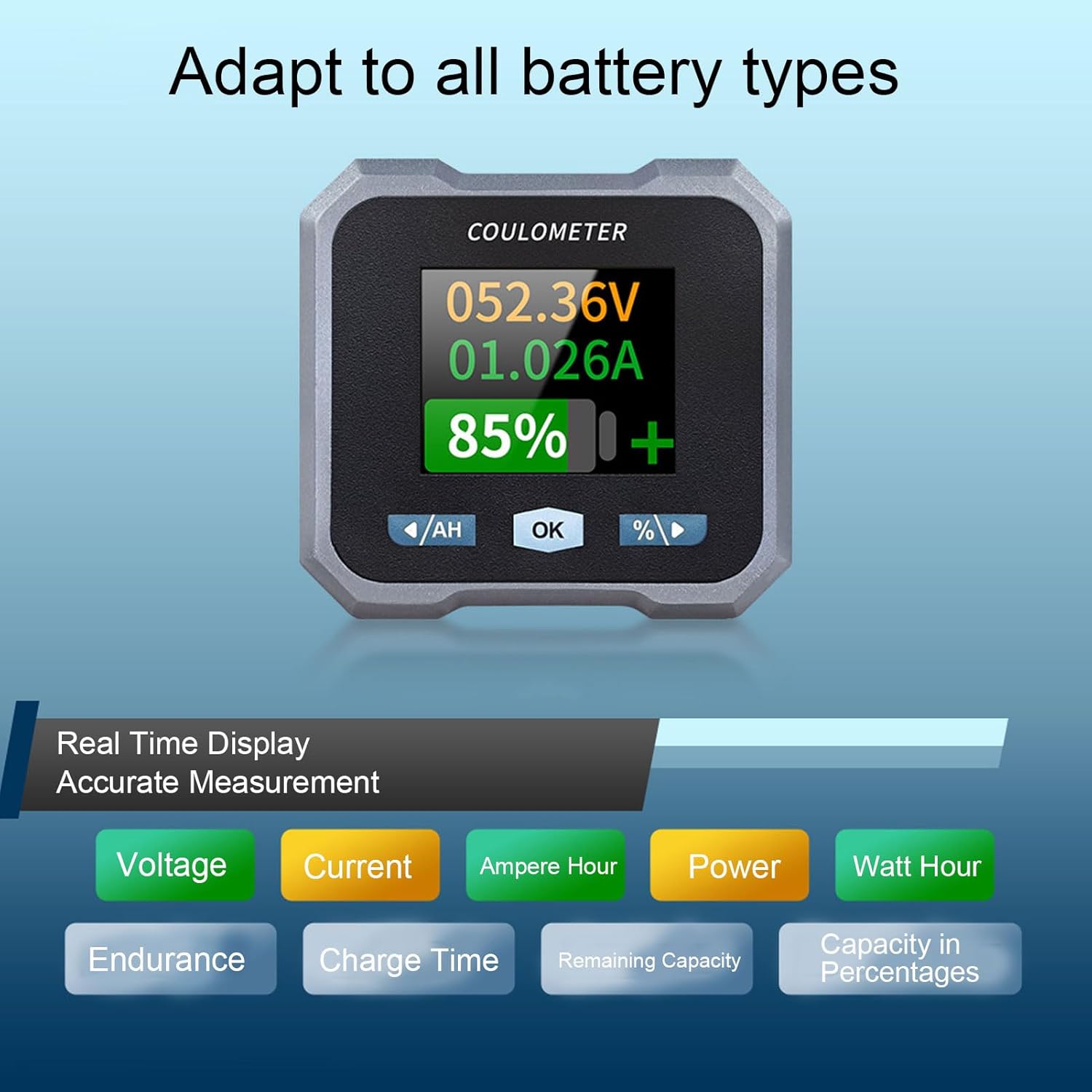
Figure 8: Display indicating real-time measurements and highlighting compatibility with various battery types.
5. Одржавање
To ensure the longevity and accurate performance of your Walfront 50A Shunt Battery Monitor, follow these general maintenance guidelines:
- Чишћење: Gently wipe the display screen and unit housing with a soft, dry cloth. Avoid using abrasive cleaners or solvents.
- Везе: Периодично проверавајте све спојеве ожичења како бисте били сигурни да су безбедни и да немају корозије.
- Заштита животне средине: While designed for various environments, avoid prolonged exposure to extreme temperatures, direct sunlight, or excessive moisture.
- Ажурирања фирмвера: Check the Walfront official webсајт или апликацију за сва доступна ажурирања фирмвера како бисте осигурали оптималне перформансе и нове функције.
КСНУМКС. Решавање проблема
If you encounter issues with your battery monitor, refer to the following common troubleshooting steps:
- Без дисплеја/напајања:
- Check all power connections, especially the positive pole cable to the battery and the communication cable to the sampлер.
- Уверите се да је запремина батеријеtage is within the operating range (10-100V).
- Нетачна очитавања:
- Proverite da li je sampler is correctly installed in series with the negative battery terminal.
- Confirm that the battery type and capacity settings in the monitor match your actual battery.
- Ensure all connections are tight and free of corrosion, which can affect current sensing.
- Проблеми са Блуетоотх везом:
- Ensure the monitor is powered on and within the 10-meter unobstructed range of your smartphone.
- Restart the mobile app and your smartphone's Bluetooth.
- If pairing fails, try unpairing and re-pairing the device in your phone's Bluetooth settings.
- Screen Auto-Off During Use:
- The screen automatically turns off after 20 seconds during charging. During discharge, it turns off if the current is below 15mA for 20 seconds. This is normal behavior to conserve power.
- Press any button to reactivate the screen.
If problems persist, contact Walfront customer support for further assistance.
7. Спецификације
| Параметар | Валуе |
|---|---|
| Модел | WALFRONTpo13qkgbfh |
| Материјал | ABS, Stainless Steel, Silicone |
| Величина екрана | Approx. 1.8 inches / 4.57 cm |
| Sampлинг Метход | Шант |
| Волtage Testing Range | Approx. 10-100V |
| Волtagе Резолуција | Прибл. 0.01В |
| Опсег мерења струје | Approx. 0-50A |
| Тренутна резолуција | Прибл. 0.001А |
| Capacity Display Range | Approx. 0%-100% |
| Опсег мерења снаге | Approx. 0-5KW |
| Резолуција снаге | Прибл. 0.01В |
| Ah Measurement Range | Approx. 0-9999AH |
| Capacity Resolution | Approx. 0.1AH |
| Блуетоотх комуникација удаљеност | Approx. 10m / 32.81ft (unobstructed) |
| Волtagе Прецизност | ±1%+2 цифара |
| Цуррент Аццураци | ±2%+0.002 А |
| Display Power Consumption | Прибл. 0.75В |
| Време искључивања екрана | 20 seconds auto off during charging; screen on when I≥15mA, off when I<15mA for 20s |
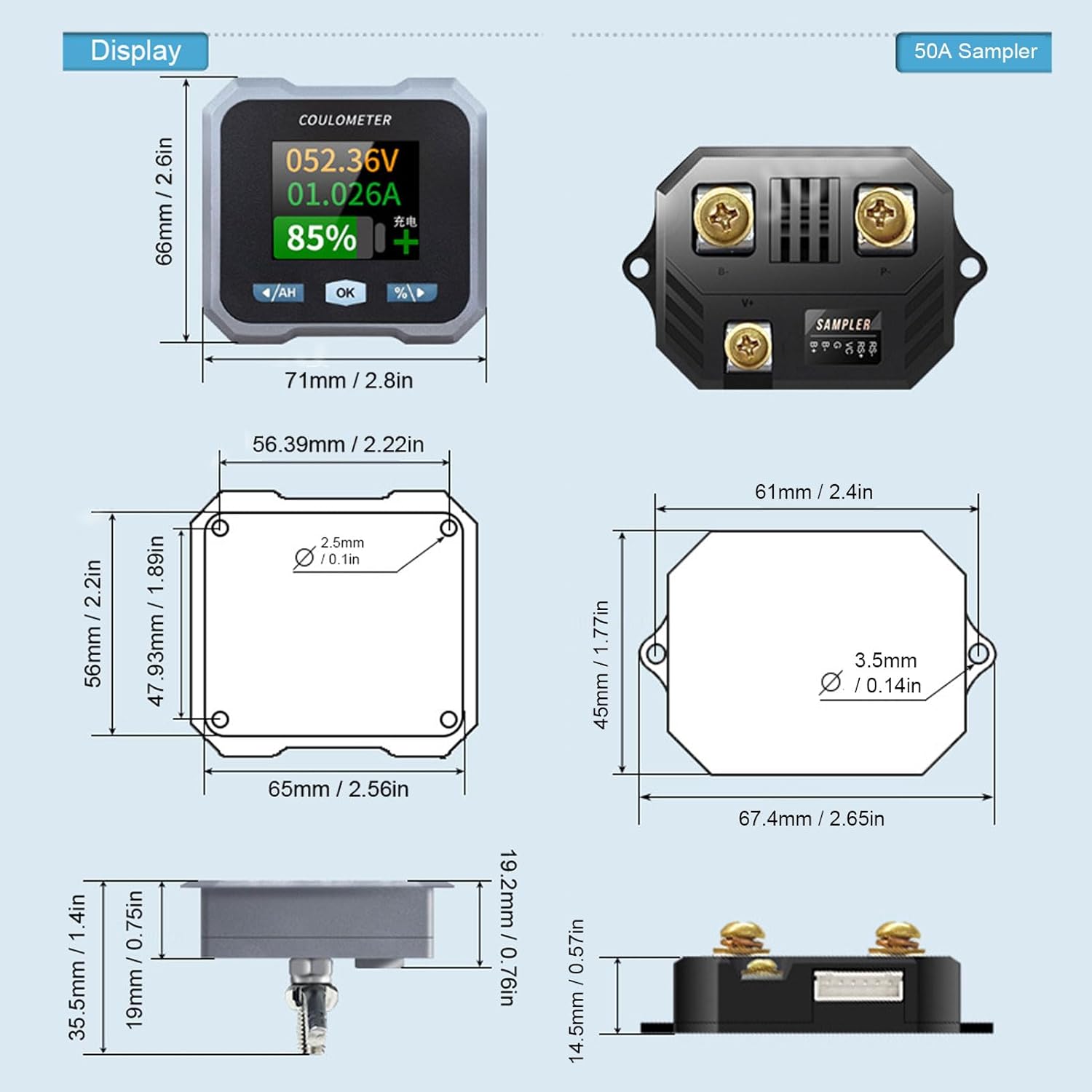
Figure 9: Detailed dimensions for both the display unit and the 50A sampлер.
8. Гаранција и подршка
For warranty information and technical support, please refer to the documentation provided with your purchase or visit the official Walfront webсајт. Сачувајте рачун као доказ о куповини за евентуалне рекламације по гаранцији.