
1. Увод
Thank you for choosing the Intenso O400HA Over-Ear Headphones. These headphones are designed to provide a superior audio experience with advanced features such as Hybrid Active Noise Cancelling (ANC), Transparency Mode, and Bluetooth 5.3 connectivity. This manual will guide you through the setup, operation, and maintenance of your new headphones.
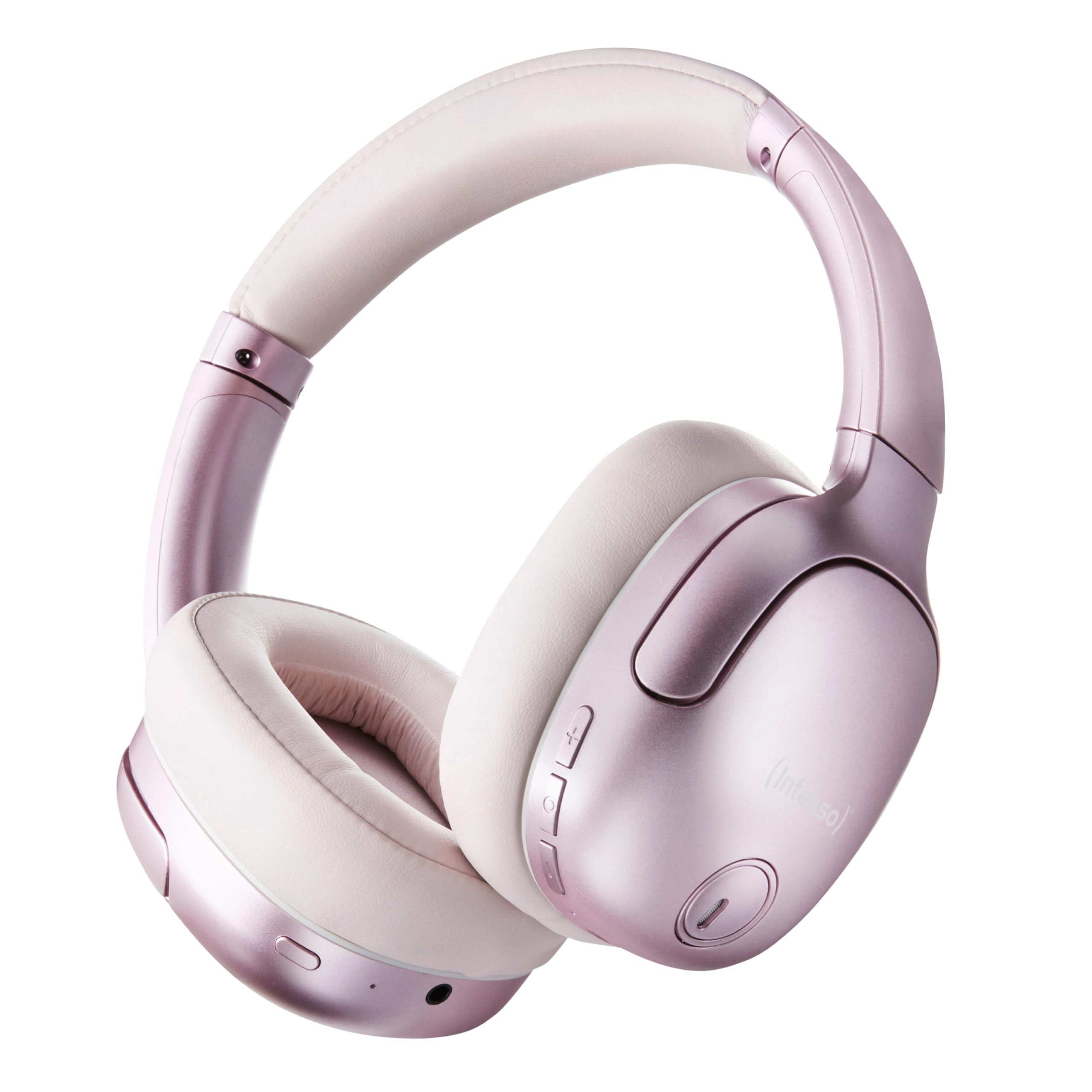
Image 1.1: Intenso O400HA Over-Ear Headphones (Pink)
The Intenso O400HA headphones feature a comfortable over-ear design with soft ear pads, an adjustable headband, and intuitive controls on the earcups.
2. Садржај пакета
Молимо вас да проверите пакет за следеће ставке:
- Intenso O400HA Over-Ear Headphones
- Кабл за пуњење од УСБ-Ц до УСБ-Ц
- 1.5m Audio Cable (3.5mm jack)
- Упутство за употребу
3. Производ је готовview
Familiarize yourself with the various parts and controls of your Intenso O400HA headphones.

Слика 3.1: Бочна страна view of Intenso O400HA headphones with controls
This image displays the right earcup with its control buttons and ports. These typically include power, volume, multi-function buttons, and a charging port.
Контроле и портови:
- Дугме за напајање: Used to turn the headphones on/off and initiate Bluetooth pairing.
- Дугме за појачавање јачине звука/следећу нумеру: Increases volume with a short press, skips to the next track with a long press.
- Дугме за смањивање јачине звука/претходну нумеру: Decreases volume with a short press, goes to the previous track with a long press.
- Вишефункционално дугме (MFB): Controls playback (play/pause), answers/ends calls, activates voice assistant.
- ANC/Transparency Mode Button: Toggles between Hybrid Active Noise Cancelling, Transparency Mode, and normal mode.
- УСБ-Ц прикључак за пуњење: За пуњење слушалица.
- 3.5 мм аудио прикључак: За жичну везу.
- микрофони: Internal and external microphones for ANC and calls.
4. Подешавање
4.1. Пуњење слушалица
Пре прве употребе, потпуно напуните слушалице.
- Повежите приложени USB-C кабл за пуњење са USB-C портом на слушалицама.
- Повежите други крај кабла са УСБ адаптером за напајање (није укључен) или УСБ портом рачунара.
- The LED indicator will show the charging status. It typically turns off or changes color when fully charged.
A full charge takes approximately 2 hours. A quick charge of 15 minutes provides up to 6 hours of playtime.
4.2. Блуетоотх упаривање
Да бисте повезали слушалице са уређајем који подржава Bluetooth:
- Уверите се да су слушалице искључене.
- Притисните и држите дугме за напајање отприлике 5-7 секунди док ЛЕД индикатор не почне да трепери плаво и црвено, што указује на режим упаривања.
- На свом уређају (паметном телефону, таблету, лаптопу) идите на подешавања Bluetooth-а и омогућите Bluetooth.
- Тражи available devices and select "Intenso O400HA" from the list.
- Once connected, the LED indicator will typically flash blue slowly or remain solid blue.
Слушалице ће аутоматски покушати да се поново повежу са последњим упареним уређајем када се укључе.
5. Управљање слушалицама
5.1. Укључивање/искључивање
- Укључено: Притисните и држите дугме за напајање 2-3 секунди.
- Искључивање: Притисните и држите дугме за напајање 3-4 секунди.
5.2. Audio Modes: ANC, Transparency, Music
The Intenso O400HA headphones offer three distinct audio modes to suit your environment.

Слика 5.1: Готовоview of Noise Control Modes
This image illustrates the key noise control technologies: Hybrid Active Noise Cancellation (ANC) for reducing ambient noise, Environmental Noise Cancellation (ENC) for clear calls, and Transparency Mode for hearing your surroundings.

Image 5.2: Hybrid Active Noise Cancelling Explained
This diagram shows how Hybrid ANC works using both external and internal microphones to filter out up to 95% of ambient noise, such as engine sounds.
- Hybrid Active Noise Cancelling (ANC): Press the ANC/Transparency Mode button to activate. This mode significantly reduces ambient noise, ideal for travel or noisy environments.
- Транспарентни режим: Press the ANC/Transparency Mode button again to switch to Transparency Mode. This allows external sounds to pass through, enabling you to hear your surroundings without removing the headphones.
- Normal Mode (Music Mode): Press the ANC/Transparency Mode button a third time to return to normal mode, where ANC and Transparency are off. This mode provides balanced sound for a comprehensive listening experience.
5.3. Music Playback and Calls
- Пусти/паузирај: Short press the Multi-function Button (MFB).
- Следећа нумера: Дуго притисните дугме за појачавање јачине звука.
- Претходни запис: Дуго притисните дугме за смањивање јачине звука.
- Појачавање звука: Кратко притисните дугме за појачавање јачине звука.
- Смањивање јачине звука: Кратко притисните дугме за смањивање јачине звука.
- Одговори/заврши позив: Кратко притисните МФБ.
- Одбиј позив: Дуго притисните МФБ.
- Активирање гласовног помоћника: Двапут притисните МФБ.
5.4. Wired Connection (Passive Mode)
You can use the headphones in passive mode even if the battery is depleted or if you prefer a wired connection.
- Connect one end of the 3.5mm audio cable to the audio jack on the headphones.
- Повежите други крај са 3.5 мм аудио излазом вашег уређаја.
Note: ANC and Transparency modes may not function or may have reduced performance when using the wired connection without power.
6. Одржавање
To ensure the longevity and optimal performance of your Intenso O400HA headphones, follow these maintenance guidelines:
- Чишћење: Користите меку, суву крпу за чишћење слушалица. Не користите абразивна средства за чишћење, раствараче или јаке хемикалије.
- Складиштење: Store the headphones in a cool, dry place away from direct sunlight and extreme temperatures. When not in use, it is recommended to store them in a protective case (if provided or purchased separately).
- Изложеност води: Ове слушалице нису водоотпорне. Избегавајте излагање води, влази или киши.
- Одржавање батерије: For optimal battery life, avoid fully discharging the battery frequently. Charge the headphones regularly, even if not used for extended periods.
- Нега каблова: Handle the charging and audio cables gently. Avoid bending or twisting them excessively.
КСНУМКС. Решавање проблема
If you encounter any issues with your headphones, refer to the following common problems and solutions:
| Проблем | Могући узрок | Решење |
|---|---|---|
| Слушалице се не укључују | Ниска батерија | У потпуности напуните слушалице. |
| Не могу да упарим преко Bluetooth-а | Слушалице нису у режиму упаривања; Блутут уређаја је искључен; Сметње | Ensure headphones are in pairing mode (flashing blue/red). Turn Bluetooth on your device. Move closer to the device. Forget previous pairings and try again. |
| Нема звука или је тиха | Volume too low; Incorrect audio source; Loose cable (wired mode) | Increase volume on headphones and device. Check if the correct audio output is selected on your device. Ensure 3.5mm cable is securely connected. |
| АНК није ефикасан | ANC not activated; Improper fit | Притисните дугме ANC да бисте активирали. Подесите слушалице тако да вам чврсто пристају преко ушију. |
| Изобличење звука | Distance from device; Interference; Low battery | Move closer to your device. Avoid strong electromagnetic fields. Charge the headphones. |
8. Спецификације
| Феатуре | Детаљ |
|---|---|
| Назив модела | Over-Ear O400HA |
| Технологија повезивања | Wireless (Bluetooth 5.3) / Wired (3.5mm jack) |
| Контрола буке | Хибридно поништавање буке |
| Трајање батерије | До 75 сати |
| Време пуњења | Approximately 2 Hours (15 min for 6 hours playtime) |
| Домет | До 15 метара |
| Фреквенцијски одзив | 20 Хз до 20 КХз |
| Импеданса | 32 Охмс |
| Контролни метод | Touch/Buttons |
| Тежина | 0.25 килограма |
| Материјал | Термопластични еластомер (ТПЕ) |
| Компатибилни уређаји | Mobile phones, Laptops, Tablets, Gaming Consoles, Car Audio Systems |
9. Гаранција и подршка
Intenso products are designed for reliability and performance. For warranty information and customer support, please refer to the warranty card included with your purchase or visit the official Intenso webсајт. Сачувајте доказ о куповини за евентуалне рекламације по гаранцији.
For further assistance, you may contact Intenso customer service through their official channels.