
1. Увод
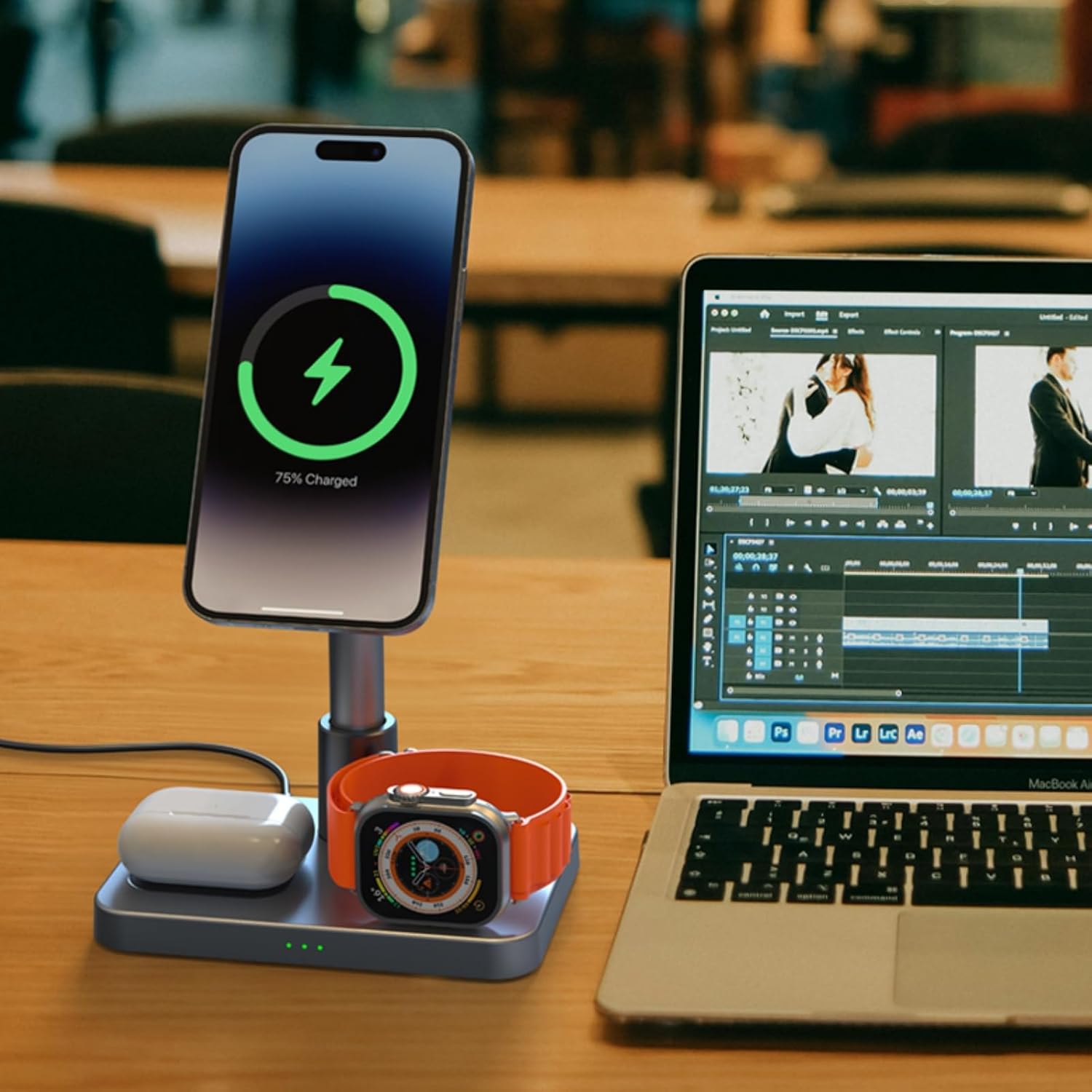
The HotTopStar S6 is a versatile 3-in-1 wireless charging station designed to efficiently charge your compatible iPhone (12-16 series), Apple Watch, and AirPods simultaneously. This device features a magnetic charging interface for iPhones, an aluminum unibody construction for enhanced durability and heat dissipation, and a foldable, adjustable design for convenience and portability.
2. Производ је готовview
The HotTopStar S6 charging station integrates multiple features to provide a streamlined charging experience:
- 3-у-1 пуњење: Simultaneously charges an iPhone, Apple Watch, and AirPods.
- Aluminum Unibody Design: Constructed from premium aluminum alloy for effective heat dissipation and a non-slip silicone base for stability.
- више-View Подешавање: Supports both vertical and horizontal phone charging. The phone holder offers adjustable angles and three adjustable heights for optimal viewинг.
- Преклопни дизајн: Allows for compact storage and easy portability, making it suitable for travel.
- Магнетно пуњење: Provides secure and efficient magnetic alignment for compatible iPhones.
- Брзо пуњење: Delivers up to 15W for iPhone, 5W for AirPods, and 2.5W for Apple Watch.
- Сигурносне заштите: Built-in safeguards against over-current, over-voltage, overcharge, and over-temperature to protect your devices.

3. Садржај пакета
Проверите да ли су све ставке присутне у пакету:
- 1 x HotTopStar 3-in-1 Wireless Charging Station (Model S6)
- 1 x USB-C to USB-C Cable (3.3 ft / 1m)
- 1 к Упутство за употребу
4. Упутства за подешавање
Follow these steps to set up your charging station:
- Unfold the Vertical Pole: When you receive the charging station, the vertical pole may be folded. Gently unfold it to an upright position.
- Secure the Vertical Pole: Locate the circular plastic spacer at the bottom of the vertical pole. Rotate this spacer clockwise until the pole is firmly fixed and stable.
- Прикључите напајање: Connect one end of the provided USB-C to USB-C cable to the charging port on the back of the station. Connect the other end to a compatible USB-C power adapter (not included). For optimal fast charging performance, a 25W or higher USB-C power adapter is recommended.


5. Упутство за употребу
Once the charging station is set up and connected to power, you can begin charging your devices:
- Charge iPhone: Place your compatible iPhone onto the magnetic charging pad. The phone will magnetically snap into place, and charging will begin automatically. The charging indicator lights on the base will illuminate.
- Напуните Аппле Ватцх: Place your Apple Watch onto the dedicated charging puck. Ensure it is properly aligned for charging to initiate.
- Напуните АирПодс: Place your AirPods case onto the designated wireless charging area on the base.
- Подесите Viewing Angle/Height: The phone holder can be rotated 360 degrees and tilted up to 70 degrees. The vertical pole also offers three adjustable height levels. Adjust these to your preferred viewугао и висина.

6. Компатибилност
The HotTopStar S6 is compatible with the following devices:
- иПхоне уређаји: iPhone 16 series, iPhone 15 series (including Plus/Pro/Pro Max), iPhone 14 series (including Plus/Pro/Pro Max), iPhone 13 series (including Pro/Pro Max/mini), iPhone 12 series (including Pro/Pro Max/mini).
- Аппле Ватцх: Apple Watch Ultra, Series 9, Series 8, Series 7, Series 6, Series 5, Series 4, Series 3, Series 2, SE. Note: Not compatible with Apple Watch Series 10.
- АирПодс: AirPods Pro, AirPods (3rd Generation), AirPods (2nd Generation).

7. Безбедносне информације
To ensure safe operation and prolong the life of your device, please observe the following safety guidelines:
- Use only the provided USB-C cable and a compatible power adapter (minimum 25W recommended for optimal performance).
- Do not expose the charging station to water, moisture, or extreme temperatures.
- Do not disassemble, modify, or attempt to repair the device yourself. Contact customer support if service is required.
- Avoid placing metal objects or foreign materials on the charging surfaces, as this may interfere with charging or cause overheating.
- The charging station features built-in over-current, over-voltage, overcharge, and over-temperature protection mechanisms to safeguard your devices.
8. Одржавање
Proper care will ensure the longevity of your charging station:
- Чишћење: Disconnect the power before cleaning. Use a soft, dry, lint-free cloth to wipe the surfaces of the charging station.
- Избегавајте хемикалије: Do not use harsh chemicals, cleaning solvents, or strong detergents, as these may damage the device's finish or internal components.
- Складиштење: When not in use for extended periods, store the charging station in a cool, dry place, away from direct sunlight.
КСНУМКС. Решавање проблема
If you encounter issues with your charging station, refer to the following common problems and solutions:
| Проблем | Могући узрок | Решење |
|---|---|---|
| Уређај се не пуни | 1. Слаба веза за напајање 2. Device not properly aligned 3. Incompatible device 4. Foreign object on charging pad | 1. Ensure USB-C cable is securely connected to both the station and power adapter. 2. Reposition the device on the charging pad to ensure proper alignment. 3. Verify device compatibility (refer to Section 6). 4. Remove any metal objects or foreign materials from the charging surface. |
| Споро пуњење | 1. Insufficient power adapter wattage 2. Using USB-A to USB-C cable with low-wattagе адаптер | 1. Use a USB-C power adapter with a minimum output of 25W. 2. Ensure you are using a suitable USB-C to USB-C cable and a high-wattage USB-C power adapter. |
| Vertical pole is unstable | Plastic spacer not locked | Rotate the circular plastic spacer at the bottom of the vertical pole clockwise until it is firmly secured. |
| Charging indicator lights are off | 1. Нема струје 2. Device not detected | 1. Check power connection to the wall outlet and the charging station. 2. Re-place the device on the charging pad. |
10. Спецификације
| Број модела | S6 |
| Улазни волtage | 5 Волтс |
| Инпут Ampераге | 3 Amps |
| Оутпут Ватtage (iPhone) | КСНУМКСВ Макс |
| Оутпут Ватtage (AirPods) | КСНУМКСВ Макс |
| Оутпут Ватtage (Apple Watch) | КСНУМКСВ Макс |
| Тип конектора | УСБ тип Ц |
| Материјал | Алуминијум |
| Тежина артикла | 0.35 килограма |
| Димензије парцеле | 23 к 17 к 4.7 цм |
| Посебне карактеристике | Charging Indicator, Fast Charging, Lightweight Design, Magnetic, Travel, Adjustable Stand |
| Произвођач | Shenzhen Aodehong Electronic Technology Co., Ltd. |
11. Гаранција и подршка
гаранција: This HotTopStar S6 Wireless Charging Station comes with a 12-month warranty from the date of purchase. This warranty covers manufacturing defects and ensures the product functions as intended under normal use. Please retain your proof of purchase for warranty claims.
Корисничка подршка: For any questions, technical assistance, or warranty claims, please contact HotTopStar customer service. Refer to the contact information provided with your purchase or on the official HotTopStar webсајту.