
Увод
Хвала вам на куповиниasing the VATOS RC Helicopter XK-1. This remote-controlled helicopter is designed for ease of use, featuring one-key take-off, altitude hold, and a stable coaxial rotor system, making it suitable for beginners. Please read this manual thoroughly before operation to ensure safe and correct use of the product.

Image: The VATOS RC Helicopter XK-1, showcasinг његов дизајн и карактеристике.
Безбедносне информације
- Препорука за узраст: This product is not suitable for children under 3 years of age due to small parts. The manufacturer recommends this product for ages 6 years and older.
- Надзор: Препоручује се надзор одраслих, посебно за млађе кориснике.
- Окружење: Operate the helicopter in open, clear spaces, away from people, animals, and obstacles. Avoid flying near walls as air suction can affect control. When flying outdoors, ensure there is no wind.
- Изложеност води: Држите хеликоптер и даљински управљач даље од воде и влаге како бисте спречили оштећење електронских компоненти.
- Безбедност батерије: Do not short-circuit, disassemble, or expose batteries to extreme temperatures. Use only the provided charging cables.
- Пропелери: Do not touch the rotating propellers. In case of collision, the helicopter features an automatic power-off function to stop propellers.
Садржај пакета
Молимо вас да проверите садржај пакета како бисте били сигурни да су сви предмети присутни:
- RC Helicopter (x1)
- Даљински управљач (к1)
- Spare A/B Propellers (x1 set)
- USB каблови за пуњење (x2)
- Пуњиве батерије (x2)
- Одвијач (к1)

Image: The package includes the VATOS RC Helicopter, one remote control, a set of spare A/B propellers, two USB charging cables, two rechargeable batteries, and a screwdriver.
Сетуп
1. Пуњење батерија
The helicopter comes with two rechargeable batteries. Ensure they are fully charged before first use.
- Connect one end of the USB charging cable to the battery and the other end to a USB power source (e.g., computer, USB adapter).
- Alternatively, you can charge the battery directly while it is installed in the helicopter by connecting the USB cable to the helicopter's charging port. Ensure the helicopter is powered OFF during this method.
- The battery indicator light will be red during charging and will turn off automatically when charging is complete.
- A full charge typically takes about 60 minutes.

Image: The helicopter batteries can be charged directly by connecting a USB cable to the helicopter (ensure helicopter is powered off), or by charging the battery separately using a USB cable. The battery indicator is red during charging and turns off when complete. Safe charging time is 60 minutes.
2. Installing Helicopter Battery
Carefully insert a charged battery into the battery compartment of the helicopter. Ensure it is securely connected.
3. Инсталирање батерија у даљински управљач
Даљински управљач захтева 3 ААА батерије (нису укључене).
- Отворите одељак за батерије на задњој страни даљинског управљача помоћу приложеног одвијача.
- Уметните 3 ААА батерије, водећи рачуна о исправном поларитету (+/-).
- Затворите одељак за батерије и причврстите га завртњем.

Image: The remote control requires the installation of 3 AAA batteries (not included). Open the battery compartment on the back of the remote control to insert them.
4. Упаривање даљинског управљача
- Поставите хеликоптер на равну површину.
- Power on the helicopter. The LED lights on the helicopter will flash.
- Укључите даљински управљач.
- Push the throttle stick (left stick) all the way up, then all the way down. The remote control will beep, and the helicopter's LED lights will become solid, indicating successful pairing.
Упутство за употребу
1. Основне контроле
- Полетање једним кључем: After pairing, press the one-key take-off button on the remote control. The helicopter will automatically ascend and hover at a stable altitude.
- Слетање једним кључем: Press the one-key landing button, and the helicopter will slowly descend and land automatically.
- Задржавање надморске висине: The helicopter features an altitude hold function, allowing it to maintain a stable height without constant throttle input.
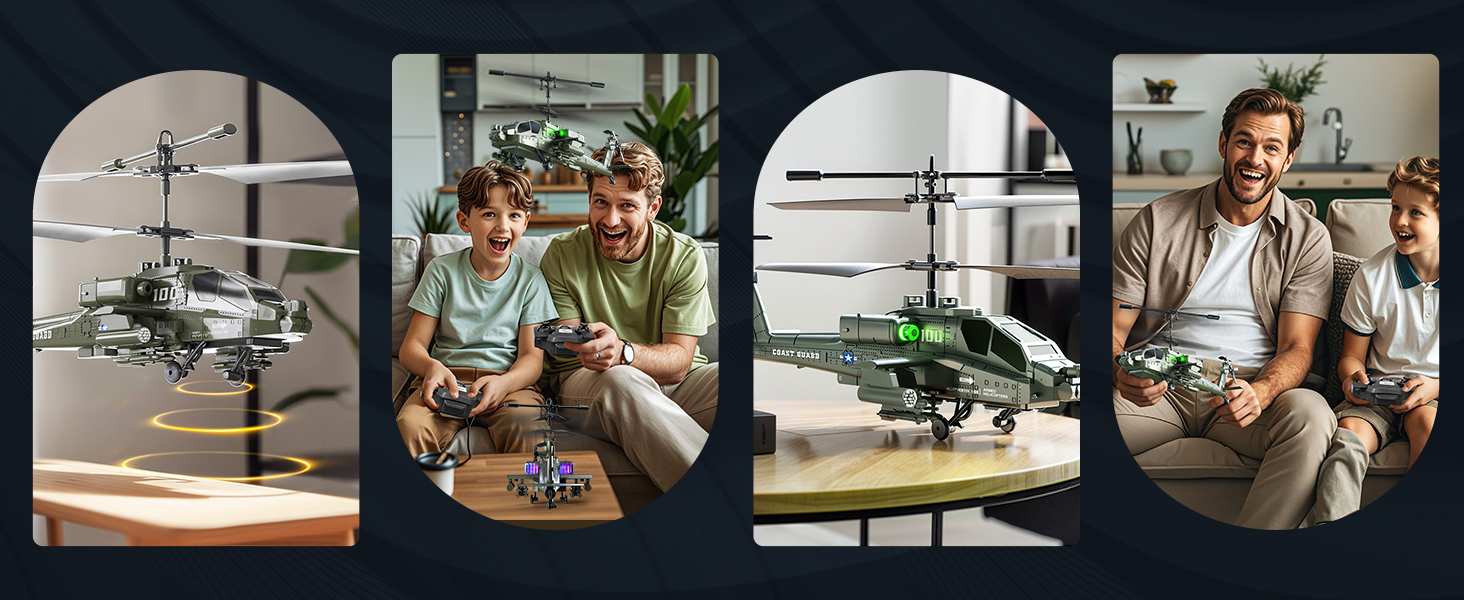
Image: The helicopter features one-key take-off and landing for simplified operation. It also includes an altitude hold function, allowing it to maintain a stable height automatically.
2. 3.5 Channel Control
The 3.5-channel remote control allows for various flight maneuvers:
- Throttle Stick (Left): Push up to rise, pull down to fall.
- Direction Stick (Right): Push up for forward flight, pull down for backward flight. Push left to turn left, push right to turn right.
- Подешавање брзине: The remote control allows for acceleration and deceleration, making flight more flexible.

Image: The 3.5-channel design allows for comprehensive control, including rising, falling, moving forward, backward, turning left, and turning right. It also supports speed adjustment.
3. ЛЕД светла
The helicopter is equipped with colorful LED lights that illuminate when powered on, enhancing visibility and adding to the flying experience, especially in low-light conditions.

Image: The helicopter features colorful LED lights that are visible during flight.
Одржавање
- Чишћење: Користите меку, суву крпу за чишћење хеликоптера и даљинског управљача. Не користите воду или хемијска средства за чишћење.
- Одржавање батерије: Always remove batteries from the remote control when not in use for extended periods. Store rechargeable helicopter batteries in a cool, dry place. Do not overcharge or completely discharge the batteries.
- Инспекција пропелера: Regularly check the propellers for any damage or cracks. Replace damaged propellers with the provided spare parts using the screwdriver.
- Складиштење: Store the helicopter and remote control in a safe place, away from direct sunlight and extreme temperatures.
Решавање проблема
| Проблем | Могући узрок | Решење |
|---|---|---|
| Хеликоптер не реагује на даљинско управљање. | Not paired; low batteries in helicopter or remote. | Ensure both helicopter and remote are powered on and successfully paired. Charge helicopter batteries; replace remote control batteries. |
| Кратко време лета. | Батерија није потпуно напуњена; батерија је стара. | Ensure batteries are fully charged (60 minutes). Consider replacing old batteries if performance significantly degrades. |
| Unstable flight or difficulty controlling. | Windy conditions; damaged propellers; incorrect calibration. | Fly in calm conditions. Check and replace damaged propellers. Ensure helicopter is placed on a flat surface before take-off. |
| LED lights flashing quickly. | Подсетник за ниску батерију. | Land the helicopter immediately and recharge the battery. |
| Helicopter propellers stop after a collision. | Automatic power-off protection activated. | This is a safety feature. Check for damage, then power cycle the helicopter and remote to resume operation. |

Image: The helicopter is equipped with double protection functions. In case of a collision, the propellers will automatically stop rotating to prevent damage. A low battery reminder is indicated by quickly flashing LED lights.
Спецификације
| Феатуре | Детаљ |
|---|---|
| Број модела | XK-1 |
| Димензије производа | 18 x 10 x 8 цм (7.09 x 3.94 x 3.15 инча); 450 г |
| Препоручена старост | 6 година и више |
| Контролни режим | Remote Control (2.4G) |
| Канали | 3.5 канала |
| Извор напајања | Батерија (литијум-јонска) |
| Батерије за даљинско управљање | 3 к ААА батерије (нису укључене) |
| Посебне карактеристике | Flashing LED lights, One-Key Take-off/Landing, Altitude Hold, Anti-collision design |
| Врста материјала | Пластика |
| Боја | Зелена |

Image: The helicopter measures approximately 23 cm (9.05 inches) in length, 8.5 cm (3.35 inches) in height (to main rotor), and 9.5 cm (3.70 inches) in tail height.
Гаранција и подршка
This product is covered by a standard manufacturer's warranty. For specific warranty details, please refer to the product packaging or contact the retailer where the product was purchased. For technical support or inquiries, please contact VATOS customer service through their official channels.