
1. Увод
Thank you for choosing the Hivento Smart Tower Fan AT-932. This intelligent tower fan is designed to provide efficient and comfortable air circulation with its WiFi connectivity, multiple speed and mode settings, oscillation, and convenient timer function. Please read this manual carefully before use to ensure proper operation and maintenance.
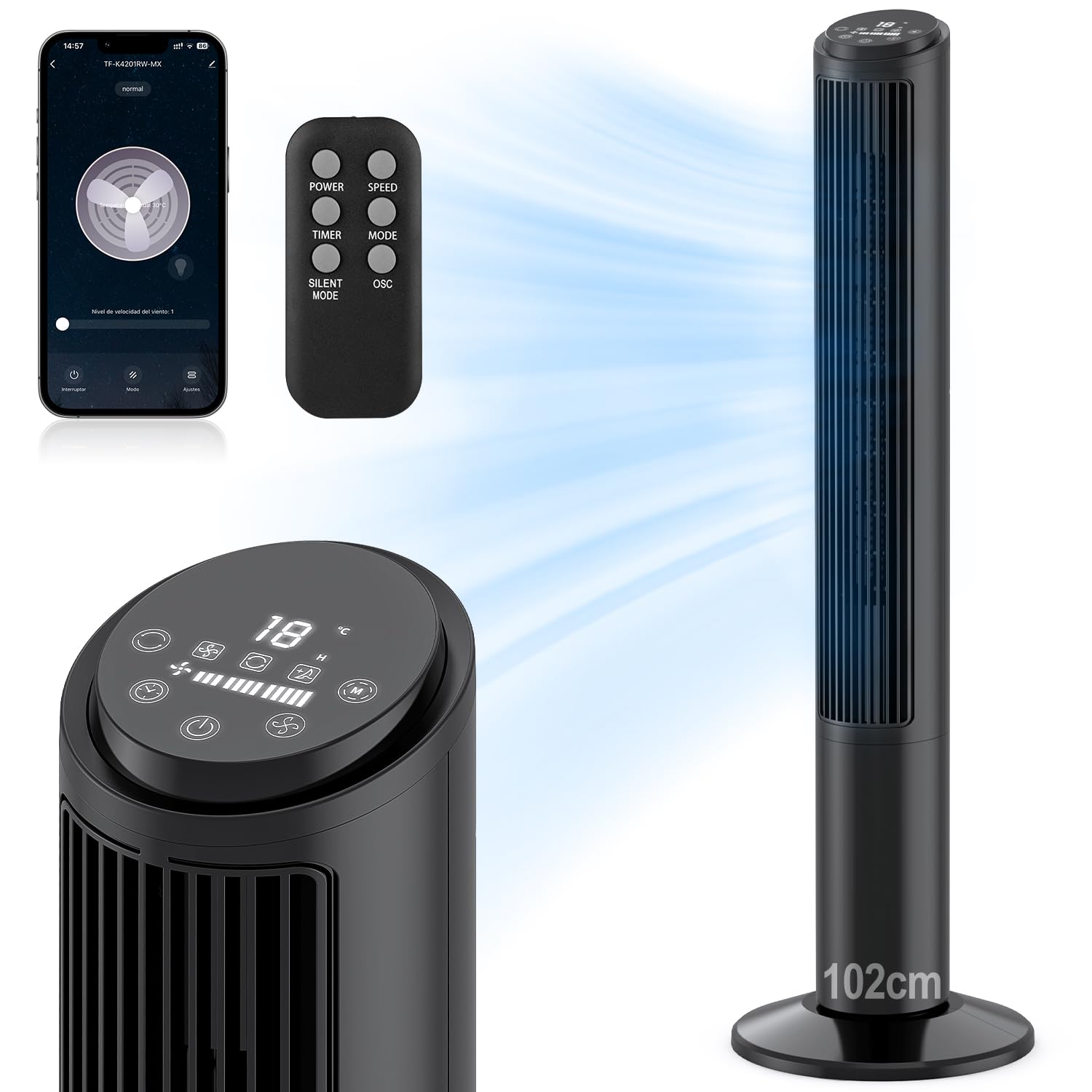
Image: Hivento Smart Tower Fan AT-932, showcasinг његов елегантни црни дизајн.
2. Безбедносна упутства
Да бисте смањили ризик од пожара, струјног удара или повреде, молимо вас да се придржавате следећих мера предострожности:
- Увек искључите вентилатор из струје пре чишћења или било каквог одржавања.
- Немојте користити вентилатор са оштећеним каблом или утикачем.
- Keep fingers and other objects away from the fan grille when in operation.
- Уверите се да је вентилатор постављен на стабилну, равну површину како бисте спречили превртање.
- Не користите вентилатор на мокром или дamp окружења.
- This fan features a bladeless design for enhanced safety, especially around children and pets. It also includes a child lock function.

Image: Bladeless design of the fan, highlighting safety features like a safety plug and child lock, with a child nearby.
3. Садржај пакета
Молимо вас да проверите пакет за следеће ставке:
- Hivento Tower Fan (x1)
- Installation Accessories (Base parts) (x1 set)
- Даљински управљач (к1)
- Упутство за употребу (к1)
4. Подешавање
4.1 Склоп базе
The tower fan requires minimal assembly. The base consists of two identical parts. Simply cross these two parts and attach them to the bottom of the fan unit. Ensure they are securely fastened.
4.2 Прикључак за напајање
Укључите кабл за напајање у стандардну електричну утичницу од 120 В.
4.3 Почетно укључивање
Press the power button on the control panel or remote control to turn on the fan. The LED display will illuminate.
4.4 WiFi Setup (App Control)
To use the smart features, download the Tuya Smart app on your smartphone. Follow the in-app instructions to pair your fan:
- Download and open the Tuya Smart app.
- Региструјте се или се пријавите на свој налог.
- Tap 'Add Device' or the '+' icon.
- Select the fan from the device list or use auto-scan.
- Follow the app's prompts to connect the fan to your 2.4GHz WiFi network. This usually involves resetting the device by pressing and holding the power button until the indicator light flashes.
- Once connected, you can control the fan via the app.

Image: Step-by-step guide on a smartphone screen demonstrating how to pair the Hivento Smart Tower Fan with the Tuya Smart app.
5. Упутство за употребу
5.1 Контролна табла и ЛЕД дисплеј
The fan features an intuitive LED display and touch controls on the top. The display shows ambient temperature, current speed, mode, and timer settings.
- Дугме за напајање: Укључује/искључује вентилатор.
- Дугме за брзину: Подешава брзину вентилатора (ниска, средња, висока).
- Дугме за режим: Cycles through operating modes (Normal, Natural, Sleep).
- Дугме тајмера: Подешава тајмер за аутоматско искључивање.
- Дугме за осциловање: Activates/deactivates oscillation.

Image: Close-up of the fan's LED display and touch control panel, along with the remote control, indicating various functions.
5.2 Даљински управљач
The included remote control allows convenient operation from a distance. It duplicates all functions available on the control panel.
- СНАГА: Укључује/искључује вентилатор.
- БРЗИНА: Подешава брзину вентилатора.
- ТАЈМЕР: Подешава тајмер за аутоматско искључивање.
- НАЧИН: Кружи кроз режиме рада.
- ТИХИ РЕЖИМ: Activates a quiet operation mode (often the Sleep mode).
- ОСЦ: Activates/deactivates oscillation.

Image: The Hivento Smart Tower Fan oscillating, with a remote control shown in the foreground, illustrating remote operation.
5.3 Smart Control (WiFi & Voice)
After successful WiFi setup, you can control your fan from anywhere using the Tuya Smart app. The fan is also compatible with voice assistants like Amazon Alexa and Google Assistant for hands-free operation.
- Контрола апликације: Adjust settings, change modes, set timers, and monitor the fan remotely via your smartphone.
- Контрола гласом: Integrate with Alexa or Google Assistant to control the fan with voice commands (e.g., "Alexa, turn on the fan," "Hey Google, set fan speed to medium").
5.4 Режими и брзине
The fan offers 3 speed settings and 2 operating modes:
- Брзине: Low, Medium, High. Select the desired airflow intensity.
- Природни режим: Симулира природни поветарац променом брзине вентилатора.
- Режим спавања: Operates at a low, quiet speed for minimal disturbance during sleep, with a noise level of less than 30 dB.

Image: Graphic illustrating the fan's 2 modes (Natural, Sleep) and 3 speeds (Low, Medium, High), along with 70° oscillation and 6 m/s airflow.
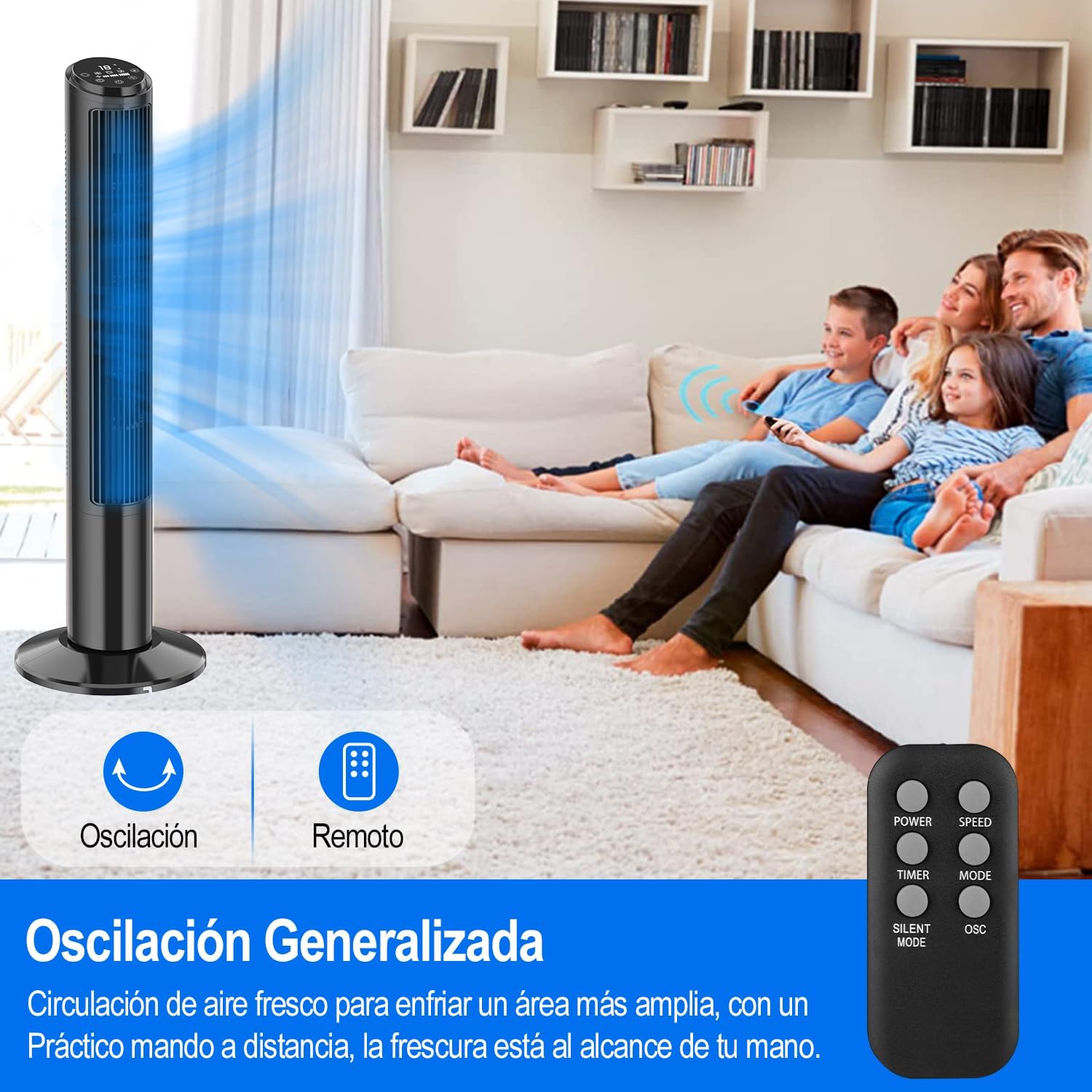
Image: A person sleeping peacefully with the Hivento Smart Tower Fan operating quietly in the background, demonstrating its low noise level for sleep.
5.5 Функција осцилације
Activate the oscillation function to distribute airflow across a wider area. The fan oscillates up to 70 degrees.
5.6 Функција тајмера
Set the fan to automatically turn off after a specified period, from 0 to 15 hours. This is useful for energy saving or for use during sleep.

Image: Graphic showing the fan's timer function, allowing settings from 0 to 15 hours.
6. Одржавање
Редовно чишћење помаже у одржавању перформанси вентилатора и продужава његов век трајања.
- Чишћење екстеријера: Обришите спољашње површине меком, дamp тканина. Немојте користити абразивна средства за чишћење или раствараче.
- Чишћење улазних/излазних отвора за ваздух: Use a soft brush or vacuum cleaner with a brush attachment to remove dust from the air inlet and outlet grilles.
- Складиштење: When not in use for extended periods, unplug the fan and store it in a cool, dry place.
Опрез: Не урањајте вентилатор у воду нити дозволите да вода капне у кућиште мотора.
КСНУМКС. Решавање проблема
| Проблем | Могући узрок | Решење |
|---|---|---|
| Вентилатор се не укључује. | Нема напајања; кабл за напајање није правилно прикључен. | Ensure the fan is plugged into a working outlet; Check the power cord connection. |
| Вентилатор се неочекивано зауставља. | Timer function activated; Overheating. | Check if the timer is set; Unplug and allow the fan to cool down before restarting. |
| Даљински управљач не ради. | Батерије су празне или су неправилно уметнуте; Препрека између даљинског управљача и вентилатора. | Замените батерије; Обезбедите јасну линију вида до пријемника вентилатора. |
| WiFi веза не успева. | Incorrect WiFi password; Router too far; Only 5GHz WiFi available. | Verify WiFi password; Move fan closer to router; Ensure you are connecting to a 2.4GHz network. |
8. Спецификације
| Феатуре | Детаљ |
|---|---|
| Бранд | Hivento |
| Назив модела | Hivento Tower Fan AT-932 |
| Број модела | АТ-932 |
| Боја | Црно |
| Димензије (ДкШкВ) | КСНУМКС к КСНУМКС к КСНУМКС цм (КСНУМКС к КСНУМКС к КСНУМКС инча) |
| Извор напајања | Наизменична струја (120 волти) |
| Потрошња енергије | 50 Ваттс |
| Број брзина | 3 |
| Оперативни режими | 2 (Natural, Sleep) |
| Осцилација | 70° |
| Тајмер | До 15 сати |
| Ниво буке | Minimum 30 Decibels |
| Тип контроле | App Control, Remote Control, Touch |
| Посебне карактеристике | WiFi Function, Bladeless Design, LED Display, Child Lock |
| Материјал | Пластика |

Image: The Hivento Smart Tower Fan with its dimensions (102cm height, 32cm base diameter) highlighted, demonstrating its compact and portable design.
9. Гаранција и подршка
Specific warranty information is not provided in the product data. For warranty details, technical support, or any product-related inquiries, please contact Hivento customer service through the retailer's platform or the official brand webсајту.
You can visit the Hivento store for more information: Hivento Store


