
1. Увод
This manual provides detailed instructions for the setup, operation, and maintenance of your TUINYO WH-819 Wireless Over-Ear Bluetooth Headphones. Please read this manual thoroughly before using the product to ensure proper function and longevity.
2. Производ је готовview
The TUINYO WH-819 headphones offer high-fidelity stereo sound, comfortable over-ear design, and versatile connectivity options. They are designed for extended listening periods, featuring a long-lasting battery and a foldable structure for portability.
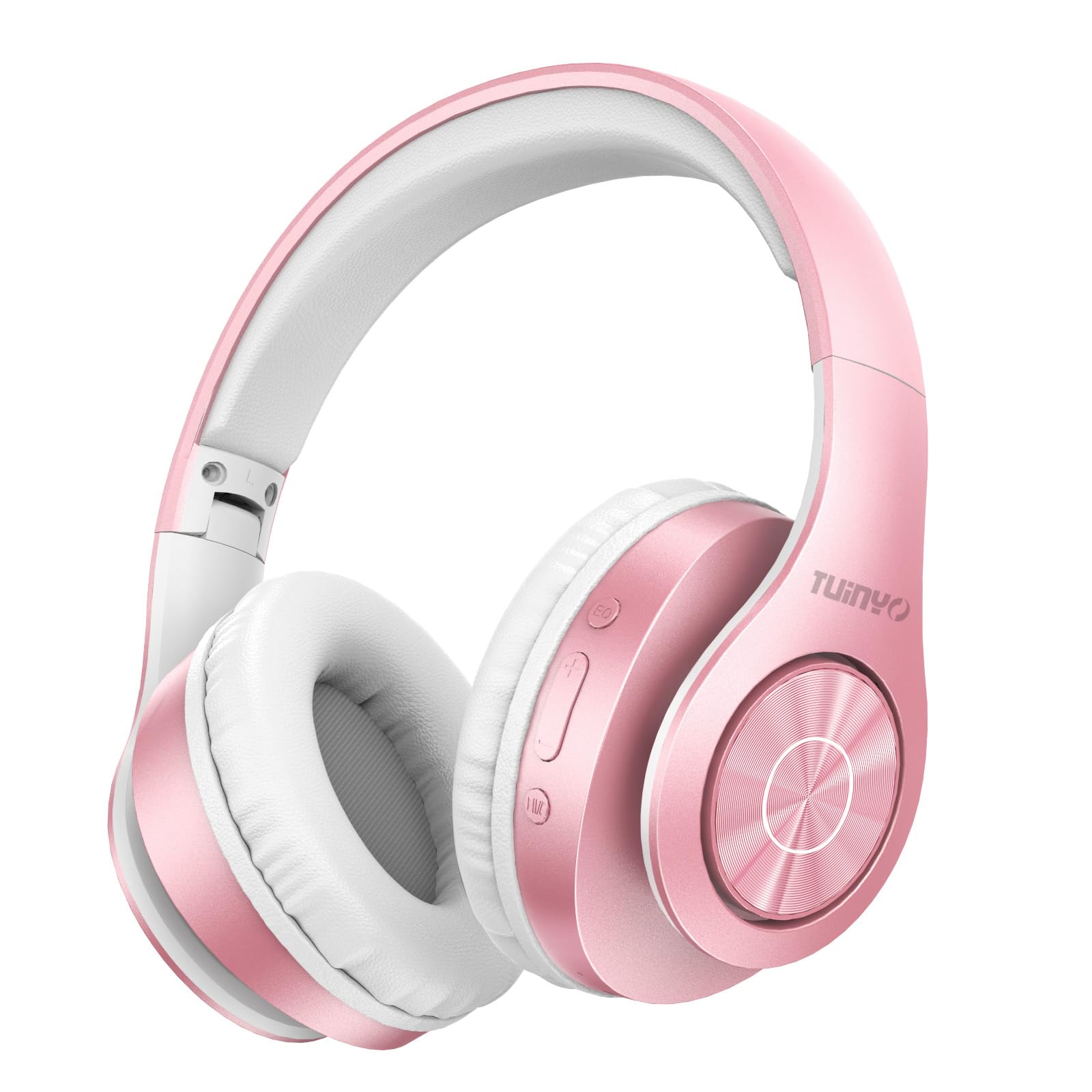
Figure 2.1: TUINYO WH-819 Rose Gold Wireless Over-Ear Bluetooth Headphones.
Видео 2.1: Оверview of the TUINYO wireless Bluetooth headphones, highlighting their design and features.
3. Садржај пакета
Уверите се да су све ставке присутне у пакету:
- TUINYO WH-819 Wireless Over-Ear Bluetooth Headphones
- УСБ кабл за пуњење
- 3.5 мм аудио кабл
- Protective Premium Case
- Упутство за употребу

Figure 3.1: Included accessories with the TUINYO WH-819 headphones.
4. Контроле и портови
Familiarize yourself with the headphone controls and ports:
- Дугме за напајање: Дуго притисните за укључивање/искључивање. Кратко притисните за репродукцију/паузирање музике или одговарање/прекид позива.
- Дугме за појачавање јачине звука/следећу нумеру: Кратак притисак за појачавање звука. Дуг притисак за следећу нумеру.
- Дугме за смањивање јачине звука/претходну нумеру: Кратак притисак за смањивање јачине звука. Дуг притисак за претходну нумеру.
- ЕК тастер: Press to cycle through different equalizer modes (Normal, Rock, Pop, Classic, Jazz, Country).
- 3.5 мм аудио прикључак: За жичну везу.
- УСБ пуњач: За пуњење слушалица.
- Утор за мицроСД картицу: For direct music playback from a MicroSD card.

Слика 4.1: Детаљно view of headphone controls and features.
Video 4.1: A demonstration of the TUINYO headphones' folding mechanism and button controls.
5. Подешавање
5.1 Пуњење слушалица
- Connect the USB charging cable to the headphone's charging port.
- Повежите други крај USB кабла са компатибилним USB извором напајања (нпр. рачунаром, адаптером за зид).
- ЛЕД индикатор ће приказивати статус пуњења (нпр. црвена за пуњење, плава за потпуно напуњено).
- Пуно пуњење обично траје 2-2.5 сата.
5.2 Блуетоотх упаривање
- Уверите се да су слушалице потпуно напуњене.
- Long press the Power button until the LED indicator flashes blue and red, indicating pairing mode.
- На свом уређају (паметном телефону, таблету, лаптопу) омогућите Блутут и потражите доступне уређаје.
- Select "WH-819" from the list of devices.
- Once connected, the LED indicator will flash blue slowly, and a voice prompt will confirm successful pairing.
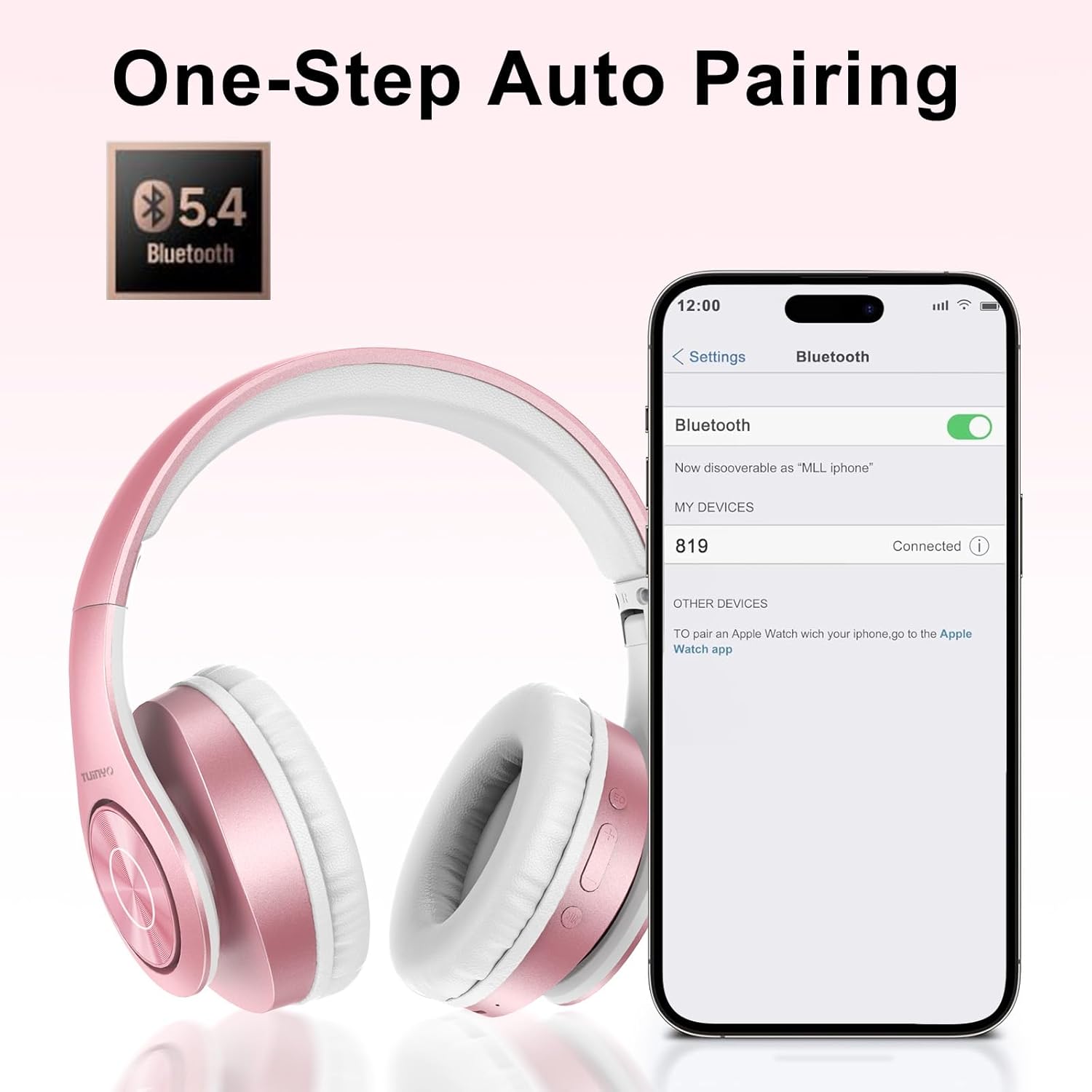
Figure 5.1: Bluetooth pairing process on a smartphone.
6. Упутство за употребу
6.1 Укључивање/искључивање
- Укључено: Long press the Power button until the LED indicator lights up blue.
- Искључивање: Long press the Power button until the LED indicator turns off.
6.2 Репродукција музике
- Пусти/паузирај: Кратко притисните дугме за напајање.
- Следећа нумера: Дуго притисните дугме за појачавање јачине звука.
- Претходни запис: Дуго притисните дугме за смањивање јачине звука.
- Подешавање јачине звука: Short press the Volume Up or Volume Down buttons.
6.3 Управљање позивима
- Одговори/заврши позив: Кратко притисните дугме за напајање.
- Одбиј позив: Дуго притисните дугме за напајање.
6.4 Режим еквилајзера
- Press the EQ button to switch between different sound equalizer modes (Normal, Rock, Pop, Classic, Jazz, Country) to optimize your listening experience.
6.5 Жични режим
- Insert the 3.5mm audio cable into the headphone's audio jack and the other end into your audio device.
- The headphones will automatically switch to wired mode, and Bluetooth functionality will be disabled.
6.6 Репродукција са MicroSD картице
- Insert a MicroSD card with MP3 audio files into the MicroSD card slot.
- Слушалице ће аутоматски детектовати картицу и почети да репродукују музику.
- Use the music playback controls (Play/Pause, Next/Previous Track, Volume) to manage your audio.
7. Одржавање
- Редовно чистите слушалице меком, сувом крпом.
- Избегавајте употребу абразивних средстава за чишћење или растварача.
- Чувајте слушалице у њиховој заштитној футроли када их не користите како бисте спречили оштећења.
- Чувати даље од екстремних температура и влаге.
КСНУМКС. Решавање проблема
| Проблем | Решење |
|---|---|
| Слушалице се не укључују. | Уверите се да су слушалице напуњене. Прикључите их на извор напајања и покушајте поново. |
| Није могуће упаривање преко Bluetooth-а. | Ensure headphones are in pairing mode (LED flashing blue/red). Turn off and on Bluetooth on your device. Move closer to the device. |
| Нема звука у Блуетоотх режиму. | Check volume levels on both headphones and connected device. Ensure headphones are successfully paired. |
| Нема звука у жичном режиму. | Ensure the 3.5mm audio cable is fully inserted into both the headphones and the audio device. Check the audio source. |
| MicroSD card not playing. | Ensure the MicroSD card is inserted correctly and contains compatible MP3 audio files. |
9. Спецификације
| Феатуре | Детаљ |
|---|---|
| Назив модела | ВХ-819 |
| Технологија повезивања | Бежично (Блутут), Жично (3.5 мм прикључак) |
| Бежична комуникациона технологија | Блуетоотх 4.0 |
| Тип аудио драјвера | Dynamic Driver (40mm neodymium) |
| Трајање батерије | Up to 40 hours of music time (800mAh battery) |
| Време пуњења | 2-2.5 сати |
| Облик слушалице | Преко уха |
| Материјал | Plastic, Memory-Protein Earmuffs |
| Тежина | 13.4 унци |
| Димензије | 8.5 x 6.22 x 4.25 инча (паковање) |
| Компатибилни уређаји | Tablets, Laptops, Desktops, Smartphones, Bluetooth-enabled devices |
| Ниво отпорности на воду | Није водоотпоран |
10. Гаранција и подршка
Your TUINYO WH-819 headphones are covered by a 30-day warranty from the date of purchase. For any product inquiries, technical support, or warranty claims, please refer to the contact information provided with your purchase or visit the official TUINYO webсајту.