
Увод
Thank you for choosing the SWOFY D26 MP3 Player. This device combines a high-capacity music player with the versatility of an Android 13.0 system, featuring Bluetooth and Wi-Fi connectivity, a 4.7-inch HD touchscreen, and support for various streaming applications. This manual will guide you through the setup, operation, maintenance, and troubleshooting of your new device to ensure an optimal user experience.
Шта је у кутији
Пажљиво проверите садржај пакета. Ако неке ставке недостају или су оштећене, контактирајте корисничку подршку.
- SWOFY D26 MP3 Player (x1)
- УСБ-Ц кабл за пуњење (к1)
- 64GB SD Card (x1)
- Wired Headphones (x1)
- Заштитна футрола (x1)
- Упутство за употребу (к1)

Image: All components included in the SWOFY D26 MP3 Player package.
Девице Оверview
The SWOFY D26 features a sleek design with a responsive touchscreen and essential physical controls.

Слика: Фронт view of the SWOFY D26 MP3 Player.
Кључне карактеристике:
- 4.7-инчни ХД екран осетљив на додир: For intuitive navigation and media viewинг.
- Дугме за напајање: Налази се са стране за укључивање/искључивање уређаја и закључавање екрана.
- Дугмад за јачину звука: Подесите аудио излаз.
- УСБ-Ц порт: За пуњење и пренос података.
- 3.5 мм прикључак за слушалице: За жични аудио излаз.
- Утор за мицроСД картицу: For memory expansion.
- Интегрисани звучник: За репродукцију звука без слушалица.
Сетуп
1. Пуњење уређаја
Before first use, fully charge the MP3 player. Connect the provided USB-C cable to the device's USB-C port and the other end to a compatible USB power adapter (not included) or a computer's USB port. The charging indicator will show the charging status.
2. Укључивање/искључивање
- За укључивање: Притисните и држите дугме за укључивање док се екран не укључи.
- За искључивање: Притисните и држите дугме за напајање, а затим изаберите „Искључивање“ из опција на екрану.
- Да бисте закључали/откључали екран: Кратко притисните дугме за напајање.
3. Почетно подешавање
При првом укључивању, пратите упутства на екрану да бисте:
- Изаберите жељени језик.
- Connect to a Wi-Fi network for internet access and app downloads.
- Подесите датум и време.
4. Уметање SD картице
The device comes with 32GB of internal ROM and includes a 64GB SD card, providing a total of 96GB storage. It supports expansion up to 1TB via a microSD card.
- Locate the microSD card slot on the side of the device.
- Gently insert the microSD card into the slot with the gold contacts facing down until it clicks into place.
- Да бисте је уклонили, благо гурните картицу унутра док не искочи.
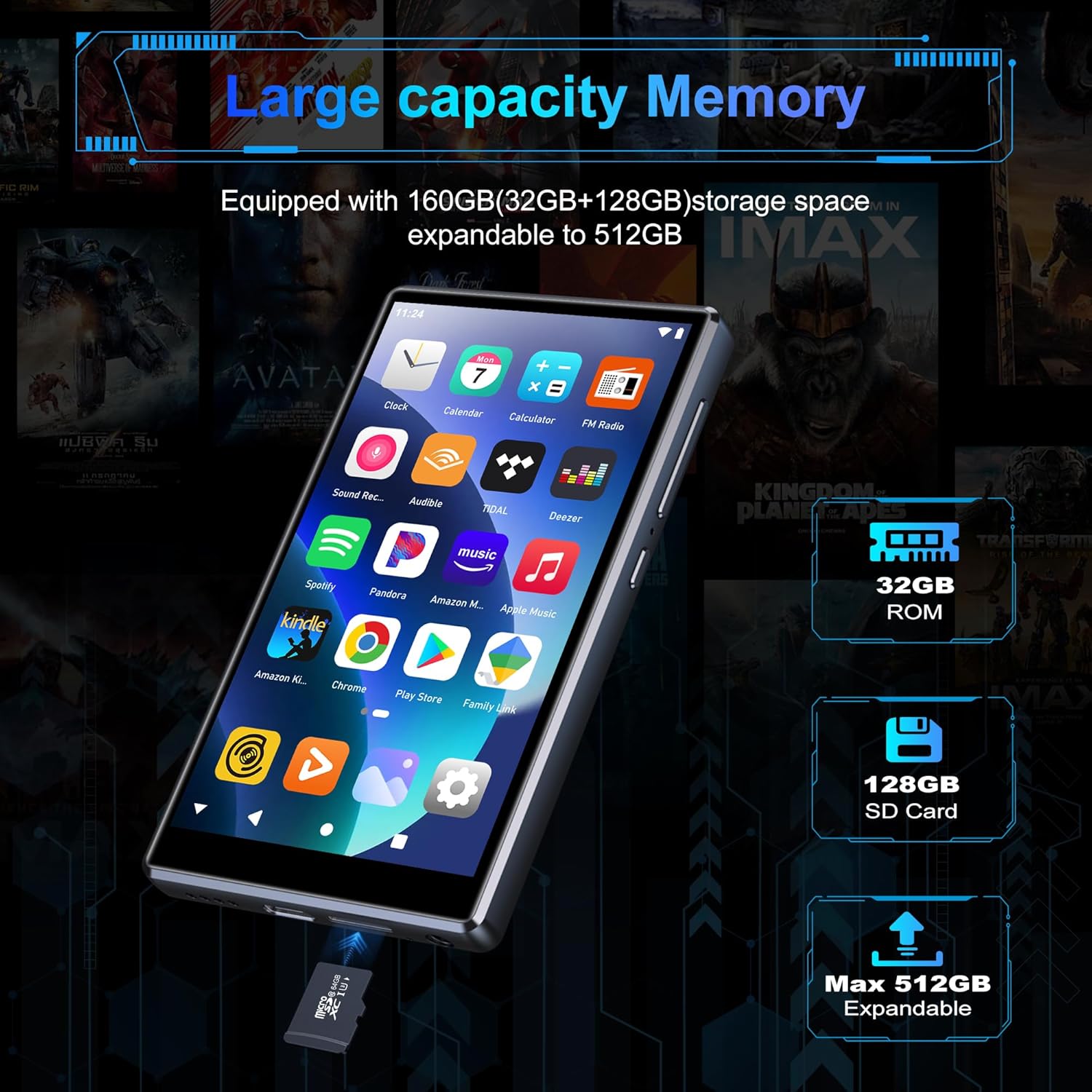
Image: Inserting an SD card for memory expansion.
Упутство за употребу
1. Основна навигација
The SWOFY D26 operates like a standard Android device. Use touch gestures (tap, swipe, pinch) to navigate menus, open apps, and control media playback.
2. Повезивање на Ви-Фи
- Иди на Подешавања > Мрежа и интернет > Ви-Фи.
- Укључи/искључи Wi-Fi On.
- Изаберите жељену мрежу са листе и унесите лозинку ако се то од вас затражи.
- The device supports dual-band Wi-Fi (2.4GHz and 5GHz) for stable connections.
3. Блуетоотх упаривање
Connect your SWOFY D26 to Bluetooth headphones, speakers, or car stereo systems.
- Иди на Подешавања > Повезани уређаји > Блуетоотх.
- Укључите Блуетоотх On.
- Уверите се да је ваш Bluetooth додатак у режиму упаривања.
- Изаберите додатну опрему са листе доступних уређаја за упаривање.

Image: Bluetooth connectivity for audio playback.
4. Репродукција музике
The device supports various audio formats including MP3, OGG, FLAC, AAC, WAV, WMA, and APE. You can play music stored locally or stream from pre-installed apps.
- Локални Files: Use the pre-installed music player app to browse and play audio files stored on the device or SD card.
- Апликације за стримовање: Access Spotify, Amazon Music, Deezer, Pandora, HIBY, and other streaming services via their respective apps.

Image: Enjoying music with the SWOFY D26 MP3 Player.
5. Видео репродукција
The 4.7-inch HD screen supports 720p and 1280p video playback. Supported formats include AVI, MKV, RMVB, MP4, MPG, MOV, DAT, and TS.
- Use the pre-installed video player app to watch videos stored on the device or SD card.
- Download video streaming apps from the Play Store for online content.
6. Управљање апликацијама
The device comes with several popular apps pre-installed. You can download more apps via Wi-Fi from the Google Play Store or uninstall unnecessary ones.

Image: Pre-installed applications on the SWOFY D26.
- Инсталирајте апликације: Open the Google Play Store app, search for your desired app, and tap "Install."
- Деинсталирајте апликације: Иди на Подешавања > Аппс, изаберите апликацију и додирните „Деинсталирај“.
7. Родитељски надзор
Utilize the parental control features to manage app access and screen time for children.
- Приступите подешавањима родитељског надзора преко уређаја Подешавања мени.
- You can restrict app installations, remove pre-installed apps, set a reset lock, and control internet and music player usage duration.
8. ФМ радио
The device includes a built-in FM radio. Connect wired headphones (acting as an antenna) to use this feature.
- Укључите жичане слушалице.
- Open the FM Radio app.
- Scan for available stations.
Одржавање
1. Чишћење
To clean the device, use a soft, dry, lint-free cloth. Avoid using harsh chemicals, cleaning solvents, or abrasive materials, as these can damage the screen or finish.
2. Брига о батерији
The SWOFY D26 is equipped with a 2500mAh lithium battery. To maximize battery life:
- Избегавајте често потпуно пражњење батерије.
- Не излажите уређај екстремним температурама (врућим или хладним).
- Unplug the charger once the device is fully charged.
- Expected battery life: Up to 60 hours music playback, 10 hours video playback, 240 hours standby.

Image: Battery capacity and estimated usage times.
3. Ажурирања софтвера
Periodically check for software updates to ensure optimal performance and access to new features. Connect to Wi-Fi and go to Подешавања > Систем > Ажурирање система.
Решавање проблема
If you encounter issues with your SWOFY D26 MP3 Player, refer to the following common solutions:
| Проблем | Решење |
|---|---|
| Уређај се не укључује. | Ensure the device is charged. Connect to a charger for at least 30 minutes. If unresponsive, perform a hard reset by holding the power button for 10-15 seconds. |
| Проблеми са Wi-Fi везом. | Check if Wi-Fi is enabled in settings. Ensure the password is correct. Restart the device and your Wi-Fi router. Try connecting to a different Wi-Fi network. |
| Грешка упаривања са Bluetooth-ом. | Ensure Bluetooth is enabled on both devices and the accessory is in pairing mode. Move devices closer. Restart both devices. |
| Апликације се руше или замрзавају. | Обришите кеш меморију и податке апликације у Подешавања > Аппс. Uninstall and reinstall the app. Ensure sufficient storage space is available. |
| Лош квалитет звука. | Check headphone connection or Bluetooth connection. Test with different headphones or speakers. Ensure audio files are not corrupted. Adjust equalizer settings if available. |
Спецификације
| Феатуре | Детаљ |
|---|---|
| Назив модела | Д26 |
| Оперативни систем | Андроид 13.0 |
| Процесор | 8-језгарни процесор |
| РАМ | 4 ГБ |
| Интерна меморија (РОМ) | 32 ГБ |
| Included SD Card | 64 ГБ |
| Max. Expandable Storage | До 1 TB (преко microSD картице) |
| Величина екрана | 4.7 инча |
| Резолуција екрана | 720 * 1280 (HD Touchscreen) |
| Повезивање | Dual-band Wi-Fi (2.4GHz & 5GHz), Bluetooth |
| Капацитет батерије | 2500 мАх |
| Трајање батерије (музика) | До 60 сати |
| Трајање батерије (видео) | До 10 сати |
| Подржани аудио формати | МП3, ОГГ, ФЛАЦ, ААЦ, ВАВ, ВМА, АПЕ |
| Подржани видео формати | AVI, MKV, RMVB, MP4, MPG, MOV, DAT, TS |
| Посебне карактеристике | Built-in Speaker, FM Radio, Parental Controls |
| Боја | Црно |
| Димензије (Д к Ш к В) | 11.9 к 6.7 к 1 цм |
| Тежина | 150 грама |

Image: Internal processor and RAM details.
Гаранција и подршка
The SWOFY D26 MP3 Player comes with a standard manufacturer's warranty. For specific warranty terms and conditions, please refer to the warranty card included in your package or contact SWOFY customer support.
For technical support, troubleshooting assistance, or any product-related inquiries, please visit the official SWOFY website or contact their customer service department. Contact information can typically be found on the product packaging or the SWOFY brand store page.
SWOFY Brand Store: Visit SWOFY Store on Amazon