
1. Увод
Thank you for choosing the MEETION BTM011 Ergonomic Wireless Bluetooth Vertical Mouse. This device is designed to provide a comfortable and efficient computing experience by promoting a natural hand position, reducing wrist strain. It offers versatile connectivity options for multiple devices and adjustable precision to suit various tasks.

The ergonomic design of the MEETION vertical mouse helps maintain a natural hand and wrist posture, reducing discomfort compared to traditional mice.
2. Садржај пакета
- MEETION BTM011 Ergonomic Wireless Bluetooth Vertical Mouse
- USB 2.4G Receiver (stored in the mouse battery compartment)
- УСБ-А на УСБ-Ц адаптер
- Упутство за употребу
3. Производ је готовview
Familiarize yourself with the various components and buttons of your MEETION BTM011 mouse.

Детаљно view of the mouse components, including the Mode Switching Button, Power Switch (ON/OFF), Low Battery Indicator, Charging Indicator, DPI Speed Switch Button, 2.4G Connection Indicator, Bluetooth 1 Connection Indicator, and Bluetooth 2 Connection Indicator.
- Лево дугме: Стандардна функција левог клика.
- Десно дугме: Стандардна функција десног клика.
- Точак за померање: For scrolling up and down.
- Дугме за напред: Навигација напред у web претраживачи или file истраживачи.
- Дугме за назад: Навигација уназад web претраживачи или file истраживачи.
- Дугме за прекидач DPI-ја: Подешава осетљивост курсора.
- Дугме за промену режима: Switches between 2.4G, Bluetooth 1, and Bluetooth 2 modes.
- Прекидач за напајање (УКЉУЧЕНО/ИСКЉУЧЕНО): Укључује или искључује миш.
- Одељак за батерије: Located at the bottom, for 1x AA battery and USB receiver storage.
4. Упутства за подешавање
4.1 Инсталација батерије
The mouse requires one AA battery (not included).
- Locate the battery compartment cover on the bottom of the mouse.
- Отворите поклопац.
- Уметните једну АА батерију, водећи рачуна о исправном поларитету (+/-).
- Добро затворите поклопац одељка за батерије.

Insert one AA battery into the compartment. The USB receiver is also stored here.
4.2 Укључивање/искључивање
Slide the power switch located on the bottom of the mouse to the "ON" position to turn it on. Slide to "OFF" to conserve battery when not in use.
4.3 Режими повезивања
The MEETION BTM011 mouse supports three connection modes: 2.4GHz wireless (via USB receiver) and two independent Bluetooth 5.3 channels (BT1 and BT2). You can connect to up to three devices simultaneously and switch between them.

The mouse supports 2.4G wireless and two Bluetooth 5.3 connections for seamless switching between devices.
4.4 2.4GHz USB Connection
- Take out the USB receiver from the battery compartment of the mouse.
- Insert the USB receiver into an available USB-A port on your computer. If your computer only has USB-C ports, use the provided USB-A to USB-C adapter.
- Укључите миш помоћу прекидача за напајање.
- Press the Mode Switching Button until the 2.4G Connection Indicator (green light) lights up. The mouse should now be connected.
4.5 Блутут веза (БТ1 / БТ2)
- Укључите миш помоћу прекидача за напајање.
- Press the Mode Switching Button to select either Bluetooth 1 (BT1) or Bluetooth 2 (BT2). The corresponding blue indicator light will blink, indicating pairing mode.
- On your device (computer, laptop, tablet, smartphone), go to Bluetooth settings.
- Тражи new devices. You should find "Meetion_MS_BT1" or "Meetion_MS_BT2".
- Select the device to pair. Once paired, the blue indicator light will stop blinking and remain solid for a few seconds.

Visual guide for connecting the mouse via 2.4G USB receiver and Bluetooth modes.
5. Упутство за употребу
5.1 ДПИ подешавање
The mouse features 4 adjustable DPI levels: 1200, 1600, 2400, and 3200. Press the DPI Switch Button (located behind the scroll wheel) to cycle through these settings. Each press changes the cursor speed, allowing you to select the precision suitable for your task.
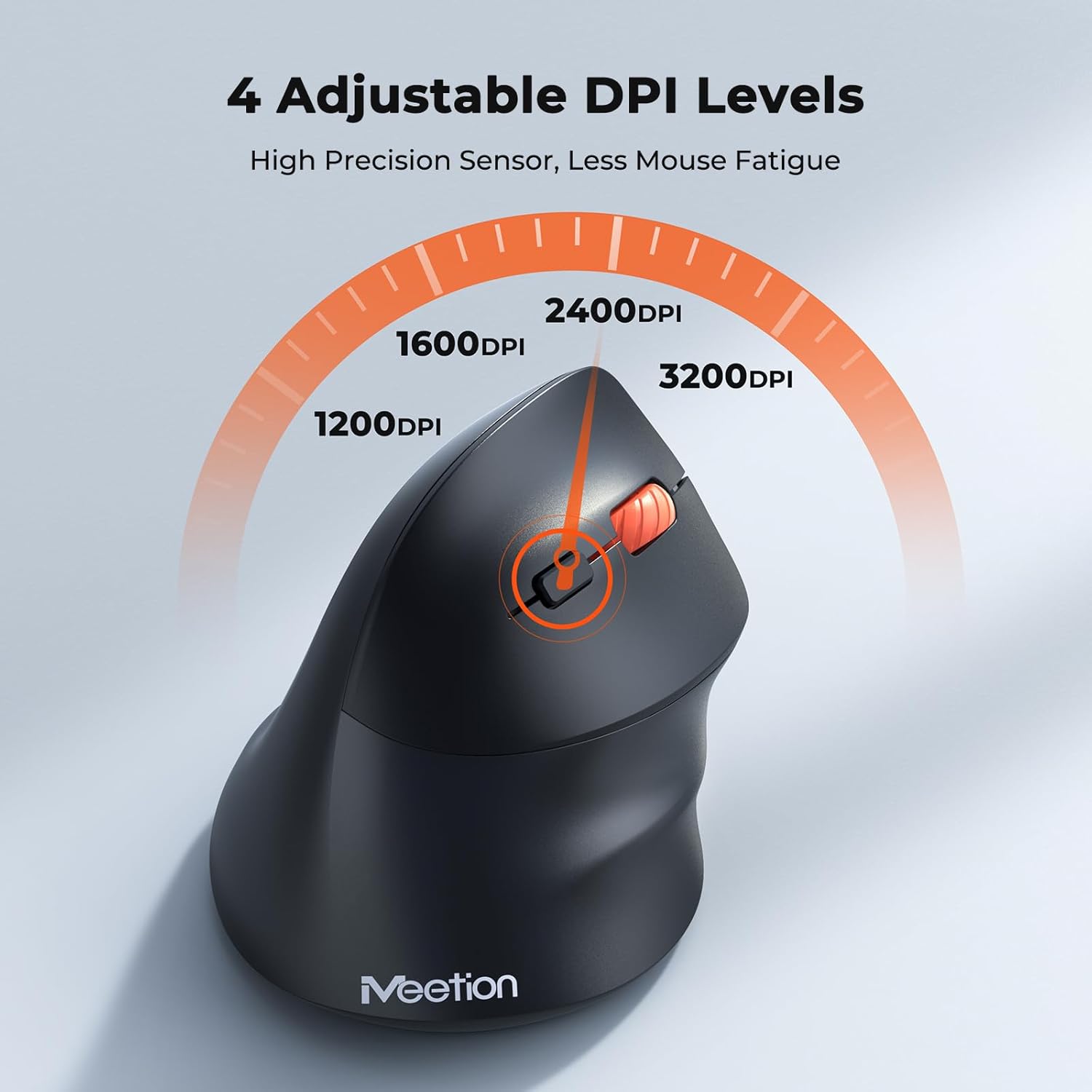
Adjust the DPI to match your preference for cursor speed and precision.
5.2 Пребацивање више уређаја
To switch between connected devices, simply press the Mode Switching Button located on the bottom of the mouse. The corresponding indicator light (green for 2.4G, blue for BT1/BT2) will illuminate to show the active connection.
5.3 Дугмад за напред/назад
Use the Forward and Back buttons, conveniently located on the side of the mouse, for quick navigation in web прегледачи, file истраживаче и друге апликације које подржавају ове функције.
6. Управљање напајањем
6.1 Auto-Sleep Mode
To conserve battery life, the mouse will automatically enter sleep mode after 20 minutes of inactivity. This intelligent feature helps extend the battery's operational time.
6.2 Waking the Mouse
To wake the mouse from sleep mode, simply press any button. It will instantly reconnect to the last active device.
6.3 Трајање батерије
With typical usage, a single AA battery can power the mouse for up to 3 months. Actual battery life may vary based on usage patterns and battery quality.
7. Одржавање
To ensure optimal performance and longevity of your mouse, follow these maintenance guidelines:
- Чишћење: Користите меку, суву крпу да обришете површину миша. За тврдокорну прљавштину, благо дamp Може се користити крпа, али водите рачуна да влага не уђе у уређај. Избегавајте јаке хемикалије или абразивна средства за чишћење.
- Замена батерије: Replace the AA battery when the low battery indicator lights up or when mouse performance degrades. Always dispose of used batteries responsibly.
- Складиштење: When not in use for extended periods, turn off the mouse and store it in a dry, cool place.
КСНУМКС. Решавање проблема
If you encounter issues with your MEETION BTM011 mouse, refer to the following solutions:
| Проблем | Решење |
|---|---|
| Миш не реагује |
|
| Покрет курсора је неправилан или спор |
|
| Повезивање преко Блуетоотх-а није могуће |
|
| Дугмад за напред/назад не раде |
|
9. Спецификације
| Феатуре | Детаљ |
|---|---|
| Модел | БТМ011 |
| Повезивање | 2.4GHz Wireless, Bluetooth 5.3 (BT1, BT2) |
| ДПИ Левелс | 1200 / 1600 / 2400 / 3200 |
| Дугмад | 7 (Left, Right, Scroll Wheel, Forward, Back, DPI Switch, Mode Switch) |
| Извор напајања | 1x АА батерија (није укључена) |
| Ауто-Слееп | После 20 минута неактивности |
| Компатибилност | Windows, Mac OS, Linux, Android, iOS (for iPad/iPhone) |
| Материјал | Пластика |
| Димензије (приближно) | 4.4 к 3.29 к 2.74 инча (11.18 к 8.36 к 6.96 цм) |
10. Гаранција и подршка
10.1 Информације о гаранцији
MEETION products are designed and manufactured to the highest quality standards. This product is covered by a limited warranty against defects in materials and workmanship. Please retain your proof of purchase for warranty claims. Specific warranty terms may vary by region; refer to your local retailer or the official MEETION webсајт за детаље.
10.2 Корисничка подршка
For technical assistance, troubleshooting, or general inquiries, please contact MEETION customer support:
- Емаил: сервице@меетион.цом
- Webсајт: Visit the official MEETION webсајт за често постављана питања и додатне ресурсе.