
Увод
This manual provides essential information for the safe and efficient use of your Blackview BV7300 Rugged Smartphone. Please read this guide thoroughly before operating the device to ensure proper functionality and to understand its features.
Тхе Блацкview BV7300 is designed for durability and performance, featuring a robust construction, a large battery, and advanced camera capabilities, including night vision and powerful campинг лигхтс.
Производ је завршенview
Тхе Блацкview BV7300 is a rugged smartphone built to withstand challenging environments. It features a 6.67-inch HD+ IPS display, a powerful processor, and a triple camera system.

Слика 1: Предњи и задњи део view of the Blackview BV7300 Rugged Smartphone, highlighting its robust design and camera module.
Физичке компоненте
- Приказ: 6.67-inch HD+ IPS screen with 90Hz refresh rate.
- камере: 50MP main rear camera, 20MP night vision camera, 32MP front camera.
- Camping Lights: Two 800 lumen LED camping lights located on the rear.
- Портови: USB Type-C порт за пуњење и пренос података.
- Дугмад: Power button, volume buttons, customizable function button.
- Слот за СИМ картицу: Dual SIM support.
- говорници: Dual box speakers.
Сетуп
1. Уметање SIM картица и MicroSD картице
- Пронађите лежиште за СИМ картицу са стране уређаја.
- Користите приложени алат за избацивање СИМ картице да бисте отворили лежиште.
- Carefully place your Nano-SIM cards and/or a MicroSD card (up to 2TB) into the designated slots. Ensure correct orientation.
- Пажљиво гурните лежиште назад у уређај док се не уклопи у равнину.
2. Почетно укључивање и подешавање
- Притисните и држите дугме за напајање док се не упали црноview појављује се лого.
- Пратите упутства на екрану да бисте изабрали језик, повезали се на Wi-Fi и подесили свој Google налог.
- Configure security settings, including facial recognition or a PIN/pattern/password.
3. Пуњење уређаја
Connect the USB Type-C cable to the phone's charging port and the other end to a compatible power adapter. The device supports fast charging. A full charge of the 15000mAh battery provides extended usage.
Упутство за употребу
Екран и навигација

Figure 2: Details of the 6.67-inch HD+ IPS display, showing resolution, brightness, screen-to-body ratio, panel type, and dynamic refresh rate.
The 6.67-inch HD+ IPS display offers a resolution of 1280x720 pixels and a 90Hz dynamic refresh rate for smooth visuals. Navigate the Android 14 operating system using touch gestures.
Функције камере
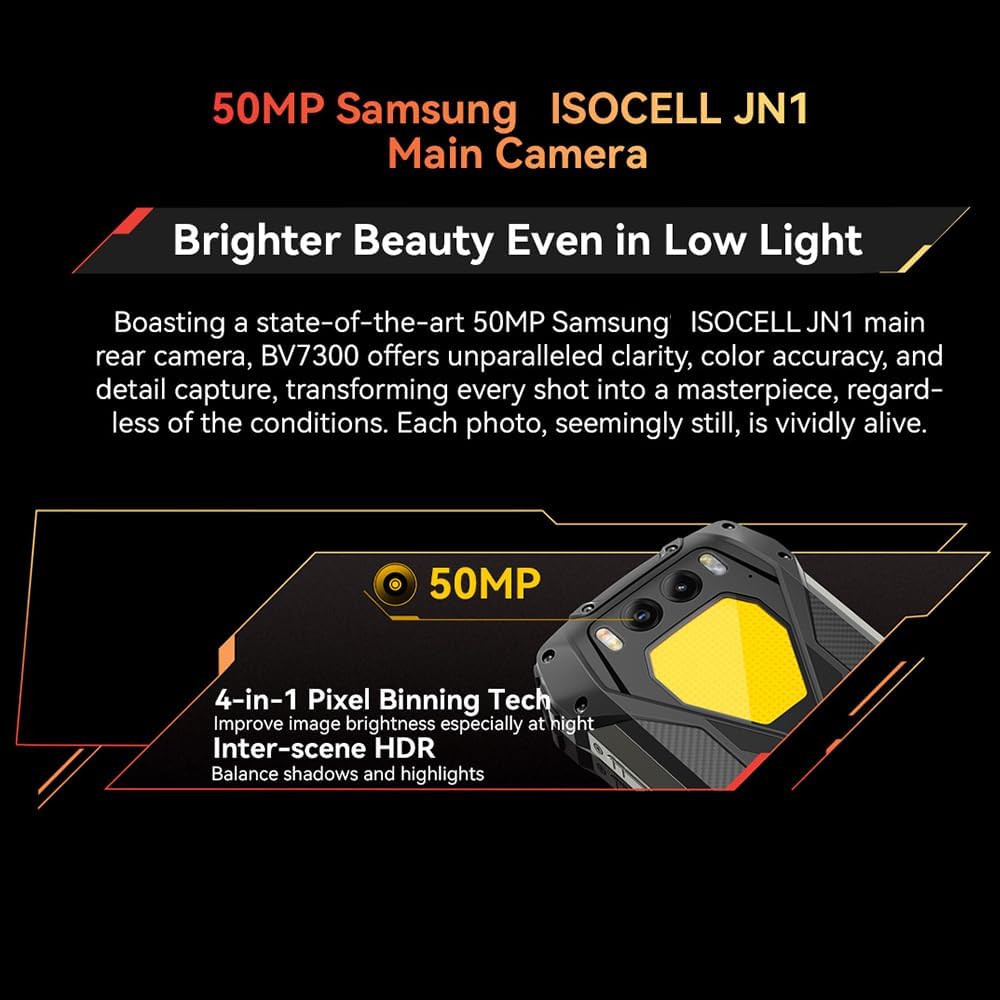
Figure 3: Close-up of the Blackview BV7300's rear camera module, featuring the 50MP main camera.

Figure 4: Diagram illustrating the Blackview BV7300's triple camera setup, including 32MP front, 50MP main, and 20MP night vision cameras.
- Главна камера (50MP): For high-resolution photos and 1080p video recording. Features 4-in-1 Pixel Binning and Inter-scene HDR for improved image quality in various lighting conditions.
- Камера за ноћно гледање (20MP): Activates in low-light or complete darkness to capture clear images. Access this mode through the camera application.
- Предња камера (32MP): For selfies and video calls, includes beauty mode features.
- To switch between camera modes, open the Camera app and select the desired option (Photo, Video, Night Vision, Portrait, etc.).
Дуал Цampинг Лигхтс
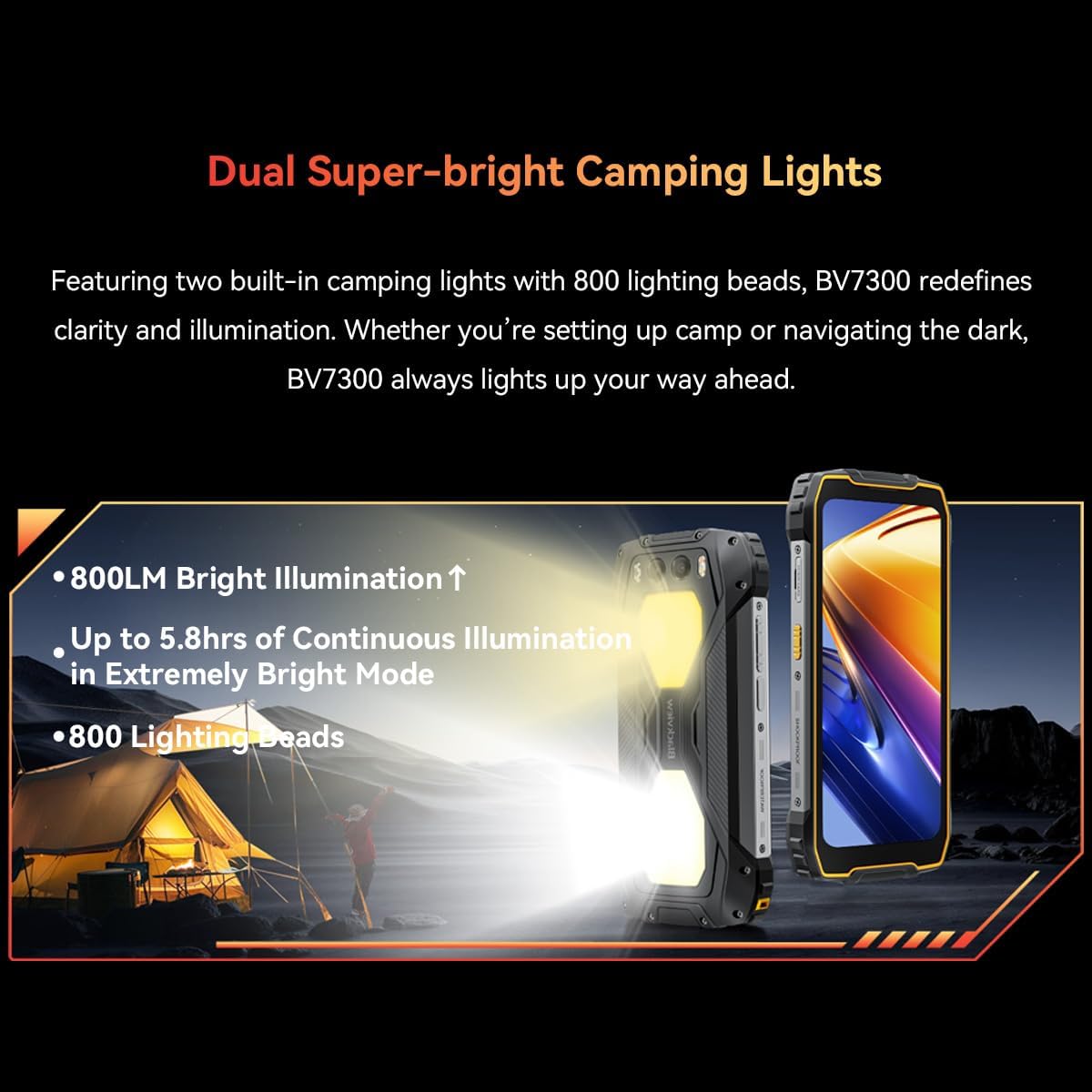
Figure 5: The Blackview BV7300 with its dual 800 lumen camping lights activated, providing strong illumination.

Figure 6: Illustration detailing the dual super-bright camping lights, highlighting 800LM brightness, up to 5.8 hours of continuous illumination in extremely bright mode, and 800 lighting beads.
The BV7300 features two powerful 800 lumen LED camping lights on its rear. These lights offer three lighting modes and three brightness levels. To activate and adjust the lights, use the dedicated function button or access the quick settings panel.
Управљање батеријом

Слика 7: Унутрашњи view of the Blackview BV7300 highlighting its 15000mAh battery and charging port.

Figure 8: Graphic showing estimated usage times for the 15000mAh battery: 18 hrs game, 16.5 hrs video, 28 hrs website, 56.5 hrs calling, 32.5 hrs music, 1368 hrs standby.
The BV7300 is equipped with a 15000mAh battery. For optimal battery life, use the provided charger and cable. The device supports OTG (On-The-Go) functionality, allowing it to act as a power bank to charge other devices.
Аудио

Figure 9: Image depicting the Blackview BV7300 with sound waves emanating from its dual box speakers, illustrating its audio capabilities.
The device features dual box speakers for enhanced audio output. Adjust volume using the dedicated volume buttons on the side of the phone.
Одржавање
- Чишћење: Користите меку крпу која не оставља влакна за чишћење екрана и кућишта. Избегавајте јаке хемикалије.
- Отпорност на воду: The BV7300 is waterproof. Ensure all port covers are securely closed before exposing the device to water. Do not intentionally submerge the device beyond its rated depth and time limits.
- Ажурирања софтвера: Редовно проверавајте и инсталирајте системска ажурирања како бисте осигурали оптималне перформансе и безбедност.
- Управљање складиштем: Периодично чистите непотребне files and applications to maintain sufficient storage space. The device supports up to 2TB TF expansion.
Решавање проблема
| Проблем | Решење |
|---|---|
| Уређај се не укључује. | Ensure the battery is charged. Connect the device to a charger for at least 30 minutes. If it still doesn't power on, perform a forced restart by holding the Power button for 10-15 seconds. |
| Лош мрежни сигнал. | Check if SIM cards are correctly inserted. Ensure you are in an area with network coverage. Restart the device. |
| Апликације су споре или се руше. | Close background applications. Clear app cache. Ensure sufficient storage space is available. Restart the device. |
| Батерија се брзо празни. | Reduce screen brightness. Disable unused features like Wi-Fi, Bluetooth, GPS. Close power-intensive applications. Check for background app activity. |
| Camping lights not working. | Ensure the battery has sufficient charge. Check settings or dedicated button for activation. |
Спецификације
| Феатуре | Детаљ |
|---|---|
| Назив модела | БВ7300 |
| Оперативни систем | Андроид 14 |
| Процесор | MediaTek Kompanio 800T Octa Core, 2 GHz |
| РАМ | 18 GB (6GB fixed + 12GB virtual expansion) |
| Интерна меморија | 256 ГБ |
| Екпандабле Стораге | Up to 2 TB via MicroSD card |
| Величина екрана | 6.67 инча |
| Резолуција екрана | 1280x720 (HD+), 263 PPI |
| Рефресх Рате | 90 Hz Dynamic |
| Задња камера | 50 MP (Samsung ISOCELL JN1) |
| Камера за ноћни вид | 20 MP (Sony IMX376) |
| Предња камера | 32 МП |
| Капацитет батерије | 15000 мАх |
| Пуњење | Type-C, Fast Charging, OTG support |
| Повезивање | 4G, Dual SIM, GPS, NFC, USB |
| Посебне карактеристике | Dual 800LM Camping Lights, Stereo Speakers, Rugged Construction, Waterproof, Facial Recognition |
| Димензије | 186 к 85 к 24 мм |
| Тежина | 528 г |
Гаранција и подршка
Тхе Блацкview BV7300 comes with a 24-month warranty in Europe. For warranty claims or technical support, please contact Blackview customer service or the retailer from whom you purchased the device. Keep your proof of purchase for warranty validation.
For further assistance, visit the official Blackview webсајт или погледајте контакт информације које сте добили уз куповину.