
1. Увод
This manual provides essential instructions for the safe and efficient operation of your pecron E1000LFP Solar Generator and accompanying 2x200W Solar Panels. Please read this manual thoroughly before using the product to ensure proper function and longevity.

Image 1.1: pecron E1000LFP Solar Generator with two 200W solar panels.
2. Безбедносне информације
Придржавајте се следећих мера предострожности како бисте спречили повреде или оштећење производа:
- Немојте растављати, поправљати или модификовати јединицу.
- Keep the unit away from fire and direct heat sources.
- Избегавајте излагање води или високој влажности.
- Do not use the unit if it is damaged or appears to be malfunctioning.
- Обезбедите одговарајућу вентилацију током употребе и пуњења.
- Чувати ван домашаја деце и кућних љубимаца.
3. Садржај пакета
Проверите да ли су све ставке присутне у вашем пакету:
- pecron E1000 LFP Power Station (1 unit)
- 200W Solar Panel (2 units)
- AC Charging Cable (1 unit)
- Solar Charging Cable (1 unit)
- Car Charging Cable (1 unit)
- Accessory Bag (1 unit)
- Упутство за употребу (1 јединица)
4. Подешавање
4.1 Почетно пуњење
Before first use, fully charge the pecron E1000LFP power station. Connect the AC Charging Cable to the power station's AC input port and then to a standard wall outlet. The display will indicate charging status. A full charge typically takes 1.3 hours.

Image 4.1: The pecron E1000LFP power station connected to an AC wall outlet for fast charging.
4.2 Повезивање соларних панела
To charge using solar power, unfold the 200W solar panels and position them in direct sunlight. Connect the solar panels to the power station using the provided Solar Charging Cable. The power station's display will show solar input. Charging time varies based on sunlight intensity.

Image 4.2: Various charging methods for the pecron E1000LFP, including AC, solar, and car charging.
5. Упутство за употребу
5.1 Укључивање/искључивање
Press and hold the main power button to turn the unit on or off. The LCD display will illuminate upon activation, showing battery level, input/output wattage, and port status.
5.2 излазних портова
The E1000LFP features 12 output ports to power a variety of devices:
- 5x AC Outlets (1800W total output)
- 2x USB-C Ports
- 2x USB-A Ports
- 1x XT60 Output
- 1x Cigar Port
- 1x DC 5525 Output
Press the respective AC or DC button to activate the desired output group. Connect your devices to the appropriate ports.
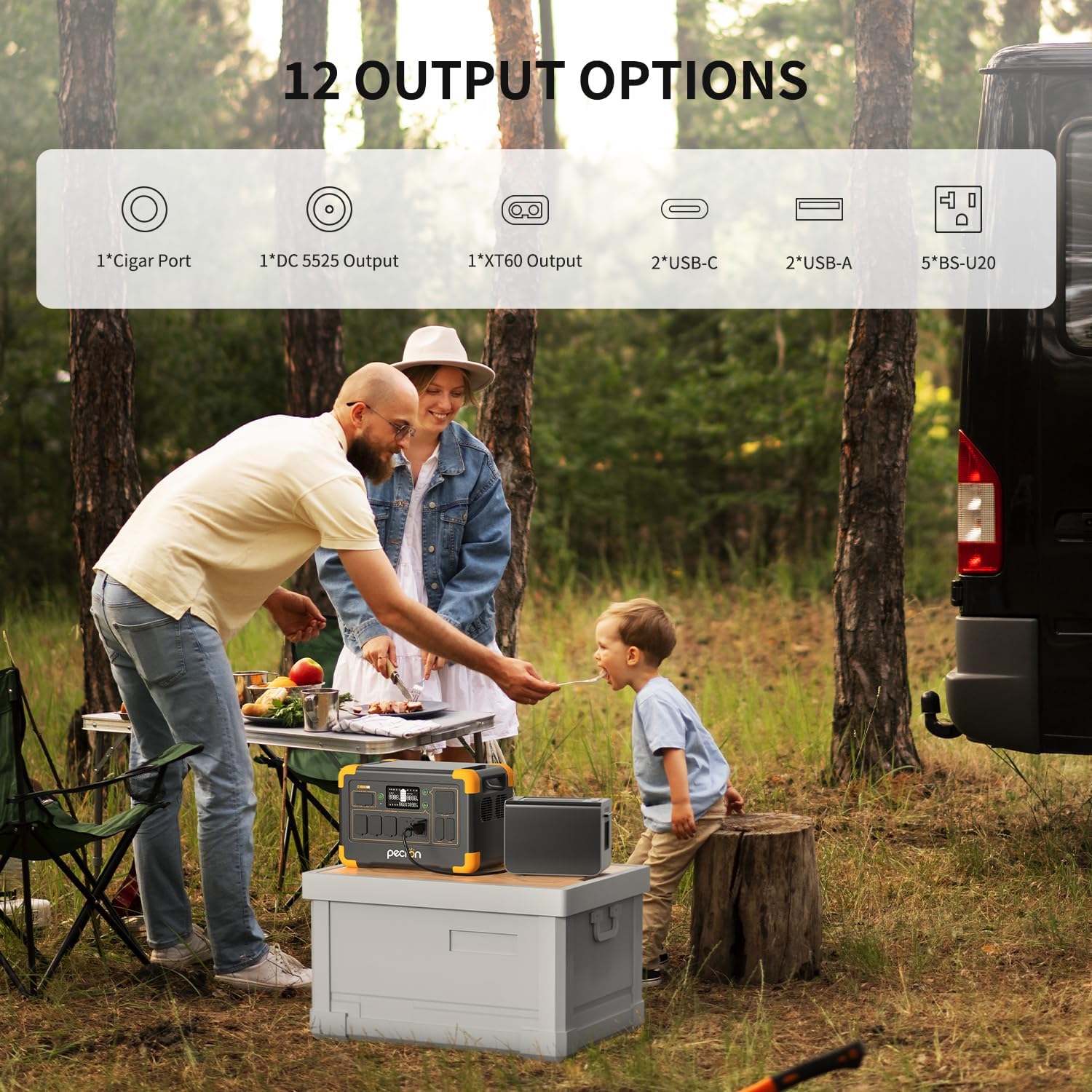
Слика 5.1: Готовоview of the 12 output options available on the pecron E1000LFP.

Image 5.2: The pecron E1000LFP powering a laptop and other devices in an outdoor setting.
5.3 Прошириви капацитет
The E1000LFP's capacity can be expanded up to 4096Wh by connecting an external battery (sold separately). Refer to the external battery's manual for connection instructions.
5.4 Контрола паметних апликација
Download the pecron app to monitor and control your power station remotely. The app allows you to view input/output power, check power levels, and remotely switch DC/AC outputs.
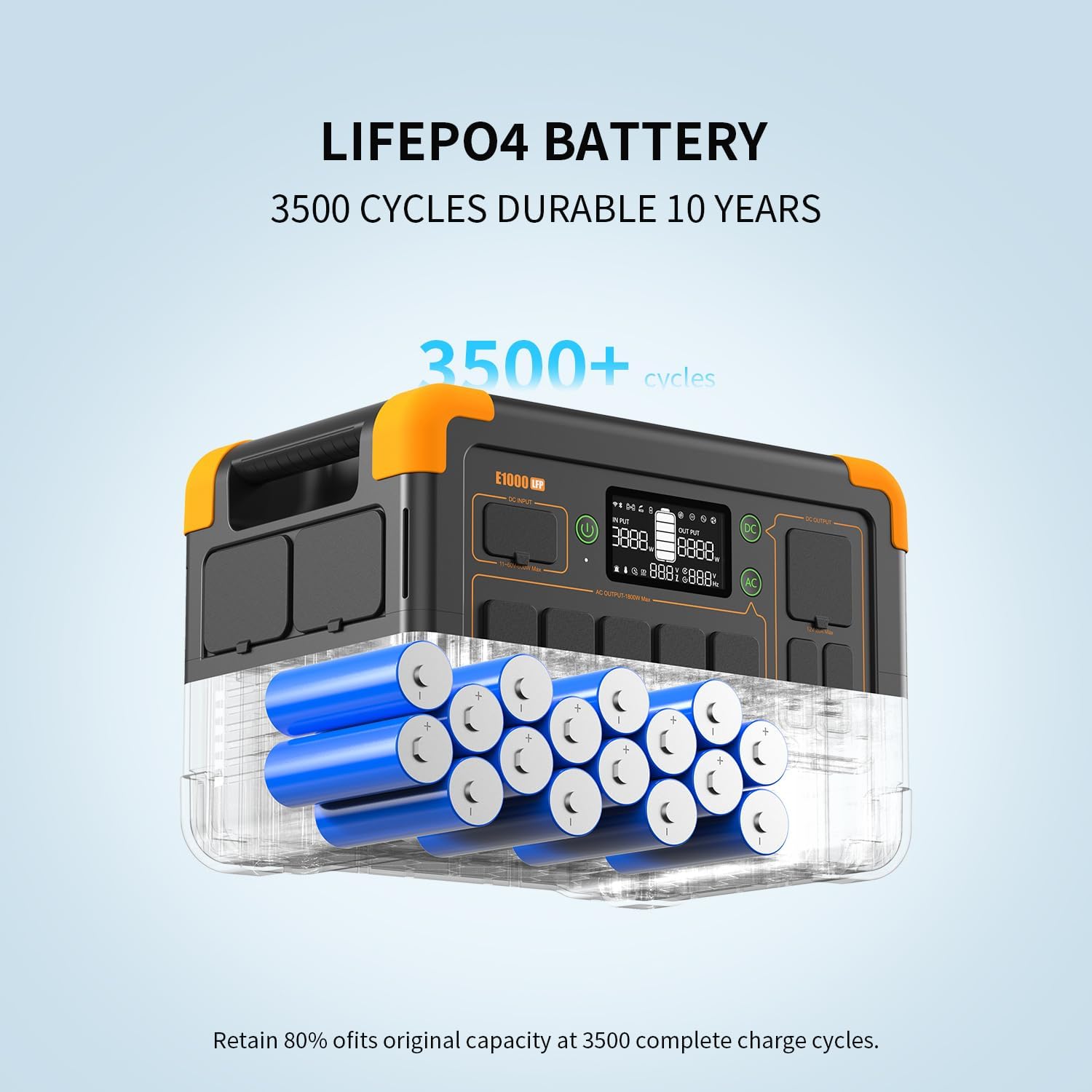
Image 5.3: The pecron mobile application providing smart control over the power station.
5.5 UPS Function
The E1000LFP features an Uninterruptible Power Supply (UPS) function, providing a seamless power transition within 8-20ms in case of a power outage when connected to an AC source.
6. Одржавање
6.1 Одржавање батерије
The pecron E1000LFP utilizes a 1024Wh LiFePO4 battery, designed for durability with over 3500 charge cycles to retain 80% of its original capacity. For optimal battery life, avoid fully discharging the unit frequently and store it with a partial charge (50-80%).

Слика 6.1: Унутрашњи view of the durable LiFePO4 battery cells within the E1000LFP.
6.2 Battery Heating
The unit includes a battery heating module that activates when charging in temperatures between -20°C and 0°C, ensuring the battery heats up above 0°C for safe and efficient charging in cold environments.

Image 6.2: The pecron E1000LFP's battery heating function for reliable cold weather performance.
6.3 Складиштење
When storing the power station for extended periods, ensure it is charged to approximately 50-80% and stored in a cool, dry place away from direct sunlight and extreme temperatures. Recharge every 3-6 months to prevent deep discharge.
КСНУМКС. Решавање проблема
If you encounter issues with your pecron E1000LFP, consider the following:
- Уређај се не укључује: Уверите се да је батерија напуњена. Ако није, прикључите је на утичницу за наизменичну струју ради пуњења.
- Нема излаза из портова: Verify that the specific output group (AC/DC) is activated. Check if the device connected requires more power than the port can supply.
- Споро пуњење: For solar charging, ensure panels are in direct sunlight and free from obstructions. For AC charging, confirm the cable is securely connected.
- Заштита од преоптерећења: Ако се уређај искључи, то може бити због преоптерећења. Искључите неке уређаје и поново покрените уређај.
За сталне проблеме, контактирајте корисничку подршку.
8. Спецификације
| Феатуре | Спецификација |
|---|---|
| Модел | Е1000ЛФП |
| Тип батерије | ЛиФеПО4 |
| Капацитет | 1024Вх |
| Прошириви капацитет | До 4096 Wh |
| АЦ Оутпут | 1800W (Rated), 120V |
| Total Output Ports | 12 |
| AC Fast Charging Time | 1.3 сата |
| Соларни панел укључен | 2к 200В |
| Тежина артикла | 29 фунти |
| Димензије производа | 14.9 cm D x 9.4 cm Š x 10 cm V |
| Посебне карактеристике | Portable, Fast Charging, Large Capacity, Long Last, Safety, Smart Control, UPS, Battery Heating |
9. Гаранција и подршка
Your pecron E1000LFP Solar Generator comes with a 2+1 year warranty, providing peace of mind for your investment. For any questions, technical assistance, or warranty claims, please contact pecron customer service. Our team is available 24 hours a day, 7 days a week to provide friendly support.
For further assistance, please visit the official pecron website or refer to the contact information provided in your warranty card.


