
1. Увод
Welcome to the instruction manual for your new ASHATA Professional 4K HD Dual Cameras RC Quadcopter. This drone is designed for both adults and beginners, offering advanced features for an enjoyable flight experience. Please read this manual thoroughly before operating the drone to ensure safe and correct usage.
Садржај пакета
Your ASHATA RC Quadcopter package includes the following items:
- ASHATA RC Quadcopter (Drone)
- Remote Controller with LCD Display
- Rechargeable Batteries (2 included)
- УСБ кабл за пуњење
- Резервни пропелери
- Шрафцигер
- Упутство за употребу
- 8GB Small Memory Card

Image 1.1: ASHATA Drone and Remote Controller neatly packed in the included carrying case.

Image 1.2: The ASHATA drone with its arms unfolded, ready for flight.

Слика 1.3: Готовоview of the ASHATA drone highlighting its key features and components.
2. Подешавање
2.1 Припрема дрона
- Расклопите руке дрона: Gently unfold the drone's arms until they click into place.
- Инсталирајте батерију: Insert a fully charged battery into the drone's battery compartment. Ensure it is securely latched.
- Уметните меморијску картицу: Insert the provided 8GB memory card into the drone's memory card slot for recording footage.

Image 2.1: The high-capacity 7.4V drone battery, designed for extended flight times.
2.2 Подешавање даљинског управљача
- Install AAA Batteries: Open the battery compartment on the back of the remote controller and insert 3 AAA batteries (not included).
- Монтирајте паметни телефон: Extend the phone holder on the remote controller and securely mount your smartphone.
- Повежите паметни телефон: Use the appropriate cable (Lightning, USB-C, etc., provided) to connect your smartphone to the remote controller.
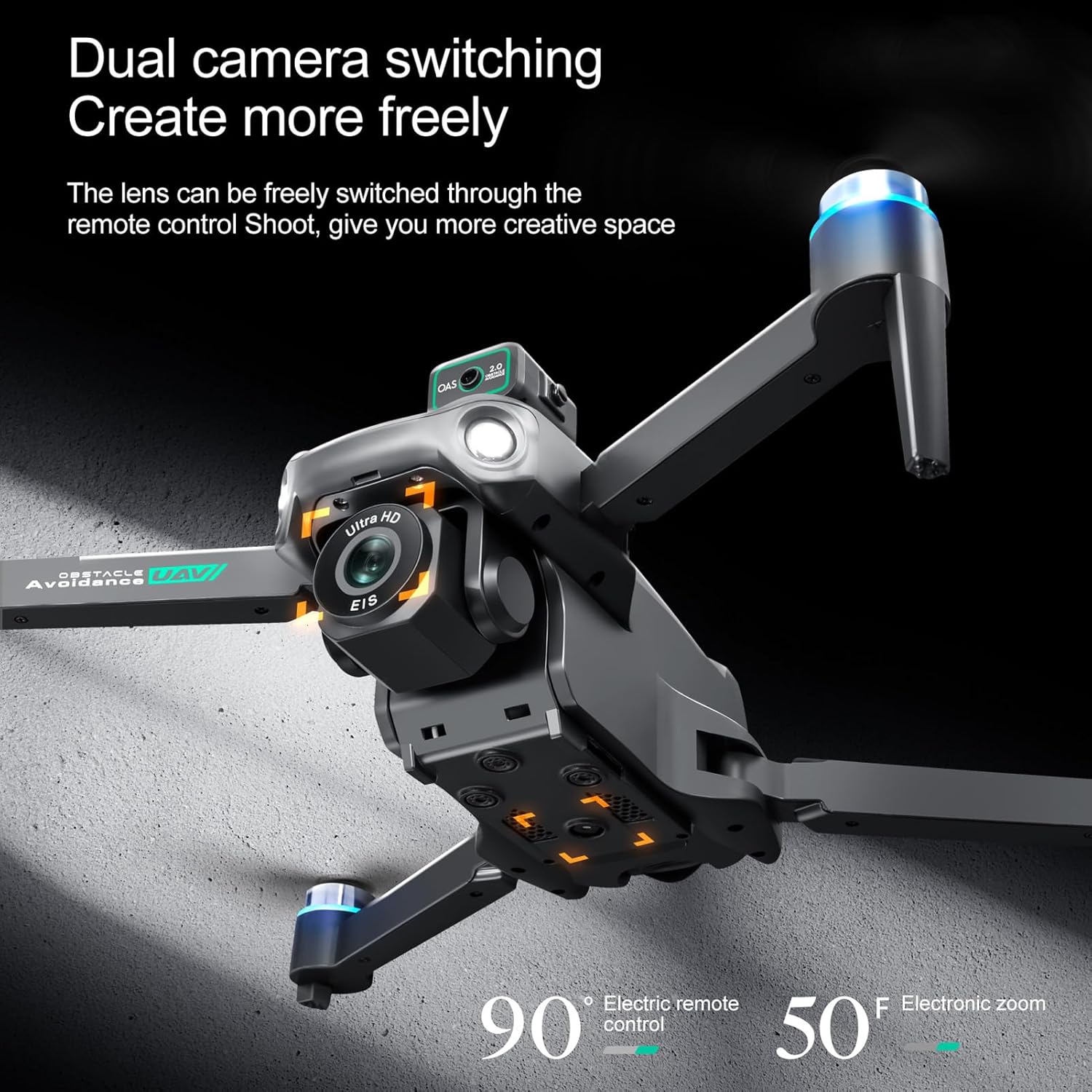
Image 2.2: The remote controller with a smartphone mounted, displaying the live camera feed from the drone.
2.3 Преузимање апликације и повезивање
- Преузми апликацију: Scan the QR code in the Quick Start Guide or search for the "HS FLY" app in your smartphone's app store (iOS/Android) and install it.
- Укључивање дрона: Press and hold the power button on the drone for 2 seconds until the indicator lights flash.
- Даљински управљач за укључивање: Press and hold the power button on the remote controller for 2 seconds. The remote will automatically pair with the drone.
- Повежите се путем апликације: Open the "HS FLY" app on your smartphone. Follow the on-screen prompts to connect to the drone's Wi-Fi signal.
2.4 Калибрација
For the first flight, it is recommended to calibrate the drone for optimal performance.
- Калибрација компаса: Place the drone on a flat, level surface. In the app, go to "Control" and tap "Calibrate Compass." Follow the on-screen instructions to perform horizontal and vertical rotations of the drone until calibration is complete.
- Калибрација жироскопа: After compass calibration, ensure the drone is still on a flat surface. In the app, tap "Gyroscope Calibration." The drone's indicator lights will flash rapidly and then turn solid, indicating successful calibration.
Video 2.3: Holy Stone Instruction Video. This video demonstrates general drone setup, including unboxing, battery installation, app download, and pairing. Note: The drone model shown in the video may differ slightly from your ASHATA drone.
Video 2.4: Ameta S20 4K GPS Drone First Use Guide. This video provides a step-by-step guide for initial drone setup and calibration. Note: The drone model shown in the video may differ slightly from your ASHATA drone.
3. Упутство за употребу
3.1 Провере пре лета
- Ensure all drone arms are fully extended.
- Verify the battery is fully charged and securely installed.
- Check that propellers are free from damage and obstructions.
- Confirm the remote controller is powered on and connected to the drone.
- Fly in an open area, away from obstacles, people, and animals.
3.2 Полетање и слетање
- Полетање једним кључем: Press the One-Key Takeoff button on the remote controller. The drone will automatically ascend and hover at a safe altitude.
- Ручно полетање: Push both joysticks inward at 45 degrees to unlock the motors. Then, push the left control stick forward to ascend.
- Слетање једним кључем: Press the One-Key Landing button. The drone will automatically descend and land.
- Ручно слетање: Pull the left control stick backward to descend and land the drone.
3.3 Контроле лета
The remote controller features two joysticks for precise flight control:
- Леви џојстик: Controls altitude (push up/down) and rotation (push left/right).
- Десни џојстик: Controls forward/backward movement (push up/down) and left/right strafing (push left/right).
3.4 Intelligent Flight Functions
The ASHATA drone is equipped with several intelligent features for an enhanced flying experience:
- One Key Return Home: Automatically returns the drone to its takeoff point when activated or when battery is low/signal is lost.
- Интелигентно избегавање препрека: Utilizes sensors to detect and avoid obstacles.
- Optical Hovering: Maintains stable hovering indoors or in areas with weak GPS.
- Intelligent Follow Modes: The drone can follow a designated subject.
- Point of Interest Flying: The drone can circle a specific point.
- Customizable Flight Paths: Draw a path on the app, and the drone will follow it.
- Real-Time Video Transmission: View ливе фооtage on your smartphone via the app.
- Хитно заустављање: Immediately stops the drone in an emergency.
- One Key Circle Flight: Performs a circular flight path automatically.
- Гестова фотографија: Користите гестове руку да бисте покренули снимање фотографија или видеа.

Image 3.1: Visual representation of Intelligent Follow, Waypoint Flight, and Gesture Photography features.
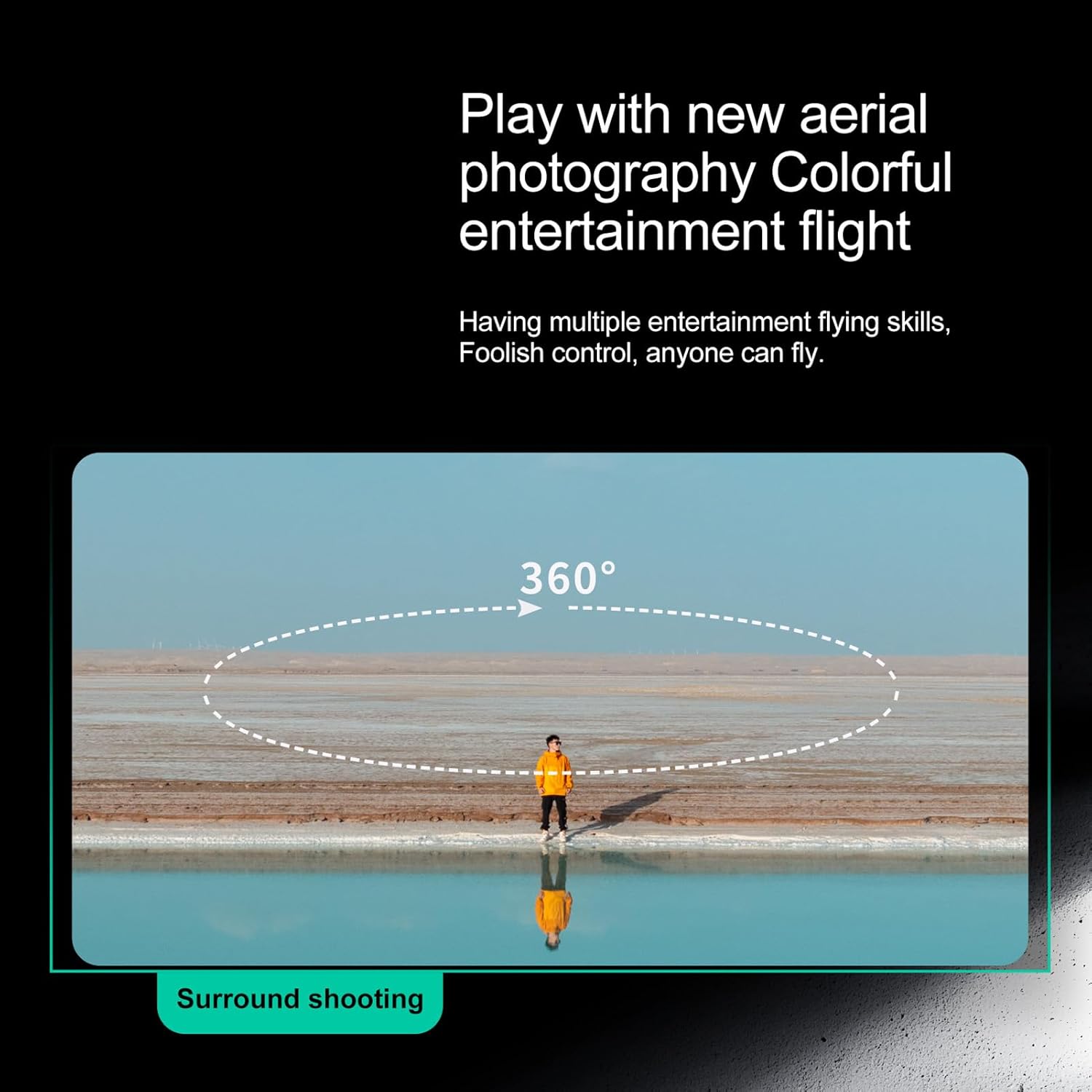
Image 3.2: The drone performing a 360-degree surround shooting maneuver.
3.5 Рад камере
The drone features high-definition dual cameras with EIS electronic stabilization. The front lens can be adjusted via the remote control.
- Фотографисати: Press the photo button on the remote or tap the photo icon in the app.
- Сними видео записе: Press the video button on the remote or tap the video icon in the app to start/stop recording.
- Подесите угао камере: Use the dedicated buttons on the remote controller to adjust the camera's vertical angle.
- View Фооtage: Access recorded photos and videos directly through the app's album or by connecting the memory card to a computer.
Image 3.3: The drone's dual camera system, allowing for flexible shooting angles and perspectives.
4. Одржавање
4.1 Одржавање батерије
- Always fully charge batteries before each flight.
- Немојте превише пунити или празнити батерије.
- Чувајте батерије на хладном и сувом месту даље од директне сунчеве светлости и екстремних температура.
- If not used for an extended period, charge batteries to about 50% capacity.
4.2 Чишћење
- Use a soft, dry cloth to clean the drone and remote controller.
- Избегавајте употребу растварача или јаких хемикалија.
- Keep the camera lens clean for clear footage.
4.3 Замена пропелера
- Редовно проверавајте пропелере да ли имају пукотине, савијања или оштећења.
- If a propeller is damaged, replace it immediately with a spare propeller using the provided screwdriver. Ensure correct orientation (A/B propellers).
КСНУМКС. Решавање проблема
Ако наиђете на било какве проблеме, погледајте следећа уобичајена решења:
- Дрон се не укључује: Уверите се да је батерија потпуно напуњена и правилно уметнута.
- Remote not connecting to drone: Ensure both devices are powered on and within range. Re-pair the remote and drone as per setup instructions.
- App not displaying live feed: Check your smartphone's Wi-Fi connection to the drone. Restart the app and drone if necessary.
- Нестабилан лет: Perform gyroscope and compass calibration in an open, interference-free environment. Check propellers for damage.
- Лош квалитет видеа/фотографија: Ensure the camera lens is clean and the memory card is properly inserted.
6. Спецификације
| Феатуре | Детаљ |
|---|---|
| Бранд | АСХАТА |
| Број модела | ASHATAn42scyfvbw-12 |
| Врста материјала | Пластика |
| Боја | Црно |
| Димензије парцеле | 30 к 22 к 9 цм; 1.09 кг |
| Узраст (опис) | Адулт |
| Посебне карактеристике | Professional 4K HD dual cameras, intelligent obstacle avoidance, optical hovering |
| Резолуција снимања видео записа | 2.7К |
| Технологија повезивања | 5G |
| Капацитет батерије | 2200 Милиamp Сати |
| Формат видео снимања | МП4 |
| Тип контроле | Remote Control or App Control |
| Максимални домет | 2000 метара |
| Includes Remote? | Да |
| Укључује пуњиву батерију | Да |
| Технологија оптичког сензора | ЦМОС |
7. Гаранција и подршка
For warranty information or technical support, please refer to the contact details provided with your purchase documentation or visit the official ASHATA webсајт. Сачувајте рачун као доказ о куповини.