
Алиенвер AW420K
Alienware TENKEYLESS гејмерска тастатура - AW420K кориснички водич
Model: AW420K
1. Увод
This manual provides comprehensive instructions for the Alienware TENKEYLESS Gaming Keyboard, model AW420K. It covers setup, operation, maintenance, troubleshooting, and product specifications to ensure optimal performance and longevity of your device.
2. Производ је готовview
The Alienware AW420K is a high-performance tenkeyless gaming keyboard designed for competitive gaming and efficient daily use. It features durable construction, customizable RGB lighting, and responsive mechanical switches.

Слика 2.1: Одозго надоле view of the Alienware AW420K Tenkeyless Gaming Keyboard, showcasing its compact design and vibrant RGB backlighting.
2.1 Кључне карактеристике
- Tenkeyless Design: Streamlined form factor for more desk space and improved portability.
- Чери МX црвени прекидачи: Industry-leading mechanical switches with a 100 million actuation lifecycle for consistent, high-performance keystrokes.
- AlienFX RGB Lighting: Per-key RGB lighting configurable through Alienware Command Center software, offering up to 16.8 million colors for personalized aesthetics.
- Двоструко оштећене PBT капице за тастатуре: Two layers of plastic with legends molded into the cap for enhanced durability and wear resistance.
- Integrated Cable Routing: Channels on the underside of the keyboard for organized cable management.
- Подесива висина: Flip-up risers with three height settings for ergonomic typing angles.

Figure 2.2: The compact TKL design of the AW420K keyboard allows for more space on your gaming setup and easy movability.
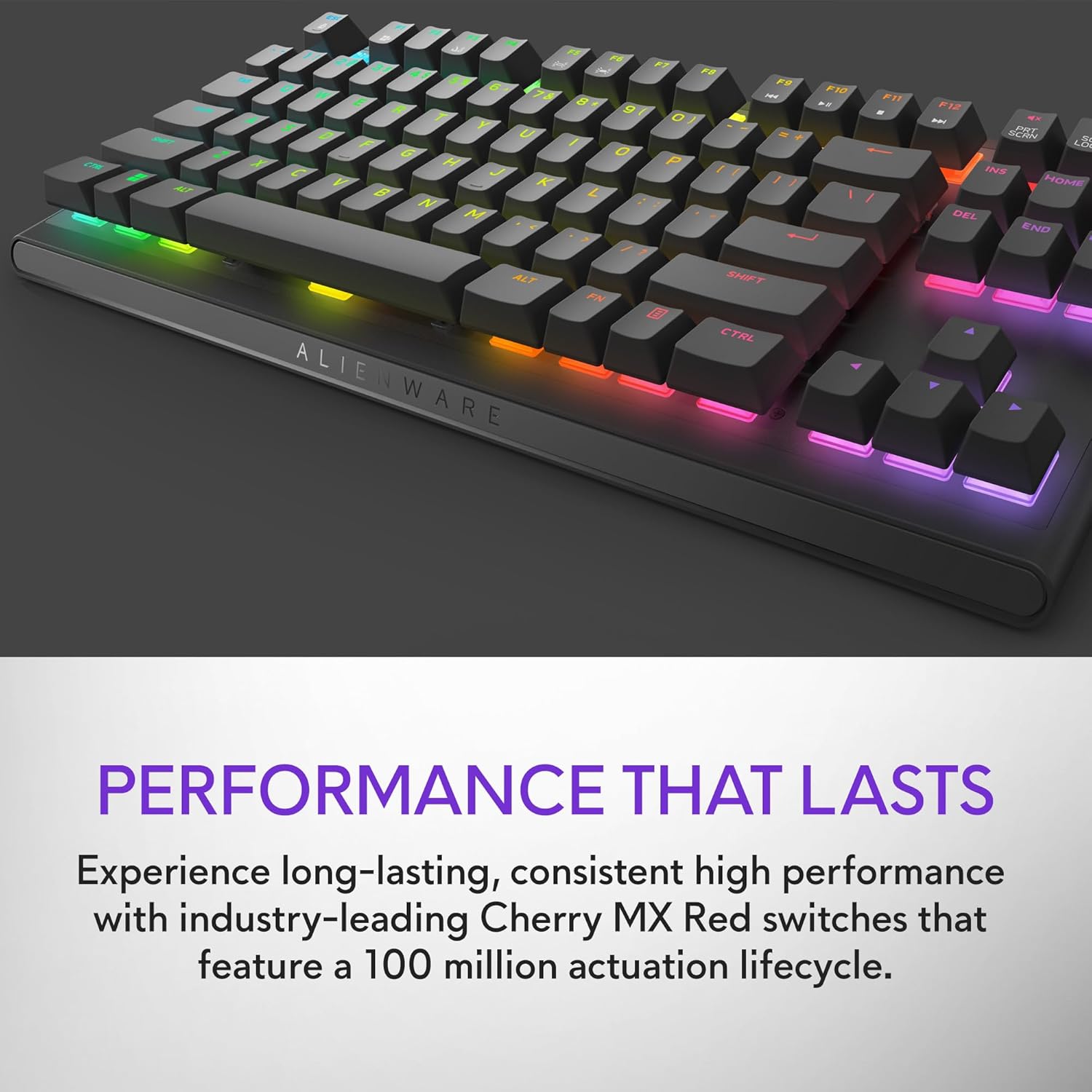
Figure 2.3: The keyboard features Cherry MX Red switches, known for their durability and consistent performance over 100 million keystrokes.

Figure 2.4: Customize your gaming experience with AlienFX per-key RGB lighting, offering up to 16.8 million colors via Alienware Command Center software.
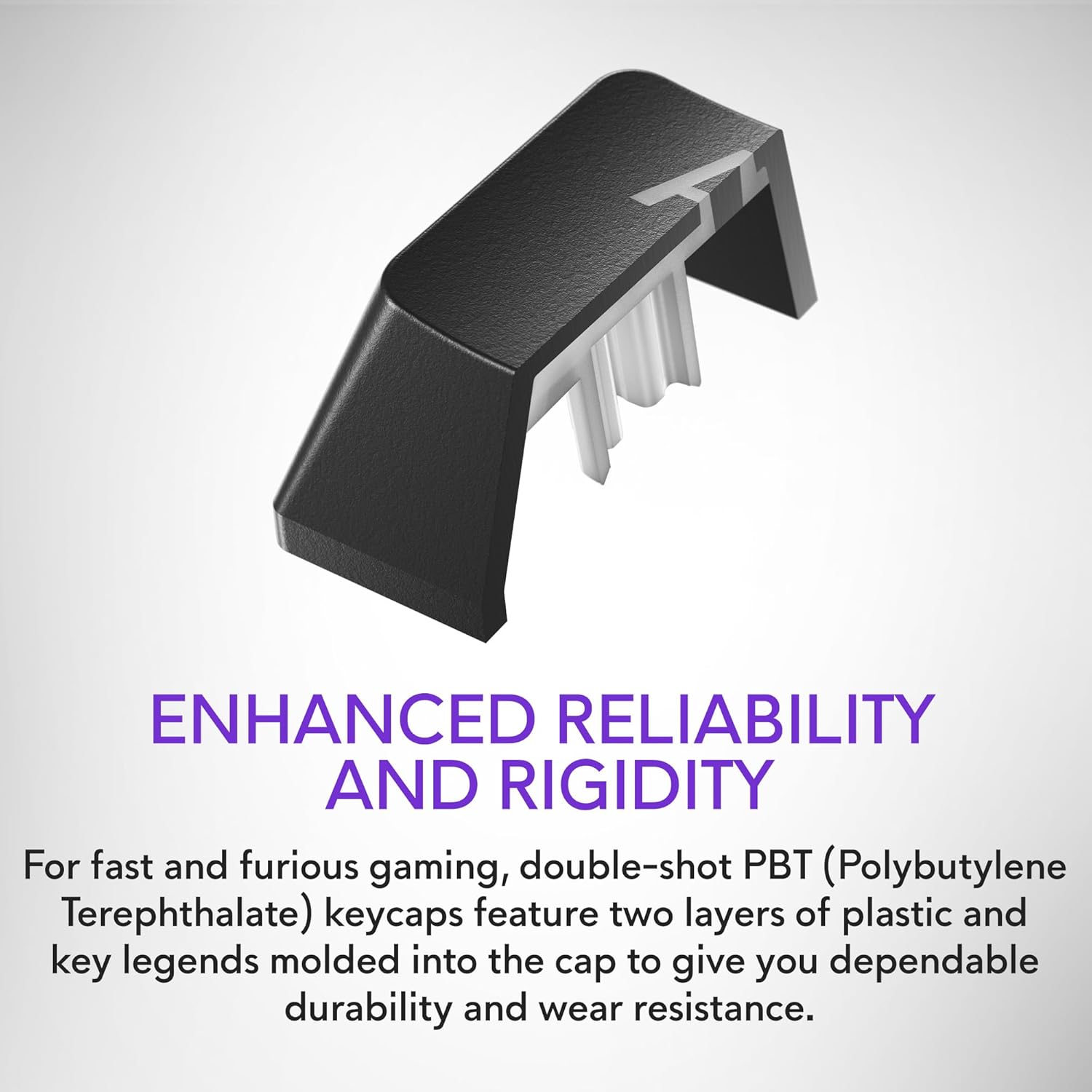
Figure 2.5: Double-shot PBT keycaps provide enhanced reliability and rigidity, ensuring legends do not wear off over time.
3. Подешавање
Пратите ове кораке да бисте подесили своју Alienware AW420K гејмерску тастатуру:
- Распакујте тастатуру: Carefully remove the keyboard and any included accessories from the packaging.
- Повежите УСБ кабл: The keyboard features a detachable USB paracord cable. Connect the USB-C end to the port on the keyboard's underside.
- Усмерите кабл: Utilize the integrated cable routing channels on the underside of the keyboard to direct the cable to your preferred setup. This helps in keeping your desk tidy.
- Повежите се са рачунаром: Plug the USB-A end of the cable into an available USB port on your computer. The keyboard is USB powered.
- Подесите висину: Flip up the risers on the back of the keyboard to select one of the three available height settings for your ideal typing angle.
- Инсталирајте софтвер (опционо, али препоручено): For full customization of RGB lighting and programmable keys, download and install the Alienware Command Center software from the official Alienware support webсајту.

Figure 3.1: The detachable USB-C cable provides a secure and convenient connection.

Figure 3.2: Integrated cable routing on the underside helps manage the connection cable for a clean setup.

Figure 3.3: Flip-up risers allow for three height settings to achieve your ideal typing angle.
4. Управљање тастатуром
The Alienware AW420K keyboard is designed for intuitive use with advanced features for gaming and productivity.
4.1 Основне функције
- куцање: Standard QWERTY layout for general typing.
- Играње: Responsive Cherry MX Red switches provide a smooth and linear feel, ideal for fast-paced gaming.
- Контроле медија: Dedicated media keys (e.g., volume roller, mute button) are typically located on the top right of the keyboard for quick audio adjustments.
4.2 Customization with Alienware Command Center
The Alienware Command Center software unlocks the full potential of your keyboard:
- РГБ осветљење: Customize per-key RGB lighting with a spectrum of 16.8 million colors. Choose from various effects, create your own profiles, and synchronize lighting with other Alienware devices.
- Макро програмирање: Assign complex macros to programmable keys for in-game advantages or streamlined workflows.
- Проfile Менаџмент: Креирајте и сачувајте више професионалацаfiles for different games or applications, allowing for quick switching of lighting and key assignments.
Video 4.1: An official video demonstrating the features and design of the Alienware Tenkeyless Gaming Keyboard - AW420K, including its RGB lighting and compact form factor.
5. Одржавање
Правилно одржавање осигурава дуготрајност и оптималне перформансе ваше тастатуре.
- Чишћење тастера: The floating keycap design makes cleaning easy. Use a soft brush or compressed air to remove dust and debris from between the keys. For stubborn grime, gently wipe keycaps with a damp, крпа која не оставља влакна. Избегавајте прекомерну влагу.
- Чишћење шасије: Wipe the keyboard chassis with a soft, dry cloth. Do not use harsh chemicals or abrasive materials.
- Нега каблова: Избегавајте оштра савијања или прекомерно повлачење USB кабла како бисте спречили оштећења.
КСНУМКС. Решавање проблема
If you encounter issues with your Alienware AW420K keyboard, try the following troubleshooting steps:
- Тастатура не реагује:
- Уверите се да је USB кабл безбедно повезан и са тастатуром и са рачунаром.
- Покушајте да прикључите тастатуру на други УСБ порт на рачунару.
- Поново покрените рачунар.
- RGB Lighting Not Working/Customizing:
- Verify that the Alienware Command Center software is installed and up to date.
- Check the software settings to ensure lighting effects are enabled and configured correctly.
- Уверите се да није покренут конфликтни софтвер који би могао да омета RGB контролу.
- Кључеви се не региструју:
- Clean any debris from under the affected keycap.
- Ако проблем и даље постоји, то може указивати на проблем са хардвером.
Ако ови кораци не реше проблем, погледајте одељак Гаранција и подршка за додатну помоћ.
7. Спецификације
| Бранд | Алиенваре |
| Назив модела | ALIENWARE TENKEYLESS GAMING KEYBOARD - AW420K |
| Број модела ставке | АВ420К |
| Хардверска платформа | PC |
| Тежина артикла | 1.74 фунти |
| Димензије производа (ДкШкВ) | 5.81 к 14.46 к 2.19 инча |
| Боја | Dark Side of the Moon |
| Извор напајања | УСБ Поверед |
| Произвођач | Делл |
| Технологија повезивања | УСБ-Ц |
| Опис тастатуре | Механички |
| Број кључева | 87 |
| Позадинско осветљење тастатуре | РГБ |
| Посебне карактеристике | Backlit, Programmable Keys, Split Keyset Design |
8. Гаранција и подршка
For warranty information and technical support, please refer to the official Alienware website or contact Alienware customer service. Keep your proof of purchase for warranty claims.
You can typically find support resources, drivers, and software updates on the Делл подршка Webсајту (as Alienware is a Dell brand).