
HyperGear 15842
User Manual: HyperGear 10,000mAh Portable Power Bank
Модел: 15842
1. Увод
Thank you for choosing the HyperGear 10,000mAh Portable Power Bank. This device is designed to provide reliable and fast charging for your mobile devices on the go. With its high capacity, dual charging ports, and intelligent LED display, it ensures your devices stay powered throughout your day. Please read this manual carefully before use to ensure optimal performance and safety.
2. Безбедносне информације
Да бисте осигурали безбедан рад и спречили оштећења, молимо вас да се придржавате следећих мера предострожности:
- Do not expose the power bank to extreme temperatures (above 45°C/113°F or below 0°C/32°F), direct sunlight, or high humidity.
- Do not disassemble, modify, or attempt to repair the device. This will void the warranty and may cause harm.
- Чувати даље од воде и других течности.
- Избегавајте испуштање или излагање повер банк јаким ударцима.
- Користите само сертификоване каблове и адаптере за пуњење.
- Чувати ван домашаја деце.

Image: The HyperGear Power Bank features SmartChip technology for comprehensive protection against overcharge, overvoltage, short circuits, and temperature fluctuations, ensuring safe charging for your devices.
3. Садржај пакета
Молимо вас да проверите пакет за следеће ставке:
- HyperGear 10,000mAh Portable Power Bank
- Кабл за пуњење од УСБ-Ц до УСБ-Ц
- Кориснички приручник (овај документ)

Image: The product packaging, illustrating the HyperGear 10,000mAh Power Bank and its key features, including 38W Next-Gen Portable Power Delivery and +35 hours extra battery life.
4. Производ је готовview
The HyperGear 10,000mAh Power Bank is designed for portability and efficiency. It features a compact design with a digital LED display for battery status and multiple charging ports.
- УСБ-Ц ПД порт: For fast input and output charging.
- УСБ-А порт: For standard output charging.
- ЛЕД дигитални дисплеј: Приказује преостали проценат батеријеtage.
- Дугме за напајање: Активира екран и покреће пуњење.

Слика: Предњи део view of the HyperGear 10,000mAh Portable Power Bank, highlighting its digital LED display showing '100' for full charge, and the HyperGear branding.

Image: This graphic illustrates the key features of the Power Pack Pro Series, including 45% more charging power, a digital battery display, and an ultra-compact design, with the power bank shown from an angled perspective.

Image: The HyperGear Power Bank is displayed alongside common items like a smartphone, a wallet, and keys, demonstrating its compact and pocket-sized dimensions of 2.4 x 3.2 x 1.03 inches.
5. Подешавање
Прво пуњење преносне батерије
Before first use, fully charge your HyperGear Power Bank. This ensures optimal battery performance and longevity.
- Connect the included USB-C to USB-C cable to the USB-C PD port on the power bank.
- Connect the other end of the cable to a compatible USB-C wall charger (not included). For fastest charging, use a 20W or higher USB-C PD charger.
- The LED display will show the charging progress, increasing from 0 to 100.
- Once the display shows '100', the power bank is fully charged and ready for use.
6. Упутство за употребу
Пуњење ваших уређаја
The power bank supports fast charging for compatible devices via its USB-C PD port and standard charging via its USB-A port.
- Повежите кабл за пуњење уређаја са одговарајућим портом на преносном пуњачу (USB-C или USB-A).
- Повежите други крај кабла са уређајем.
- The power bank will automatically begin charging your device. The LED display will show the power bank's remaining battery percentage.
- Да бисте зауставили пуњење, једноставно искључите кабл из уређаја или преносног пуњача.
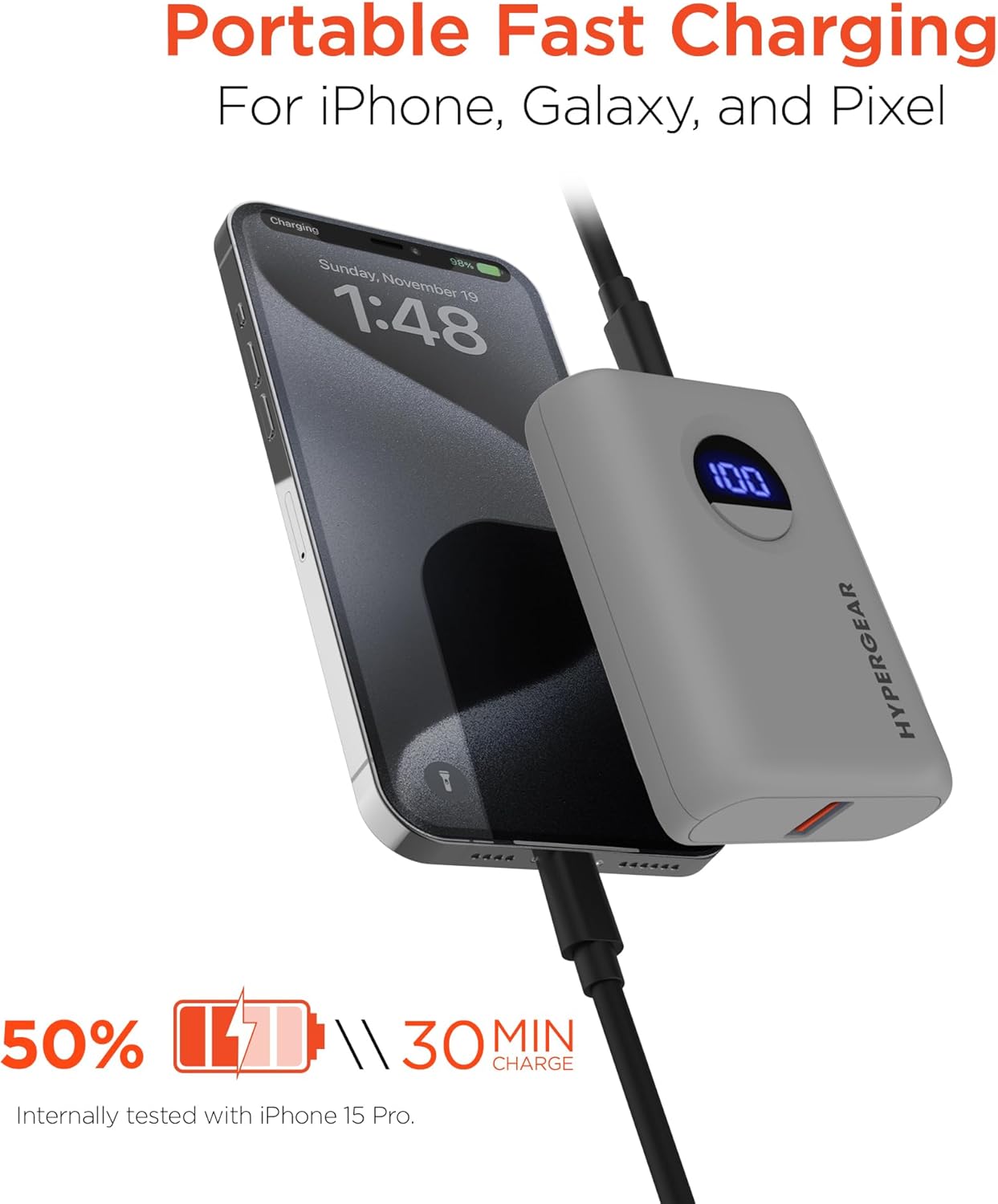
Image: The HyperGear Power Bank is shown connected to an iPhone via a charging cable, demonstrating its portable fast charging capability. The image highlights that it can charge 50% in 30 minutes, based on internal testing with an iPhone 15 Pro.
Пуњење два уређаја
You can charge two devices simultaneously using both the USB-C and USB-A ports.
- Connect the first device to the USB-C PD port.
- Connect the second device to the USB-A port.
- Both devices will charge concurrently.

Image: This image demonstrates the dual high-speed charging capability of the HyperGear Power Bank, showing it simultaneously charging a smartphone and a pair of wireless earbuds. It also highlights universal compatibility with various devices like iPhones, Androids, Earbuds, Watches, Cameras, Speakers, and Controllers.
Провера нивоа батерије
Press the power button once to activate the LED digital display, which will show the current battery percentagе од повер банке.
7. Одржавање
Правилна нега ће продужити век трајања ваше преносне батерије:
- Очистите преносни пуњач меком, сувом крпом. Не користите јаке хемикалије или абразивне материјале.
- Чувати на хладном и сувом месту када се не користи.
- If storing for extended periods, charge the power bank to approximately 50% every 3 months to maintain battery health.
КСНУМКС. Решавање проблема
| Проблем | Могући узрок | Решење |
|---|---|---|
| Повер банка се не пуни | Проблем са каблом или адаптером; преносни порт је потпуно напуњен; неисправан порт. | Try a different cable or wall adapter. Check if the power bank is already at 100%. Try a different port if available. |
| Уређај се не пуни из повер банке | Power bank battery low; cable issue; device compatibility. | Напуните преносни пуњач. Пробајте други кабл за пуњење. Уверите се да је ваш уређај компатибилан са УСБ пуњењем. |
| Споро пуњење | Cable quality; device not supporting fast charge; multiple devices charging. | Use a high-quality, certified cable. Ensure your device supports fast charging for the port used. Disconnect other devices if charging slowly. |
| ЛЕД екран не ради | Power bank is off; internal issue. | Press the power button. If it still doesn't light up, contact customer support. |
9. Спецификације
| Феатуре | Детаљ |
|---|---|
| Број модела | 15842 |
| Капацитет батерије | 10,000 мАх |
| УСБ-Ц ПД излаз | 20W (with PPS) |
| УСБ-А излаз | 18W Adaptive Fast Charge |
| Улаз (USB-C PD) | 20В |
| Димензије производа | 2.4 к 3.2 к 1.03 инча |
| Тежина артикла | 6.4 унци |
| Компатибилност | Universal (iPhone, Galaxy, Pixel, iPad, AirPods, etc.) |

Image: A chart illustrating the long-lasting power of the 10,000mAh capacity HyperGear Power Bank, providing approximately +35 hours for iPhone 15 Pro, +35 hours for Galaxy S23+, and +33 hours for Pixel 8 Pro.
10. Гаранција и подршка
Информације о гаранцији
This HyperGear product is covered by a standard manufacturer's warranty. Please refer to the warranty card included in your package or visit the official HyperGear webсајт за детаљне услове гаранције.
Корисничка подршка
If you encounter any issues or have questions regarding your HyperGear Portable Power Bank, please contact HyperGear Customer Support. Contact information can typically be found on the product packaging or the official HyperGear webсајту.
Ask a question about this manual
Ask about setup, troubleshooting, compatibility, parts, safety, or missing instructions. Manuals+ will review the question and use this page’s manual context to help answer it.