
THINKYA Y19
THINKYA Portable CD Player User Manual
Model: Y19 | Brand: THINKYA
1. Увод
Thank you for choosing the THINKYA Portable CD Player Y19. This multi-functional device combines classic CD playback with modern connectivity options, including Bluetooth, USB, AUX, and Optical modes. Featuring built-in HiFi stereo speakers and a convenient remote control, it offers a versatile audio experience for your home or on the go. Please read this manual thoroughly before use to ensure proper operation and longevity of your device.
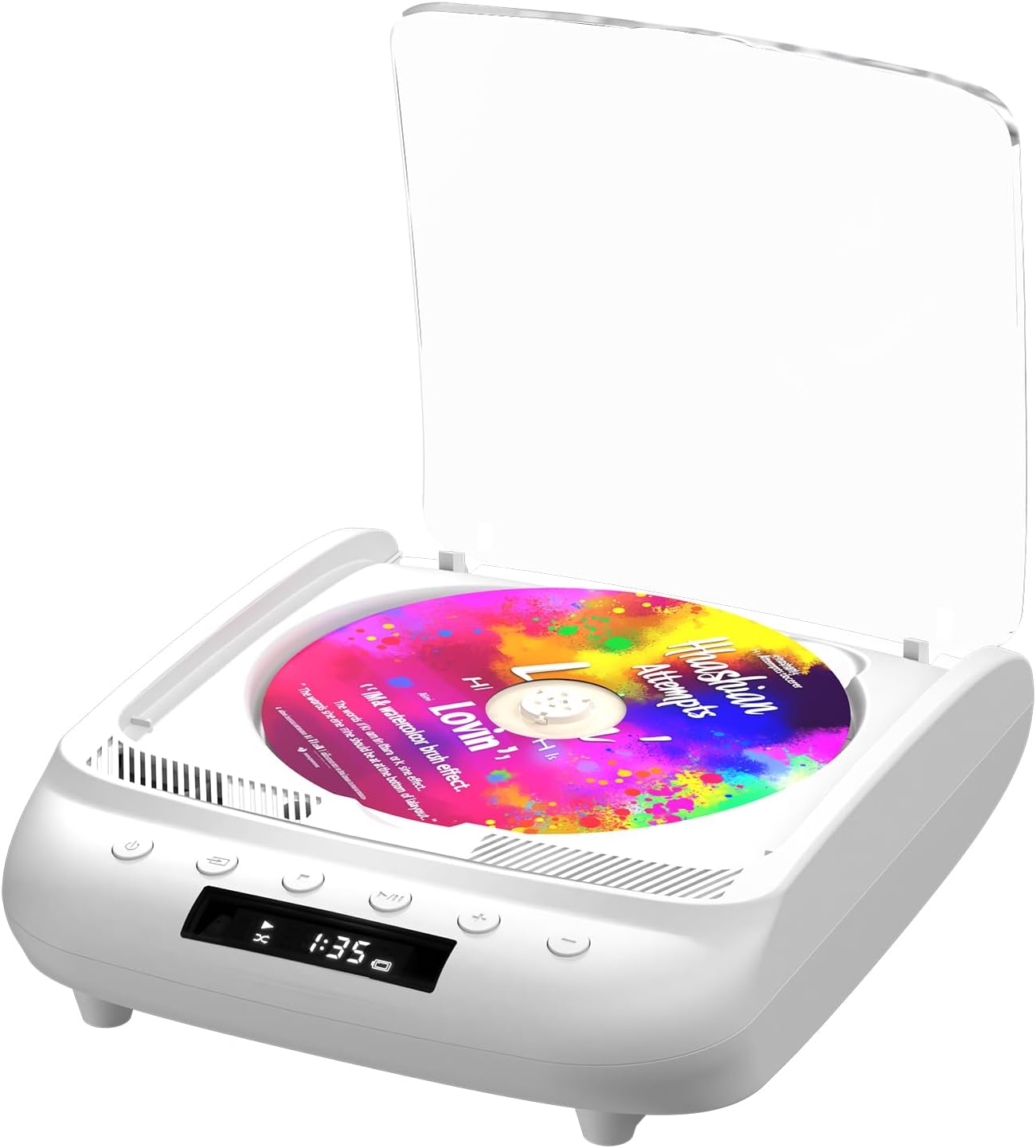
Figure 1.1: THINKYA Portable CD Player Y19
2. Садржај пакета
Уверите се да су сви предмети присутни и у добром стању након распакивања:
- Portable CD Player x 1
- Даљински управљач к 1
- УСБ-Ц кабл к 1
- 3.5 мм АУКС кабл к 1
- Упутство за употребу к 1
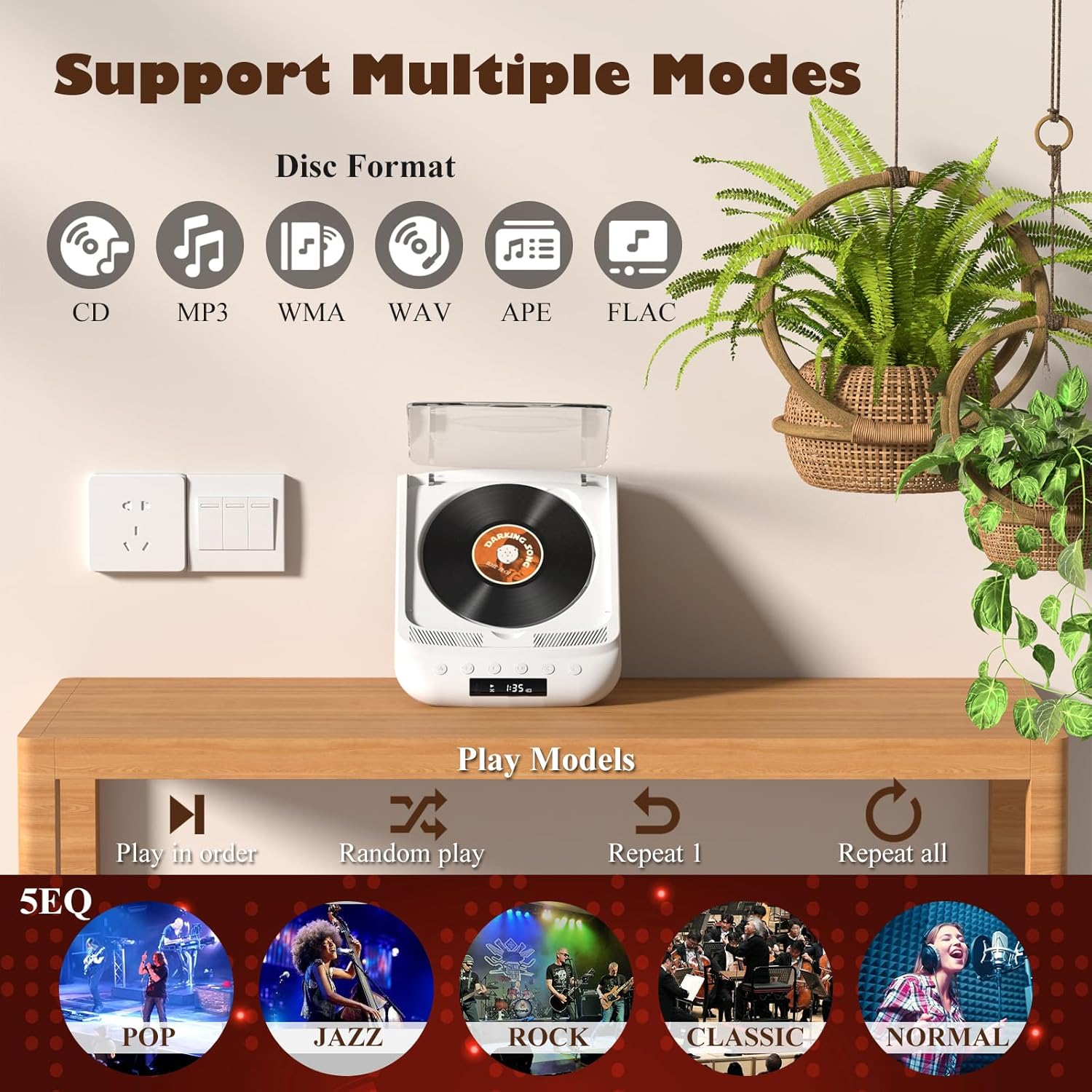
Figure 2.1: All items included in the package.
3. Производ је готовview & Цонтролс
Familiarize yourself with the player's layout and functions:

Figure 3.1: Front panel controls and rear ports. (1) Optical, (2) Headphone, (3) AUX, (4) USB, (5) DCIN 5V, (6) On/Off switch.
Дугмад на предњој плочи:
- Дугме за напајање: Укључује/искључује уређај.
- Дугме за режим: Cycles through playback modes (CD, USB, Bluetooth, AUX, Optical).
- Стоп дугме: Зауставља репродукцију.
- Дугме за репродукцију/паузу: Покреће или паузира репродукцију.
- Јачина звука - / Претходна нумера: Decreases volume or skips to the previous track.
- Јачина звука + / следећа нумера: Повећава јачину звука или прескаче на следећу нумеру.
Портови на задњој плочи:
- SPDIF (оптички) излаз: За повезивање са екстерним аудио системима путем оптичког кабла.
- Утичница за слушалице (3.5 мм): За приватно слушање са слушалицама.
- AUX улаз (3.5 мм): За повезивање екстерних аудио уређаја путем AUX кабла.
- УСБ порт: За репродукцију звука fileс са УСБ диска.
- DCIN 5V (USB-C): Power input for charging and continuous operation.
- Прекидач за укључивање/искључивање: Главни прекидач за напајање уређаја.

Слика 3.2: Детаљно view of 3.5mm Earphone Jack and USB Playback port.

Figure 3.3: Enjoying purer singing with Optical Mode connection to external speakers.
4. Почетно подешавање
4.1 Пуњење уређаја
The THINKYA CD Player has a built-in 2600mAh rechargeable battery. Before first use, fully charge the device.
- Connect the provided USB-C cable to the DCIN 5V port on the rear of the player.
- Connect the other end of the USB-C cable to a compatible 5V/2A USB power adapter (not included), power bank, or computer USB port.
- The LED screen will indicate charging status. A full charge takes approximately 3 hours and provides 4-8 hours of playback time.

Figure 4.1: Flexible charging options for the built-in rechargeable battery.
4.2 Убацивање CD-a
To insert a CD:
- Gently lift the transparent lid of the CD player.
- If present, remove the protective cardboard from the CD compartment.
- Place the CD onto the spindle with the label side facing up. Ensure it clicks securely into place.
- Close the transparent lid.
Figure 4.2: Correct placement of a CD in the player.
5. Упутство за употребу
The THINKYA CD Player supports multiple playback modes. Press the Дугме за режим on the front panel or remote control to switch between them.
5.1 CD Playback Mode
After inserting a CD and powering on the device, it will automatically enter CD mode and begin playback. The LED screen will display the track number and playback time.
- Пусти/паузирај: Притисните дугме Плаи/Паусе.
- Следећа/претходна нумера: Use the Volume +/- buttons (short press) to skip tracks.
- Зауставити: Притисните дугме Стоп.

Figure 5.1: Dual HiFi Stereo Speakers and CD playback options (Repeat All, Random, In Order, Repeat 1).
5.2 Bluetooth Mode (Input & Output)
The player can act as both a Bluetooth transmitter and receiver.
Bluetooth Receiver (Connect your phone/tablet to the CD Player):
- Switch the CD player to Bluetooth mode (BT will flash on the LED screen).
- On your mobile device, search for "THINKYA Y19" in the Bluetooth settings.
- Select to pair. Once connected, the BT indicator will stop flashing. You can now play audio from your device through the CD player's speakers.
Bluetooth Transmitter (Connect the CD Player to Bluetooth headphones/speakers):
- Ensure the CD player is in CD, USB, or AUX mode.
- Активирајте режим упаривања на Блуетоотх слушалицама или звучнику.
- The CD player will automatically search for and connect to nearby Bluetooth audio devices. Once connected, audio will be transmitted to your external Bluetooth device.

Figure 5.2: Bluetooth 5.0 connectivity for both transmitting and receiving audio.
Video 5.1: Demonstration of THINKYA Portable CD Player's Bluetooth functionality, including pairing with external speakers.
5.3 Режим репродукције са УСБ-а
Insert a USB flash drive into the USB port on the rear panel. The player supports MP3/WMA/WAV/APE/FLAC formats. Switch to USB mode using the Mode button.
5.4 АУКС режим
Connect an external audio device (e.g., smartphone, MP3 player) to the AUX input port using the provided 3.5mm AUX cable. Switch to AUX mode using the Mode button.
5.5 Optical Mode
Connect the SPDIF (Optical) output port to an external audio system with an optical input. This mode is for digital audio output from the CD player to a compatible receiver or soundbar.
6. Коришћење даљинског управљача
The included remote control allows for convenient operation from a distance (up to 15ft). It requires 2 AAA batteries (not included).
Слика 6.1: Даљински управљач за практично руковање.
Функције даљинског управљача:
- Снага: Он/Офф.
- ВОЛ +/-: Подешава јачину звука.
- Претходна Следећа: Skips tracks.
- Пусти/паузирај: Покреће или паузира репродукцију.
- Зауставити: Зауставља репродукцију.
- ЕК: Cycles through equalizer presets (POP, JAZZ, ROCK, CLASSIC, NORMAL).
- БТ: Пребацује се у Bluetooth режим.
- Остала дугмад: May include Bass, Treble adjustments depending on the remote version.
7. Техничке спецификације
| Феатуре | Спецификација |
|---|---|
| Модел | И19 |
| Улазни волtage | 5В-2А |
| Капацитет батерије | 2600 мАх литијум-јонски |
| Време пуњења | Прибл. 3 сата |
| Време репродукције | Прибл. 4-8 сати |
| Портабле Сизе | 8.27 к 6.69 к 3.03 инча |
| Тежина | 2.2 lb (1.72 pounds listed in specs, using A+ content for consistency) |
| Спеакер | 4Ω-2*2W (Independent Sound Cavity) |
| CD Format Support | CD-DA, CD-R, MP3 |
| USB Format Support | МПКСНУМКС / ВМА / ВАВ / АПЕ / ФЛАЦ |
| Интерфејс | 3.5mm Audio, USB, Optical, Headphone, USB-C Charge |
| Плаиер Моде | CD Play, Bluetooth, USB, AUX, Optical |
8. Нега и одржавање
- Чишћење: Use a soft, dry cloth to clean the exterior of the player. For the CD lens, use a specialized CD lens cleaner. Do not use abrasive cleaners or solvents.
- CD Handling: Always hold CDs by their edges. Avoid touching the playing surface. Store CDs in their cases to prevent scratches and dust accumulation.
- Складиштење: Када се плејер не користи дуже време, чувајте га на хладном и сувом месту, даље од директне сунчеве светлости и екстремних температура.
- Одржавање батерије: Да бисте продужили век трајања батерије, избегавајте често потпуно пражњење батерије. Редовно пуните уређај, чак и ако га не користите активно.
9. Водич за решавање проблема
If you encounter issues with your THINKYA CD Player, refer to the common problems and solutions below:
9.1 Нема напајања / Уређај се не укључује
- Ensure the main On/Off switch on the rear panel is in the 'On' position.
- Check if the device is properly charged. Connect the USB-C cable and verify the charging indicator.
- Пробајте други USB-C кабл или адаптер за напајање.
9.2 CD Not Playing / Disc Error
- Ensure the CD is clean and free of scratches or smudges. Clean with a soft, lint-free cloth from the center outwards.
- Verify the CD is inserted correctly with the label side facing up and securely on the spindle.
- Make sure the player is in CD mode.
- Try a different CD to rule out a faulty disc.
9.3 Нема звука
- Adjust the volume using the buttons on the player or the remote control.
- If using headphones or external speakers, ensure they are properly connected and functional.
- If in Bluetooth mode, ensure the player is correctly paired with your external device and the volume on both devices is adjusted.
- If in AUX mode, check the AUX cable connection and ensure the external device's volume is up.
- Ensure the correct playback mode is selected (CD, USB, BT, AUX, Optical).
9.4 Проблеми са Bluetooth везом
- Ensure the player is in Bluetooth mode (BT flashing).
- Keep the player and the Bluetooth device within the effective range (typically 10 meters/33 feet).
- Turn off and on the Bluetooth function on both the player and your external device, then try pairing again.
- Clear previous Bluetooth pairings on your external device and try to connect again.
10. Гаранција и корисничка подршка
10.1 Информације о гаранцији
THINKYA products are manufactured to the highest quality standards. For specific warranty details, please refer to the warranty card included in your product packaging or contact THINKYA customer support. Keep your purchase receipt as proof of purchase.
10.2 Корисничка подршка
If you require further assistance or have questions not covered in this manual, please contact our customer support team:
- Емаил: support@thinkya.com
- Webсајт: www.thinkya.com
Ask a question about this manual
Ask about setup, troubleshooting, compatibility, parts, safety, or missing instructions. Manuals+ will review the question and use this page’s manual context to help answer it.