
Jectse Jectsesikcd0et3w-11
Jectse Digital Camera User Manual
Model: Jectsesikcd0et3w-11
Увод
Хвала вам на куповиниasing the Jectse Digital Camera. This compact and portable camera is designed to capture high-quality photos and videos, offering features such as 5K video resolution, 80MP photo resolution, and 18X digital zoom. This manual provides detailed instructions on how to set up, operate, and maintain your camera to ensure optimal performance and longevity.
Безбедносне информације
- Не излажите камеру води или прекомерној влази.
- Избегавајте испуштање камере или њено излагање јаким ударцима.
- Држите камеру даље од директне сунчеве светлости и високих температура.
- Користите само назначени кабл за пуњење и адаптер за напајање.
- Не покушавајте сами да расклапате или поправљате камеру. За помоћ контактирајте корисничку подршку.
- Чувати ван домашаја мале деце.
Садржај пакета
Молимо вас да проверите да ли су све ставке присутне у вашем пакету:
- 1 x Jectse Digital Camera
- 1 к Типе-Ц кабл за пуњење
- 1 к ремен за руку
- 1 к Упутство за употребу
- Note: Small Memory Card is not included.

Image: The Jectse Digital Camera shown alongside its included Type-C charging cable and hand strap, illustrating the complete package contents.
Производ је завршенview
Familiarize yourself with the various parts and controls of your Jectse Digital Camera.

Слика: Фронт view of the Jectse Digital Camera, highlighting the lens and flash.

Слика: Леђа view of the Jectse Digital Camera, showing the 2.8-inch display screen and control buttons.
Кључне компоненте:
- Објектив: F/2.2 f=3.83mm wide angle lens with 18X digital zoom capability.
- Фласх: Уграђени блиц за услове слабог осветљења.
- Екран: 2.8-inch screen for framing shots and reviewинг садржаја.
- W/T Key: Used for zooming in (W) and out (T).
- Shutter Key: Притисните да бисте снимили фотографије или покренули/зауставили снимање видеа.
- OK/Mode Button: Confirms selections and switches between modes.
- Дугме менија: Приступа подешавањима и опцијама камере.
- Дугме DISP: Changes display information on the screen.
- Одељак за батерије: Houses the built-in 750mAh rechargeable battery.
- Порт типа Ц: За пуњење камере.
- Слот за меморијску картицу: Supports Small Memory Cards up to 256GB (not included).
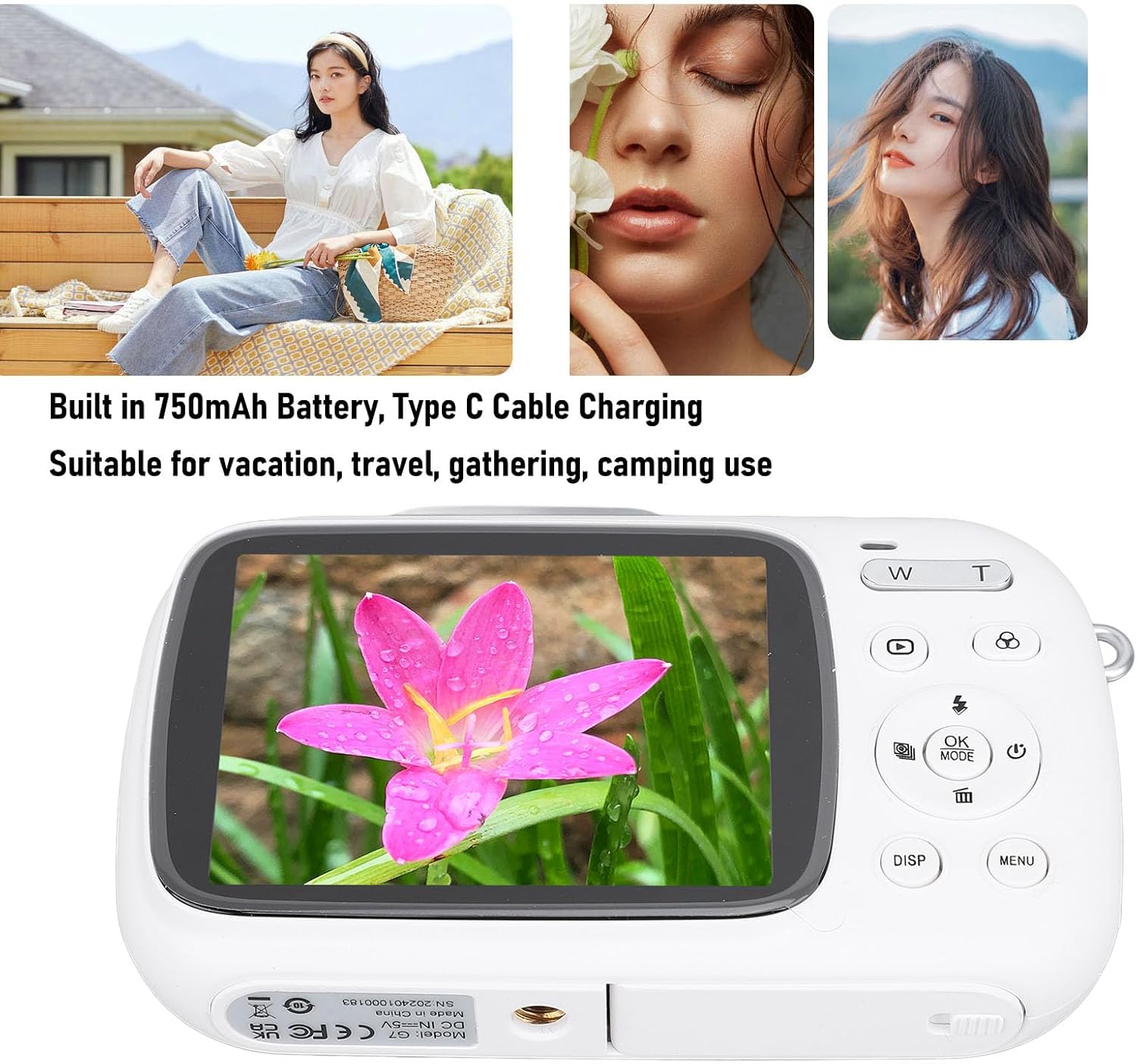
Image: Visual representation of key camera features including 80MP photo pixels, 5K HD video recording, 18X digital zoom, auto focusing, beauty filter, smiling selfie, continuous photo taking, built-in flash, and 2.8-inch display.
Сетуп
1. Пуњење батерије
The camera has a built-in 750mAh rechargeable lithium-ion battery. Before first use, ensure the battery is fully charged.
- Connect the provided Type-C charging cable to the camera's Type-C port.
- Повежите други крај кабла са УСБ адаптером за напајање (није укључен) или УСБ портом рачунара.
- The charging indicator light will illuminate. Charging typically takes about 3 hours.
- Once fully charged, the indicator light may change or turn off. Disconnect the cable.
2. Убацивање меморијске картице
A Small Memory Card (up to 256GB) is required to store photos and videos. It is not included in the package.
- Locate the memory card slot on the side or bottom of the camera.
- Insert the Small Memory Card into the slot with the metal contacts facing the correct direction (refer to the diagram near the slot if available).
- Пажљиво притисните картицу док не кликне на своје место.
- To remove the card, push it in again until it springs out slightly, then pull it out.
3. Причвршћивање ручне траке
Attach the included hand strap to prevent accidental drops.
- Thread the thin loop of the hand strap through the strap eyelet on the camera body.
- Провуците већи крај каиша кроз омчу коју сте управо направили и чврсто је затегните да бисте је причврстили.
Упутство за употребу
1. Укључивање/искључивање
- To power on, press and hold the Power button (usually marked with a circle and a vertical line).
- To power off, press and hold the Power button again until the screen turns off.
2. Снимање фотографија
- Turn on the camera. It will typically default to photo mode. If not, press the МОДЕ button to switch to photo mode.
- Frame your shot using the 2.8-inch display screen.
- Користите В/Т keys to zoom in or out (18X digital zoom).
- Притисните тастер Затварач key halfway down to focus (if applicable).
- Притисните тастер Затварач key fully down to capture the 80MP photo.
3. Снимање видео записа
- Turn on the camera. Press the МОДЕ button to switch to video recording mode.
- Frame your video using the display screen.
- Притисните тастер Затварач key to start recording 5K video. A recording indicator will appear on the screen.
- Притисните тастер Затварач тастер поново да зауставите снимање.
4. Коришћење специјалних функција
The camera offers several creative functions:
- Continuous Photography: Allows you to take multiple photos in quick succession. Access this setting via the МЕНУ.
- Time Lapse Photography: Captures images at set intervals to create a time-lapse video. Configure in МЕНУ.
- Лооп видео: Records video in segments, overwriting older footage when the memory card is full. Useful for continuous recording.
- Линије композиције: Displays grid lines on the screen to help with framing and composition. Toggle with ДИСП button or in МЕНУ.
- Препознавање лица: Automatically detects and focuses on faces in the frame. Enable/disable in МЕНУ подешавања.
- Уграђени блиц: The flash will automatically activate in low-light conditions or can be manually controlled via the flash button or МЕНУ.
5. Репродукција и поновноview
- Притисните тастер Репродукција button (often indicated by a triangle icon) to enter playback mode.
- Користите дугмад за смер да бисте се кретали кроз фотографије и видео записе.
- Притисните OK да view a video or zoom into a photo.
- Притисните тастер Репродукција button again to exit playback mode.
Одржавање
Чишћење камере
- Use a soft, lint-free cloth to wipe the camera body. Do not use liquid cleaners or solvents.
- For the lens and screen, use a specialized lens cleaning cloth or air blower to remove dust. Avoid touching the lens directly with your fingers.
- Уверите се да је камера искључена пре чишћења.
Складиштење
- Чувајте камеру на хладном и сувом месту, даље од директне сунчеве светлости и екстремних температура.
- Ако складиштите батерију дуже време, уверите се да је делимично напуњена (око 50%) и пуните је сваких неколико месеци како бисте је одржали у добром стању.
Решавање проблема
| Проблем | Могући узрок / решење |
|---|---|
| Камера се не укључује. |
|
| Cannot take photos/record videos. |
|
| Слике су мутне. |
|
| Трајање батерије је кратко. |
|
Спецификације
| Феатуре | Детаљ |
|---|---|
| Материјал производа | АБС |
| Видео Ресолутион | 5K (Maximum), 15FPS |
| Пхото Ресолутион | 80MP (Maximum) |
| Ленс | F/2.2 f=3.83mm Wide Angle Lens |
| Дигитални зум | 18Кс |
| Дисплаи Сцреен | 2.8 инча |
| Складиштење | Small Memory Card, up to 256GB (not included) |
| Батерија | 750mAh Lithium Ion Battery (built-in) |
| Порт за пуњење | Типе-Ц |
| Време пуњења | Прибл. 3 сата |
| Време издржљивости | Approx. 2 hours (usage dependent) |
| Тежина артикла | 9.1 унци |
| Број модела | Jectsesikcd0et3w-11 |
Гаранција и подршка
Jectse products are manufactured to the highest quality standards. For information regarding warranty coverage, technical support, or service inquiries, please refer to the contact information provided with your purchase or visit the official Jectse webсајту.
Сачувајте доказ о куповини за гаранцијске захтеве.
Ask a question about this manual
Ask about setup, troubleshooting, compatibility, parts, safety, or missing instructions. Manuals+ will review the question and use this page’s manual context to help answer it.