
1. Увод
Thank you for choosing the KOORUI N07 27-inch 4K UHD Monitor. This monitor is designed to provide a superior visual experience with its 3840x2160 resolution, IPS panel, 60Hz refresh rate, HDR10 support, and Adaptive Sync technology. This manual provides essential information for setting up, operating, and maintaining your monitor to ensure optimal performance and longevity. Please read this manual thoroughly before using the product.
2. Безбедносне информације
- Увек постављајте монитор на стабилну, равну површину.
- Не блокирајте отворе за вентилацију.
- Користите само адаптер за напајање који је обезбедио произвођач.
- Држите монитор даље од воде и прекомерне влаге.
- Избегавајте излагање монитора директној сунчевој светлости или високим температурама.
- Искључите кабл за напајање током грмљавине или када се не користи дуже време.
3. Садржај пакета
Молимо вас да проверите садржај паковања након отварања. Ако неке ставке недостају или су оштећене, обратите се продавцу.
- KOORUI N07 27-inch 4K UHD Monitor
- Постоље за монитор (база и врат)
- Адаптер за напајање и кабл за напајање
- ХДМИ кабл
- ДисплаиПорт Цабле
- Упутство за употребу
4. Monitor Assembly and Setup
4.1 Причвршћивање постоља
- Пажљиво поставите монитор лицем надоле на меку, чисту крпу како бисте спречили огреботине.
- Причврстите врат постоља на задњу страну монитора, поравнавајући тачке монтаже.
- Причврстите врат постоља приложеним завртњима.
- Причврстите основу постоља на врат постоља и затегните завртањ са палцем.

Слика 4.1: Задња страна view of the monitor showing VESA mount and tilt adjustment.
4.2 Каблови за повезивање
The KOORUI N07 monitor offers versatile connectivity options. Ensure your computer is turned off before making any connections.
- Прикључак за напајање: Connect the power adapter to the monitor's DC input port, then plug the power cable into a power outlet.
- Видео веза: Connect one end of the HDMI or DisplayPort cable to the corresponding port on your computer's graphics card and the other end to an HDMI (HDMI1 or HDMI2) or DisplayPort (DP) input on the monitor.
- Аудио излаз: If desired, connect external speakers or headphones to the 3.5mm audio output port on the monitor.

Figure 4.2: Connectivity options for the KOORUI N07 monitor.
4.3 Укључивање
After connecting all necessary cables, press the power button on the monitor to turn it on. The monitor will automatically detect the active input source.
5. Упутство за употребу
5.1 Приказ на екрану (ОСД) мени
The OSD menu allows you to adjust various monitor settings. Use the buttons located on the bottom right of the monitor to navigate and select options.
- Дугме за напајање: Укључује/искључује монитор.
- Дугме менија: Отвара ОСД мени.
- Дугмад за навигацију: Користи се за кретање кроз опције менија и подешавање вредности.
- Дугме за излаз: Излаз из ОСД менија.
5.2 Кључна подешавања OSD-а
- Подешавања слике: Подесите осветљеност, контраст, оштрину и температуру боје.
- Режими боја: Select from various preset modes like Standard, Movie, Game, and Eye Care.
- Извор уноса: Manually select between HDMI1, HDMI2, or DisplayPort inputs.
- Прилагодљива синхронизација: Enable or disable Adaptive Sync for smoother gameplay.
- ХДР10: Activate HDR10 for enhanced dynamic range with compatible content.
6. Феатурес Оверview
6.1 4K UHD Resolution (3840x2160)
Experience incredible detail and clarity with a resolution four times higher than Full HD. This monitor provides 8.3 million pixels for a sharper and more colorful image.

Figure 6.1: 4K UHD resolution detail comparison.
6.2 IPS Panel Technology
The IPS panel offers a wide 178° viewing angle and vibrant color reproduction (90% DCI-P3, 99% sRGB), ensuring consistent image quality from almost any perspective. This is ideal for graphic designers, gamers, and movie enthusiasts.

Figure 6.2: IPS panel with 99% sRGB color accuracy.
6.3 Подршка за HDR10
Enjoy content with enhanced dynamic range. HDR10 provides brighter whites, deeper blacks, and more vivid colors, bringing your favorite movies and games to life with greater realism.

Figure 6.3: HDR10 technology for improved image quality.
6.4 Adaptive Sync Technology
Adaptive Sync eliminates screen tearing and stuttering, providing a smoother and more fluid visual experience, especially during fast-paced gaming or video playback.

Figure 6.4: Adaptive Sync in action, preventing screen tearing.
6.5 Технологија за негу очију
The monitor features a Blue Light Filter and Flicker-Free technology to reduce eye strain during prolonged use. The Eye Care mode optimizes settings to minimize blue light emission, promoting visual comfort.
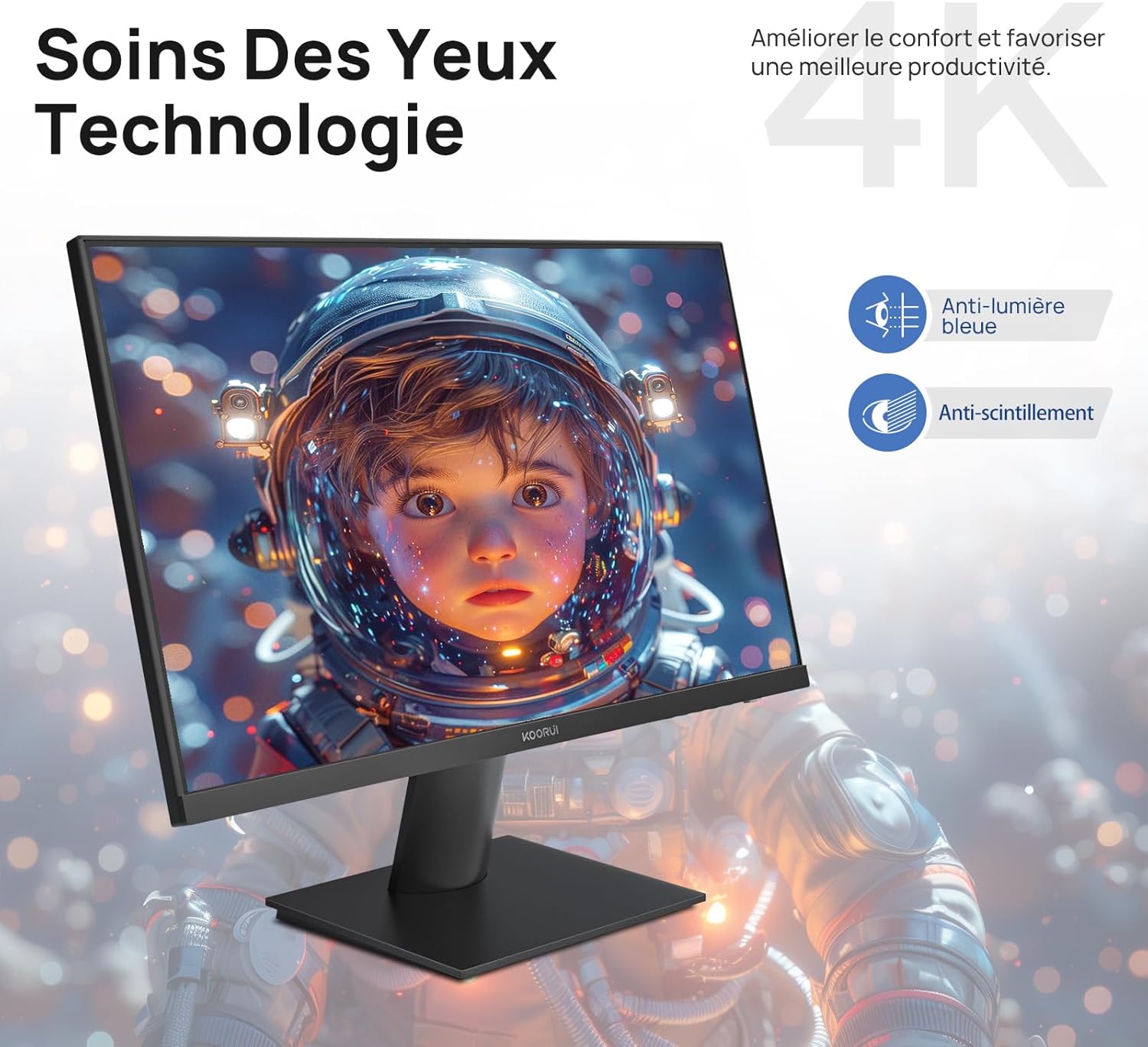
Figure 6.5: Eye Care technology for reduced eye strain.
6.6 Ергономски дизајн
The monitor stand allows for tilt adjustment from -5° to 20°, enabling you to find the most comfortable viewing angle for your posture.
6.7 Компатибилност са VESA носачем
The KOORUI N07 supports 100x100mm VESA mounting, allowing you to easily attach it to a wall mount or an articulated monitor arm for a flexible and clutter-free workspace.

Figure 6.6: VESA mount compatibility for flexible setup.
7. Видео производа прекоview
Видео 7.1: Оверview of the KOORUI N07 27-inch 4K UHD monitor, highlighting its key features such as 4K resolution, DCI-P3 color gamut, HDR10 support, versatile usage for creation, viewing, and gaming, adjustable tilt, and VESA mounting capabilities.
КСНУМКС. Решавање проблема
Ако наиђете на проблеме са монитором, погледајте следеће уобичајене проблеме и решења:
| Проблем | Могуће решење |
|---|---|
| Нема слике на екрану | Ensure power cable is securely connected. Check video cable connection (HDMI/DP) to both monitor and computer. Verify correct input source is selected in OSD. |
| Слика је мутна или искривљена | Check display resolution settings on your computer. Ensure it is set to 3840x2160. Adjust sharpness in the OSD menu. |
| Боје изгледају погрешно | Adjust color temperature and color settings in the OSD menu. Try resetting picture settings to factory defaults. |
| Екран трепери | Ensure the video cable is securely connected. Disable Adaptive Sync if enabled, or update your graphics card drivers. |
9. Спецификације
| Феатуре | Детаљ |
|---|---|
| Бранд | КООРУИ |
| Број модела | Н07 |
| Величина екрана | 27 инча |
| Резолуција | 4K UHD (3840 x 2160 пиксела) |
| Панел Типе | ИПС |
| Рефресх Рате | 60 Хз |
| Време одговора | 4 милисекунди |
| Аспецт Ратио | 16:9 |
| Однос контраста | 1000:1 |
| Осветљеност | 300 цд/м² |
| Viewинг Англе | 178 степени |
| Повезивање | 2x HDMI 2.0, 1x DisplayPort 1.4, 1x аудио излаз |
| ВЕСА компатибилност | 100к100мм |
| Посебне карактеристике | Blue Light Filter, Tilt Adjustment, Frameless, Flicker-Free, Adaptive Sync, HDR10 |
| Димензије (Д к Ш к В) | 20.5P x 61lx 45V centimetara |
| Тежина | 3 килограма |
10. Одржавање
To ensure the longevity and optimal performance of your KOORUI N07 monitor, follow these maintenance guidelines:
- Чишћење екрана: Нежно обришите екран меком крпом која не оставља влакна. За тврдокорне мрље, дampБлаго навлажите крпу водом или специјализованим средством за чишћење екрана. Никада не прскајте течност директно на екран.
- Чишћење Цasing: Користите меку, суву крпу за чишћење монитора casinг. Избегавајте абразивна средства за чишћење или раствараче.
- вентилација: Уверите се да вентилациони отвори на монитору нису блокирани како бисте спречили прегревање.
- Искључивање: Искључите монитор када га не користите дуже време.
11. Гаранција и подршка
The KOORUI N07 monitor comes with a Двогодишња гаранција произвођача. This warranty covers defects in materials and workmanship under normal use. For warranty claims or technical support, please contact KOORUI customer service or your retailer with your proof of purchase.
For additional support, troubleshooting guides, and driver downloads, please visit the official KOORUI webсајту.