
Увод
This manual provides essential information for setting up, operating, maintaining, and troubleshooting your Xiaomi Redmi Note 14 Pro 5G smartphone. Please read this guide carefully to ensure proper use and to maximize the device's performance and longevity.
Сетуп
1. Шта је у кутији
Your Xiaomi Redmi Note 14 Pro 5G package includes:
- Ксиаоми Редми Ноте КСНУМКС Про КСНУМКСГ Смартпхоне
- Повер Адаптер
- УСБ кабл
- Алат за избацивање СИМ картице
2. Девице Оверview
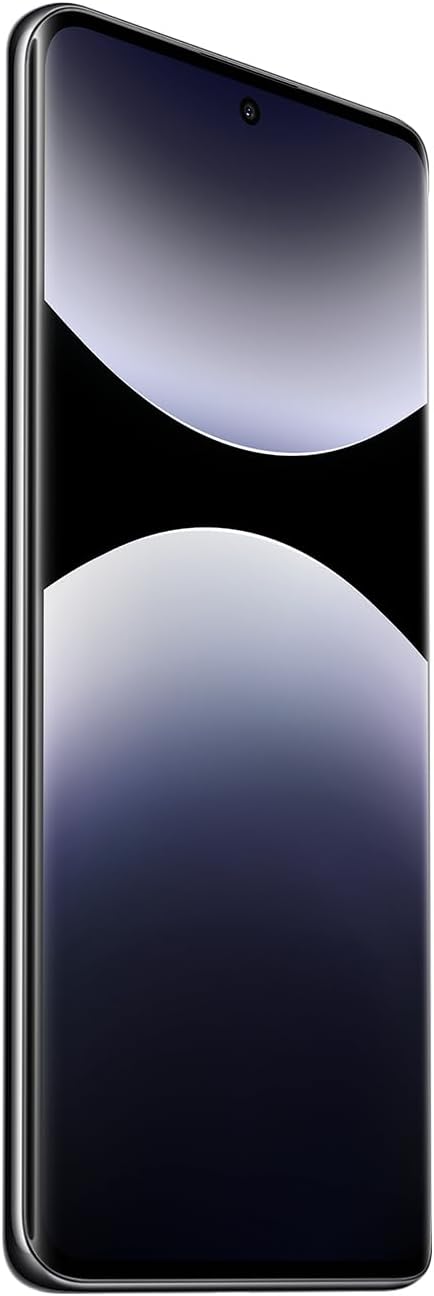
Слика 1: Предња страна view of the Xiaomi Redmi Note 14 Pro 5G, showing the display and front camera.
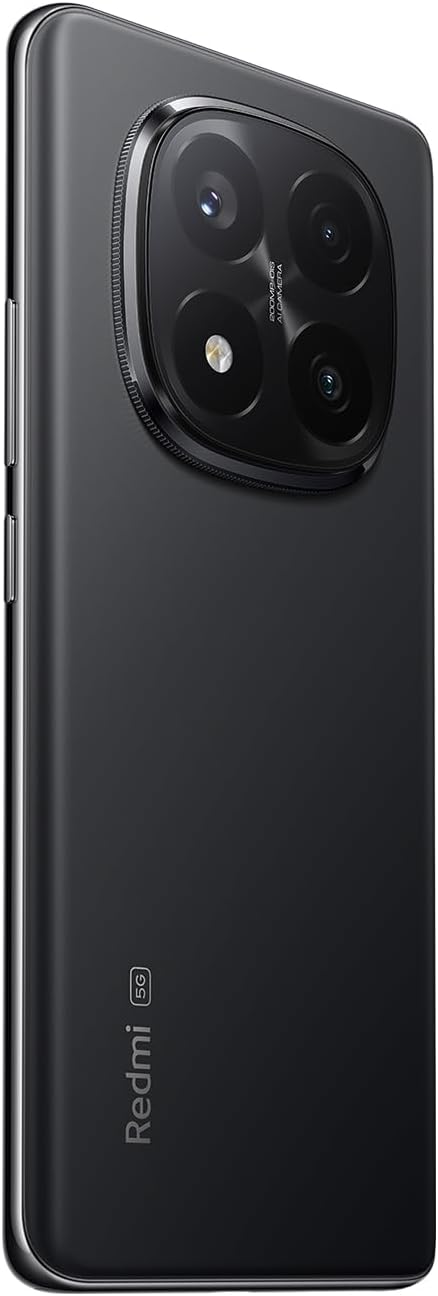
Слика 2: Позади view of the Xiaomi Redmi Note 14 Pro 5G, highlighting the quad-camera module.
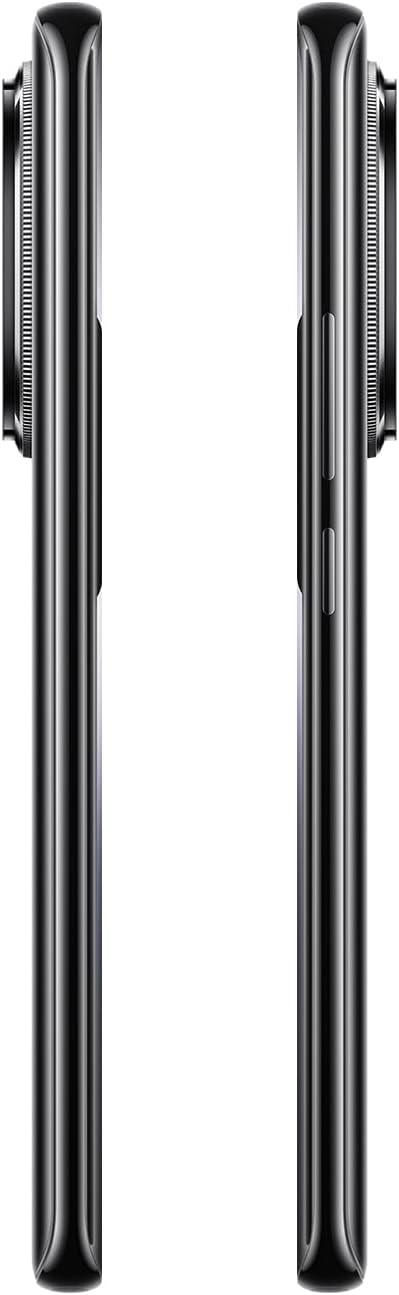
Слика 3: Страна view of the Xiaomi Redmi Note 14 Pro 5G, illustrating the power and volume buttons.
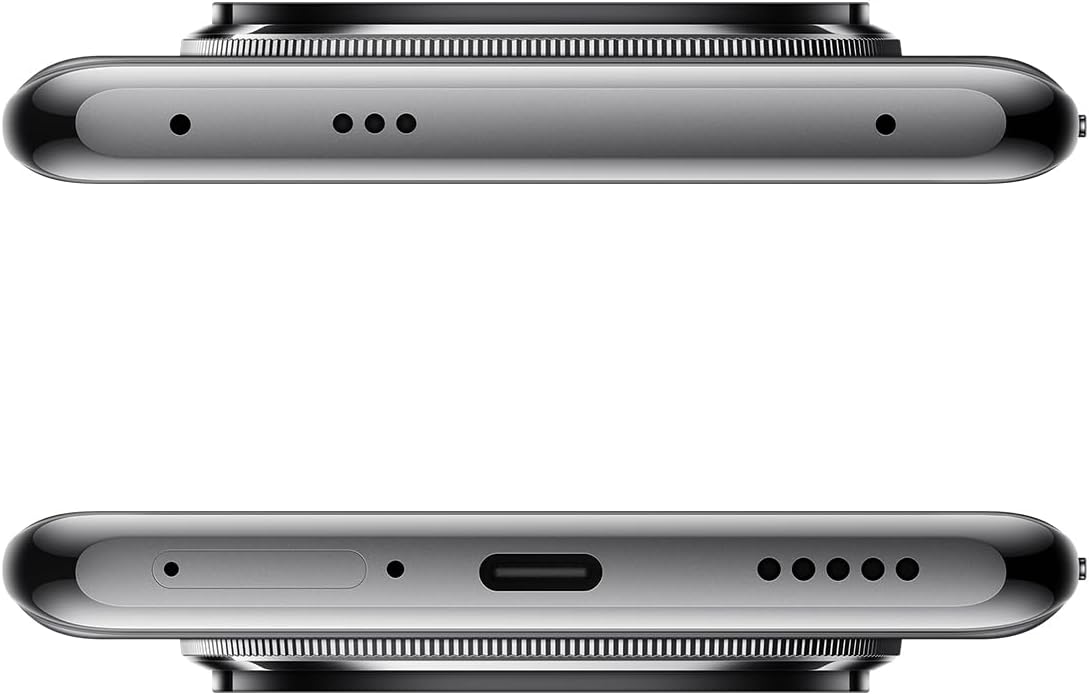
Слика 4: Горњи и доњи део views of the Xiaomi Redmi Note 14 Pro 5G, detailing the USB-C port, speakers, and SIM card tray.
3. Уметање СИМ картице
- Пронађите лежиште за СИМ картицу са стране уређаја (погледајте слику 4).
- Insert the SIM eject tool into the small hole next to the tray to open it.
- Place your Nano-SIM card(s) into the tray with the gold contacts facing down. This device supports Dual SIM.
- Пажљиво вратите лежиште у отвор док не кликне на своје место.
4. Почетно укључивање и конфигурација
- Press and hold the Power button (refer to Figure 3) until the Xiaomi logo appears.
- Пратите упутства на екрану да бисте изабрали језик, повезали се са Wi-Fi мрежом и подесили свој Google налог.
- Configure security settings, including fingerprint recognition, for enhanced device protection.
Управљање вашим уређајем
1. Приказ и навигација
The Redmi Note 14 Pro 5G features a 6.67-inch OLED touchscreen with a 2340 x 1080 resolution and a 120Hz refresh rate for smooth visuals. Navigate the Android operating system using touch gestures.
2. Функције камере
Your device is equipped with a powerful camera system:
- Задња камера: 200 MP main sensor with a quad-camera setup. Integrated flash.
- Предња камера: Сензор од 32 МП.
- Режими снимања: Automatic, Portrait, Landscape, Sport, Night Mode, Macro.
To open the camera, tap the camera icon on your home screen or lock screen. Select your desired mode and tap the shutter button to capture photos or videos.
3. Повезивање
The device supports 5G cellular technology, Wi-Fi, Bluetooth, and NFC for various connectivity needs. Access these settings via the Quick Settings panel or the main Settings application.
4. Батерија и пуњење
The Redmi Note 14 Pro 5G is powered by a 5500 mAh Lithium-ion battery. It supports 45W fast charging. Use the provided adapter and USB cable for optimal charging performance. Avoid using damaged cables or non-certified chargers.
Одржавање
1. Чишћење уређаја
- Користите меку крпу која не оставља влакна да обришете екран и задњу плочу.
- Избегавајте употребу јаких хемикалија, абразивних материјала или аеросолних спрејева.
- Do not expose the device to excessive moisture. Note that the device is not water-resistant.
2. Ажурирања софтвера
Regularly check for and install software updates to ensure your device has the latest features, security patches, and performance improvements. You can usually find this option in the device's Settings menu under "About phone" or "System updates."
3. Управљање складиштем
Your device comes with 256 GB of internal storage. To maintain optimal performance, regularly manage your storage by deleting unnecessary files, uninstalling unused apps, and backing up important data to cloud services or an external drive.
Решавање проблема
Ако наиђете на проблеме са уређајем, покушајте са следећим уобичајеним корацима за решавање проблема:
- Уређај не реагује: Притисните и држите дугме за напајање око 10-15 секунди да бисте поново покренули рачунар.
- Рушење апликације: Close the app and reopen it. If the issue persists, clear the app's cache and data in Settings, or uninstall and reinstall the app.
- Проблеми са повезивањем (Wi-Fi/Bluetooth/мобилна мрежа):
- Toggle Wi-Fi/Bluetooth/Cellular data off and on.
- Поново покрените уређај.
- За Wi-Fi, заборавите мрежу и поново се повежите.
- For cellular, ensure your SIM card is properly inserted and your plan is active.
- Батерија се брзо празни: Check battery usage in Settings to identify power-hungry apps. Reduce screen brightness, disable unnecessary features (GPS, Bluetooth, Wi-Fi) when not in use, and close background apps.
- Споре перформансе: Clear cache, free up storage space, and restart your device.
За сложеније проблеме, обратите се званичној Xiaomi подршци webсајту или контактирајте корисничку подршку.
Спецификације
| Феатуре | Детаљ |
|---|---|
| Бранд | КСИАОМИ |
| Назив модела | Напомена 14 Про 5Г |
| Оперативни систем | Андроид |
| Величина РАМ-а | 8 ГБ |
| Капацитет складиштења | 256 ГБ |
| Величина екрана | 6.67 инча |
| Резолуција | 2340 к 1080 |
| Рефресх Рате | 120 Хз |
| Дисплаи Типе | ОЛЕД |
| Реар Цамера Ресолутион | 200 MP (Quad Camera) |
| Резолуција предње камере | 32 МП |
| Капацитет батерије | 5500 mAh (литијум-јонска) |
| Пуњење | 45В брзо пуњење |
| Целлулар Тецхнологи | 5G |
| Повезивање | Блутут, НФЦ, Ви-Фи |
| Тип СИМ картице | Nano-SIM (Dual SIM) |
| Biometric Features | Препознавање отиска прста |
| Ниво отпорности на воду | Није водоотпоран |
| Тежина | 356 грама |
| Боја | Црно |
Информације о гаранцији
Your Xiaomi Redmi Note 14 Pro 5G comes with a Двогодишња гаранција произвођача. This warranty covers defects in materials and workmanship under normal use. For detailed terms and conditions, please refer to the warranty card included in your product packaging or visit the official Xiaomi webсајту.
Сачувајте доказ о куповини за гаранцијске захтеве.
Подршка и контакт
For further assistance, technical support, or to find service centers, please visit the official Xiaomi support webсајт:
You may also find helpful information and FAQs on the Xiaomi community forums.