
Увод
Хвала вам на куповиниasing the Docooler GT77 BT5.4 2-in-1 Wireless Audio Adapter. This device functions as both a Bluetooth transmitter and receiver, allowing you to wirelessly stream audio to and from various devices. It features BT5.4 technology, NFC quick pairing, TF card playback, and RGB ambiance lighting. Please read this manual carefully before use to ensure proper operation and to maximize your experience with the product.
Производ је завршенview
The Docooler GT77 is a versatile audio adapter designed to enhance your audio connectivity. It can upgrade non-Bluetooth devices to be Bluetooth-compatible, offering seamless audio streaming. The device supports multiple audio input/output options including 3.5mm AUX and RCA.

Image: The Docooler GT77 adapter connected to a speaker and a smartphone, illustrating its use for upgrading wired speakers to wireless.
Кључне карактеристике:
- 2-у-1 функционалност: Лако пребацујте између режима Bluetooth предајника (TX) и пријемника (RX).
- Блуетоотх КСНУМКС: Provides stable and high-quality audio transmission with a range of up to 10 meters.
- Брзо упаривање помоћу NFC-а: Simplifies connection with NFC-enabled devices.
- Репродукција ТФ картице: Supports direct music playback from a TF card (up to 64GB).
- Вишеструки аудио интерфејси: Includes 3.5mm AUX and RCA ports for broad compatibility.
- RGB Ambiance Lighting: Customizable lighting to enhance your listening environment.

Image: The Docooler GT77 adapter shown with its various cables, including 3.5mm AUX and RCA, highlighting its rich interface compatibility.
Сетуп
Садржај пакета:
- 1 x Docooler GT77 BT Audio Adapter
- 1 к 3.5 мм аудио кабл
- КСНУМКС к РЦА кабел
- 1 x Type-C Power Cable
- 1 к Упутство за употребу
Укључивање уређаја:
- Connect the provided Type-C power cable to the adapter's USB C port.
- Plug the other end of the Type-C power cable into a 5V USB power source (e.g., USB wall adapter, computer USB port).
- The device will power on automatically, indicated by the RGB lighting.
Упутство за употребу
Mode Switching (Transmitter/Receiver):
The Docooler GT77 features a single button to switch between Transmitter (TX) and Receiver (RX) modes.
- Притисните тастер M/☀ button briefly to toggle between TX and RX modes.
- The device's indicator light will change to reflect the current mode.
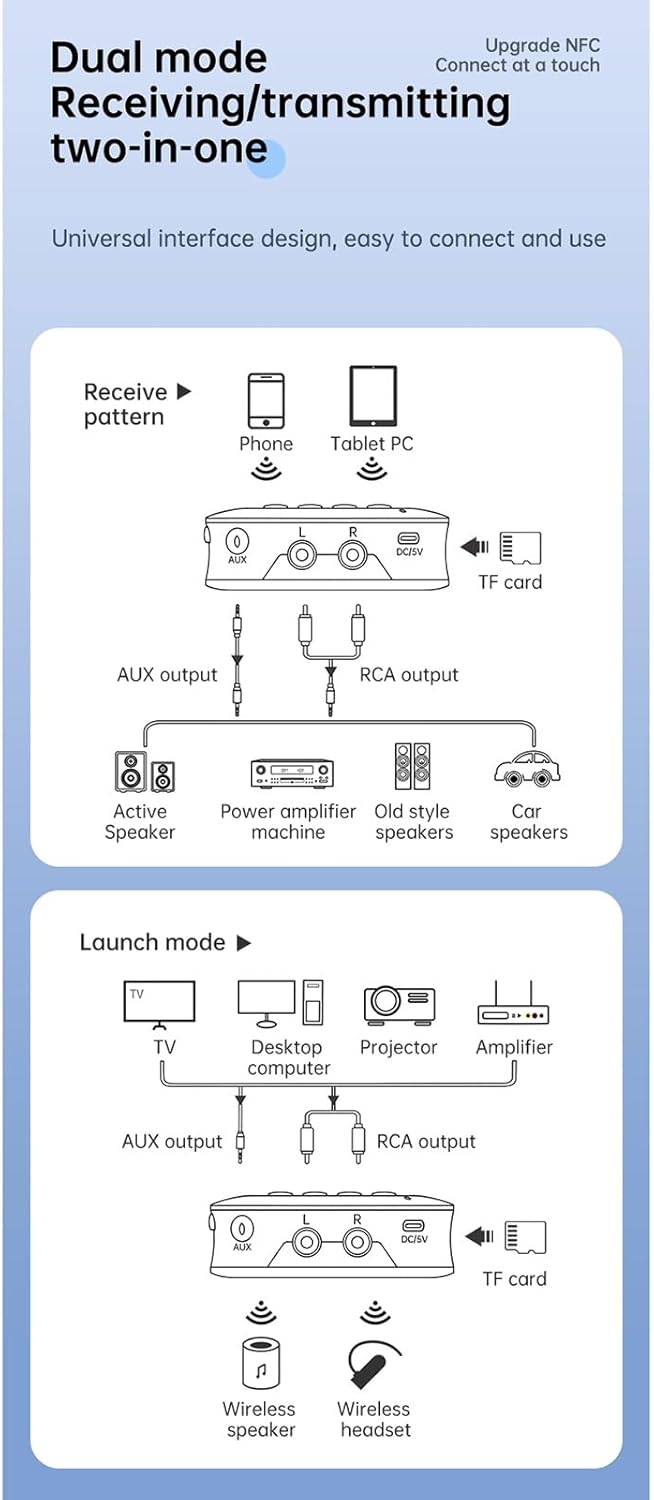
Image: A diagram illustrating the receive (RX) and launch (TX) modes, showing how the adapter connects to various devices like phones, tablets, TVs, speakers, and headphones.
Режим пријемника (РКС):
In RX mode, the adapter receives Bluetooth audio from your smartphone, tablet, or other Bluetooth-enabled device and outputs it to a wired speaker, amplifier, or car stereo system.
- Ensure the adapter is in RX mode.
- Connect the adapter's АУКС ОУТ or РЦА ОУТ port to your non-Bluetooth audio device (e.g., speaker, amplifier) using the appropriate cable.
- On your smartphone or tablet, enable Bluetooth and search for "GT77" in the list of available devices.
- Select "GT77" to pair. Once paired, audio from your device will stream wirelessly to your connected speaker.
Image: The Docooler GT77 adapter in Receiver (RX) mode, connected to a traditional speaker, receiving audio wirelessly from a smartphone.
Режим предајника (ТКС):
In TX mode, the adapter transmits audio from a non-Bluetooth device (like a TV or PC) to Bluetooth headphones or speakers.
- Ensure the adapter is in TX mode.
- Connect your audio source (e.g., TV, desktop computer, projector) to the adapter's АУКС ИН or РЦА ИН port using the appropriate cable.
- Пребаците Bluetooth слушалице или звучник у режим упаривања.
- The adapter will automatically search for and connect to nearby Bluetooth audio devices. Once connected, audio from your source will be transmitted wirelessly.

Image: The Docooler GT77 adapter in Transmitter (TX) mode, connected to a television, sending audio wirelessly to a user's headphones for private listening.
Брзо упаривање помоћу NFC-а:
For NFC-enabled devices, pairing is even faster.
- Уверите се да је NFC омогућен на вашем паметном телефону или таблету.
- Hold your NFC-enabled device close to the NFC area on the Docooler GT77 adapter.
- Потврдите захтев за упаривање на свом уређају.
Note: NFC pairing is primarily for Receiver (RX) mode.
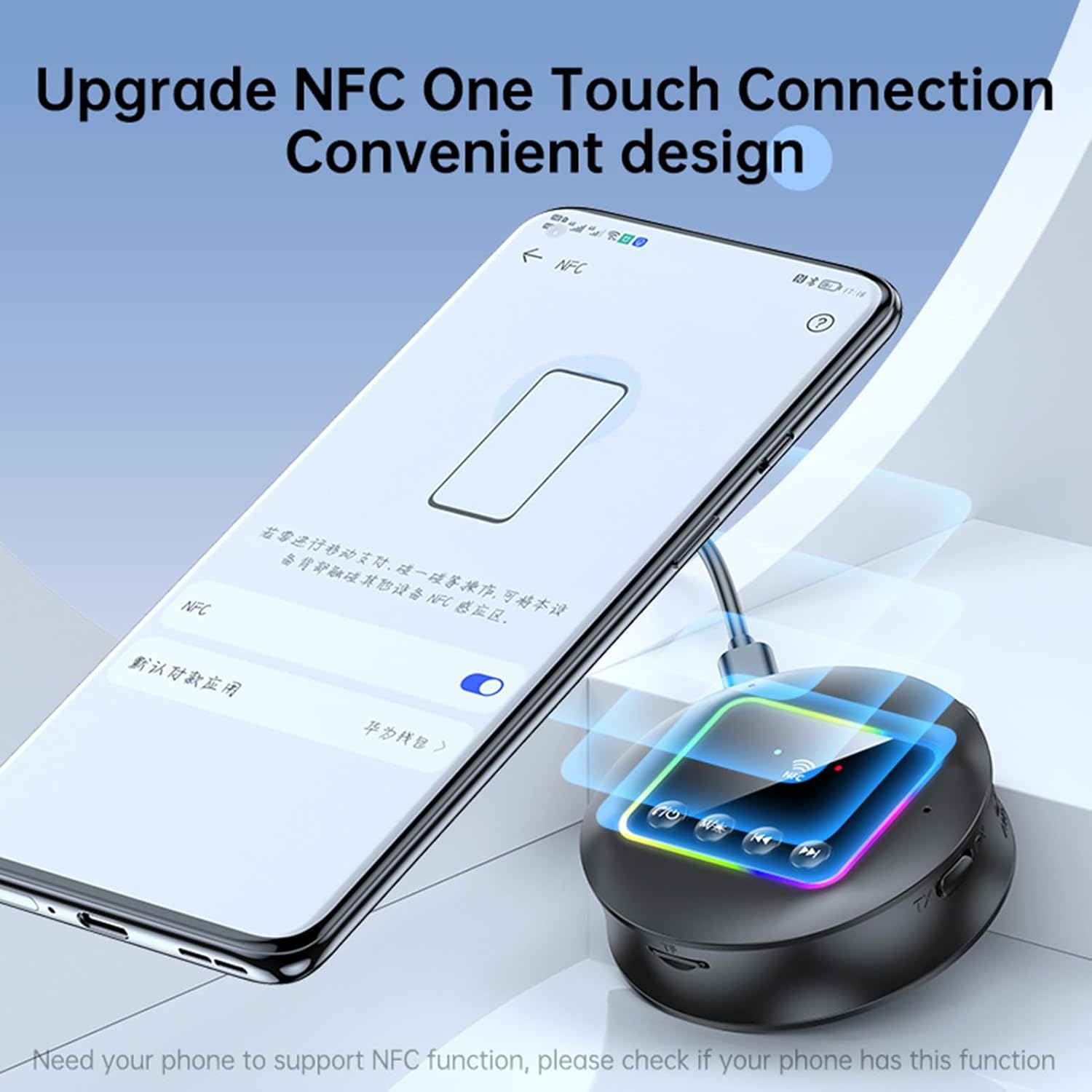
Image: A smartphone displaying an NFC connection prompt, positioned near the Docooler GT77 adapter, demonstrating the NFC quick pairing feature.
Репродукција ТФ картице:
The adapter supports direct music playback from a TF (MicroSD) card.
- Insert a TF card (up to 64GB, not included) loaded with MP3, FLAC, WMA, MAV, or APE audio files into the TF card slot on the adapter.
- Дуго притисните M/☀ button to switch between wireless and TF card playback modes.
- Use the previous/next track buttons on the adapter to navigate your music.

Image: The Docooler GT77 adapter with a TF card being inserted into its dedicated slot, highlighting the TF card playback functionality.
RGB Ambiance Lighting:
The adapter features RGB lighting that can be adjusted to suit your preference. Refer to the device's controls for specific RGB adjustment options (e.g., short press M/☀ button for color cycle, long press for off/on).
Одржавање
- Држите уређај сувим. Влага може оштетити унутрашња кола.
- Не излажите уређај екстремним температурама.
- Очистите уређај меком, сувом крпом. Не користите јаке хемикалије или детерџенте.
- Избегавајте испуштање или излагање уређаја јаким ударима.
Решавање проблема
Нема напајања:
- Ensure the Type-C power cable is securely connected to both the adapter and a working 5V power source.
- Пробајте други УСБ адаптер за напајање или УСБ порт.
Не могу да упарим/повежем:
- Make sure the adapter is in the correct mode (RX for receiving, TX for transmitting).
- Ensure your Bluetooth device (for RX mode) or Bluetooth headphones/speaker (for TX mode) is in pairing mode.
- Приближите уређаје један другом (у кругу од 10 метара).
- Обришите историју упаривања путем Bluetooth-а на уређају и покушајте поново да упарите.
- If using NFC, ensure NFC is enabled on your phone and you are tapping the correct area.
Нема звука:
- Check all audio cable connections (3.5mm AUX, RCA) are secure and correctly plugged into the input/output ports.
- Ensure the volume on both the adapter and the connected audio device is turned up.
- Verify that the adapter is successfully paired and connected to the audio source/receiver.
- If using TF card, ensure the card is inserted correctly and the adapter is in TF card playback mode.
Poor Audio Quality/Interference:
- Смањите растојање између адаптера и повезаног Bluetooth уређаја.
- Avoid physical obstructions (walls, large objects) between the devices.
- Move away from other wireless devices that might cause interference (e.g., Wi-Fi routers, microwaves).
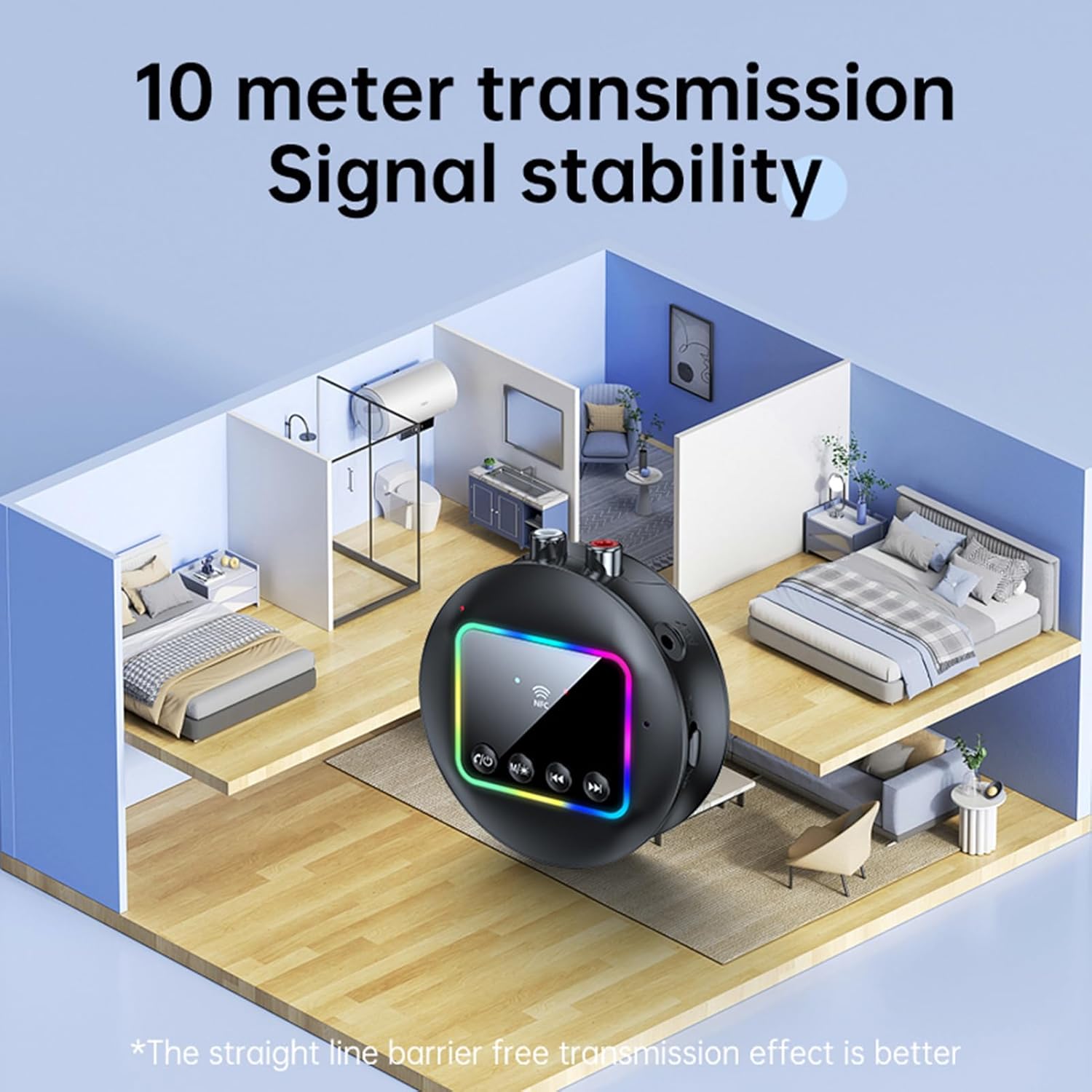
Image: A visual representation of the Docooler GT77's 10-meter transmission range, showing stable signal coverage within a typical home environment.
Спецификације
| Број модела | ZRV0656844287655XH |
| Блуетоотх верзија | В5.4 |
| Блуетоотх протоколи | А2ДП, АВРЦП |
| Оперативна удаљеност | До 10 метара (отворена површина) |
| НФЦ подршка | Да |
| Фреквенцијски одзив | 10Hz - 20kHz |
| Однос сигнала и шума | > 90дБ |
| Подршка за ТФ картицу | Максимално 64 ГБ (није укључено) |
| TF Card Formats | MP3, FLAC, WMA, MAV, APE |
| Аудио кодеци | СБЦ |
| Порт за пуњење | УСБ Типе-Ц |
| Улазни волtagе/Струја | ДЦ 5В 500мА |
| Боја | Црно |
| Dimensions (ϕ x H) | 7.3 цм к 2.2 цм (2.87 ин к 0.86 ин) |
| Тежина | 44г |
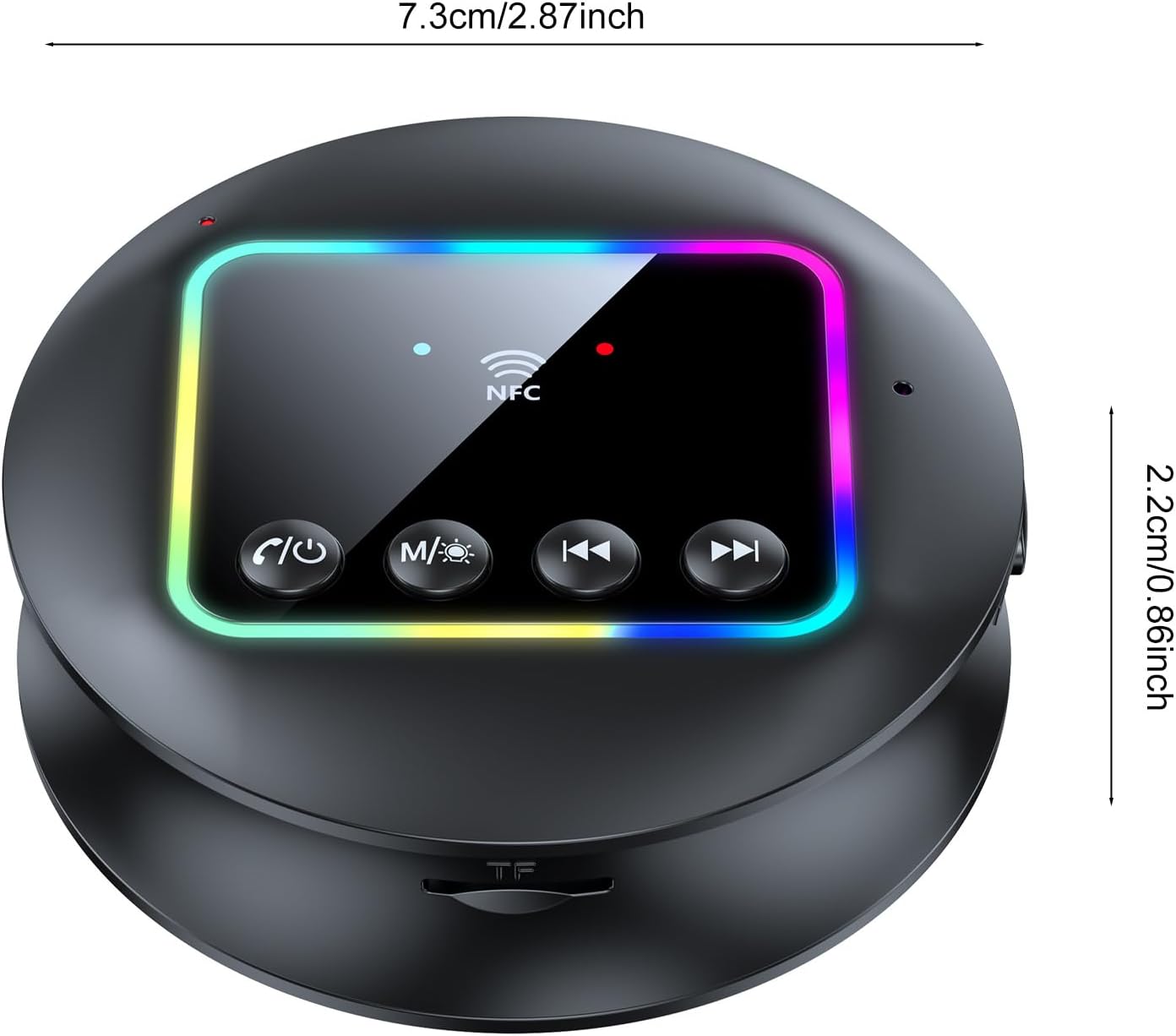
Слика: Одозго надоле view of the Docooler GT77 adapter, showing its compact dimensions of 7.3 cm diameter and 2.2 cm height.
Гаранција и подршка
For warranty information and technical support, please refer to the documentation provided with your purchase or contact your retailer. Keep your proof of purchase for warranty claims.