
Увод
This manual provides detailed instructions for the setup, operation, and maintenance of your Noble Audio FoKus Mystique True Wireless Stereo in-ear headphones. Please read this manual thoroughly before using your device to ensure optimal performance and longevity.

Image: The Noble FoKus Mystique True Wireless Earbuds, showcasing their design and compact form factor.
Видео: Званичник прекоview of the Noble FoKus Mystique True Wireless Stereo earbuds, highlighting key features and design elements.
Садржај пакета
Проверите да ли су све ставке наведене у наставку укључене у паковање вашег производа:
- Noble Audio FoKus Mystique Earphones (1 pair)
- Кутија за пуњење (1 јединица)
- УСБ кабл за пуњење (1 јединица)
- Ear Tips (6 pairs)
- Pouch (1 unit)
- Упутство за употребу (1 јединица)
Сетуп
1. Пуњење уређаја
Before initial use, fully charge the FoKus Mystique earbuds and their charging case. The charging case has a 500mAh battery, providing approximately 4 additional charges for the earbuds.
- Ставите слушалице у кутијицу за пуњење, водећи рачуна да су правилно постављене.
- Connect the USB charging cable to the charging case and a compatible USB power source.
- ЛЕД индикатори на кућишту за пуњење ће се упалити да би показали статус пуњења. Потпуно пуњење је назначено када све ЛЕД диоде стално светле.
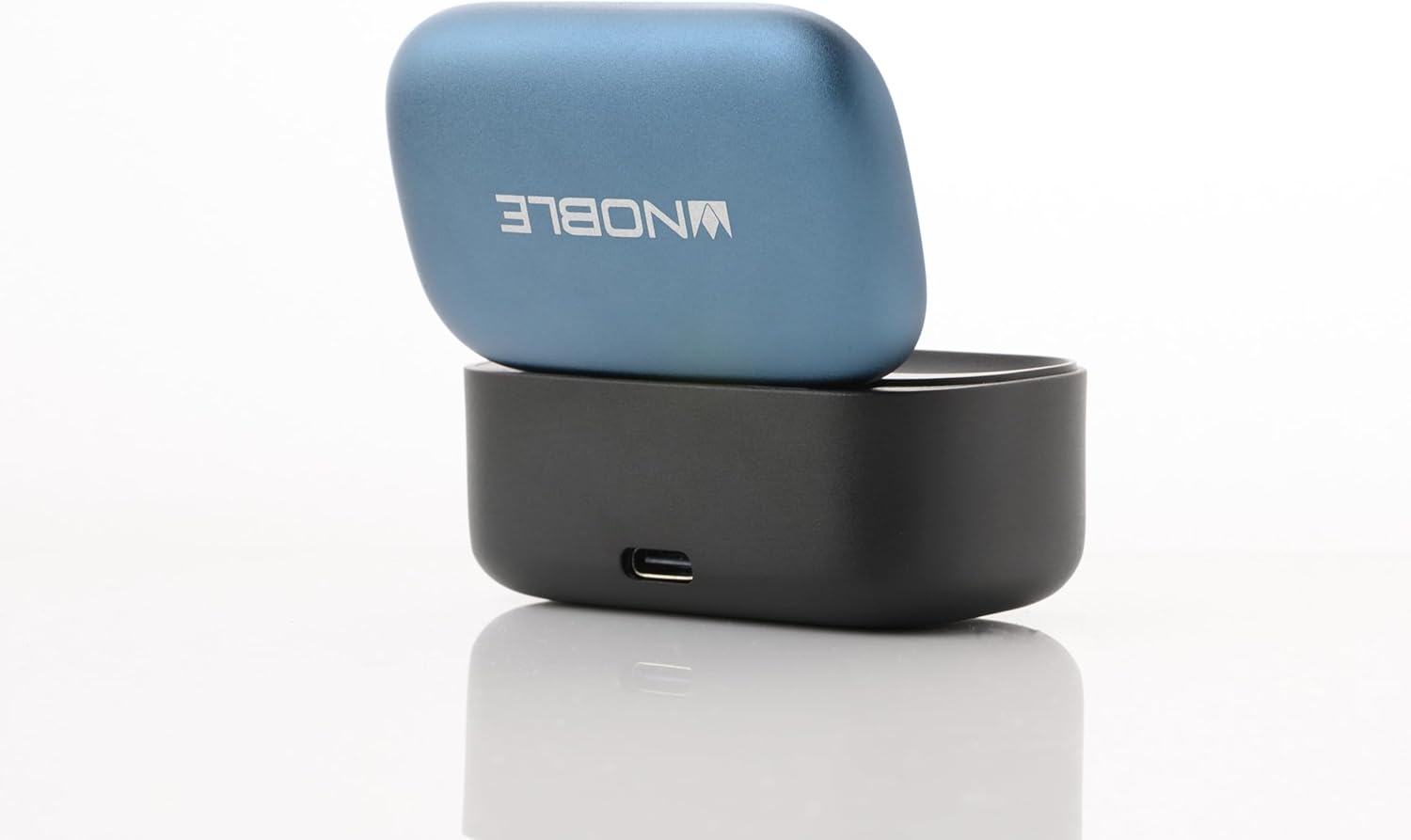
Image: The Noble FoKus Mystique charging case with the lid open, showing the earbuds inside and LED indicators.
2. Упаривање са Блуетоотх уређајем
The FoKus Mystique earbuds utilize Bluetooth 5.2 for stable wireless connectivity.
- Уверите се да су слушалице напуњене и стављене у кућиште за пуњење.
- Open the lid of the charging case. The earbuds will automatically enter pairing mode, indicated by flashing LED lights on the earbuds.
- На уређају који подржава Bluetooth (паметни телефон, таблет итд.), идите на подешавања Bluetooth-а.
- Тражи available devices and select "Noble FoKus Mystique" from the list.
- Once connected, the LED indicators on the earbuds will stop flashing or change to a solid color, depending on the model.
Упутство за употребу
1. Basic Controls (Touch Sensor)
The FoKus Mystique earbuds feature an embedded touch sensor on the faceplate for various functions:

Слика: Крупни план view of a Noble FoKus Mystique earbud, highlighting the touch-sensitive faceplate.
- Једнократни додир: Репродукција/паузирање звука, одговарање/завршавање позива.
- Двапут додирните (десна слушалица): Следећа нумера.
- Двапут додирните (лева слушалица): Претходна нумера.
- Трипле Тап: Активирајте гласовног асистента (Сири, Гугл асистент).
- Дуго притисните: Одбијање долазног позива.
2. Амбијентални режим
The Ambient Mode allows you to hear your surroundings without removing the earbuds. This feature is enabled by the improved microphone placement on the faceplate.
- To activate Ambient Mode, perform a specific touch gesture (refer to the app or quick start guide for exact gesture, typically a long press or specific tap sequence).
- Repeat the gesture to deactivate Ambient Mode.
3. Noble FoKus App
Enhance your listening experience with the FREE "Noble FoKus" app, available on Google Play and Apple's App Store.
- 10-појасни еквилајзер: Прилагодите свог звучног професионалцаfile with various presets or create your own.
- Hearing Test Function: Personalize EQ settings based on your individual hearing profile for an optimized audio experience.
Одржавање
1. Чишћење
Редовно чишћење помаже у одржавању квалитета звука и хигијене.
- Нежно обришите слушалице и кућиште за пуњење меком, сувом крпом која не оставља влакна.
- Remove ear tips and clean them separately with mild soap and water, then dry thoroughly before reattaching.
- Не користите абразивна средства за чишћење, алкохол или хемијске раствараче.
2. Складиштење
Када се не користе, чувајте слушалице у њиховој футроли за пуњење како бисте их заштитили и осигурали да остану напуњене.
- Избегавајте излагање уређаја екстремним температурама, влажности или директној сунчевој светлости.
- Чувати ван домашаја деце и кућних љубимаца.
Решавање проблема
If you encounter issues with your FoKus Mystique earbuds, refer to the common solutions below:
| Проблем | Решење |
|---|---|
| Слушалице се не укључују. | Ensure the earbuds and charging case are fully charged. Place earbuds in the case and close the lid, then open again. |
| Упаривање са уређајем није могуће. |
|
| Нема звука или се чује повремени звук. |
|
| Кућиште за пуњење се не пуни. |
|
Спецификације
| Феатуре | Детаљ |
|---|---|
| Назив модела | FoKus Mystique |
| Технологија повезивања | бежични (Блуетоотх) |
| Блуетоотх верзија | 5.2 |
| Подржани аудио кодеци | SBC, AAC, APTX, APTX adaptive |
| Тип аудио драјвера | Hybrid Driver (8.2mm dynamic + 2 Knowles balanced armature) |
| Контрола буке | Звучна изолација |
| Посебне карактеристике | Ambient Mode, Personalized EQ via Hearing Test (via app) |
| Контролни метод | Додирните |
| Трајање батерије (слушалице) | Прибл. 7.5 сати (при 50% запремине) |
| Батерија кућишта за пуњење | 500mAh (provides 4 extra charges) |
| Материјал | Метал, Пластика |
| Тежина артикла | 8.3 унци |
| Ниво отпорности на воду | Није водоотпоран |
| Компатибилни уређаји | Smartphones, Tablets, Laptops, Desktops, Smart Speakers, Telephones |
Гаранција и подршка
Noble Audio products are manufactured with high-quality standards. For information regarding warranty coverage, please refer to the warranty card included in your product packaging or visit the official Noble Audio webсајту.
For technical support, troubleshooting assistance beyond this manual, or service inquiries, please contact Noble Audio customer support through their official channels.