
Увод
This manual provides essential instructions for setting up, operating, maintaining, and troubleshooting your Maxtang Mini PC T0 Series, model MTN-T08845HS. Please read this manual thoroughly before using the device to ensure proper functionality and longevity.
The Maxtang T0-8845HS is a compact mini PC featuring the AMD Ryzen 7 8845HS processor, designed for various computing tasks including business and multimedia applications. It supports high-speed DDR5 memory and NVMe SSD storage, along with extensive connectivity options.
Шта је укључено
Након распакивања, проверите да ли су присутне све следеће ставке:
- 1x Maxtang Mini PC (MTN-T08845HS)
- 1к ХДМИ кабл
- 1к адаптер за напајање
- 1к кабл за напајање
- 1x VESA Mount
- 4x zavrtnja za montažu
- 1x Product Manual (this document)
Упутства за подешавање
1. Повезивање периферних уређаја
Connect your monitor, keyboard, and mouse to the appropriate ports on the mini PC. Refer to the port diagram below for identification.
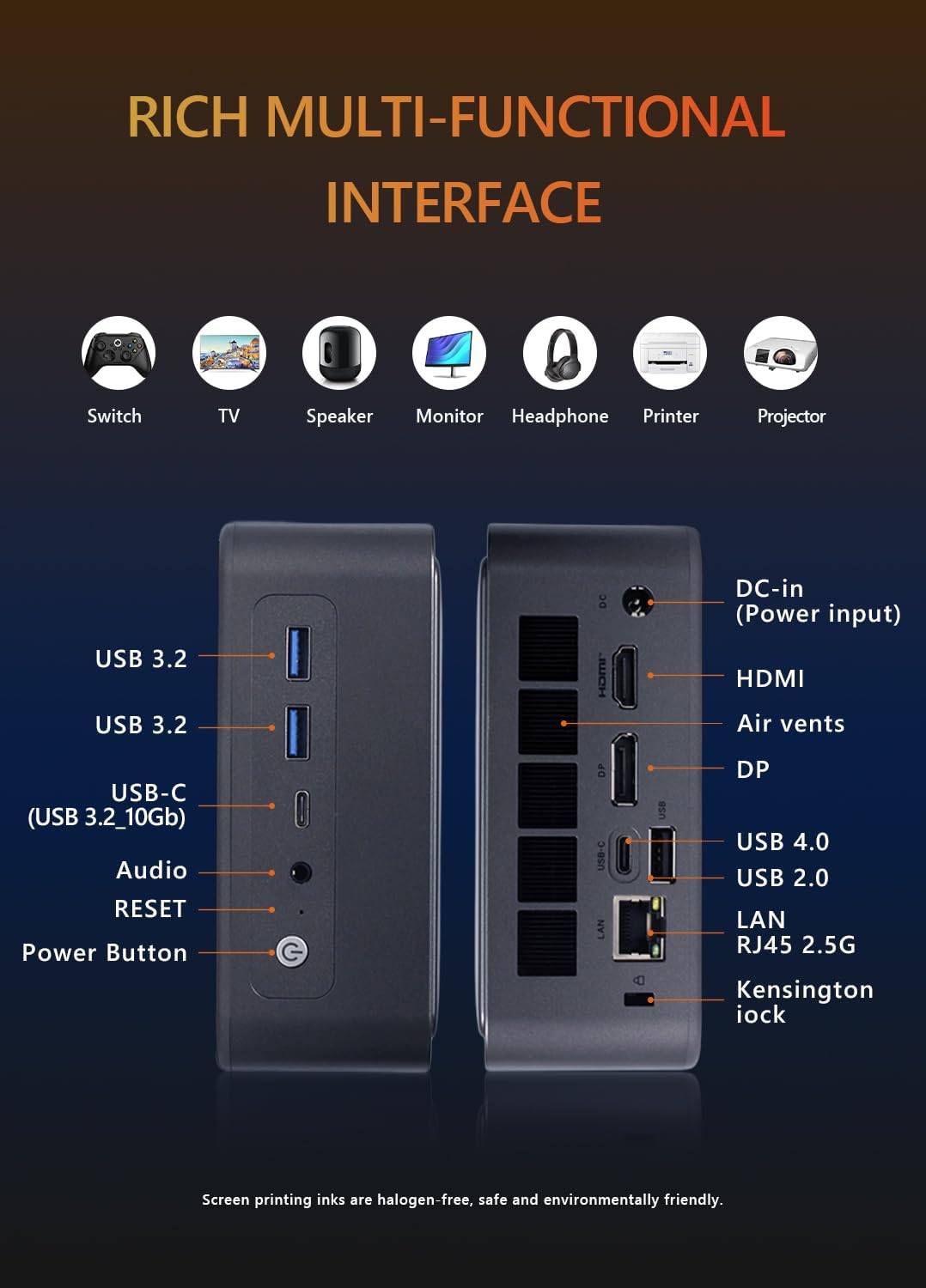
слика: Предње и задње view of the Maxtang Mini PC T0 Series, illustrating all available ports including USB, HDMI, DisplayPort, USB-C, LAN, and audio jack.
- Приказ: Connect your monitor using the HDMI, DisplayPort (DP), or USB4 (USB-C) ports. The system supports up to three displays simultaneously.
- УСБ уређаји: Connect your keyboard, mouse, and other USB devices to the available USB 3.2, USB 2.0, or USB-C ports.
- Мрежа: For a wired connection, connect an Ethernet cable to the 2.5GbE LAN port.
- аудио: Use the 2-in-1 CTIA audio jack for headphones or speakers.
2. Прикључак за напајање
Connect the power adapter to the DC-in port on the mini PC, then plug the power cord into an electrical outlet.
3. Укључивање
Press the power button located on the front of the device. The system will boot up, and the operating system (Windows 11 Pro) will load.
4. VESA Mount Installation (Optional)
The included VESA mount allows you to attach the mini PC to the back of a compatible monitor or to a wall mount. Use the provided mounting screws to secure the VESA bracket to your desired location, then slide the mini PC onto the bracket.
Упутство за употребу
1. Initial Operating System Setup
Upon first boot, follow the on-screen instructions to complete the Windows 11 Pro setup, including language selection, network configuration, and user account creation.
2. Multi-Monitor Configuration
The Maxtang Mini PC supports up to three independent displays. Connect your monitors to the HDMI, DisplayPort, and USB4 ports. Once connected, Windows will automatically detect the displays. You can configure display settings (e.g., extend, duplicate) via the Display Settings in Windows.
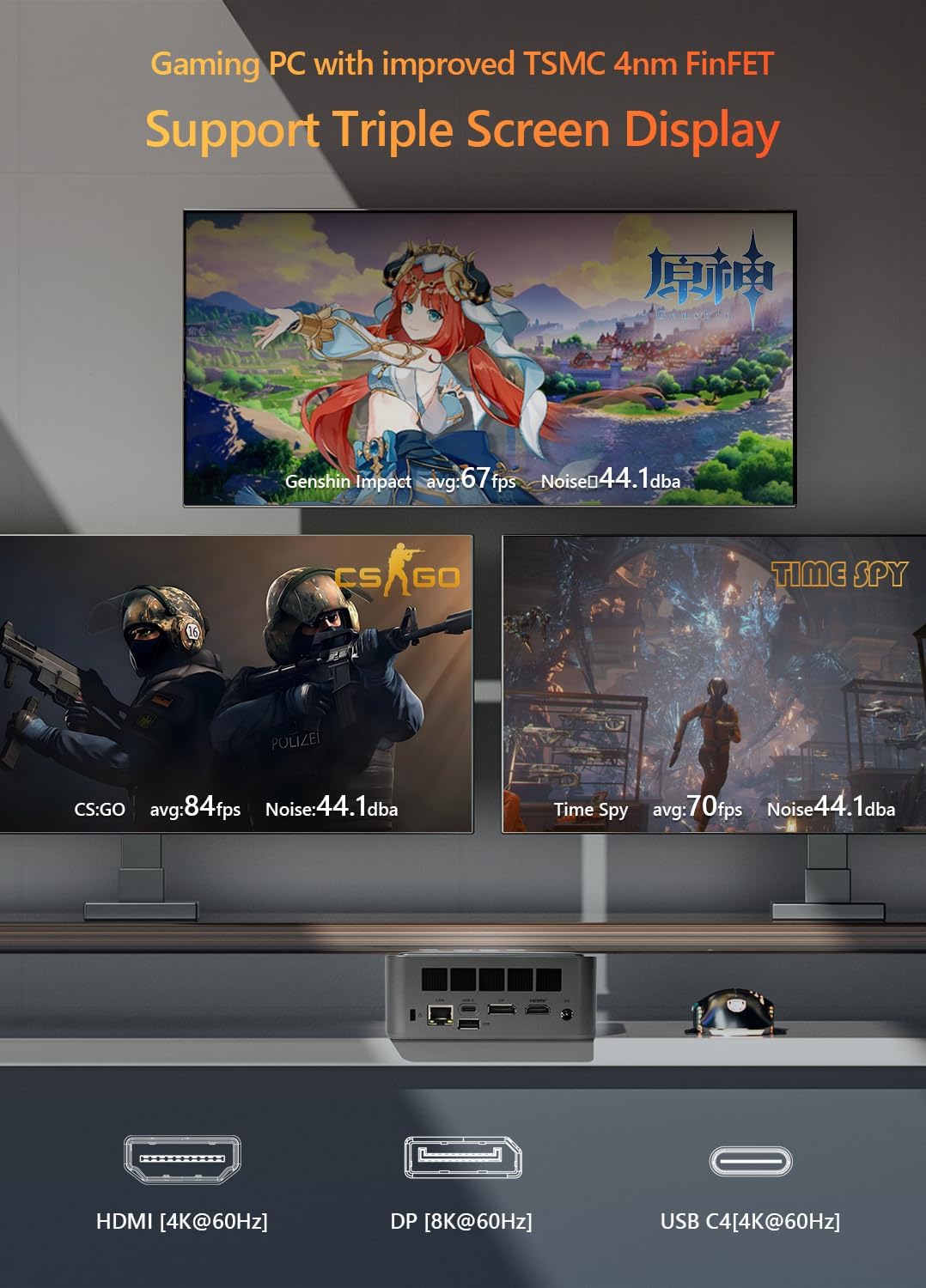
слика: The Maxtang Mini PC T0 Series connected to three monitors, demonstrating its triple screen display capability via HDMI, DisplayPort, and USB-C (USB4).
3. Мрежна повезаност
- Жични ЛАН: Connect an Ethernet cable to the 2.5GbE LAN port for a high-speed wired network connection.
- Ви-Фи: The mini PC supports Wi-Fi 6. To connect to a wireless network, go to Windows Settings > Network & Internet > Wi-Fi, select your network, and enter the password.
- Блуетоотх: The device includes Bluetooth 5.2. To pair Bluetooth devices, go to Windows Settings > Bluetooth & devices > Add device.

слика: Illustration of the Maxtang Mini PC T0 Series connected to a network via 2.5GbE LAN, highlighting Wi-Fi 6 and Bluetooth 5.2 capabilities.
Одржавање
1. Чишћење
Regularly clean the exterior of the mini PC with a soft, dry cloth. Use compressed air to clear dust from the air vents to ensure proper airflow and prevent overheating. Do not use liquid cleaners directly on the device.
2. Ажурирања софтвера
Keep your Windows 11 Pro operating system and device drivers updated to ensure optimal performance and security. You can check for updates via Windows Update in Settings.
3. Надоградње хардвера
The Maxtang Mini PC T0 Series supports upgrades for RAM and storage.
- РАМ: The device supports up to 96GB of dual-channel SO-DIMM DDR5 memory. Ensure compatible memory modules are used for upgrades.
- Складиштење: The mini PC features two M.2 2280 NVMe slots, supporting PCIe Gen4 x4 SSDs.
Опрез: Opening the device for upgrades may void your warranty if not performed correctly. Consult professional assistance if you are unsure.
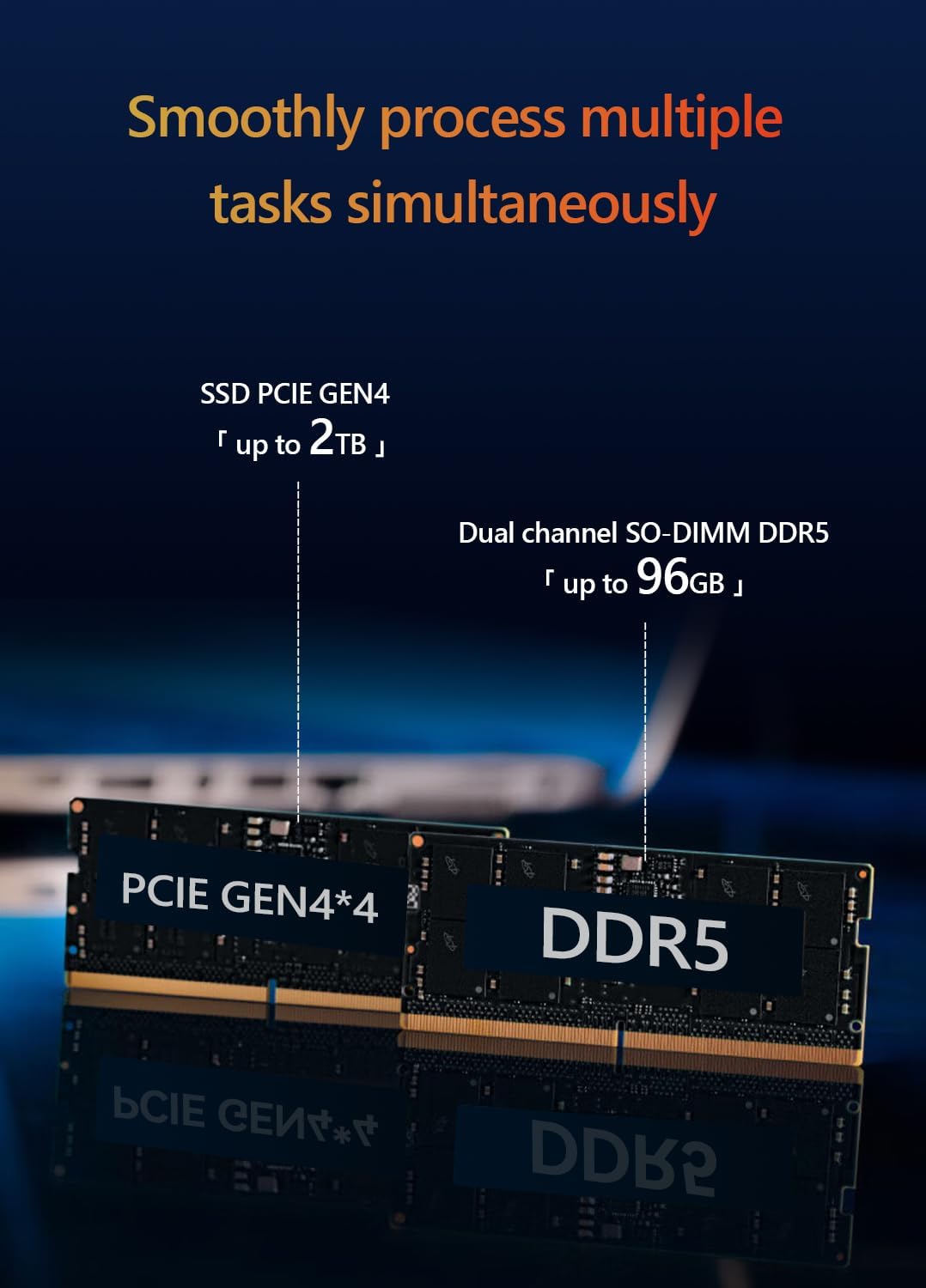
слика: Унутрашње view of the Maxtang Mini PC T0 Series, showing the dual-channel DDR5 SO-DIMM slots and M.2 2280 NVMe SSD slots, indicating upgrade potential.
Решавање проблема
If you encounter issues with your Maxtang Mini PC, refer to the following common solutions:
- Нема напајања:
- Ensure the power adapter is securely connected to both the mini PC and a working electrical outlet.
- Verify the power cord is properly connected to the power adapter.
- Покушајте са другом утичницом.
- Без приказа:
- Check that the monitor is powered on and the correct input source is selected.
- Ensure the HDMI, DisplayPort, or USB4 cable is securely connected to both the mini PC and the monitor.
- Try connecting to a different display port or using a different cable.
- Нема мрежне везе (жичана):
- Verify the Ethernet cable is securely connected to the LAN port on the mini PC and your router/modem.
- Check your router/modem for proper operation.
- Restart the mini PC and your network equipment.
- Без Wi-Fi/Bluetooth-а:
- Ensure Wi-Fi and Bluetooth are enabled in Windows Settings.
- Check for updated wireless drivers.
- Поново покрените мини рачунар.
- Систем не реагује:
- Press and hold the power button for 5-10 seconds to force a shutdown, then restart the PC.
- Лоцирајте РЕСЕТ pinhole button (refer to the port diagram) and use a paperclip to press it if the system is completely unresponsive. This will restart the device.
Спецификације
| Модел | MTN-T08845HS |
| Процесор | AMD Ryzen™ 7 8845HS (8 Cores/16 Threads, up to 5.1GHz, 16MB L3 Cache) |
| Графика | AMD Radeon™ 780M (Integrated) |
| Меморија (РАМ) | DDR5 SO-DIMM (5600MHz, up to 96GB, 16GB installed) |
| Складиштење | M.2 2280 NVMe SSD (PCIe Gen4 x4, 512GB installed, 2 slots available) |
| Оперативни систем | Виндовс 11 Про (64-бит) |
| Видео Оутпут | 1x HDMI [4K@60Hz], 1x DisplayPort [8K@60Hz], 1x USB4 [4K@60Hz] (Triple Display Support) |
| УСБ портови | 2x USB 3.2, 1x USB 2.0, 1x USB-C (USB 3.2 10Gb), 1x USB-C (USB4 40Gbps) |
| Мрежа | 1x 2.5GbE RJ45 LAN, Wi-Fi 6, Bluetooth 5.2 |
| Аудио | 1x 2-in-1 CTIA Audio Jack |
| Безбедност | Кенсингтон Лоцк Слот |
| Димензије | 127 mm x 135 mm x 55 mm (Approximate) |
| Боја | Shell White |

слика: Детаљно view of the AMD Ryzen 7 8845HS processor, highlighting its specifications like 8 cores/16 threads and 5.1 GHz boost clock.

слика: Visual representation of the AMD Radeon 780M integrated graphics, showing its performance metrics and display output capabilities.
Гаранција и подршка
Информације о гаранцији
The Maxtang Mini PC T0 Series comes with a 12-месечна гаранција на производ from the date of purchase. This warranty covers manufacturing defects and ensures the product meets its specified performance. Please retain your proof of purchase for warranty claims.
Корисничка подршка
For technical assistance, troubleshooting beyond this manual, or warranty inquiries, please contact Maxtang customer service. Refer to the official Maxtang webвеб-сајт или вашу документацију о куповини за актуелне контакт податке.