
1. Увод
Хвала вам на куповиниasing the KTC 24-inch WQHD 100Hz IPS Monitor. This manual provides essential information for the safe and efficient use of your new monitor. Please read it thoroughly before use and keep it for future reference.
This monitor features a 24-inch IPS panel with WQHD (2560x1440) resolution, offering stunning visual clarity and vibrant colors with 122% sRGB coverage. A 100Hz refresh rate and FreeSync & G-Sync compatibility ensure smooth, tear-free visuals, ideal for both office work and casual gaming. Advanced eye care technologies, including blue light reduction and flicker-free operation, provide a comfortable viewing experience even during extended use. The monitor also supports HDR10 for enhanced dynamic range and features flexible connectivity options with HDMI and DisplayPort.
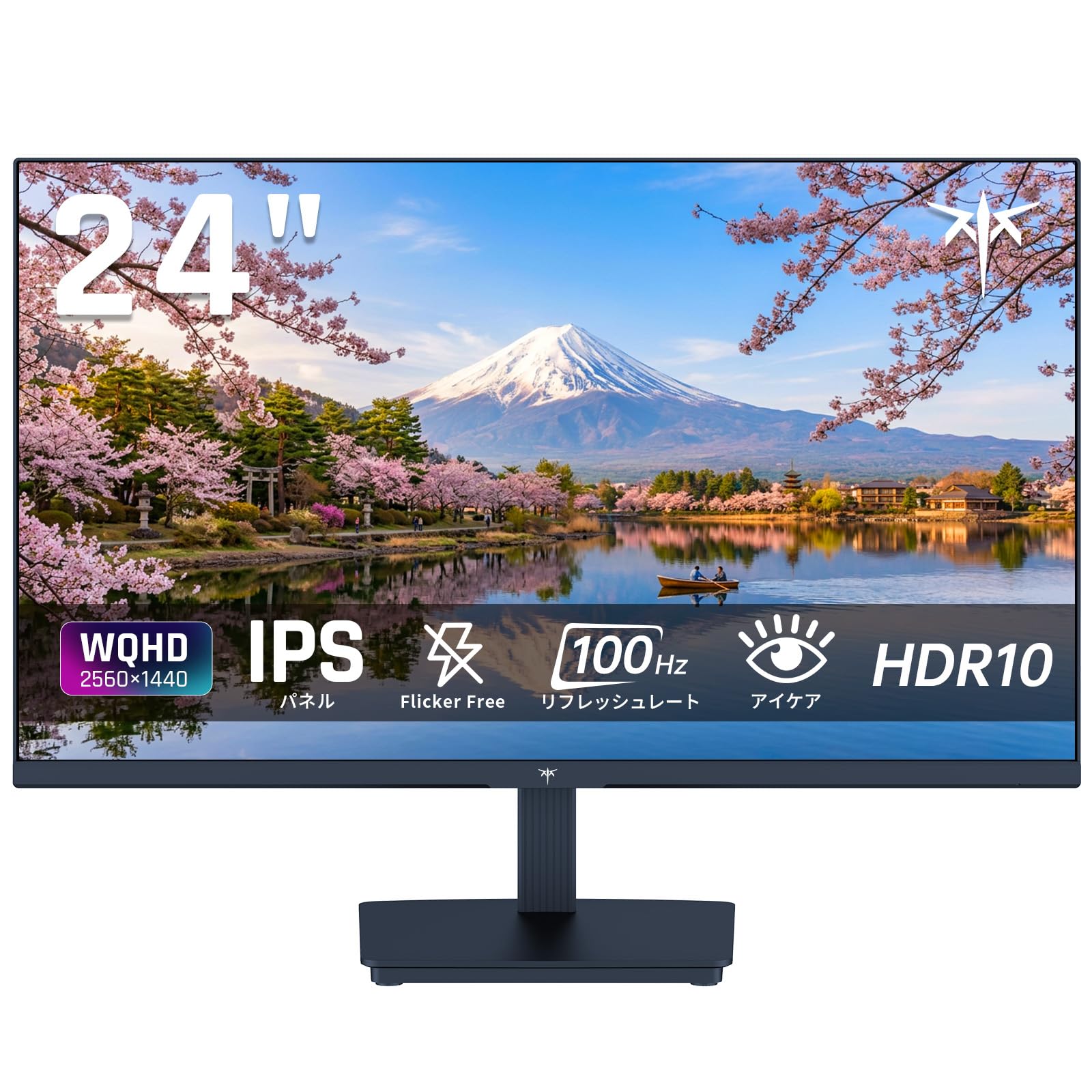
Image: KTC 24-inch WQHD 100Hz IPS Monitor.
2. Безбедносне информације
Please observe the following safety precautions to prevent damage to the monitor or injury to yourself or others:
- Не излажите монитор киши, влази или екстремним температурама.
- Обезбедите одговарајућу вентилацију око монитора да бисте спречили прегревање.
- Користите само адаптер за напајање који се испоручује са монитором.
- Избегавајте стављање тешких предмета на кабл за напајање или монитор.
- Do not attempt to disassemble or repair the monitor yourself. Contact qualified service personnel.
- Држите монитор даље од јаких магнетних поља.
3. Садржај пакета
Проверите да ли су све ставке присутне у пакету:
- KTC 24-inch WQHD 100Hz IPS Monitor (H24T27)
- Монитор Басе
- ХДМИ кабл
- Повер Адаптер
- Упутство за употребу
4. Подешавање
4.1 Састављање постоља
- Пажљиво извадите монитор и постоље из паковања.
- Причврстите врат постоља на панел монитора.
- Secure the base to the stand neck using the provided screws.
4.2 Повезивање монитора
Повежите монитор са рачунаром или другим уређајима помоћу одговарајућих каблова.
- Прикључак за напајање: Connect the power adapter to the monitor's DC input and then plug it into a power outlet.
- Видео веза: Use the supplied HDMI cable or a DisplayPort cable to connect your computer's video output to the corresponding port on the monitor.
- Аудио излаз: If desired, connect headphones or external speakers to the 3.5mm audio output jack.

Image: Close-up of the KTC monitor's rear ports, including DC power, HDMI, DisplayPort, and audio out.
5. Упутство за употребу
5.1 Укључивање/искључивање
Притисните дугме за напајање које се налази на монитору да бисте га укључили или искључили.
5.2 Приказ на екрану (ОСД) мени
The OSD menu allows you to adjust various monitor settings. Use the control buttons (usually located on the back or bottom of the monitor) to navigate the menu and make selections.
5.3 Подешавања екрана
- Резолуција: The monitor supports WQHD (2560x1440) resolution for sharp and detailed images. Ensure your graphics card is set to this resolution for optimal display.
- Брзина освежавања: Enjoy smooth visuals with a 100Hz refresh rate. This can be configured in your operating system's display settings.
- Гамут боја: The monitor offers 122% sRGB coverage for rich and accurate colors.

Image: KTC monitor highlighting key features like IPS panel, 100Hz, WQHD, 24-inch, Adaptive Sync, and blue light reduction.

Image: Comparison of WQHD (2560x1440) and FHD (1920x1080) resolutions, demonstrating enhanced detail with WQHD.

Image: Comparison of 100Hz and 60Hz refresh rates, showing smoother motion with 100Hz.
5.4 Adaptive Sync (FreeSync & G-Sync)
The monitor supports both FreeSync and G-Sync technologies to eliminate screen tearing and stuttering, providing a fluid gaming experience. Ensure this feature is enabled in your graphics card settings and the monitor's OSD.

Image: Monitor display showing HDR10 content on one side and standard HDR on the other, along with FreeSync & G-Sync comparison (ON/OFF).
5.5 Карактеристике неге очију
The monitor includes Flicker-Free technology and a Blue Light Reduction mode to minimize eye strain during prolonged use. These settings can be adjusted via the OSD menu.

Image: KTC monitor displaying eye care features: Low Blue Light (ON/OFF) and Flicker-Free (ON/OFF).
5.6 Подршка за HDR10
This monitor supports HDR10, providing a wider range of colors and contrasts for a more immersive viewing experience. Ensure HDR is enabled in your device's display settings for compatible content.
5.7 Подесиво постоље
The monitor stand allows for tilt adjustment from -5° to 15°, enabling you to find the most comfortable viewугао уласка.

Слика: Са стране view of the KTC monitor demonstrating the tilt-adjustable stand (-5° to 15°).
5.8 Виде Viewинг Англе
The IPS panel provides a wide 178-degree viewing angle, ensuring consistent color and image quality from almost any perspective.

Image: KTC monitor showcasing a wide 178-degree viewing angle with consistent color.
6. Одржавање
6.1 Чишћење монитора
- Увек искључите монитор пре чишћења.
- Лагано користите меку крпу која не оставља длачице дampводом или благим, неабразивним средством за чишћење екрана.
- Не прскајте средство за чишћење директно на екран.
- Избегавајте употребу јаких хемикалија или абразивних материјала.
6.2 Општа нега
- Keep the monitor in a clean, dry environment.
- Заштитите екран од оштрих предмета.
- When moving the monitor, handle it carefully and avoid putting pressure on the screen.
КСНУМКС. Решавање проблема
Ако наиђете на проблеме са монитором, погледајте следеће уобичајене проблеме и решења:
| Проблем | Могуће решење |
|---|---|
| Нема слике на екрану | Check power connections. Ensure video cable is securely connected to both monitor and computer. Select correct input source via OSD. |
| Слика је мутна или искривљена | Ensure the display resolution is set to 2560x1440. Check video cable for damage. |
| Цепање или замуцкивање екрана | Verify FreeSync/G-Sync is enabled in both monitor OSD and graphics card settings. |
| Нема звука из слушалица/звучника | Check audio cable connection. Ensure volume is not muted on monitor or computer. |
| Монитор се не укључује | Check power outlet and power adapter connection. Try a different power outlet. |
If the problem persists after trying these solutions, please contact KTC customer support.
8. Спецификације
Detailed technical specifications for the KTC H24T27 monitor:
| Феатуре | Спецификација |
|---|---|
| Бранд | КТЦ |
| Број модела | Х24Т27 |
| Величина екрана | 24 инча |
| Резолуција | WQHD (2560 x 1440 pixels) |
| Аспецт Ратио | 16:9 |
| Панел Типе | ИПС |
| Површина екрана | Без одсјаја |
| Рефресх Рате | 100 Хз |
| Време одговора | 7 мс |
| Однос контраста | 1300:1 |
| Осветљеност | 300 цд/м² |
| Гамут боја | 122% сРГБ |
| Viewинг Англе | 178 степени |
| ХДР технологија | ХДР10 |
| Адаптиве Синц | FreeSync, G-Sync |
| Повезивање | 1x HDMI, 1x DisplayPort, аудио излаз |
| Потрошња енергије | 12 Ваттс |
| Волtage | 100 Волтс |
| Димензије (Д к Ш к В) | 18.3 к 54 к 40.5 цм |
| Додатне карактеристике | Adaptive Sync, Eye Care, Flicker-Free, Blue Light Filter, Tilt Adjustment |
| Компатибилни уређаји | Game Consoles, Laptops |
| Боја | Црно |
| Облик | Стан |
| Порекло | Кина |
9. Гаранција и подршка
9.1 Информације о гаранцији
Your KTC monitor comes with a Двогодишња гаранција произвођача. In the event of a product defect, a free replacement will be provided. Please note that this warranty does not cover loss or damage caused by customer negligence.

Image: KTC's 3-year free replacement warranty details and contact information.
9.2 Корисничка подршка
For any inquiries or concerns, please feel free to contact us. We are committed to providing full support to ensure your satisfaction.
Телефон: 050-3606-8990
Емаил: суппорт@ктцплаи.цом
You can also contact support through Amazon:

Image: Step-by-step guide on how to contact customer support via Amazon.
10. Производ је готовview Видео
Погледајте овај видео за визуелни прегледview of the KTC QHD computer monitor and its features.
Video: This video showcases the KTC QHD computer monitor, highlighting its 2560x1440 (2K) resolution, 100Hz refresh rate, FreeSync and G-Sync compatibility, flicker-free and low blue light features, 8-bit & 116% sRGB color gamut, 3-side frameless design, -5° to 15° tilt adjustable stand, and available sizes (24, 27, 32 inches). It emphasizes its suitability for professional office use.