
styletech STY-MK200-US
MK200 Wireless Keyboard and Mouse Bundle User Manual
Brand: styletech | Model: STY-MK200-US
Увод
Thank you for choosing the styletech MK200 Wireless Keyboard and Mouse Bundle. This manual provides essential information for setting up, operating, maintaining, and troubleshooting your new wireless peripheral set. Designed for seamless compatibility with Windows PCs, this bundle offers a comfortable and efficient user experience with its ergonomic design and reliable 2.4G wireless connection.

Image: The MK200 Wireless Keyboard and Mouse Bundle, shown in its retail packaging, highlighting its wireless capabilities and PC compatibility.
Садржај пакета
Молимо вас да се уверите да су све ставке присутне у вашем пакету:
- 1 x styletech MK200 Wireless Keyboard
- 1 x styletech Wireless Mouse
- 1 x USB 2.4G Wireless Receiver (dongle)
- 3 x AA батерије (унапред инсталиране или укључене засебно)
- 1 x Упутство за употребу (овај документ)

Image: The styletech MK200 Wireless Keyboard and Mouse, displayed side-by-side, illustrating their design and compact form factor.
Водич за подешавање
- Уметните батерије:
Locate the battery compartments on the underside of both the keyboard and the mouse. Insert the included AA batteries, ensuring correct polarity (+/-). The keyboard requires 2 AA batteries, and the mouse requires 1 AA battery.
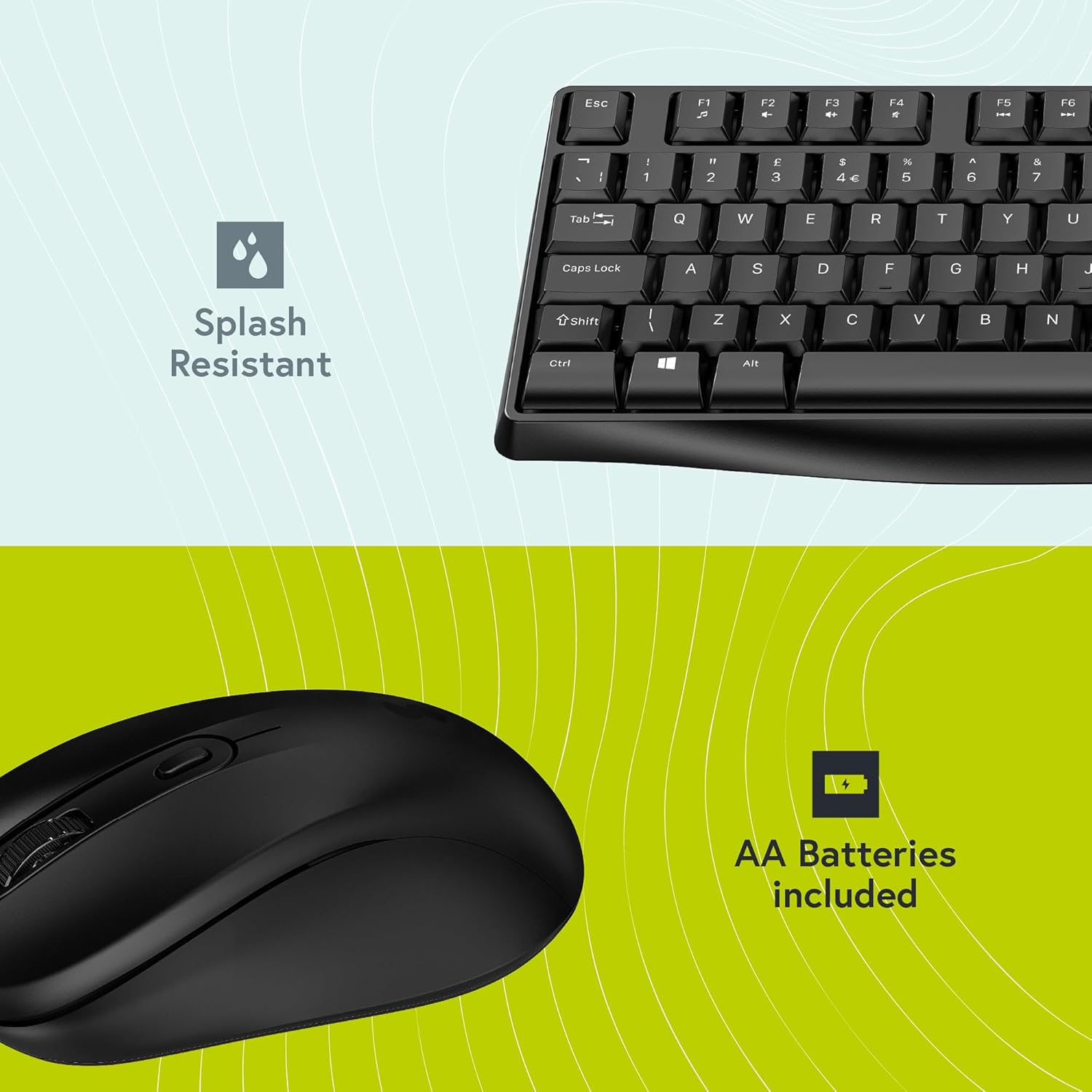
Image: A visual representation highlighting that AA batteries are included and the product's splash-resistant design.
- Повежите УСБ пријемник:
The USB 2.4G wireless receiver (dongle) is typically stored in the battery compartment of the mouse for safekeeping. Remove the dongle and plug it into an available USB port on your Windows PC. No drivers are required; the system will automatically detect and install the necessary components.
- Укључено:
Ensure the power switch on the underside of the mouse is set to the "ON" position. The keyboard does not typically have a separate power switch and will activate once batteries are inserted and the dongle is connected.
- Потврдите везу:
Once the dongle is connected and devices are powered on, they should automatically pair. Test the keyboard by typing and the mouse by moving the cursor to confirm functionality. If connection issues occur, refer to the Troubleshooting section.
Упутство за употребу
Карактеристике тастатуре:
- Full-Size Layout with Numpad: The keyboard features a standard full-size layout, including a dedicated numeric keypad for efficient data entry.
- Sculpted Keys: Keys are designed with a sculpted profile to provide a comfortable and ergonomic typing experience, reducing strain during extended use.
- Splash Resistant Design: Built to withstand minor spills, offering enhanced durability and protection against accidental liquid damage.

Слика: Одозго надоле view of the styletech MK200 Wireless Keyboard, showcasing its full-size layout and sculpted keys.

Image: This image highlights the full-size layout with a numeric keypad and the ergonomic design of the keyboard and mouse.
Карактеристике миша:
- Дизајн са 3 дугмади: The mouse features standard left, right, and scroll wheel buttons for intuitive navigation.
- 1600 DPI Sensor: Provides smooth and precise cursor control, suitable for various tasks.
- Амбидекстрални дизајн: Symmetrically shaped for comfortable use by both right-handed and left-handed users.

Слика: Одозго надоле view of the styletech MK200 Wireless Mouse, showing its 3-button layout and scroll wheel.

Image: This image emphasizes the 1600 DPI precision of the mouse and the sculpted key design of the keyboard for comfortable typing.
Одржавање
- Чишћење:
To clean your keyboard and mouse, gently wipe surfaces with a soft, damp cloth. For stubborn dirt, a mild cleaning solution can be used sparingly. Avoid excessive moisture, especially near keycaps and optical sensors. The keyboard's splash resistance protects against minor spills, but it is not waterproof.
- Замена батерије:
When the keyboard or mouse performance degrades (e.g., lag, unresponsive keys/cursor), it may be time to replace the batteries. Open the battery compartments on the underside of each device and replace the old AA batteries with new ones, observing correct polarity.
- Складиштење:
If storing the devices for an extended period, it is recommended to remove the batteries to prevent leakage and potential damage. Store in a cool, dry place.
Решавање проблема
| Проблем | Могући узрок | Решење |
|---|---|---|
| Тастатура/миш не реагује |
|
|
| Кашњење или повремена веза |
|
|
| Курсор миша је неправилан или се не креће глатко |
|
|
Спецификације
| Феатуре | Детаљ |
|---|---|
| Број модела | STY-MK200-US |
| Бранд | styletech |
| Повезивање | 2.4G Wireless (USB Dongle) |
| Компатибилни уређаји | Personal Computer (Windows Compatible) |
| Тип тастатуре | Full-size with Numpad, Sculpted Keys, Splash Resistant |
| Тип миша | 3-Button, 1600 DPI, Ambidextrous Design |
| Боја | Црно |
| Батерије | 3 AA batteries required (2 for keyboard, 1 for mouse) - included |
| Тежина артикла | 1.3 фунте (приближно) |
| Димензије пакета | 20.16 к 5.87 к 1.65 инча |
| Произвођач | АБП технологија |
Гаранција и подршка
The styletech MK200 Wireless Keyboard and Mouse Bundle comes with a standard manufacturer's warranty. For specific warranty terms and conditions, please refer to the warranty card included with your product or visit the official styletech webсајту.
If you encounter any issues not covered in the Troubleshooting section or require further assistance, please contact styletech customer support. Contact information can typically be found on the product packaging, the official brand webсајту или преко вашег продавца.
Please have your product model number (STY-MK200-US) and purchase details ready when contacting support.
Ask a question about this manual
Ask about setup, troubleshooting, compatibility, parts, safety, or missing instructions. Manuals+ will review the question and use this page’s manual context to help answer it.