
Увод
Thank you for choosing the CREATE Speaker Retro. This portable Bluetooth speaker combines a classic retro design with modern audio technology, offering versatile connectivity and powerful sound. This manual will guide you through the setup, operation, and maintenance of your new speaker to ensure optimal performance and longevity.

Image: The CREATE Speaker Retro, highlighting its elegant retro aesthetic and compact form factor.
Важна безбедносна упутства
- Пажљиво прочитајте сва упутства пре употребе производа.
- Сачувајте ово упутство за будућу употребу.
- Do not expose the speaker to water or excessive moisture. This product is није водоотпоран.
- Do not place near heat sources such as radiators, heat registers, stoves, or other apparatus (including ampлифиерс) који производе топлоту.
- Користите само додатке/прибор које је навео произвођач.
- Искључите овај апарат из струје током олуја са грмљавином или када га не користите дуже време.
- Све сервисирање препустите квалификованом сервисном особљу.
Садржај пакета
The CREATE Speaker Retro package includes:
- CREATE Speaker Retro Portable Bluetooth Speaker (1 unit)
- УСБ-Ц кабл за пуњење
- Кориснички приручник (овај документ)
Контроле и портови прекоview
Упознајте се са контролама и прикључцима звучника:

Слика: Детаљна view of the speaker's top control panel.
- Дугме за јачину звука: Adjusts the overall sound volume.
- Бас дугме: Подешава ниво баса.
- Високотонско дугме: Подешава ниво високих тонова.
- Прекидач за бирање улаза: Toggles between AUX, Bluetooth (BT), and USB input modes.
- Прекидач: Укључује/искључује звучник.
- AUX улаз (3.5 мм): For connecting external audio devices via an audio cable.
- УСБ порт: За репродукцију са УСБ диска.
- DC-IN 5V Port: За пуњење звучника.
- Светло индикатора: Приказује статус напајања, статус пуњења и статус Bluetooth упаривања.
Сетуп
1. Пуњење звучника
Before first use, fully charge the speaker. Connect the provided USB-C charging cable to the DC-IN 5V port on the speaker and the other end to a compatible USB power adapter (not included) or a computer's USB port. The indicator light will show the charging status. A full charge takes approximately 4-5 hours.
- Пуњење: Indicator light glows (color may vary).
- Потпуно напуњен: Indicator light turns off or changes color.
2. Укључивање/искључивање
To power on the speaker, flip the Прекидач за напајање to the "ON" position. To power off, flip the switch to the "OFF" position.
Упутство за употребу
1. Блуетоотх режим
The speaker features Bluetooth 5.2 for wireless audio streaming with a range of up to 10 meters.
- Укључите звучник.
- Подесите Прекидач за бирање улаза to "BT/AUX" and then ensure it's in Bluetooth mode (indicator light will blink, indicating pairing mode).
- На паметном телефону, таблету или другом уређају који подржава Bluetooth омогућите Bluetooth и потражите доступне уређаје.
- Select "CREATE Speaker Retro" from the list.
- Once paired, the indicator light will stop blinking and remain solid. You can now play music wirelessly.
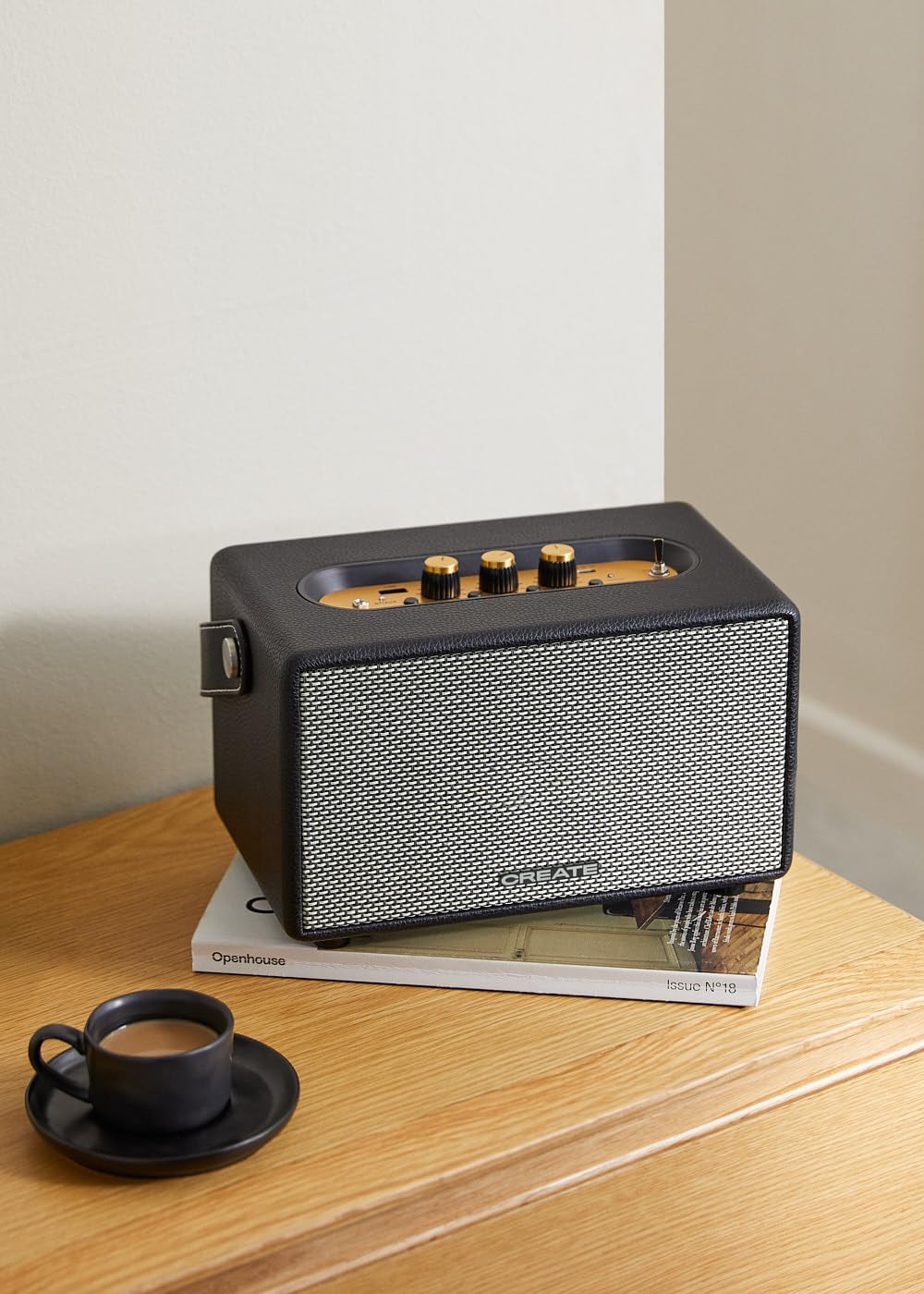
Image: Connecting to the speaker via Bluetooth from a mobile device.
2. Режим репродукције са УСБ-а
Пусти аудио fileс директно са УСБ флеш диска.
- Укључите звучник.
- Убаците УСБ флеш диск који садржи аудио fileс инто тхе УСБ порт.
- Подесите Прекидач за бирање улаза to "USB". The speaker will automatically begin playing music from the USB drive.

Image: Inserting a USB drive for direct audio playback.
3. Режим AUX улаза
Повежите екстерне аудио уређаје помоћу 3.5 мм аудио кабла.
- Укључите звучник.
- Повежите један крај аудио кабла од 3.5 мм (није укључен) са АУКС улаз порт на звучнику.
- Connect the other end of the cable to the headphone jack or audio output of your external device (e.g., MP3 player, laptop).
- Подесите Прекидач за бирање улаза to "AUX". The speaker will now play audio from your connected device.
4. Подешавање звука
Користите посебна дугмад на контролној табли да бисте фино подесили свој аудио доживљај:
- Ротирајте Волуме Квачица to increase or decrease the overall sound level.
- Ротирајте Басс Кноб to adjust the low-frequency sounds.
- Ротирајте Требле Кноб to adjust the high-frequency sounds.
Одржавање
Чишћење
To clean the speaker, use a soft, dry cloth. Do not use abrasive cleaners, waxes, or solvents as they may damage the finish. Avoid spraying liquids directly onto the speaker.
Складиштење
When not in use for extended periods, store the speaker in a cool, dry place away from direct sunlight and extreme temperatures. Ensure the speaker is fully charged before storing to preserve battery health.
Баттери Царе
The speaker is equipped with a built-in rechargeable battery. To maximize battery life:
- Избегавајте често потпуно пражњење батерије.
- Recharge the battery regularly, even if the speaker is not used often.
- Не излажите звучник температурама изнад 45°C (113°F) или испод 0°C (32°F).
Решавање проблема
If you encounter any issues with your CREATE Speaker Retro, please refer to the following common problems and solutions:
| Проблем | Могући узрок | Решење |
|---|---|---|
| Звучник се не укључује. | Батерија је празна. | Charge the speaker for 4-5 hours using the USB-C cable. |
| Нема звука из звучника. | Јачина звука је прениска; неисправан режим уноса; уређај није правилно повезан. | Increase volume. Ensure the correct input mode (BT, USB, AUX) is selected. Reconnect Bluetooth device or AUX cable. |
| Блуетоотх упаривање није успело. | Speaker is not in pairing mode; device is out of range; interference. | Ensure speaker is in Bluetooth pairing mode (blinking indicator). Move device closer to speaker (within 10m). Turn off other Bluetooth devices. |
| Репродукција са УСБ-а не ради. | Incorrect input mode; USB drive not formatted correctly or no compatible files. | Ensure "USB" input mode is selected. Check USB drive for compatible audio files (e.g., MP3). Try a different USB drive. |
| Play/Pause button not responding. | Potential hardware issue or software glitch. | Restart the speaker. If the issue persists, contact customer support. (Note: A user review mentioned this issue.) |
Спецификације
| Назив модела | SPEAKER RETRO |
| Број модела | 181643_452174 |
| Димензије (Д к Ш к В) | 17 к 26 к 15 цм |
| Тежина | 2.5 кг |
| Max. Speaker Output Power | 40 В |
| Режим аудио излаза | Стерео (2.0 канал) |
| Технологија повезивања | Bluetooth 5.2, USB, AUX (3.5mm) |
| Блуетоотх домет | До 10 метара |
| Капацитет батерије | 3000 мАх |
| Трајање батерије | До 5 сати (у зависности од употребе) |
| Време пуњења | Прибл. 4-5 сати |
| Контролни метод | Touch (knobs and switches) |
| Боја | Црно |
| Водоотпоран | бр |
Гаранција и подршка
Информације о гаранцији
The CREATE Speaker Retro comes with a standard manufacturer's warranty. Please retain your proof of purchase for warranty claims. The warranty covers defects in materials and workmanship under normal use. It does not cover damage caused by misuse, accidents, unauthorized modifications, or exposure to water.
For specific warranty terms and conditions, please refer to the warranty card included with your product or contact CREATE customer service.
Корисничка подршка
If you have any questions, require technical assistance, or need to report an issue that cannot be resolved using the troubleshooting guide, please contact CREATE customer support.
You can find more information and contact details on the official CREATE webсајту или преко њихове продавнице бренда Амазон: