
1. Увод
Хвала вам на куповиниasing the KOSUMOSU BL-330OR-2 Digital LED Alarm Clock. This manual provides essential information for the proper setup, operation, and maintenance of your device. Please read it thoroughly before use and retain it for future reference.
This digital clock features a clear 6.7-inch LED display, offering time, date, day of the week, and temperature readings. It includes dual alarm functions with snooze, and both automatic and manual brightness adjustment to suit various environments.

Слика 1.1: Предња страна view of the KOSUMOSU BL-330OR-2 Digital LED Alarm Clock.
2. Подешавање
2.1 Садржај пакета
- KOSUMOSU BL-330OR-2 Digital LED Alarm Clock
- УСБ кабл за напајање (1.5 метара)
- Упутство за употребу
Напомена: A 5V/1A AC adapter is required for operation and is not included in the package. Please use a compatible USB power adapter.
2.2 Прикључак за напајање
- Connect the provided USB cable to the USB port on the back of the alarm clock.
- Plug the other end of the USB cable into a 5V/1A AC adapter (not included) or a powered USB port.
- Екран ће се осветлити, што указује да је сат укључен.
The clock includes a button battery (CR2025) for time memory during power outages. This battery does not power the display or alarm functions; it only retains settings.
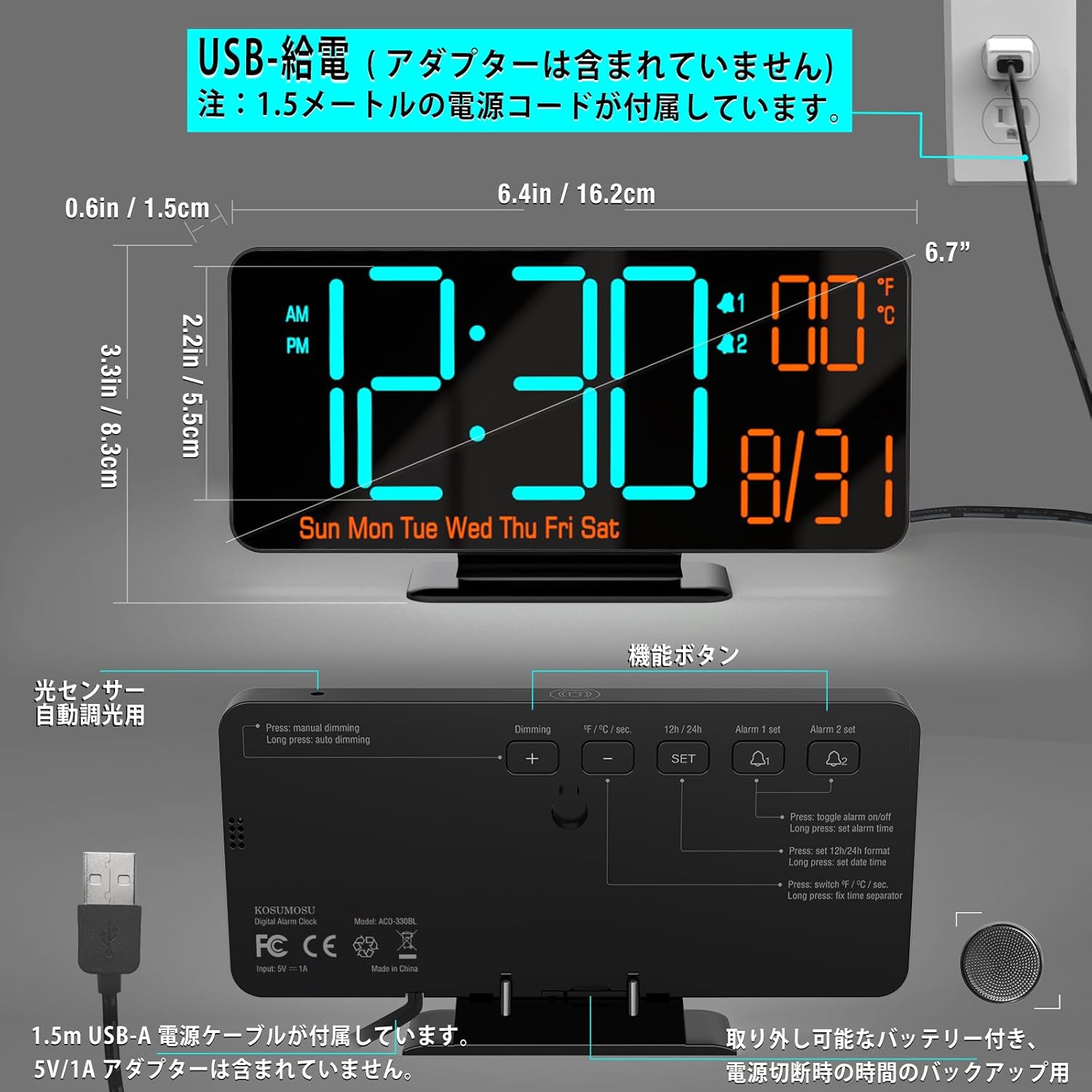
Image 2.1: Dimensions and USB power connection diagram.
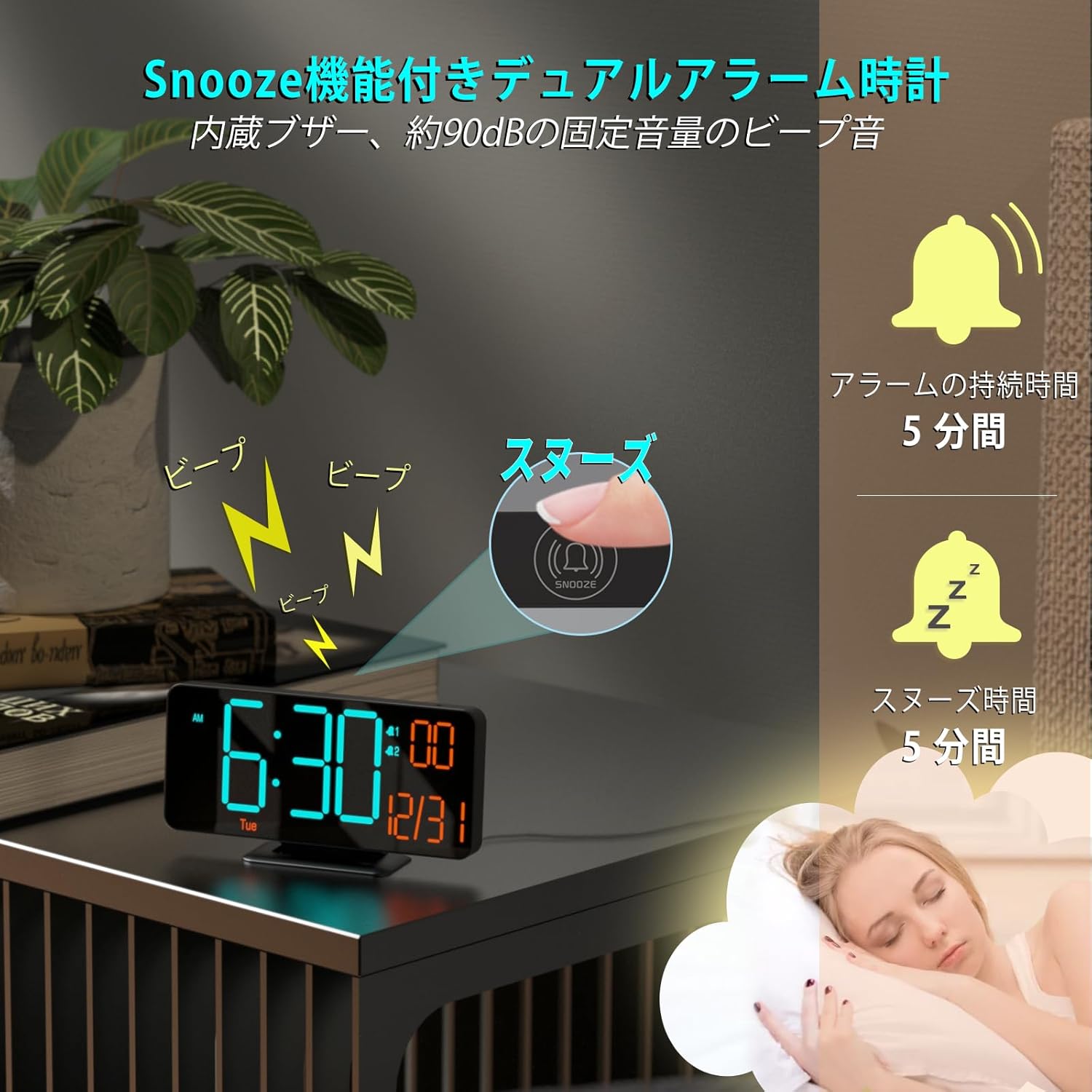
Image 2.2: Rear panel with function buttons and USB port.
2.3 Initial Settings (Time, Date, Temperature Unit)
Refer to the buttons on the back of the clock (SET, +, -, ALARM 1 SET, ALARM 2 SET).
- Подесите време: Притисните и држите СЕТ дугме за улазак у режим подешавања времена. Користите + и - дугмад за подешавање сата, а затим притисните СЕТ to confirm and move to minutes. Repeat for minutes.
- Формат 12/24 сата: While in time setting mode, press the 12Х/24Х button to toggle between 12-hour (with AM/PM indicator) and 24-hour formats.
- Подесити датум: Након подешавања времена, притисните СЕТ again to enter date setting mode. Adjust year, month, and day using + и -, притиском СЕТ to confirm each. The day of the week will update automatically.
- Јединица температуре: Притисните тастер °Ф/°Ц button to switch between Celsius and Fahrenheit display for temperature.
3. Операција
3.1 Подешавање осветљености
The clock offers both manual and automatic dimming features.
- Ручно затамњење: Притисните тастер ДИММИНГ button to cycle through three brightness levels (Low, Medium, High) or turn the LED display off.
- Аутоматско затамњење: The clock has a built-in light sensor. To activate automatic dimming, ensure manual dimming is not set to 'Off'. The clock will automatically adjust its brightness based on ambient light conditions.
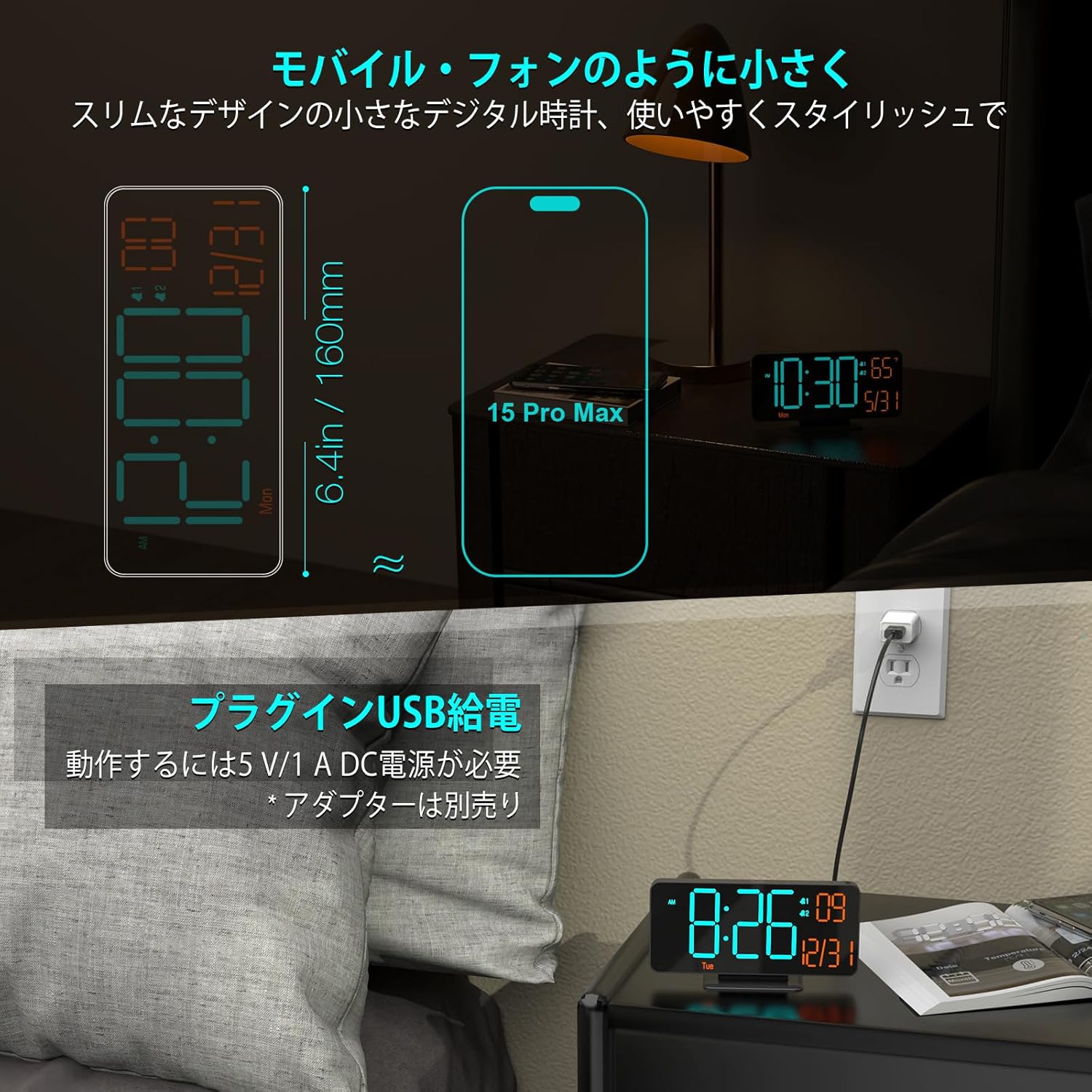
Image 3.1: Display brightness options (manual and automatic).
3.2 Подешавања аларма (дуални аларми)
The clock supports two independent alarms (Alarm 1 and Alarm 2).
- Подесите време аларма: Притисните и држите АЛАРМ 1 СЕТ or АЛАРМ 2 СЕТ to enter alarm time setting mode. Use + и - to adjust the hour, then press the respective АЛАРМ СЕТ button to confirm and move to minutes. Repeat for minutes.
- Enable/Disable Alarm: Кратко притисните АЛАРМ 1 СЕТ or АЛАРМ 2 СЕТ to toggle the alarm on or off. An alarm icon will appear on the display when active.
- Alarm Cycle: The clock offers three alarm cycles: Weekdays, Weekends, and Everyday. While setting the alarm, press the АЛАРМ СЕТ button repeatedly after setting minutes to cycle through these options.
3.3 Функција одлагања
Када се огласи аларм, притисните велико СНООЗЕ button on the top of the clock to activate the snooze function. The alarm will pause for 5 minutes and then sound again. To turn off the alarm completely, press any other button on the back of the clock.

Image 3.2: Snooze function activation.
3.4 Display Modes (Seconds/Temperature)
The clock can display seconds or temperature alongside the time and date. Press the SECONDS/TEMPERATURE button to switch between displaying seconds and temperature (°F/°C).

Image 3.3: Various display modes including seconds and temperature.
4. Одржавање
4.1 Чишћење
To clean the clock, gently wipe the display and casing with a soft, dry cloth. Do not use abrasive cleaners, solvents, or spray directly onto the device, as this may damage the surface or internal components.
4.2 Резервна батерија
The internal CR2025 button battery maintains time settings during power interruptions. If the clock is unplugged for an extended period, this battery may eventually deplete. To replace it, carefully open the battery compartment on the back of the unit and insert a new CR2025 battery, ensuring correct polarity.
КСНУМКС. Решавање проблема
| Проблем | Могући узрок | Решење |
|---|---|---|
| Екран је празан | No power; LED display turned off manually. | Ensure USB cable is securely connected to a 5V/1A power source. Press the ДИММИНГ button to check if the display was manually turned off. |
| Аларм се не оглашава | Alarm is not enabled; alarm volume is too low. | Притисните АЛАРМ 1 СЕТ or АЛАРМ 2 СЕТ to ensure the alarm icon is displayed. Check alarm settings for correct time and cycle. |
| Време је нетачно | Initial setting error; prolonged power outage. | Re-set the time following section 2.3. If frequent time drift occurs, ensure a stable power supply. |
| Temperature reading is incorrect | Потребна је калибрација сензора. | The manual does not specify temperature calibration. Ensure the clock is not placed near heat sources or in direct sunlight. |
6. Спецификације
- Бренд: КОСУМОСУ
- Модел: BL-330OR-2
- Тип приказа: ЛЕД Дигитал
- Величина екрана: 6.7 инча
- Боја: Orange LED - Black
- Материјал: Пластика
- Димензије: 16.2 цм (ширина) x 8.3 цм (висина)
- Извор напајања: Corded Electric (USB 5V/1A, AC adapter not included)
- Battery Type (Backup): Lithium Metal (CR2025, included)
- Тежина: 170 грама
- Карактеристике: LED Display, Alarm, Calendar Display, Temperature Display, Automatic Dimming
- Тип собе: Канцеларија, кухиња, спаваћа соба, дневна соба, учионица
7. Гаранција и подршка
KOSUMOSU Technology provides a 2 година гаранције for this product. If you encounter any quality issues or problems with usage, please contact our customer service immediately. We are committed to providing a replacement product or guiding you through setup and usage procedures.
For customer support, please refer to the contact information provided with your purchase or visit the official KOSUMOSU webсајту.