
1. Увод
This manual provides essential information for the safe and efficient operation of your ZDSSY E2 Mini Projector. Please read it thoroughly before use and retain it for future reference.
2. Подешавање
2.1 Распакивање и компоненте
Пажљиво распакујте све предмете из кутије. Уверите се да су присутне следеће компоненте:
- Мини пројектор
- Ремоте Цонтрол
- Повер Цорд
- Кориснички приручник (овај документ)
2.2 Укључивање
- Прикључите кабл за напајање на улазни порт за напајање пројектора.
- Укључите други крај кабла за напајање у одговарајућу електричну утичницу.
- Притисните дугме за напајање на пројектору или даљинском управљачу да бисте укључили уређај.
2.3 Почетно смештање
Поставите пројектор на стабилну, равну површину. За оптимално viewing, ensure the projection surface (wall or screen) is clean and smooth. The projector supports various mounting options including table placement, tripod mount, and ceiling mount.
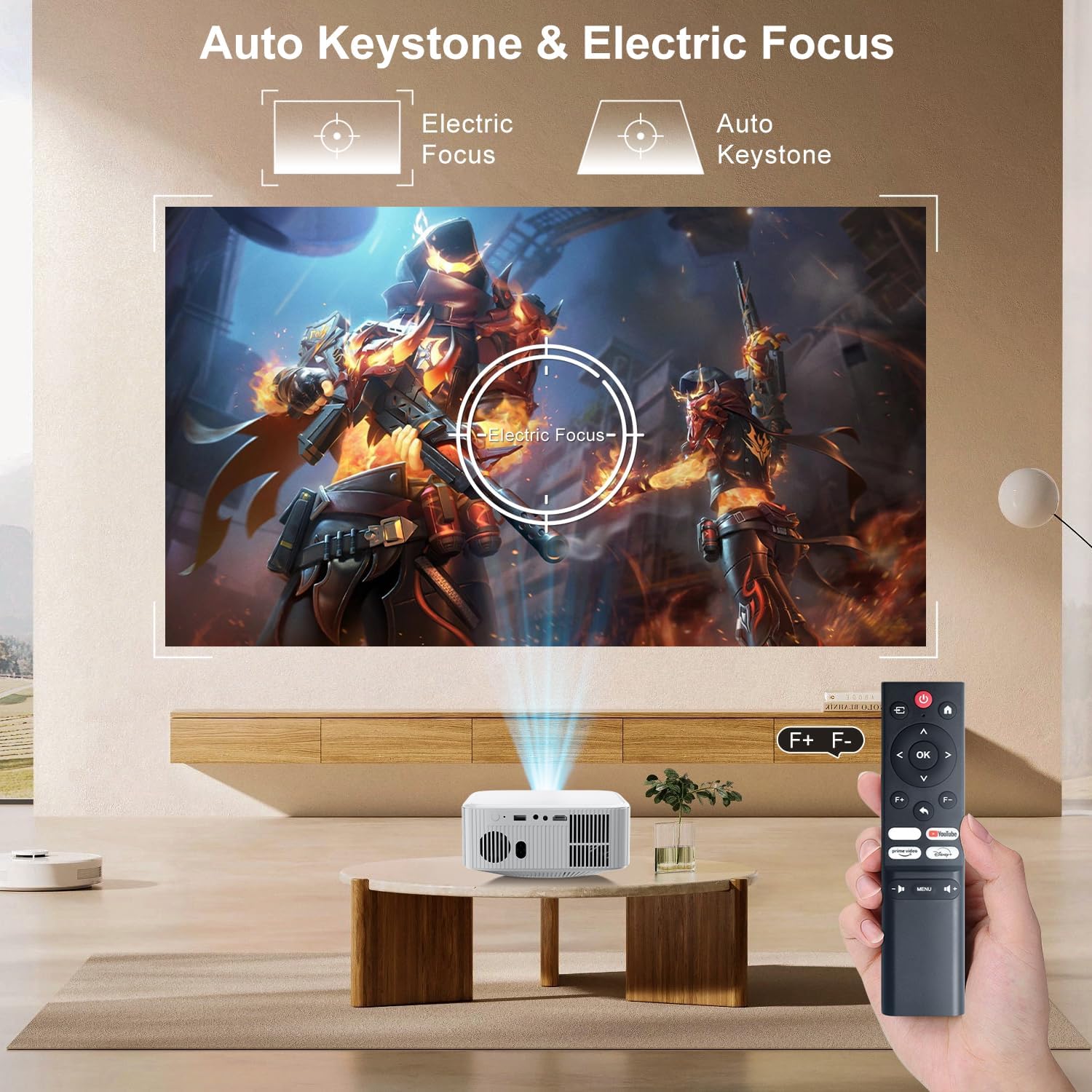
Image: The ZDSSY E2 Mini Projector demonstrating flexible placement options and screen sizes from 40 to 300 inches.
3. Операција
3.1 Navigation and Remote Control
Use the provided remote control to navigate the projector's interface. The remote allows you to select apps, adjust settings, and control media playback.
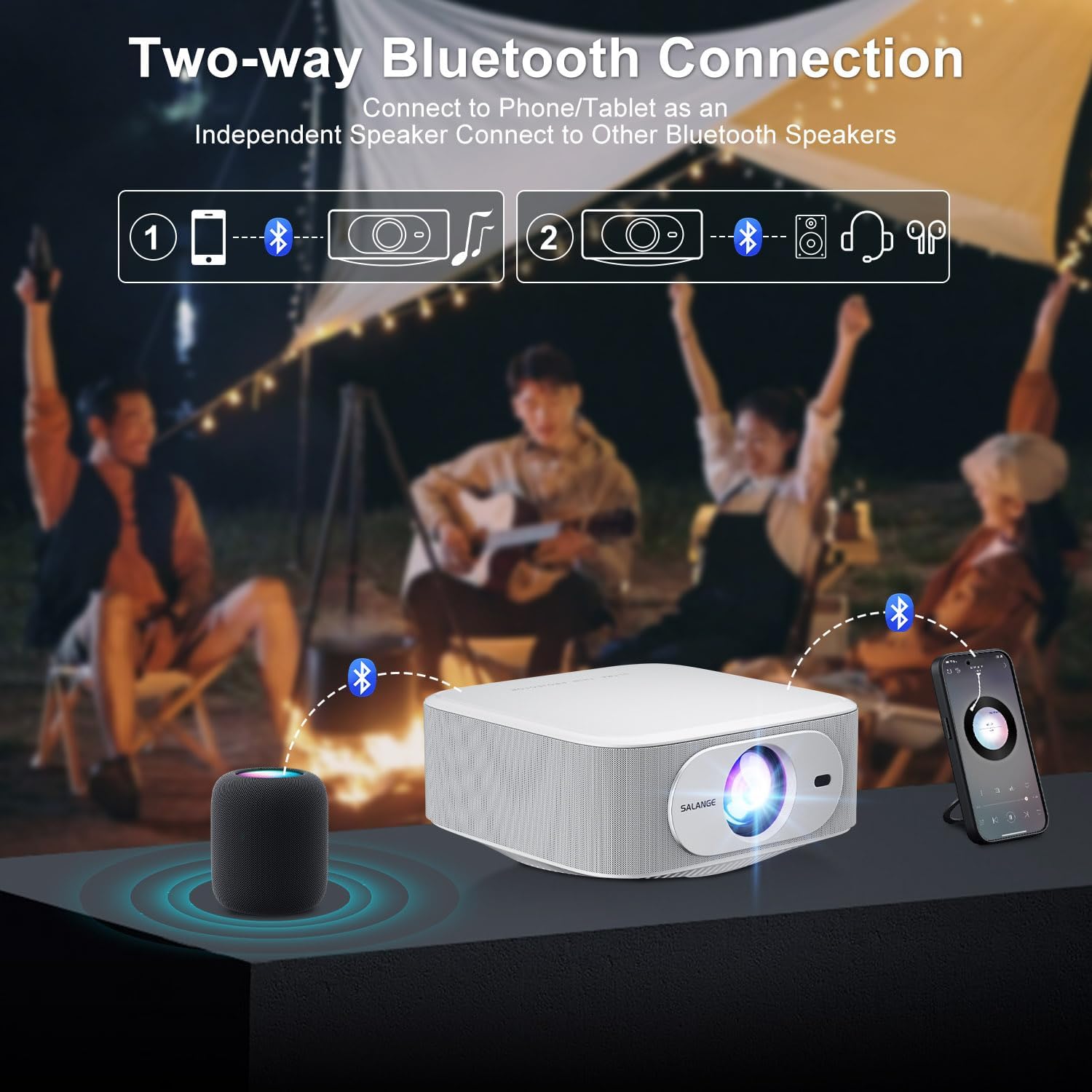
Image: The ZDSSY E2 Mini Projector and its remote control, highlighting the user interface.
3.2 Auto Keystone and Electric Focus
The projector features automatic keystone correction and electric focus for a clear and properly aligned image. These functions adjust the picture automatically upon startup or when the projector is moved.
- Електрични фокус: Provides instant, crystal-clear images.
- Корекција трапезоидног изобличења у 4 тачке: Smoothly adjusts the screen across a wide ±45° range from any direction.
- Функција зумирања: Подесите величину платна од 100% до 50% без померања пројектора.

Image: Visual representation of the auto keystone and electric focus features of the ZDSSY E2 Mini Projector.
3.3 Повезивање на Ви-Фи
The ZDSSY E2 supports dual-band 5G/2.4G Wi-Fi for fast and stable internet connectivity.
- Navigate to the 'Settings' menu on the projector.
- Select 'Network' or 'Wi-Fi settings'.
- Изаберите жељену Wi-Fi мрежу са листе.
- Унесите лозинку ако се то од вас затражи и повежите се.
3.4 Блуетоотх веза
The projector features two-way Bluetooth 5.2, allowing it to function as a standalone speaker or connect to external Bluetooth audio devices.
- As a Bluetooth Speaker: Connect your mobile device to the projector via Bluetooth to use the projector's built-in speakers for audio playback.
- Повезивање спољних звучника: Pair the projector with external Bluetooth speakers, headphones, or soundbars for an enhanced audio experience. (Note: Bluetooth is for audio transmission only and does not support video.)

Image: Illustration of the two-way Bluetooth connectivity of the ZDSSY E2 Mini Projector.
3.5 Коришћење уграђених апликација
The ZDSSY E2 comes with officially licensed apps like Prime Video, YouTube, and more, pre-installed on its Android 13 Whale OS system. Access these apps directly from the home screen for instant entertainment.

Image: The ZDSSY E2 Mini Projector's home screen showing pre-installed streaming applications.
3.6 Повезивање екстерних уређаја
The projector is equipped with multiple ports for connecting external devices:
- ХДМИ порт: Connect gaming consoles, laptops, Fire Sticks, or other HDMI-enabled devices.
- УСБ порт: Репродукујте медије директно са УСБ дискова.
- 3.5 мм прикључак за слушалице: Повежите жичане слушалице или екстерне звучнике.

Image: Close-up of the ZDSSY E2 Mini Projector's connectivity ports.
4. Одржавање
4.1 Чишћење
- Објектив: Користите меку крпу која не оставља влакна, посебно дизајнирану за оптичка сочива. Не користите абразивна средства за чишћење или крпе.
- Екстеријер: Обришите спољашњост пројектора меком, сувом крпом. За тврдокорне мрље, благоamp Може се користити крпа, а затим суво брисање.
- вентилација: Уверите се да су вентилациони отвори чисти од прашине и препрека како бисте спречили прегревање.
4.2 Складиштење
Када се пројектор не користи дуже време, чувајте га на хладном и сувом месту, даље од директне сунчеве светлости и екстремних температура. Користите оригинално паковање или заштитну футролу да бисте спречили накупљање прашине и оштећења.
КСНУМКС. Решавање проблема
| Проблем | Могући узрок | Решење |
|---|---|---|
| Но Повер | Кабл за напајање није повезан; утичница је неисправна | Ensure power cord is securely connected; Try a different outlet. |
| Мутна слика | Фокус није подешен; Пројектор је превише далеко/близу платну | Allow auto-focus to complete or manually adjust focus; Adjust projector distance. |
| Нема звука | Volume too low; External audio device not connected/paired | Increase volume; Check Bluetooth connection or wired audio cable. |
| Проблеми са Ви-Фи везом | Нетачна лозинка; Проблеми са рутером; Сметње сигнала | Verify Wi-Fi password; Restart router; Move projector closer to router. |
| Apps Not Working | No internet connection; App requires update | Check Wi-Fi connection; Update the app from the app store. |
6. Спецификације
| Феатуре | Детаљ |
|---|---|
| Бранд | ZDSSY |
| Број модела | E2 |
| Резолуција екрана | 1920 x 1080 (Native 1080P, 4K Support) |
| Осветљеност | КСНУМКС АНСИ Луменс |
| Оперативни систем | Smart Android 13.0 NTV (Whale OS) |
| Меморија | РАМ меморија 1 ГБ + РОМ меморија 8 ГБ |
| Повезивање | Wi-Fi 5G/2.4G, Two-way Bluetooth 5.2 |
| Посебне карактеристике | Electric Focus, Auto Keystone Correction (4D/4P), Zoom (100%-50%), Built-in Apps (Prime Video, YouTube, etc.) |
| Портс | 1 HDMI, 1 USB, 1 3.5mm Headphone Jack |
| Димензије производа | 7.67 к 7.67 к 3.54 инча |
| Тежина артикла | 3.3 фунти |
| Препоручена употреба | Индоор/Оутдоор |
7. Гаранција и подршка
The ZDSSY E2 Mini Projector comes with a standard manufacturer's warranty. For specific warranty details, including coverage and duration, please refer to the warranty card included in your product packaging or contact ZDSSY customer support.
Корисничка подршка
If you encounter any issues or have questions regarding your projector, please contact ZDSSY customer support through the retailer's platform or the official ZDSSY website. Our support team is available to assist you with troubleshooting, technical inquiries, and service requests.