
1. Увод
This manual provides essential information for setting up, operating, maintaining, and troubleshooting your HAOVM G12 10-inch Android 14 Tablet. Please read it thoroughly to ensure optimal performance and longevity of your device.

Image 1.1: HAOVM G12 Tablet showcasing its 10.1" HD display, Android 14 OS, GPS, 4G LTE, 3GB+32GB storage, 2.4G/5GHz WiFi, BT5.0, 5MP+8MP Dual Camera, Stereo Speakers, 64bit Processor, 2.0GHz Frequency, MediaTek 4*Cortex-A53 CPU, and USB-C Charge port.
2. Подешавање
2.1 Почетно пуњење
Before first use, fully charge your tablet using the provided USB Type-C cable and power adapter. Connect the Type-C cable to the tablet's charging port and the adapter to a power outlet. The battery indicator on the screen will show charging status.
2.2 Инсталација SIM картице и TF картице
Your HAOVM G12 tablet supports 4G SIM cards for cellular data connectivity and TF cards for expandable storage up to 1TB.
- Locate the SIM/TF card slot on the side of the tablet.
- Пажљиво отворите поклопац отвора.
- Insert the Nano-SIM card and/or TF card into the designated trays, ensuring correct orientation.
- Чврсто затворите поклопац отвора.

Слика 2.1: Крупни план view of the HAOVM G12 Tablet's side, indicating the slots for SIM and TF cards.
Video 2.1: A demonstration of the HAOVM G12 Tablet's features, including SIM card insertion and general functionality.
2.3 Укључивање/искључивање
Press and hold the power button located on the side of the tablet until the screen lights up. To power off, press and hold the power button, then select 'Power off' from the options.
3. Управљање таблетом
3.1 Приказ и навигација
The tablet features a 10.1-inch IPS touch screen with a resolution of 1280x800 pixels, offering vibrant colors and wide viewing angles. Navigate the interface using touch gestures: tap, swipe, pinch-to-zoom.

Image 3.1: The HAOVM G12 Tablet showcasing its vivid 10.1" IPS display and stereo speakers during media playback.
3.2 Функције камере
The tablet is equipped with an 8MP rear camera and a 5MP front camera. Open the Camera app to capture photos and videos. Switch between front and rear cameras as needed for selfies or general photography.

Image 3.2: The HAOVM G12 Tablet being used for a video call and demonstrating a photo captured with its camera.
3.3 Аудио
Enjoy clear audio through the built-in stereo speakers. For private listening, connect headphones to the 3.5mm headphone jack.
3.4 Повезивање
- Ви-Фи: Supports 2.4GHz and 5GHz dual-band Wi-Fi for high-speed internet access.
- Блуетоотх: Features Bluetooth 5.0 for connecting wireless accessories like headphones or speakers.
- 4Г ЛТЕ: The unlocked SIM card slot allows for cellular data usage, enabling connectivity outdoors.
- Бежична пројекција: Cast your tablet's screen to a larger display, such as a TV, for an enhanced viewинг искуство.
3.5 ГПС навигација
The tablet includes built-in GPS functionality with support for multiple navigation systems (GPS, Glonass, Galileo, Beidou), ensuring accurate location tracking for travel or location-based applications.

Image 3.3: HAOVM G12 Tablets in use during travel, highlighting the built-in GPS feature.
3.6 Android 14 and Parental Controls
Running on Android 14, the tablet provides access to a wide range of applications via the Google Play Store. It comes pre-installed with Google Kids Space and YouTube Kids, offering child-friendly content. Advanced parental controls through Google's Family Link allow you to manage screen time, app access, and content filters. The tablet also features eye protection mode, reading mode, and focus mode for digital well-being.
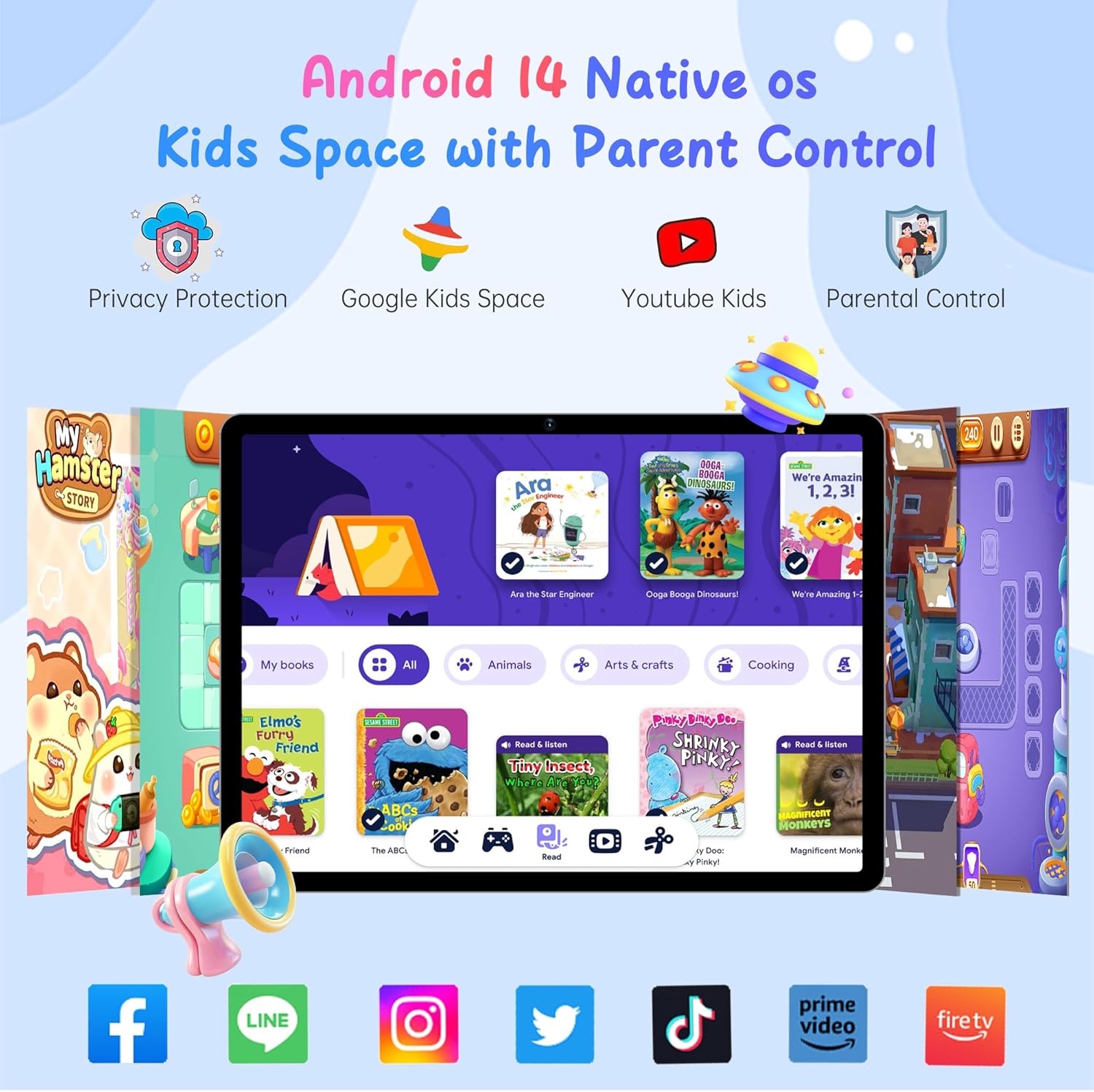
Image 3.4: The HAOVM G12 Tablet showing the Android 14 interface with Google Kids Space and parental control options.
3.7 Multi-tasking
Utilize the split-screen function to run two applications simultaneously, enhancing productivity and convenience.
4. Одржавање
4.1 Заштитна торбица
The tablet comes with a detachable rugged protective case made of shock-absorbent silicone. This case helps protect the device from accidental drops and impacts. Keep the case clean by wiping it with a soft, damp тканина.

Image 4.1: The HAOVM G12 Tablet protected by its durable, shockproof case during use.
4.2 Нега екрана
To maintain screen clarity, clean the display with a soft, lint-free cloth. Avoid using harsh chemicals or abrasive materials that could damage the screen.
КСНУМКС. Решавање проблема
- Таблет се не укључује: Ensure the tablet is fully charged. If the issue persists, try holding the power button for 10-15 seconds for a forced restart.
- SIM card not recognized: Verify that the SIM card is correctly inserted into its slot. If the problem continues, check with your cellular provider to ensure the SIM card is active and compatible with the device. For SIM card removal, consult the device's physical design for an eject mechanism.
- Споре перформансе: Close unnecessary background applications. Clear cached data from apps. Consider performing a factory reset if performance issues are severe and persistent (back up your data first).
- Проблеми са Wi-Fi повезивањем: Ensure Wi-Fi is enabled on the tablet and that you are within range of a known network. Restart your Wi-Fi router if other devices are also experiencing connectivity problems.
6. Спецификације
| Феатуре | Детаљ |
|---|---|
| Бранд | ХАОВМ |
| Назив модела | G12PK14 |
| Капацитет меморије | 32 ГБ |
| Величина екрана | 10.1 инча |
| Максимална резолуција екрана | 1280*800 пиксела |
| Оперативни систем | Андроид 14 |
| Модел Иеар | 2025 |
| Инсталирана РАМ меморија | 3 ГБ |
| Максимална подржана величина флеш меморије | 1 ТБ |
| Хардверски интерфејс | 802.11 ac/b/g/n, 802.11 b/g/n, Bluetooth 5, Sim Card, USB Type C |
| Целлулар Тецхнологи | 4G |
| Rear Facing Camera Photo Sensor Resolution | 8 МП |
| Front Photo Sensor Resolution | 5 МП |
| Капацитет батерије | 5000 Милиamp Сати |
| Брзина процесора | 2 ГХз |
| Марка процесора | МедиаТек |
| Унос људског интерфејса | Тоуцхсцреен |
| Јацк за слушалице | 3.5 мм |
7. Шта је у кутији
- Таблет од 10.1 инча
- Футрола за таблете
- Адаптер
- Линија података
8. Гаранција и подршка
The HAOVM G12 Tablet comes with a 1-year limited warranty. For any product-related inquiries or support, please contact HAOVM customer service. HAOVM is committed to providing excellent product quality and top-notch after-sales service.
За проширено покриће доступни су опциони планови заштите:
- Двогодишњи план заштите
- Комплетна заштита (месечно обнављање)