
AINAVIGO 10.2'' TouchScreen 2+32G
AINAVIGO 10.2-inch TouchScreen Car Radio Stereo Upgrade User Manual
Model: 10.2'' TouchScreen 2+32G
1. Увод
This manual provides detailed instructions for the installation, operation, and maintenance of your AINAVIGO 10.2-inch TouchScreen Car Radio Stereo Upgrade. This advanced system features Android 12, Wireless CarPlay, Android Auto, GPS Navigation, and support for a backup camera, designed to enhance your driving experience with modern connectivity and entertainment options.
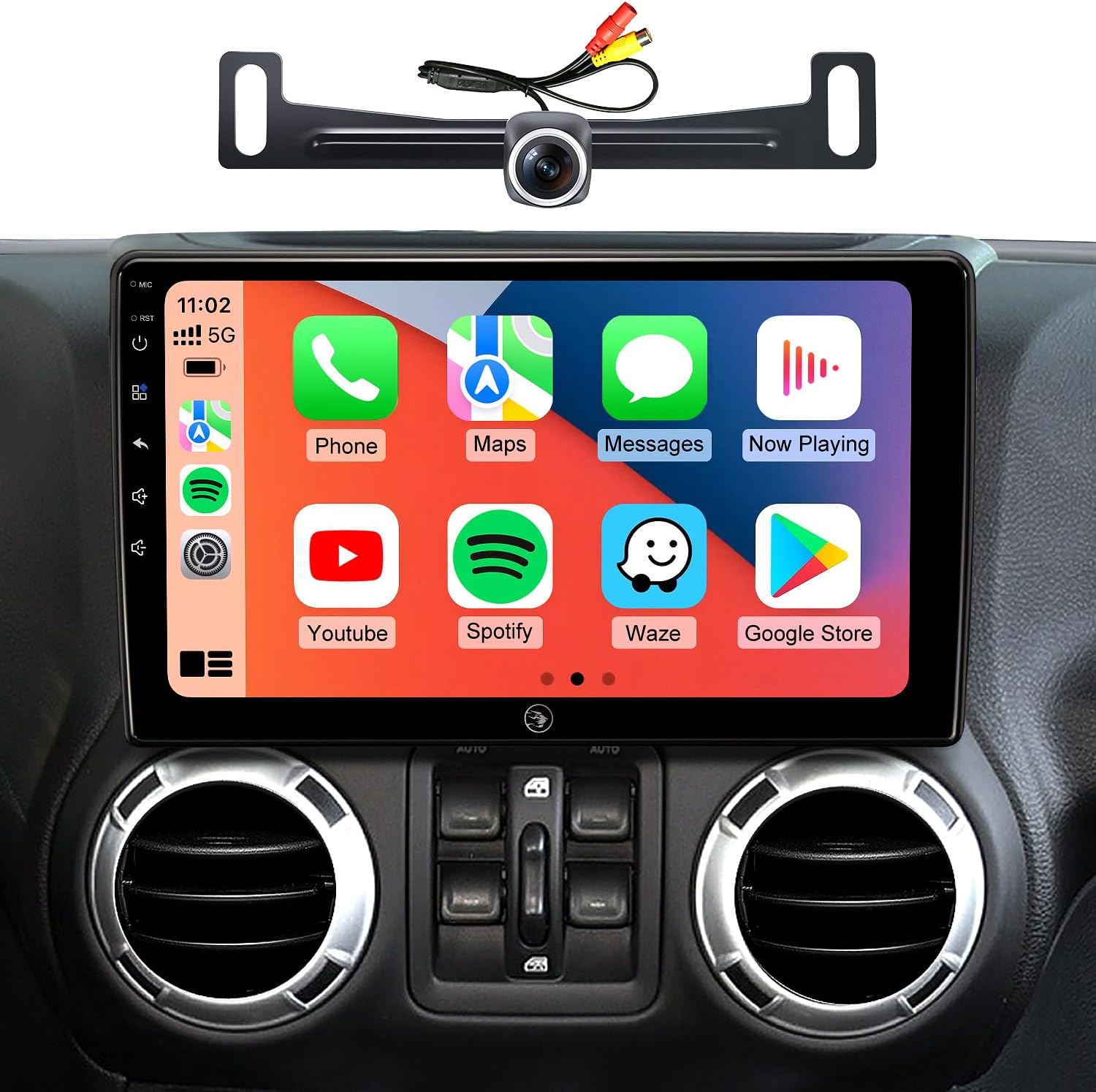
Image 1.1: AINAVIGO 10.2-inch TouchScreen Car Radio Stereo with CarPlay interface.
2. Компатибилност возила
This car radio stereo upgrade is compatible with the following vehicle models:
- Jeep Wrangler JK/Unlimited: 2007-2018
- Jeep Compass: 2009-2016
- Jeep Patriot: 2009-2016
- Јееп Гранд Цхерокее: 2011-2013
- Jeep Liberty: 2008-2011
- Jeep Commander: 2008-2011
- Chrysler Sebring: 2007-2010
- Крајслер Таун и Кантри: 2007-2010
- Доџ Гранд Караван: 2011-2014
- Dodge Charger: 2008-2010
- Dodge Ram Pickup 1500/2500/3500: 2009-2012

Image 2.1: Before and After installation comparison, demonstrating the 1:1 replica fit.
3. Шта је укључено
The package contains all necessary components for installation and operation:
- 1x AINAVIGO Car Radio Stereo GPS Navigation Head Unit
- 1x RCA кабл
- 1к кабл за напајање
- 1x Car Microphone
- 1x Задњи View 1080П Цамера
- 1x Reversing Control Cable (approximately 16.40 ft)
- 1к ГПС антена
- 1x Frame Removal Tool
- 2к УСБ каблови
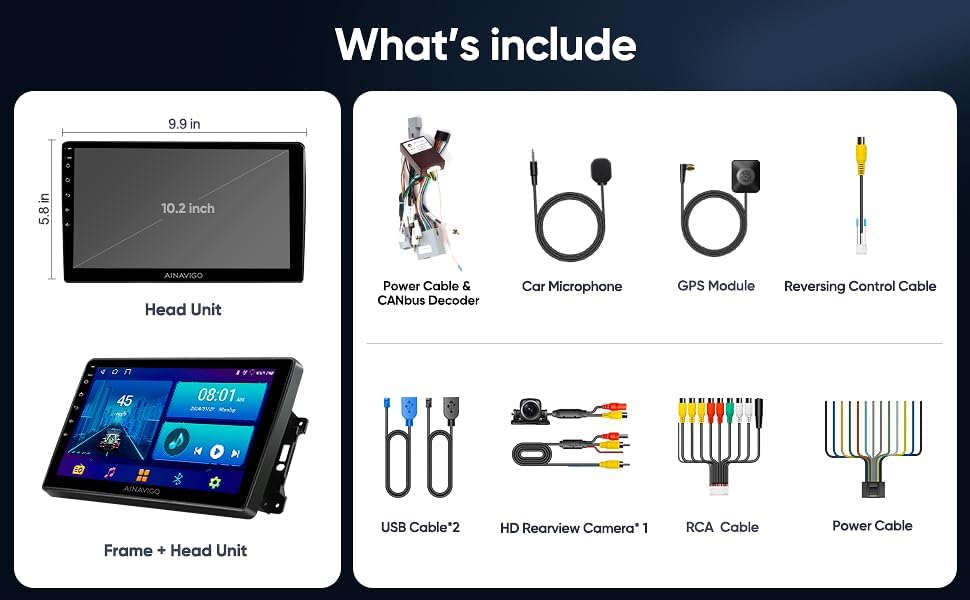
Слика 3.1: Готовоview of included accessories and the head unit dimensions.
4. Подешавање и инсталација
Installation of the AINAVIGO car radio requires basic automotive electrical knowledge. It is recommended to consult a professional installer if you are unfamiliar with car stereo installations.
4.1 Контролна листа пре инсталације
- Пре почетка инсталације, уверите се да је акумулатор возила искључен.
- Verify all included components are present as listed in Section 3.
- Identify the existing car radio and dashboard panel for removal.
4.2 Кораци инсталације
- Уклони постојећу јединицу: Use the provided frame removal tool to carefully pry open and remove the original car radio and dashboard trim. Disconnect all wiring harnesses.
- Повежите ожичење: Connect the new power cable, RCA cable, USB cables, GPS antenna, and microphone to the corresponding ports on the AINAVIGO head unit. Ensure all connections are secure.
- Инсталација камере за вожњу уназад (опционо): If installing the backup camera, route the reversing control cable from the rear of the vehicle to the head unit. Connect the camera to the designated input.
- Главна јединица за монтажу: Secure the AINAVIGO head unit into the dashboard opening. Ensure a snug and stable fit.
- Поново повежите батерију: Поново повежите акумулатор возила.
- Почетно укључивање: Turn on the vehicle's ignition and power on the head unit. Follow any on-screen prompts for initial setup.
For detailed wiring diagrams specific to your vehicle model, please refer to your vehicle's service manual or consult with a professional installer.
5. Упутство за употребу
5.1 Систем је завршенview
The AINAVIGO unit runs on Андроид 12, providing a familiar and customizable interface. It features a 10.2-инчни ХД екран са 2ГБ РАМ-а и 32ГБ меморије, allowing for smooth operation and app installation from the Google Play Store.

Image 5.1: Key features of the AINAVIGO Car Radio.
5.2 Wired/Wireless CarPlay & Android Auto
Seamlessly integrate your smartphone with the car's infotainment system using CarPlay or Android Auto. This allows access to navigation, music, messages, and calls directly from the unit's display.
- веза: Connect your smartphone via USB for wired connection or pair via Bluetooth and Wi-Fi for wireless functionality.
- Контрола гласом: Activate Siri or Google Assistant for hands-free operation, including making calls, sending messages, getting directions, and controlling music.
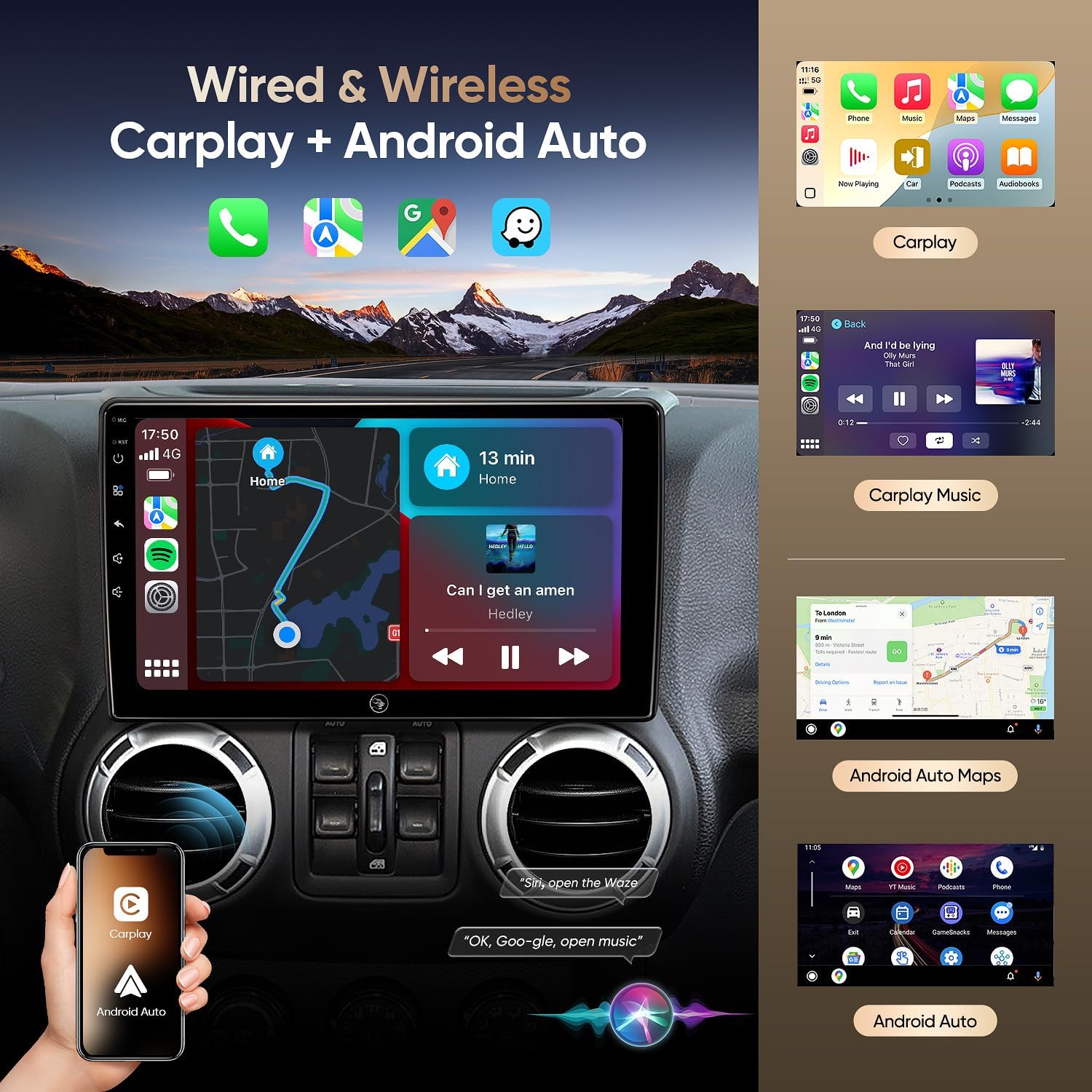
Image 5.2: Wired & Wireless CarPlay and Android Auto functionality.
5.3 ГПС навигација
The unit comes pre-loaded with North American maps and supports various online navigation apps. The included GPS antenna ensures accurate positioning.
- Онлајн навигација: Connect to Wi-Fi to use apps like Google Maps, Waze, or other preferred navigation services.
- Офлајн навигација: Download maps for offline use to navigate without an internet connection.

Image 5.3: Online and Offline GPS Navigation capabilities.
5.4 Блуетоотх 5.0
Connect your smartphone via Bluetooth 5.0 for faster data transfer speeds and stable connections.
- Хандс-фрее позивање: Make and receive calls using the built-in and external microphones for clear audio.
- Аудио стреаминг: Play music from your phone directly through the car's speakers.
- Синхронизација контаката: Download your phone's contact book to the unit.
5.5 ФМ Радио
Tune into FM radio stations to stay updated with real-time traffic, news broadcasts, and weather forecasts.
5.6 Уграђени DSP (дигитални звучни процесор)
Adjust audio settings precisely to your preference with the built-in DSP, enhancing the acoustics of your vehicle for an immersive sound experience.

Image 5.4: Built-in DSP interface for sound customization.
5.7 AHD 1080P Rear Camera
The included AHD 1080P waterproof backup camera provides a 170° viewing angle. When reversing, the unit automatically displays a clear image on the screen, aiding in safer parking.

Image 5.5: AHD 1080P Rear View Приказ камере.
5.8 Wi-Fi повезивање
Utilize the built-in Wi-Fi hotspot feature to connect to the internet, browse, and download online navigation apps or social media platforms from the Play Store.
5.9 Функција подељеног екрана
Multitask efficiently by using the split-screen function, allowing you to run two applications simultaneously, such as navigation and music playback.
5.10 Управљање гласом
Enhance driving safety and convenience with voice control features. Use commands to play music, check the weather, or navigate to destinations without taking your hands off the wheel.

Слика 5.6: Готовоview of 5G WiFi, Split Screen, FM Radio, and Voice Control.
6. Одржавање
6.1 Чишћење екрана
Користите меку крпу која не оставља влакна да нежно обришете екран осетљив на додир. За тврдокорне мрље, благо обришитеampОбришите крпу водом или средством за чишћење екрана. Избегавајте јаке хемикалије или абразивне материјале.
6.2 Ажурирања софтвера
Periodically check for software updates through the system settings to ensure optimal performance and access to the latest features and security patches. Connect to a stable Wi-Fi network for updates.
6.3 Општа нега
Avoid exposing the unit to extreme temperatures, direct sunlight for prolonged periods, or excessive moisture. Ensure all cables are securely connected and not pinched.
КСНУМКС. Решавање проблема
If you encounter issues with your AINAVIGO car radio, refer to the following common solutions:
- Нема напајања: Check all power connections and ensure the vehicle's battery is properly connected. Verify fuses are intact.
- Нема звука: Check speaker connections, volume levels, and audio settings (including DSP). Ensure the correct audio source is selected.
- Екран осетљив на додир не реагује: Try restarting the unit. If the issue persists, perform a system reset (refer to the system settings for this option).
- CarPlay/Android Auto Disconnection: Ensure your phone's Bluetooth and Wi-Fi are enabled and properly paired. Check for any software updates on your phone or the head unit. Try reconnecting the USB cable if using a wired connection.
- Губитак GPS сигнала: Уверите се да је GPS антена правилно инсталирана и да има јасан view неба. Проверите да ли има препрека.
- Камера за вожњу уназад се не приказује: Verify the camera's power and video connections. Ensure the reversing control cable is correctly wired to trigger the display when in reverse gear.
- Unit Shuts Down Randomly: This could indicate a power supply issue. Check wiring for loose connections or insufficient power. In some cases, a hard reset (disconnecting and reconnecting power) may be necessary.
If these steps do not resolve the issue, please contact technical support.
8. Спецификације
| Феатуре | Спецификација |
|---|---|
| Назив модела | HC-JEEP |
| Оперативни систем | Андроид 12 |
| РАМ | 2ГБ |
| Складиштење | 32ГБ |
| Величина екрана | 10.2 инча |
| Резолуција екрана | 1280*720 ИПС |
| Технологија повезивања | Bluetooth 5.0, Wi-Fi, Wired/Wireless CarPlay & Android Auto |
| Посебне карактеристике | HD Backup Camera Support, Touchscreen, Built-in DSP, GPS Navigation |
| Мап Типе | Северна Америка |
| Режим аудио излаза | Стерео |
| Тип монтаже | Монтажа на контролној табли |
| Тежина артикла | 4.29 фунти |
| Димензије пакета | 13.78 к 9.76 к 5.28 инча |
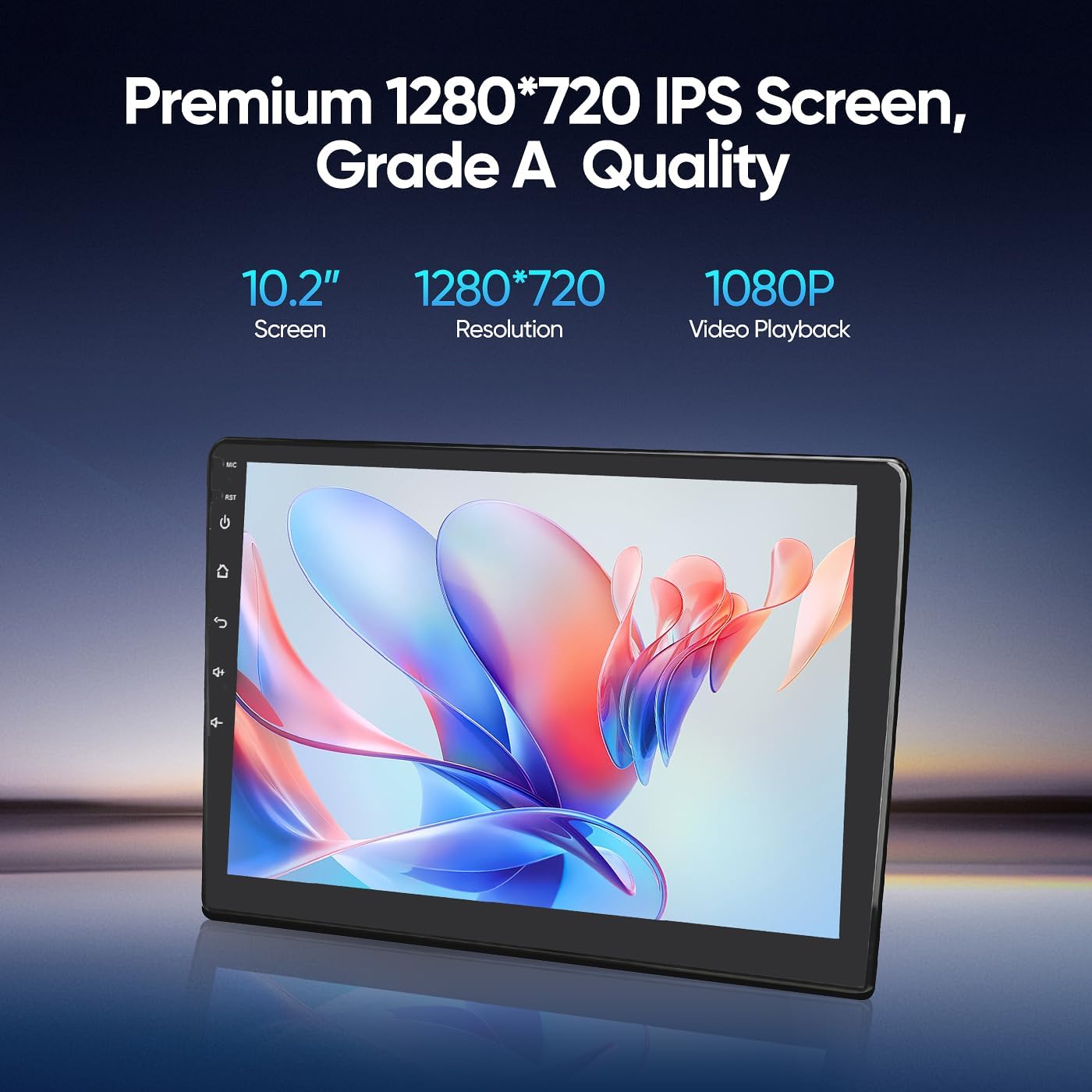
Image 8.1: Premium 1280*720 IPS Screen details.

Image 8.2: G+G Full Fit Ultra Clear Screen technology.
9. Информације о гаранцији
The AINAVIGO 10.2-inch TouchScreen Car Radio Stereo Upgrade comes with a 12-месечна гаранција од датума куповине. Ова гаранција покрива производне недостатке и кварове при нормалној употреби. Не покрива штету насталу услед неправилне инсталације, злоупотребе, незгода или неовлашћених модификација.
Сачувајте доказ о куповини за гаранцијске захтеве.
10. Техничка подршка
For any installation assistance or technical inquiries, our professional technical support team is available to help. Please follow these steps to contact us:
- Visit the AINAVIGO Store page on Amazon.
- Locate and click the "Ask a question" button to send your inquiry.
We aim to respond to all queries as soon as possible.

Image 10.1: Steps to contact technical support.
Ask a question about this manual
Ask about setup, troubleshooting, compatibility, parts, safety, or missing instructions. Manuals+ will review the question and use this page’s manual context to help answer it.