
1. Производ је готовview
The Adin S8BT Bone Conduction Vibration Speaker is an innovative audio device that transmits sound through vibrations, allowing any flat surface to become a speaker. Its compact and portable design makes it ideal for various indoor and outdoor environments.
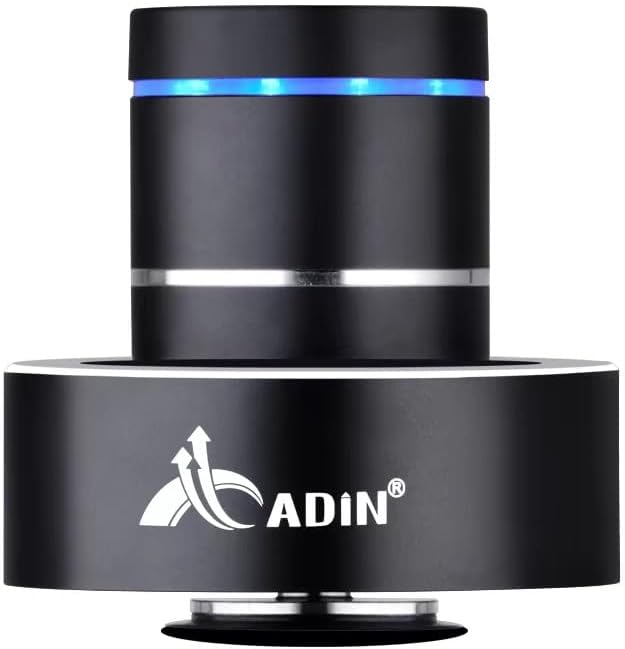
Figure 1: Adin S8BT Bone Conduction Vibration Speaker. This image displays the main unit of the speaker, showcasing its sleek black cylindrical design with a luminous blue accent ring and silver band. The speaker is designed to sit on a surface, utilizing bone conduction technology.

Figure 2: Adin S8BT Speaker and Included Accessories. This image shows the Adin S8BT speaker alongside its retail packaging, a USB charging cable, and an auxiliary audio cable, indicating the complete product package.
2. Кључне карактеристике
- Технологија коштане проводљивости: Transforms any flat surface into a speaker, delivering immersive audio.
- Бежична повезаност: Seamlessly stream audio via Bluetooth from compatible devices.
- Компактан и преносив: Lightweight and small form factor for easy transport and placement.
- Интуитивне контроле: Simple touch controls for volume adjustment, track switching, and playback management.
- Вишенаменски дизајн: Can function as a speaker, ambient lamp, or decorative item.
- Дуг век трајања батерије: Built-in high-performance battery with Type-C socket charging.
3. Садржај пакета
Молимо вас да проверите да ли су све ставке присутне у вашем пакету:
- Adin S8BT Bone Conduction Vibration Speaker
- USB кабл за пуњење (1 м)
- Auxiliary Audio Cable (1m)
- Instruction Manual (PDF version available online)
4. Техничке спецификације
| Феатуре | Спецификација |
|---|---|
| Назив модела | Adin S8BT Bone Conduction Speaker |
| Спеакер Типе | Боне Цондуцтион |
| Технологија повезивања | Блуетоотх |
| Блуетоотх домет | 10 метара |
| Контролни метод | Додирните |
| Извор напајања | Баттери Поверед |
| Максимална излазна снага звучника | 26 Ваттс |
| Фреквенцијски одзив | 18 КХз |
| Режим аудио излаза | Стерео |
| Материјал | Алуминијум |
| Боја | Црно |
| Димензије производа | 3.35"Д к 3.35"Ш к 3.35"В |
| Тежина артикла | 2.2 фунти |
| Унутрашња/спољна употреба | У затвореном, на отвореном |
| Је водоотпоран | бр |
5. Водич за подешавање
5.1 Почетно пуњење
Before first use, fully charge the speaker. Connect the provided USB charging cable to the speaker's DC 5V port and the other end to a USB power adapter (not included) or a computer's USB port.

Figure 3: Adin S8BT Speaker Ports. This image shows the side of the speaker with the DC 5V charging port, ON/OFF/BT switch, and AUX input, indicating connectivity options.
5.2 Укључивање/искључивање
Locate the ON/OFF switch on the side of the speaker. Slide it to the "ON" position to power on the device. Slide it to the "OFF" position to power off.
5.3 Placement for Optimal Sound
For the best audio experience, place the speaker on a flat, solid surface. Different surfaces will produce varying sound qualities and volumes due to the bone conduction technology. Experiment with surfaces like wood, glass, metal, or cardboard to find your preferred sound.
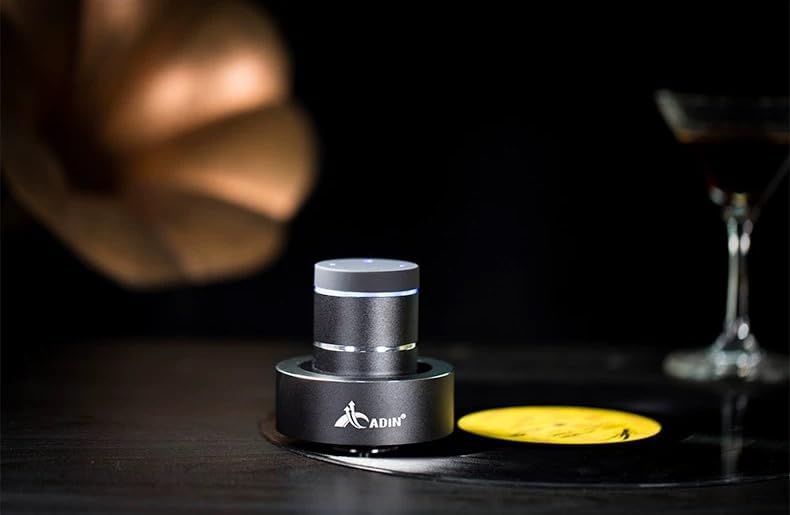
Figure 4: Adin S8BT Speaker in Use. This image depicts the Adin S8BT speaker placed on a flat surface, demonstrating its compact size and how it integrates into an environment for audio playback.
6. Упутство за употребу
6.1 Блуетоотх упаривање
- Ensure the speaker is powered on and in Bluetooth mode. The blue accent ring will likely flash, indicating it's ready for pairing.
- На паметном телефону или другом уређају који подржава Bluetooth, идите на подешавања Bluetooth-а.
- Тражи available devices. The speaker should appear as "Adin S8BT" or similar.
- Select the speaker from the list to pair. Once paired, the blue light may become solid or change its flashing pattern.
6.2 Аудио репродукција
Once connected via Bluetooth, you can play audio from your device. Use the touch controls on the top of the speaker to manage playback:
- Додирните: Пусти/Пауза.
- Превуците лево/десно: Previous/Next Track.
- Задржите: Volume Up/Down (specific gesture may vary, refer to quick start guide for precise touch controls).
6.3 АУКС улаз
For devices without Bluetooth, use the provided auxiliary cable. Connect one end to the speaker's "Link In" port and the other end to your audio source's headphone jack.
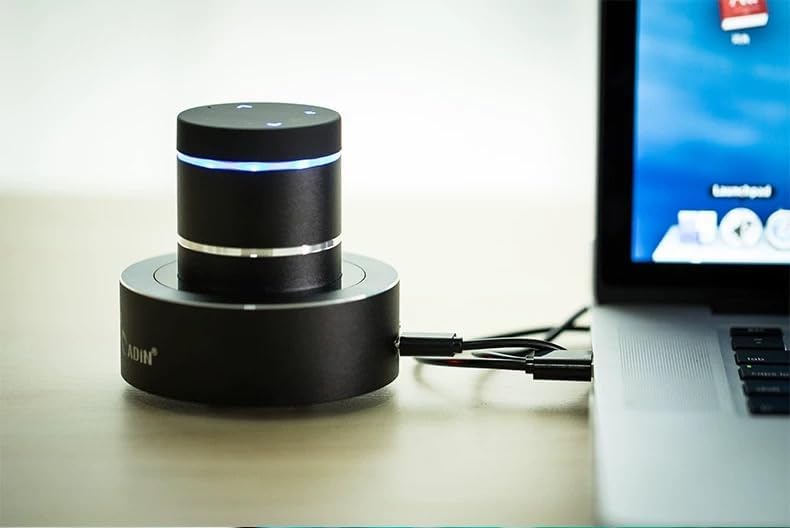
Figure 5: Adin S8BT Speaker with AUX Connection. This image illustrates the Adin S8BT speaker connected to a laptop via an auxiliary cable, demonstrating its wired connectivity option for audio input.
7. Одржавање и њега
- Чишћење: Use a soft, dry cloth to wipe the speaker's surface. Do not use abrasive cleaners or solvents.
- Складиштење: Чувајте звучник на хладном и сувом месту, даље од директне сунчеве светлости и екстремних температура.
- Изложеност води: Говорник је није водоотпоран. Avoid exposure to water or excessive moisture.
- Одржавање батерије: Да бисте продужили век трајања батерије, избегавајте често потпуно пражњење батерије. Редовно је пуните, чак и ако се не користи дуже време.
КСНУМКС. Решавање проблема
| Проблем | Могући узрок | Решење |
|---|---|---|
| Нема звука из звучника. | Speaker is off, not paired, or volume is too low. | Ensure speaker is ON. Re-pair Bluetooth. Increase speaker and device volume. Check surface contact. |
| Није могуће упаривање преко Bluetooth-а. | Speaker not in pairing mode, device Bluetooth off, or too far. | Ensure speaker is in pairing mode (flashing blue light). Turn device Bluetooth off/on. Move device closer to speaker (within 10m). |
| Лош квалитет звука. | Unsuitable surface, low battery, or interference. | Try placing on a different, more solid surface. Charge the speaker. Move away from other electronic devices. |
| Звучник се не пуни. | Cable issue, power source issue, or dirty port. | Check USB cable connection. Try a different USB port or power adapter. Ensure charging port is clean. |
9. Гаранција и подршка
For information regarding warranty coverage, please refer to the warranty card included with your purchase or contact the manufacturer directly. Keep your proof of purchase for any warranty claims.
If you encounter issues not covered in this manual or require further assistance, please contact Adin customer support through their official webсајт или продавца од кога сте купили производ.