
1. Увод
This manual provides essential information for the safe and effective operation of your Twotrees 800W 30000RPM Wood Router. Please read all instructions carefully before use to ensure proper setup, operation, and maintenance. Retain this manual for future reference.
2. Безбедносна упутства
Always prioritize safety when operating power tools. Failure to follow these instructions may result in electric shock, fire, or serious injury.
- Безбедност на радном месту: Одржавајте своје радно место чистим и добро осветљеним. Неред или тамна места изазивају несреће. Не користите електричне алате у експлозивним атмосферама, као што је присуство запаљивих течности, гасова или прашине.
- електрична безбедност: Утикачи електричних алата морају одговарати утичници. Никада не модификујте утикач на било који начин. Избегавајте контакт тела са уземљеним површинама.
- Лична безбедност: Always wear eye protection, hearing protection, and a dust mask. Dress properly; avoid loose clothing or jewelry. Secure long hair.
- Употреба и одржавање алата: Не форсирајте електрични алат. Користите одговарајући електрични алат за вашу примену. Искључите утикач из извора напајања пре него што извршите било каква подешавања, промените додатну опрему или одложите електрични алат.
- Одржавање: Одржавајте електричне алате. Проверите да ли се покретни делови померају, да ли су делови поломљени, да ли су поломљени и да ли има других услова који могу утицати на рад електричног алата.
3. Садржај пакета
Проверите да ли су све ставке наведене у наставку укључене у ваш пакет. Ако неке ставке недостају или су оштећене, обратите се корисничкој подршци.

Image: The Twotrees Wood Router along with its accessories, including a product manual, wrenches, zip ties, and power supply, laid out on a surface.
- Twotrees 800W Wood Router
- Упутство за производ
- Повер Суппли Унит
- Кључеви (разних величина)
- Зип везице за управљање кабловима
- Mounting Brackets (for CNC integration)
- Цоннецтион Цаблес
4. Карактеристике производа
The Twotrees Wood Router is designed for precision and durability in various woodworking and CNC applications.

Image: The wood router showing its thoughtful design, including an accurate depth scale and a multi-gear speed adjustment dial.
- Мотор велике снаге: Equipped with an 800W motor, providing robust performance for various cutting tasks.
- Подесива брзина: Features a speed range of 10,000 to 30,000 RPM, allowing for precise control over different materials and applications.
- Издржљива конструкција: Built with a heavy-duty aluminum motor housing for increased durability and resistance to drops.
- Ефикасно одвођење топлоте: Designed with features for faster heat dissipation, contributing to greater tool longevity.
- Разноврсна примена: Suitable for various professional engraving and woodworking tasks, especially when integrated with a CNC machine.

Image: An internal diagram illustrating the high-power motor, highlighting its 800W (±10%) output and speed range of 10,000-30,000 r/min.

Слика: Детаљна view of the router's spindle, emphasizing its operational speed range of 10,000-30,000 RPM for enhanced performance.
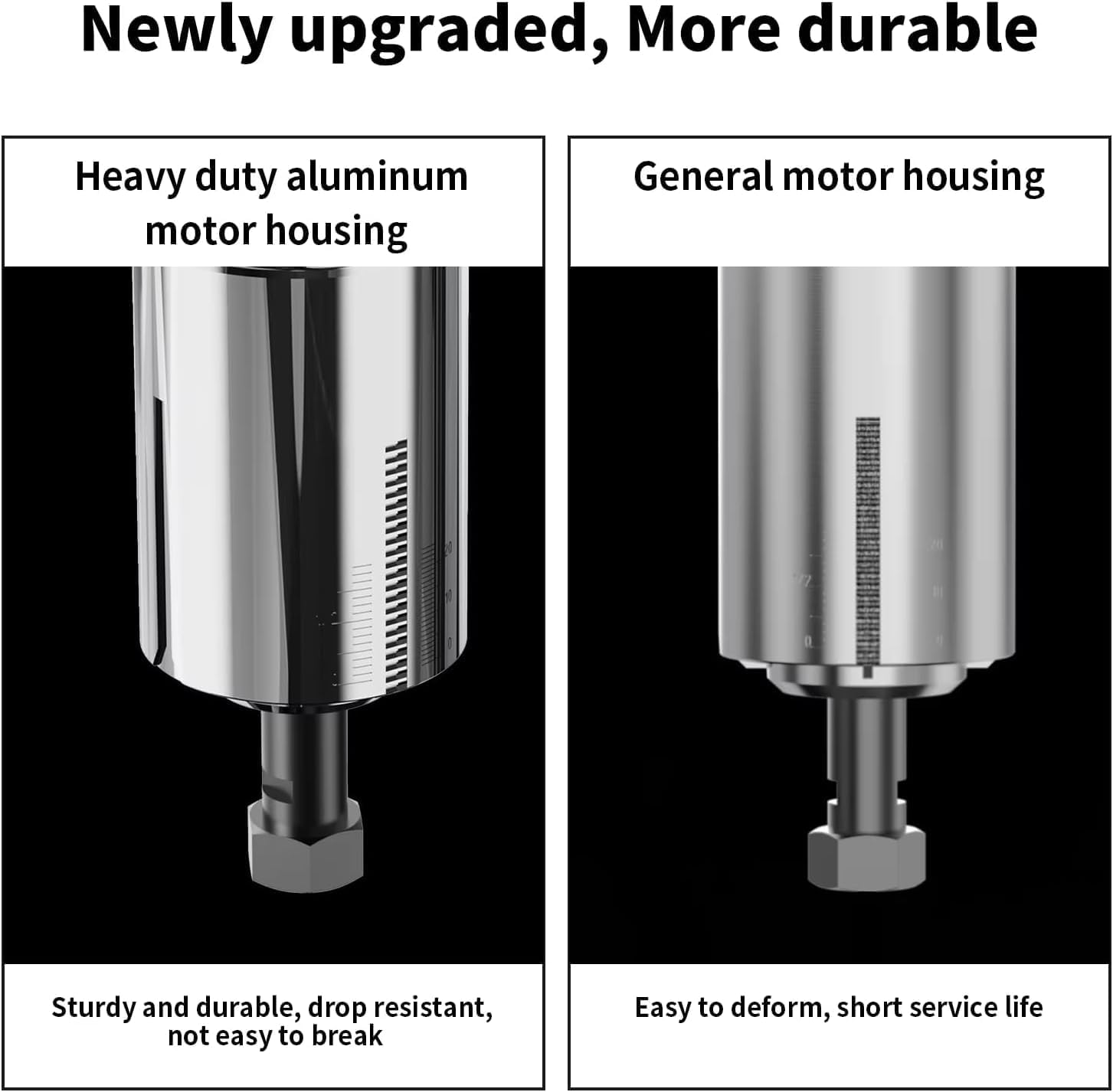
Image: A side-by-side comparison showing the robust heavy-duty aluminum motor housing on the left, contrasted with a general motor housing on the right, highlighting the improved durability.

Image: The wood router with an inset showing its ventilation design, indicating features for faster heat dissipation to enhance durability.

Image: The wood router actively mounted on a CNC machine, demonstrating its capability for professional engraving on a wooden workpiece.
5. Подешавање
This section details the steps for setting up your Twotrees Wood Router, particularly for integration with a CNC machine. Ensure the power is disconnected before beginning installation.
5.1 Mounting the Router to a CNC Machine
Follow these steps to securely mount the wood router onto your CNC machine's spindle holder.
- Remove any existing spindle or laser module from the CNC machine's Z-axis carriage. This typically involves unscrewing the mounting screws that secure the current tool.
- Attach the provided mounting plate to the Z-axis carriage using the appropriate screws and Allen wrench. Ensure it is firmly secured.
- Assemble the two halves of the router mounting bracket. Insert the screws into the designated holes and partially tighten them to allow for adjustment.
- Attach the assembled router mounting bracket to the mounting plate on the Z-axis carriage. Secure it with screws, but do not fully tighten yet.
- Carefully insert the Twotrees Wood Router into the opening of the mounting bracket. Ensure it slides in smoothly and is seated correctly.
- Adjust the router's position as needed, then fully tighten all screws on the mounting bracket to secure the router in place.
5.2 Електричне везе
Connect the router to its power supply and the CNC machine's control system.
- Connect the router's power cable to the power supply unit.
- Connect the power supply unit to a suitable electrical outlet.
- For CNC integration, connect the control cable from the router's power supply to the designated 'Rotary' port on your CNC machine's control board. Ensure the 24V ON/OFF switch on the CNC board is set correctly for rotary tool operation.
- Use the provided zip ties to manage and secure all cables, preventing them from interfering with the CNC machine's movement.
6. Упутство за употребу
Once the router is properly installed, follow these guidelines for operation.
6.1 Инсталирање битова за глодање
- Уверите се да је рутер искључен из извора напајања.
- Use the provided wrenches to loosen the collet nut.
- Insert the desired 1/4'' router bit into the collet, ensuring it is fully seated but not bottomed out.
- Чврсто затегните навртку стезне чауре кључевима. Немојте превише затезати.
6.2 Подешавање брзине
The router features a multi-gear speed adjustment dial.
- Locate the speed adjustment dial on the top of the router.
- Turn the dial to select the appropriate speed setting (1-6) for your material and router bit. Lower speeds are generally for harder materials or larger bits, while higher speeds are for softer materials or smaller bits.
6.3 Operating the Router
- Уверите се да је радни предмет безбедно цлamped to the CNC bed.
- Повежите рутер са извором напајања.
- Turn on the router using the power switch.
- Initiate the CNC program or manually control the router for your desired operation.
- Always observe the cutting process and adjust parameters as needed.
- After use, turn off the router and disconnect it from the power source.
7. Одржавање
Редовно одржавање осигурава дуготрајност и оптималне перформансе вашег рутера.
- Чишћење: After each use, disconnect the power and clean the router body and collet area with a soft brush or compressed air to remove dust and debris. Do not use solvents that could damage plastic parts.
- Инспекција битова: Regularly inspect router bits for sharpness and damage. Dull or damaged bits can cause poor cuts and put undue strain on the motor. Replace bits as necessary.
- Нега цанге: Keep the collet and collet nut clean and free of debris to ensure proper bit gripping.
- Складиштење: Store the router in a dry, clean place, away from direct sunlight and extreme temperatures.
КСНУМКС. Решавање проблема
Погледајте овај одељак за уобичајене проблеме и њихова решења.
| Проблем | Могући узрок | Решење |
|---|---|---|
| Router does not turn on | No power supply; Power switch off; Loose connection | Check power outlet and connections; Ensure power switch is ON. |
| Лоше перформансе сечења | Dull or damaged bit; Incorrect speed setting; Too fast feed rate | Replace bit; Adjust speed; Reduce feed rate. |
| Прекомерне вибрације или бука | Loose bit; Damaged bit; Motor issue | Ensure bit is securely tightened; Replace bit; Contact support if motor issue persists. |
| Router overheating | Prolonged heavy use; Blocked ventilation | Allow router to cool down; Clear any obstructions from ventilation ports. |
9. Спецификације
Key technical specifications for the Twotrees Wood Router.
| Феатуре | Детаљ |
|---|---|
| Бранд | Twotrees |
| Модел | Twotrees Roteador |
| Повер | 800В |
| Брзина без оптерећења | 10,000-30,000 РПМ |
| Цоллет Сизе | 1/4 инча (6.35 мм) |
| Улазни волtage | 110V (as per product title) |
| Димензије (паковање) | 31 к 27 к 14 цм |
| Тежина (паковање) | 3 килограма |
| ASIN | B0DRK251TX |
10. Гаранција и подршка
Specific warranty details are not provided in the available product data. For warranty information, technical support, or replacement parts, please contact Twotrees customer service directly through their official website or the retailer where the product was purchased. Always provide your product model and ASIN (B0DRK251TX) when seeking support.