
1. Увод
The Oilsky M1 MP3 Player is a portable digital music player designed for high-quality audio playback. It features Bluetooth 5.4 for stable wireless connections, a 2.4-inch touchscreen for easy navigation, and a built-in speaker. With 128GB of internal storage and support for an additional 128GB Micro SD card, it can store a vast library of music, audiobooks, and other media. This manual provides detailed instructions on how to set up, operate, and maintain your device.
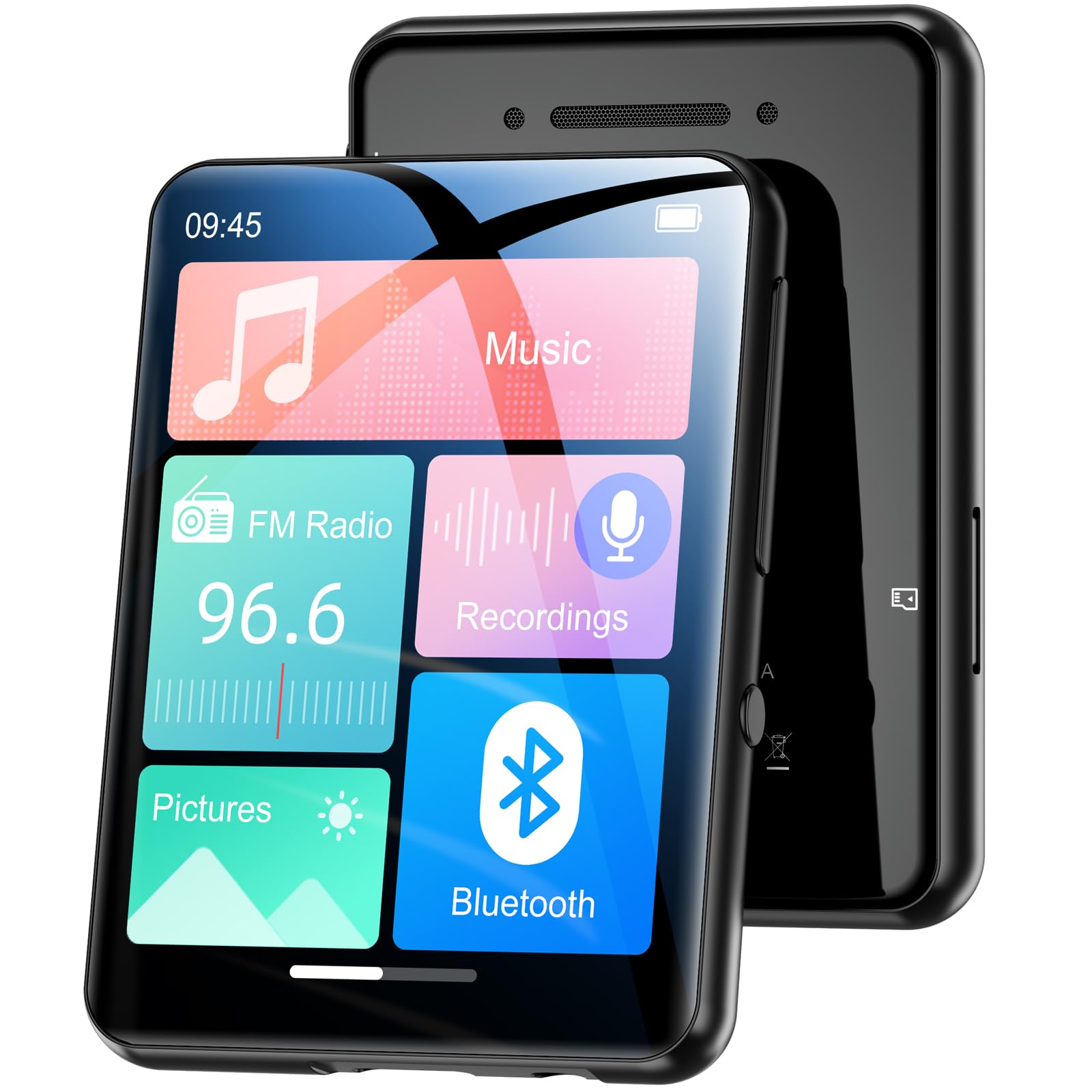
Слика 1.1: Предња страна view of the Oilsky M1 MP3 Player, showcasing its compact design and touchscreen interface.
2. Шта је у кутији
Молимо вас да проверите садржај пакета након распакивања како бисте били сигурни да су сви елементи присутни:
- 1x Oilsky M1 MP3 Player
- КСНУМКСк УСБ кабел за пуњење
- 1x Wired Headphones
- 1x Упутство за употребу (овај документ)
- 1к заштитна торбица
- 1к Ланиард

Image 2.1: All included accessories and the MP3 player laid out, including the USB cable, headphones, protective case, and lanyard.
3. Подешавање
3.1 Пуњење уређаја
Before first use, fully charge the MP3 player. Connect the provided USB cable to the player's charging port and the other end to a USB power adapter (not included) or a computer's USB port. The device takes approximately 2 hours to fully charge, providing up to 50 hours of music playback.
3.2 Укључивање/искључивање
- За укључивање: Притисните и држите дугме за напајање док екран не засветли.
- За искључивање: Притисните и држите дугме за напајање док се на екрану не појави опција за искључивање, а затим потврдите.
3.3 Уметање Мицро СД картице
The Oilsky M1 has 128GB of built-in memory and supports Micro SD cards up to an additional 128GB (not included). To expand storage:
- Locate the Micro SD card slot on the side of the player.
- Gently insert the Micro SD card into the slot with the gold contacts facing down until it clicks into place.
- Да бисте је уклонили, гурните картицу ка унутра док не искочи.

Image 3.1: Visual representation of the 128GB internal memory and the option to expand storage with a Micro SD card.
3.4 Подешавања језика
The device supports English, German, French, Italian, Spanish, and 29 other languages. To change the language:
- Go to the 'Settings' menu.
- Select 'Language'.
- Изаберите жељени језик са листе.
4. Упутство за употребу
The Oilsky M1 features a 2.4-inch full touchscreen for intuitive control. Navigate through menus by swiping and tapping.

Image 4.1: A hand interacting with the full touchscreen interface of the MP3 player, demonstrating ease of use.
4.1 Репродукција музике
The player supports various audio formats including MP3, WMA, APE, FLAC, WAV, and AAC, providing high-fidelity sound with digital noise reduction. You can organize music by title, folder, artist, or album.
- Пренос музике: Connect the player to your computer using the USB cable. The player will appear as a removable disk. Drag and drop your music files into the 'Music' folder on the device or Micro SD card.
- Пуштање музике: From the main menu, tap 'Music'. You can browse by 'All Songs', 'Artists', 'Albums', 'Folders', etc. Tap a song to begin playback.
- Контроле: Use the on-screen controls for play/pause, next/previous track, and volume adjustment.

Image 4.2: A user enjoying music with headphones connected to the Oilsky M1 MP3 Player, highlighting the high-quality sound experience.

Image 4.3: Display illustrating the multiple audio formats supported by the MP3 player, including MP3, WMA, APE, FLAC, WAV, and AAC.
4.2 Блуетоотх веза
The player features Bluetooth 5.4 for connecting to Bluetooth headphones and speakers. It includes a memory function that automatically reconnects to previously paired devices. Note: The player cannot connect to mobile phones or car Bluetooth systems.
- From the main menu, tap 'Bluetooth'.
- Turn on Bluetooth. The player will scan for nearby devices.
- Изаберите жељене Bluetooth слушалице или звучник са листе за упаривање.

Image 4.4: The MP3 player screen showing the Bluetooth connection icon, indicating stable and fast Bluetooth 5.4 connectivity to external audio devices.
4.3 ФМ Радио
Да бисте користили функцију ФМ радија:
- Connect the wired headphones (they act as an antenna).
- From the main menu, tap 'FM Radio'.
- Користите контроле на екрану да бисте скенирали станице или их ручно подесили.
4.4 Диктафон
The player includes a built-in microphone for digital voice recording.
- From the main menu, tap 'Recordings'.
- Tap the record icon to start and stop recording.
- Recordings are saved and can be played back from this menu.

Image 4.5: The MP3 player displaying its voice recording interface, useful for capturing notes or conversations.
4.5 E-Book Reader
The player supports TXT format e-books.
- Transfer TXT files to the 'E-book' folder on the device.
- From the main menu, tap 'E-book' to access your library.
4.6 Пхото Viewer
View JPEG/BMP image files on the 2.4-inch screen.
- Transfer image files to the 'Pictures' folder.
- From the main menu, tap 'Pictures' to browse your photos.
4.7 Функција аларма
Set alarms using your favorite music as the ringtone.
- From the main menu, tap 'Alarm'.
- Configure alarm time, repeat settings, and select a music file for the alarm sound.

Image 4.6: The MP3 player displaying an alarm clock icon, indicating its alarm function capability.
5. Одржавање
5.1 Чишћење
- Обришите уређај меком, сувом крпом.
- Do not use liquid cleaners or aerosols, as they may damage the device.
5.2 Одржавање батерије
- Избегавајте излагање уређаја екстремним температурама.
- Редовно пуните уређај, чак и ако га не користите, како бисте одржали здравље батерије.
5.3 Складиштење
When not in use for extended periods, store the player in a cool, dry place, away from direct sunlight and moisture.
КСНУМКС. Решавање проблема
| Проблем | Могуће решење |
|---|---|
| Уређај се не укључује. | Ensure the device is fully charged. If the battery is depleted, it may take a few minutes of charging before it can power on. |
| Bluetooth headphones/speaker won't connect. | Ensure Bluetooth is enabled on both devices. Make sure the headphones/speaker are in pairing mode. Confirm the MP3 player is not attempting to connect to a mobile phone or car system, as this is not supported. |
| Није могуће пренети fileс плејеру. | Check the USB cable connection. Ensure the player is properly recognized by your computer. Try a different USB port or cable. |
| Music playback is distorted or silent. | Check headphone connection or Bluetooth connection. Ensure volume is not muted and is set to an audible level. Verify the audio file формат је подржан. |
| Екран не реагује. | Perform a soft reset by pressing and holding the power button for 10-15 seconds. If the issue persists, ensure the device is charged. |
7. Спецификације
| Феатуре | Детаљ |
|---|---|
| Бранд | Оилски |
| Број модела | M1 |
| Посебне карактеристике | Touchscreen, Built-in Speaker, Digital Noise Reduction |
| Технологија повезивања | Блуетоотх 5.4, УСБ |
| Интерна меморија | 128 ГБ |
| Екпандабле Стораге | Мицро СД картица до 128 ГБ |
| Боја | Црно |
| Величина екрана | 2.4 инча |
| Компатибилни уређаји | Bluetooth Speakers, Bluetooth Headphones, Personal Computers |
| Подржани аудио формати | МП3, ВМА, АПЕ, ФЛАЦ, ВАВ, ААЦ |
| Подржани формат е-књиге | ТКСТ |
| Подржани формати слика | ЈПЕГ, БМП |
| Трајање батерије | До 50 сати |
| Време пуњења | Приближно 2 сати |
| Тежина артикла | 65 грама |
| Димензије артикла (Д к Ш к В) | 1 цм к 5 цм к 7 цм |
8. Гаранција и подршка
8.1 Политика гаранције
Oilsky offers a one-year return policy for this product. This warranty covers manufacturing defects and issues arising from normal use.
8.2 Корисничка подршка
Our team is dedicated to providing prompt, attentive, and high-quality support. We guarantee a response within 24 hours for any inquiries or issues you may have.
For assistance, please contact us through the platform where you purchased the product or refer to the contact information provided on the official Oilsky webсајту.
We are committed to ensuring your satisfaction with your Oilsky M1 MP3 Player.