
RAINPOINT B-ITV347
RAINPOINT Irrigation Computer User Manual
Model: B-ITV347
1. Увод
Thank you for choosing the RAINPOINT Irrigation Computer. This device is designed to simplify your garden watering tasks with its advanced features and user-friendly interface. It allows for precise control over watering schedules across multiple zones, ensuring optimal hydration for your plants while conserving water.
Please read this manual thoroughly before operating the device to ensure proper installation, programming, and maintenance. Keep this manual for future reference.
2. Производ је готовview
2.1 Компоненте
The RAINPOINT Irrigation Computer features a robust design with a large LCD display and intuitive controls. Key components include:
- Главна јединица: Houses the control panel, LCD display, and battery compartment.
- Месингани улаз: Durable connection point for your water source, compatible with 3/4 and 1-inch hoses/taps.
- Three Independent Outlets: Allows for connection of up to three separate watering zones.
- Цонтрол Диал: Used for navigating through settings and modes.
- Дугмад: OK/Manual, Delay/+, Zone/-, used for specific functions and adjustments.

Слика 2.1: Предња страна view of the RAINPOINT Irrigation Computer, showing the large LCD display, control dial, and three outlets at the bottom.
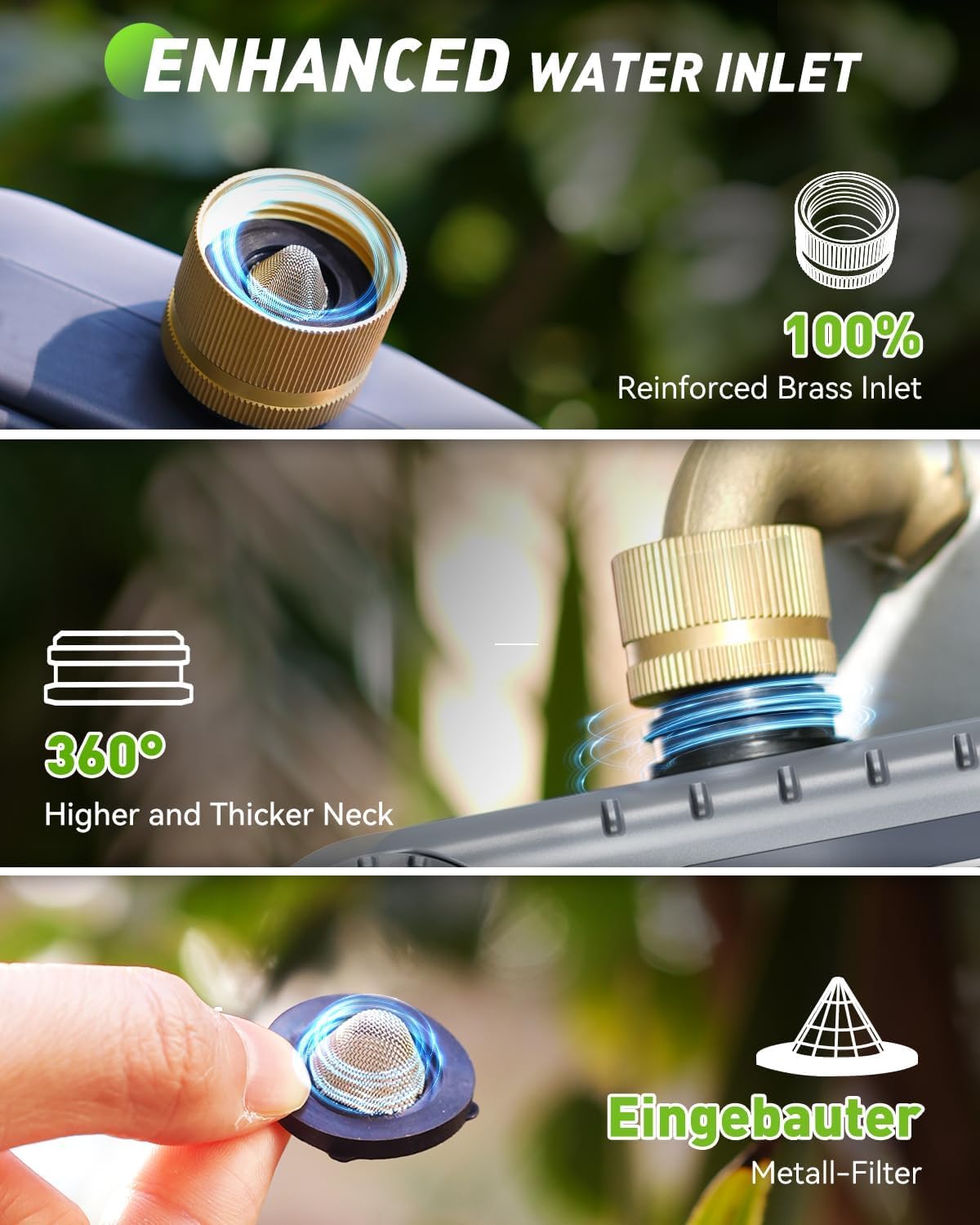
Слика 2.2: Детаљно view of the enhanced water inlet, featuring a reinforced brass connection and an integrated metal filter for durability and clean water flow.
2.2 Кључне карактеристике
- 3 Independent Zones: Program distinct watering schedules for up to three different areas.
- Enhanced Timer Performance: Durable brass inlet and reinforced solenoid valve for stable water flow.
- Функција одлагања кише: Pause watering for 24, 48, or 72 hours to prevent overwatering during rainfall.
- Ручни режим заливања: Initiate immediate watering without affecting programmed schedules.
- Велики ЛЦД екран: Clear and easy-to-read screen for programming and monitoring.
- Заштита од ниске батерије: Alerts for low battery and automatically shuts off the valve to prevent water waste.
3. Подешавање
3.1 Инсталација батерије
The irrigation computer requires 4 AA 1.5V batteries (not included). To install:
- Пронађите одељак за батерију на задњој страни уређаја.
- Gently pull up the two tabs on the back cover to open the compartment.
- Уметните 4 АА батерије, водећи рачуна о исправном поларитету (+/-).
- Close the battery compartment securely, pressing down until the tabs click into place.
Note: The LCD screen will activate upon successful battery installation.
3.2 Installation to Faucet
Before connecting, ensure your faucet is clean and free of debris.
- Attach the brass inlet of the irrigation computer to your outdoor faucet. Ensure the included sealing washer is properly seated to prevent leaks.
- Tighten the connection by hand until secure. Do not overtighten.
- Connect your garden hoses to the three independent outlets at the bottom of the unit. Ensure each hose is securely fastened.

Figure 3.1: Installation of the irrigation computer to a standard outdoor faucet, highlighting the ergonomic design for easy handling.
4. Упутство за употребу
4.1 Подешавање сата
- Окрените контролни точкић на СЕТ ЦЛОЦК.
- Користите +/- buttons to adjust the current hour. Press ОК/МАНУАЛ потврдити.
- Користите +/- buttons to adjust the current minute. Press ОК/МАНУАЛ потврдити.
- Сат је сада подешен.
4.2 Programming Watering Schedules (Automatic Mode)
Each of the three zones can be programmed independently. The device will execute plans for one zone at a time to maintain water pressure.

Figure 4.1: The LCD display illustrating the customizable settings for watering schedules, including start time, duration, and frequency.
- Окрените контролни точкић на ВРЕМЕ ПОЧЕТКА.
- Притисните тастер ZONE +/- button to select the zone you wish to program (ZONE 1, 2, or 3).
- Користите +/- buttons to set the desired start time for the selected zone. Press ОК/МАНУАЛ потврдити.
- Окрените контролни точкић на КОЛИКО ДУГО.
- Ensure the correct zone is selected using ZONE +/-. Користите +/- buttons to set the watering duration (from 1 minute to 4 hours). Press ОК/МАНУАЛ потврдити.
- Окрените контролни точкић на КОЛИКО ЧЕСТО.
- Ensure the correct zone is selected using ZONE +/-. Користите +/- buttons to set the watering frequency (from 1-12 hours or 1-7 days). Press ОК/МАНУАЛ потврдити.
- Repeat steps for other zones as needed.
- Окрените контролни точкић на ON to activate the programmed schedules.
Important Note: The device can only execute the plan for one zone at a time. If there is a conflict in activation plans for multiple zones, only one zone will operate, and the others will wait for the previous zone's execution to complete before starting. This ensures optimal water pressure for each zone.
4.3 Ручно заливање
To initiate immediate watering without affecting your programmed schedules:

Figure 4.2: A user demonstrating manual watering, with the display showing options to select and activate specific zones for immediate watering.
- Окрените контролни точкић на ON.
- Притисните тастер ОК/МАНУАЛ button. The display will show "MANUAL".
- Користите ZONE +/- button to select the zone you wish to water manually.
- Користите +/- buttons to set the desired manual watering duration (from 1 minute to 8 hours).
- Притисните ОК/МАНУАЛ да започне ручно заливање.
- Да бисте зауставили ручно заливање, притисните ОК/МАНУАЛ again or turn the dial to ОФФ.
4.4 Функција одлагања кише
The rain delay function allows you to temporarily suspend your watering schedule for a set period, preventing overwatering during rainy conditions.
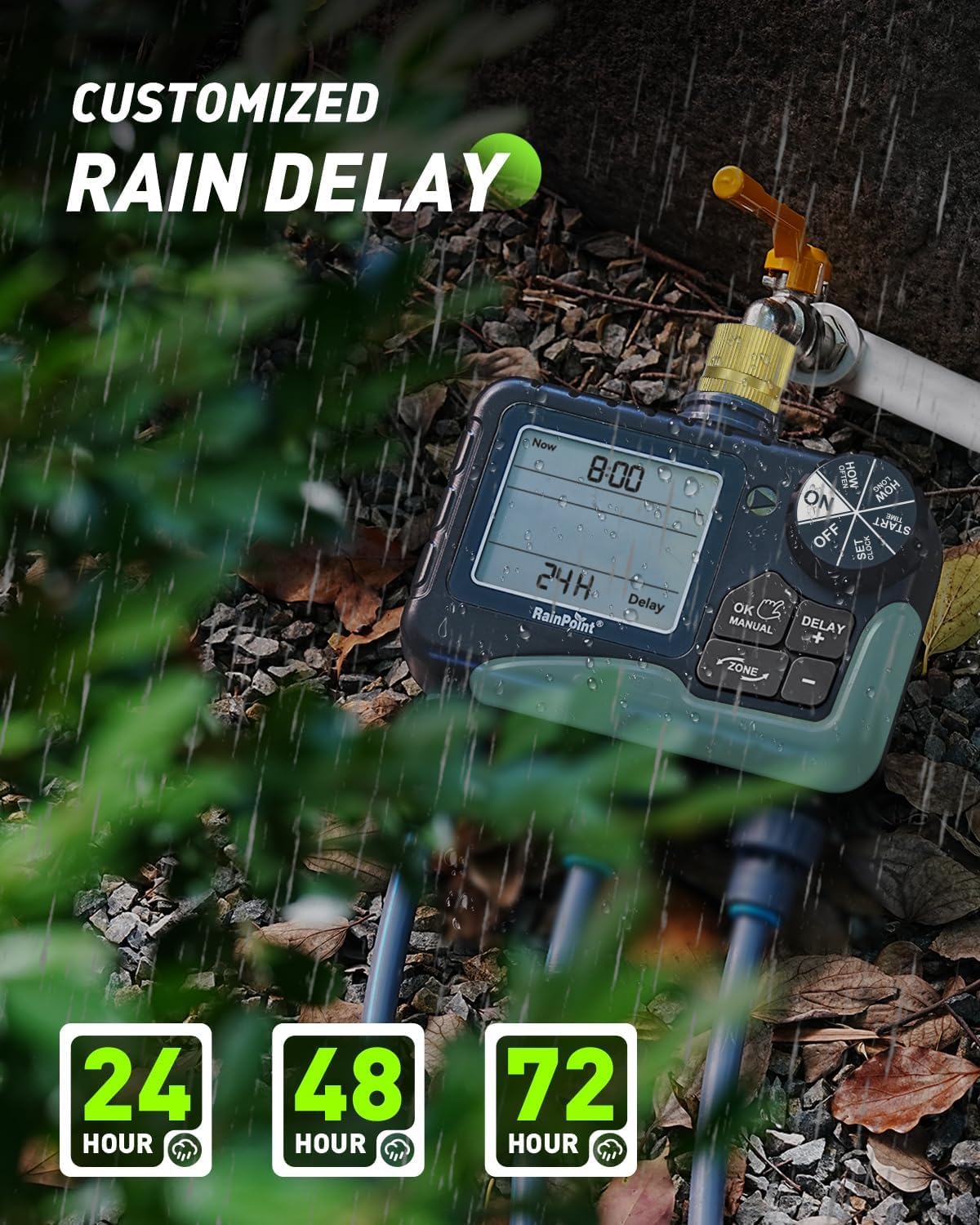
Figure 4.3: The irrigation computer displaying the rain delay options, allowing users to pause watering for 24, 48, or 72 hours.
- Окрените контролни точкић на ON.
- Притисните тастер ДЕЛАИ/+ button. The display will show "DELAY".
- Користите +/- buttons to select the desired delay duration (24H, 48H, or 72H).
- Притисните ОК/МАНУАЛ to activate the rain delay. The timer will automatically resume its schedule after the selected delay period.
- Да бисте отказали одлагање због кише, притисните ДЕЛАИ/+ again and select "0H" or turn the dial to ОФФ а затим назад на ON.
4.5 Turning Off the Device
To stop all watering and programming, turn the control dial to ОФФ. This will suspend all active schedules until the dial is turned back to ON.
5. Одржавање
- Замена батерије: Replace batteries when the low battery indicator appears on the LCD. The valve will automatically shut off when batteries are critically low to prevent water waste.
- Чишћење: Periodically clean the brass inlet filter to prevent debris from entering the unit and affecting water flow. Remove the filter, rinse it under running water, and reinsert.
- Зимско складиштење: During freezing temperatures, remove the irrigation computer from the faucet and store it indoors in a dry, frost-free location. Remove batteries before storage.
- Valve Maintenance: The improved coil valve design minimizes shock and ensures smoother water flow. No specific user maintenance is required for the internal valve beyond keeping the inlet filter clean.

Figure 5.1: The display indicating a low battery reminder and the automatic shut-off feature to conserve water.

Figure 5.2: Visual comparison highlighting the structural design improvements of the upgraded coil valve, leading to less water pressure loss compared to older valve types.
КСНУМКС. Решавање проблема
| Проблем | Могући узрок | Решење |
|---|---|---|
| Нема протока воде. |
|
|
| Watering does not start at programmed time. |
|
|
| Цурење из прикључака. |
|
|
| Екран је празан или замагљен. |
|
|
7. Спецификације
| Феатуре | Детаљ |
|---|---|
| Број модела | B-ITV347 |
| Димензије | Approx. 18.7D x 19.5W x 10.9H cm |
| Тежина | Approx. 866 Grams |
| Материјал | Brass (inlet), ABS Plastic |
| Опсег притиска воде | 0.5 - 8 Bar (7.25 - 116 PSI) |
| Флов Рате | 5 - 35 Liters per minute |
| Радна температура | 3°C - 50°C |
| Извор напајања | 4 к АА 1.5В батерије (нису укључене) |
| Трајање заливања | 1 minute to 4 hours (programmable) |
| Учесталост заливања | 1-12 hours or 1-7 days (programmable) |
| Опције одлагања кише | 24Х, 48Х, 72Х |
| Ингресс Протецтион | ИП65 |
8. Гаранција и подршка
RAINPOINT offers lifetime support for this product. If you require further assistance, have questions, or encounter any issues not covered in this manual, please contact RAINPOINT customer service.
For warranty information and to register your product for a 5-year guarantee, please refer to the contact details provided with your purchase or visit the official RAINPOINT webсајту.
Ask a question about this manual
Ask about setup, troubleshooting, compatibility, parts, safety, or missing instructions. Manuals+ will review the question and use this page’s manual context to help answer it.