
RAINPOINT B245-040-BSP
RAINPOINT Smart Irrigation System User Manual
Model: B245-040-BSP
1. Увод
This user manual provides comprehensive instructions for the installation, operation, and maintenance of your RAINPOINT WiFi Irrigation Computer. Designed for efficient garden watering, this smart system features a 2-zone timer, an antenna gateway for stable connectivity, and robust brass components. Please read this manual carefully before use to ensure optimal performance and longevity of your device.
2. Безбедносне информације
- Ensure the device is installed in a location protected from extreme weather conditions, despite its IP65 rating.
- Не растављајте или покушавајте сами да поправите уређај. Обратите се корисничкој подршци за помоћ.
- Чувати ван домашаја деце.
- Use only the specified power adapter for the gateway.
- Protect the device from freezing temperatures to prevent damage.
3. Садржај пакета
Проверите да ли су све ставке присутне у пакету:

Слика 3.1: Садржај пакета
The package includes the RainPoint 2-Zone WiFi Water Timer, the WiFi Antenna Gateway, PTFE tape, an adapter, a Type-C USB cable, a user manual, and a quick start guide.
- RAINPOINT 2-Zone WiFi Irrigation Computer
- Antenna Gateway (HWG040)
- ПТФЕ трака
- Адаптер
- Тип-Ц УСБ кабл
- Упутство за употребу
- Водич за брзи почетак
4. Подешавање
4.1 Gateway Connection
The HWG040 Antenna Gateway provides stable connectivity for your irrigation system. It supports both 2.4G WiFi and Ethernet cable connections, ensuring a reliable signal up to 150 meters.

Figure 4.1: Gateway Connectivity Options
The gateway offers both 2.4GHz WiFi and Ethernet connection methods for enhanced stability and range.
- Connect the gateway to a power source using the provided adapter and Type-C USB cable.
- For Ethernet connection: Connect an Ethernet cable from your router to the Ethernet port on the gateway.
- For WiFi connection: Ensure your router broadcasts a 2.4G WiFi signal. Follow the in-app instructions to connect the gateway to your WiFi network.
4.2 Инсталација тајмера
The irrigation computer features a durable 100% brass water inlet and an IP65 waterproof design for enhanced longevity and weather resistance.

Figure 4.2: IP65 Waterproof Design
The irrigation computer is designed with an IP65 rating, making it waterproof and dustproof for outdoor use.
- Attach the irrigation computer to your outdoor faucet. Ensure a tight connection to prevent leaks. PTFE tape can be used for a better seal.
- Connect your garden hoses to the two independent water outlets (L and R) on the timer.
- Ensure the timer is securely mounted and the battery compartment is accessible for future maintenance.
4.3 Инсталација и упаривање апликације
The RainPoint app allows for remote control and management of your irrigation system.

Слика 4.3: Систем је завршенview са апликацијом
The complete RainPoint smart irrigation system, including the timer, gateway, and the intuitive mobile application for control.
- Download the "RainPoint" app from your smartphone's app store (iOS or Android).
- Направите налог или се пријавите ако га већ имате.
- Follow the in-app instructions to add your gateway and then pair your irrigation computer(s) to the gateway. One gateway can support up to 39 timers.
5. Упутство за употребу
5.1 Remote Control and Voice Control
Manage your irrigation system from anywhere using the RainPoint app or integrate with smart home assistants.

Figure 5.1: Smart Features Overview
The system supports APP remote control, rain delay, has a built-in flow meter, is compatible with Alexa and Google Assistant, and boasts an IP65 waterproof rating.
- Контрола апликације: Open the RainPoint app to view device status, adjust schedules, or manually start/stop watering for each zone.
- Контрола гласом: The system is compatible with Amazon Alexa and Google Assistant. Link your RainPoint account in the respective smart home app to enable voice commands for watering control.
5.2 Watering Modes and Frequencies
The smart irrigation computer offers flexible scheduling options for up to two independent zones, with up to 6 schedules per valve.
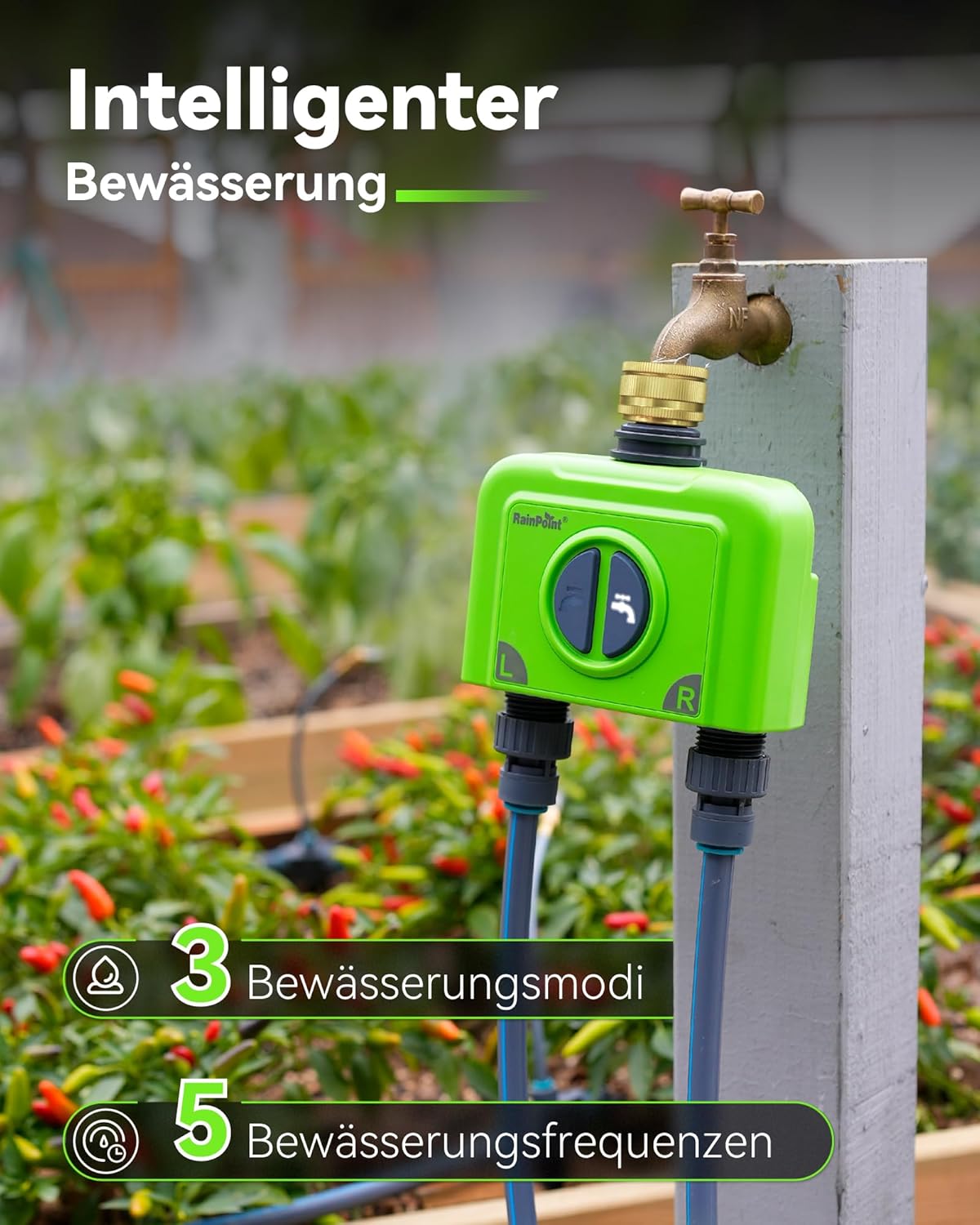
Figure 5.2: Watering Modes and Frequencies
The system provides 3 distinct watering modes and 5 frequency options to customize your irrigation needs.
- Режими заливања:
- Normal Irrigation: Water for a set duration (1 minute to 12 hours).
- Interval Irrigation: Water for a short period, then pause, then repeat (1 second to 60 minutes).
- Cycle Irrigation: Water for a set duration, then wait for a set duration, then repeat (1 minute to 12 hours).
- Watering Frequencies:
- Даили
- Одд Даис
- Чак и дани
- Недељно
- Every 2 to 30 days
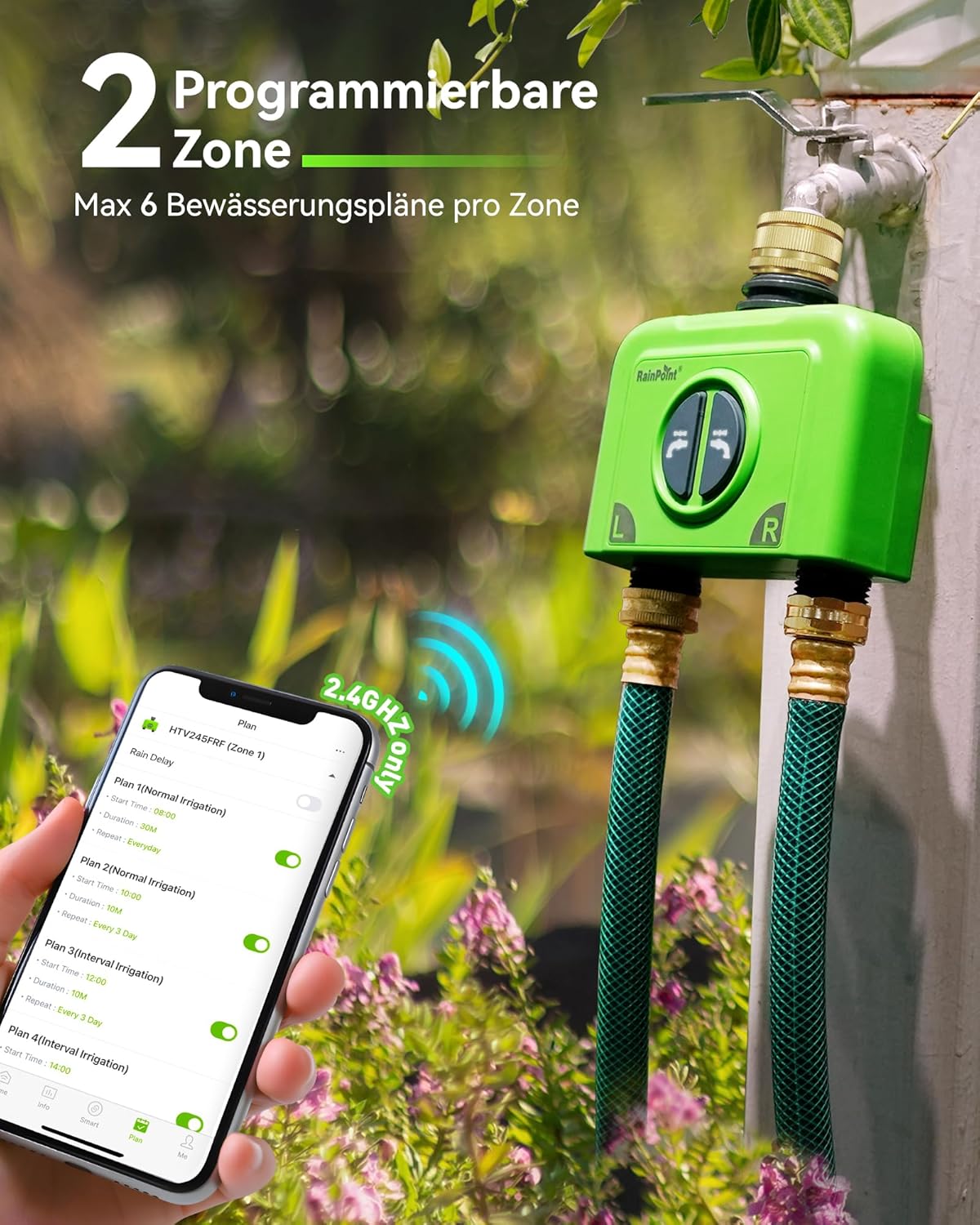
Figure 5.3: Programmable Zones
The app allows for setting up to 6 watering plans for each of the two independent zones.
5.3 Weather-Based Watering
Synchronize your irrigation schedule with local weather conditions to optimize water usage and save money.

Figure 5.4: Weather-Based Adjustments
The system can automatically adjust watering schedules based on local weather, including rain, snow, and cloud cover.
- Enable weather synchronization in the app settings.
- Set conditions for delayed irrigation (e.g., on rainy days) or increased irrigation (e.g., during high temperatures).
5.4 Water Flow Monitoring
The integrated high-precision water flow meter allows you to track and manage your water consumption.

Figure 5.5: Water Consumption Monitoring
The built-in flow meter allows you to manage and monitor your water usage, with historical data available in the app.
- View daily and monthly water consumption data within the app.
- Use this data to adjust your irrigation plans for optimal water efficiency.
5.5 Ручно заливање
You can manually initiate watering directly from the device or through the app, overriding scheduled plans temporarily.
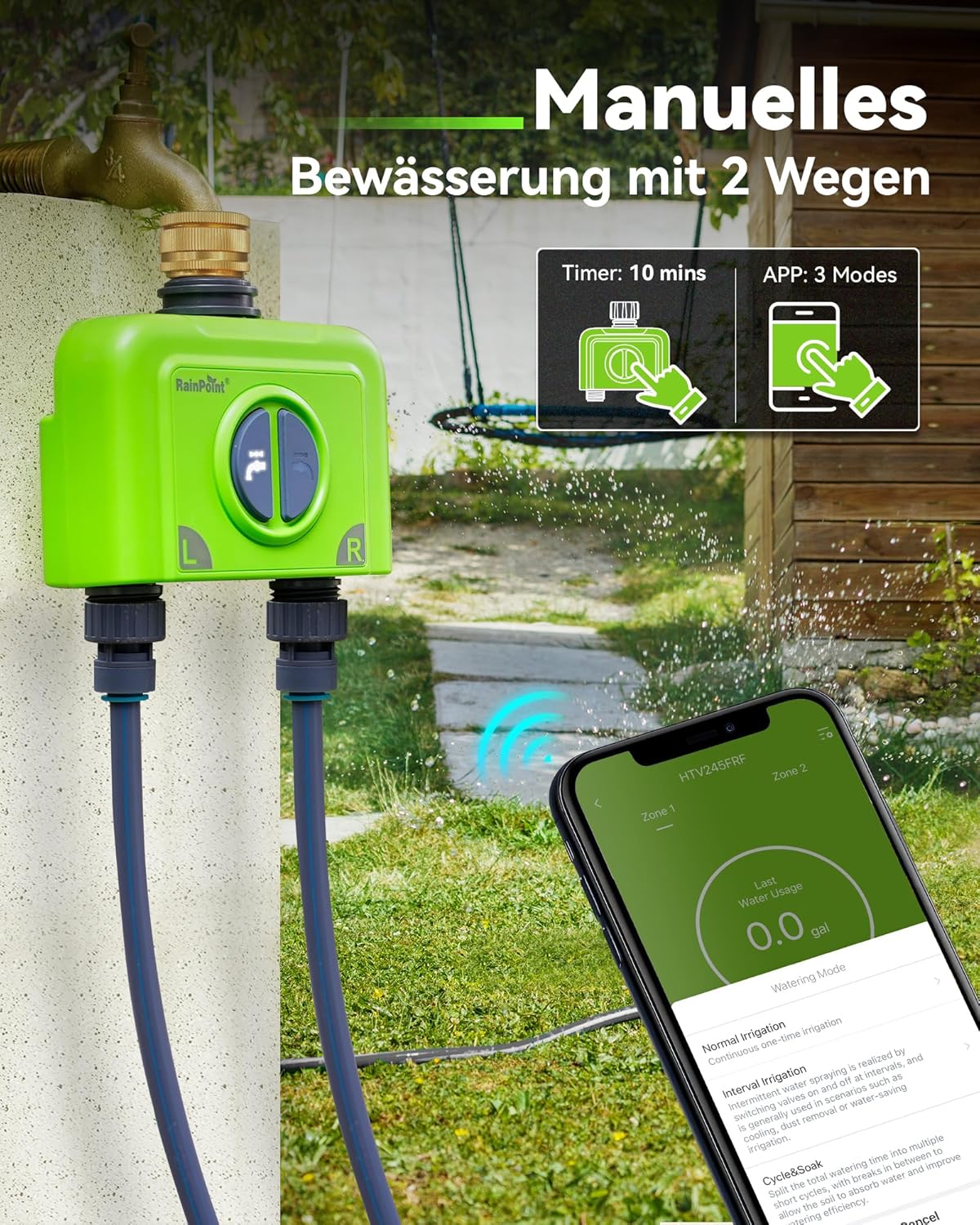
Figure 5.6: Manual Watering Options
Manual watering can be initiated directly from the timer for a fixed duration or through the app with various modes.
- На уређају: Press the button on the timer to start a quick manual watering cycle (e.g., 10 minutes).
- Преко апликације: Use the app's manual control feature to start or stop watering for specific zones, choosing from available modes.
6. Одржавање
- Чишћење: Obrišite uređaj sa oglasomamp тканина. Немојте користити абразивна средства за чишћење.
- Зимљење: Disconnect the timer from the faucet and store it indoors in a dry, frost-free location during winter months to prevent damage from freezing water.
- Замена батерије: The app will notify you of a low battery. Replace batteries promptly to ensure continuous operation.
КСНУМКС. Решавање проблема
The system provides real-time alerts to help you identify and resolve issues.
| Иссуе | Могући узрок | Решење |
|---|---|---|
| Timer Offline / Weak Signal | Gateway out of range, interference, or gateway offline. |
|
| Valve Failure Alert | Obstruction in valve, low water pressure, or mechanical issue. |
|
| Упозорење о ниској батерији | Timer batteries are low. | Replace the batteries in the irrigation computer immediately. |
| Water Consumption Reads 0 (for drip irrigation) | Flow rate is too low for the sensor to register. | This is expected for very low flow rates. The timer will still operate, but flow data may not be accurate. |
8. Спецификације
| Феатуре | Детаљ |
|---|---|
| Бранд | РАИНПОИНТ |
| Број модела | B245-040-BSP |
| Боја | Зелена |
| Димензије производа | 17.8 к 17 к 9 цм |
| Материјал | Месинг |
| Тежина артикла | 850 г |
| Водоотпорна оцена | ИП65 |
| Гатеваи Цоннецтивити | 2.4G WiFi, Ethernet |
| Gateway Range | До 150 м |
| Timer Zones | 2 независних зона |
| Schedules per Zone | До 6 |
| Режими заливања | Normal, Interval, Cycle |
| Воице Цонтрол | Алека, Гоогле помоћник |
| Флов Метер | Integrated high-precision |
9. Гаранција и подршка
RAINPOINT offers a comprehensive warranty and dedicated customer support for your product.
- гаранција: Enjoy a 5-year warranty upon product registration.
- Служба за кориснике: RAINPOINT provides 24-hour local customer service. For any inquiries or technical assistance, please refer to the contact information provided in the quick start guide or on the official RAINPOINT webсајту.
Ask a question about this manual
Ask about setup, troubleshooting, compatibility, parts, safety, or missing instructions. Manuals+ will review the question and use this page’s manual context to help answer it.