
1. Увод
The JONSBO BO400 is a high-performance ATX Mid Tower PC Case designed with an aluminum alloy frame and a unique back-connect motherboard compatibility. It features a dual-chamber design for efficient component separation and cooling, along with interchangeable top and front panels for versatile display options. This manual provides detailed instructions for assembly, operation, and maintenance of your BO400 PC case.
2. Кључне карактеристике
- High-Strength Aluminum Alloy Frame: Constructed from 6mm CNC aluminum alloy with an anodized brushed panel for a premium 3D texture.
- 3-Sided Side View Режим: Features an interchangeable metal top cover and glass top cover, allowing for a three-sided view (top, front, side) of internal components.
- Tool-Free Buckle Opening: Side panels open easily with a pressing mechanism for convenient access and assembly.
- ATX Back-Connect Motherboard/BTF Support: Designed to accommodate back-connect motherboards for a cleaner internal aesthetic. Compatible with Micro-ATX and ATX motherboards.
- Дизајн са две коморе: Optimizes airflow and component separation for high-performance hardware.
- Extensive Cooling Support: Compatible with up to 3x 360 AIO liquid coolers and supports up to 10 fans. CPU cooler height up to 173mm.
- GPU Compatibility: Supports graphics cards up to 435mm in length, includes a high-strength aluminum alloy graphics card support bracket.
- Опције складиштења: Accommodates 2x 2.5" SSDs or 4x 3.5" HDDs.
- Предњи И / О: Includes 2x USB 3.2 Gen 1 Type-A, 1x USB 3.2 Gen 2 Type-C, and a 2-in-1 earphone/microphone jack.
- ARGB контрола: Panel indicator light can be connected to ARGB control for customizable lighting.
3. Подешавање и инсталација
3.1 Распакивање и почетни преглед
Carefully remove the BO400 case from its packaging. Inspect for any signs of damage during transit. Retain all packaging materials for future transport or warranty claims.
3.2 Opening the Side Panels
The left and right side panels feature a tool-free buckle opening mechanism. Gently press the designated areas to release the panels. The top cover and bottom plate also utilize a tool-free snap open and close design.

The left and right side panels are opened by pressing, revealing the internal structure.
3.3 Инсталација матичне плоче
The BO400 supports Micro-ATX and ATX motherboards, including ATX back-connect (BTF) motherboards. Install your motherboard into the designated standoffs. For standard motherboards, utilize the included cable management cover to shield the 24-pin power supply line and other cables, providing a cleaner internal appearance similar to a back-plugged motherboard. This cover can be adjusted vertically based on GPU height and is recommended for full-size motherboards with a width of 24.5cm.

The motherboard cable management cover helps to conceal standard ATX motherboard cables for a tidier build.
3.4 Инсталација графичке картице (GPU)
The case supports GPUs up to 435mm in length. Install your graphics card into the PCIe slot. The BO400 comes standard with a high-strength aluminum alloy graphics card support bracket to prevent sagging. This bracket offers 4 levels of adjustment for different card lengths and stepless adjustment to support the front end of the graphics card.

The case supports long GPUs and includes an adjustable support bracket.
3.5 Инсталација система за хлађење
The BO400 offers extensive cooling options:
- Подршка обожаватеља: Up to 10 fans can be installed.
- АИО течно хлађење: Compatible with up to three 360mm AIO radiators.
- ЦПУ ваздушни хладњак: Supports coolers up to 173mm in height.
The fan bracket is designed for universal installation, allowing for special configurations such as side view at the top (with glass top cover) and air intake from the metal panel. Top and bottom heat dissipation positions can be flexibly configured for 12cm/14cm fans or 360/280 AIOs.

The BO400 supports a wide range of cooling solutions, including multiple 360 AIOs.

The case supports high-end air-cooled radiators up to 173mm.
3.6 Инсталација уређаја за складиштење података
Install your 2.5" SSDs or 3.5" HDDs into the designated mounting positions. The case supports 2x 2.5" SSDs (shared with 3.5" mounting) or up to 4x 3.5" HDDs.
3.7 Инсталација напајања
The BO400 supports ATX PS2 power supplies up to 200mm in length. Install your power supply in the bottom mount position.
4. Операција
Once all components are installed and cables are properly connected, close the side panels and top cover. Connect your peripherals and power cable. The panel indicator light can be connected to an ARGB controller for customized lighting effects. Ensure proper airflow by maintaining clear intake and exhaust paths.
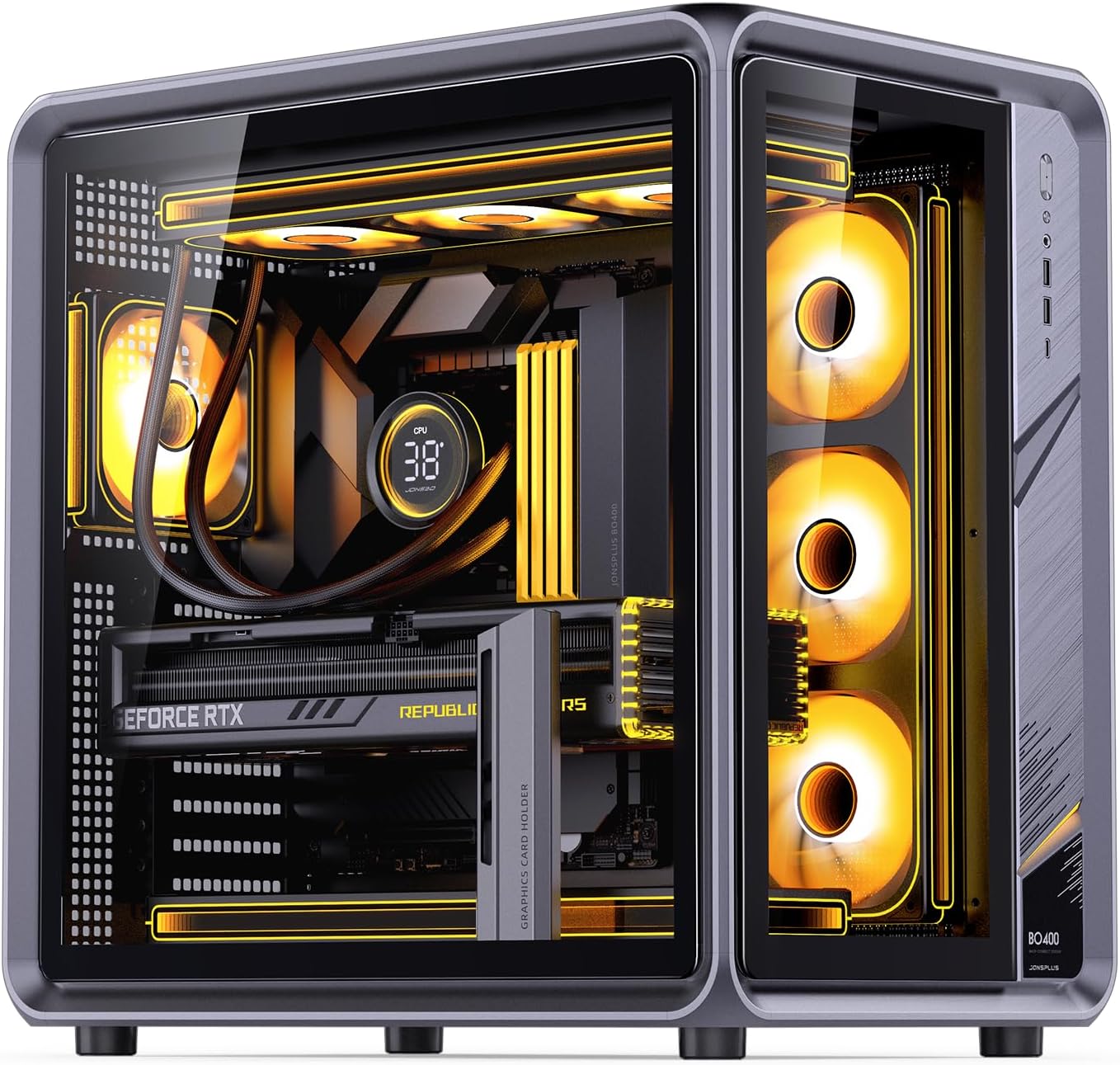
The JONSBO BO400 case fully assembled with illuminated components.
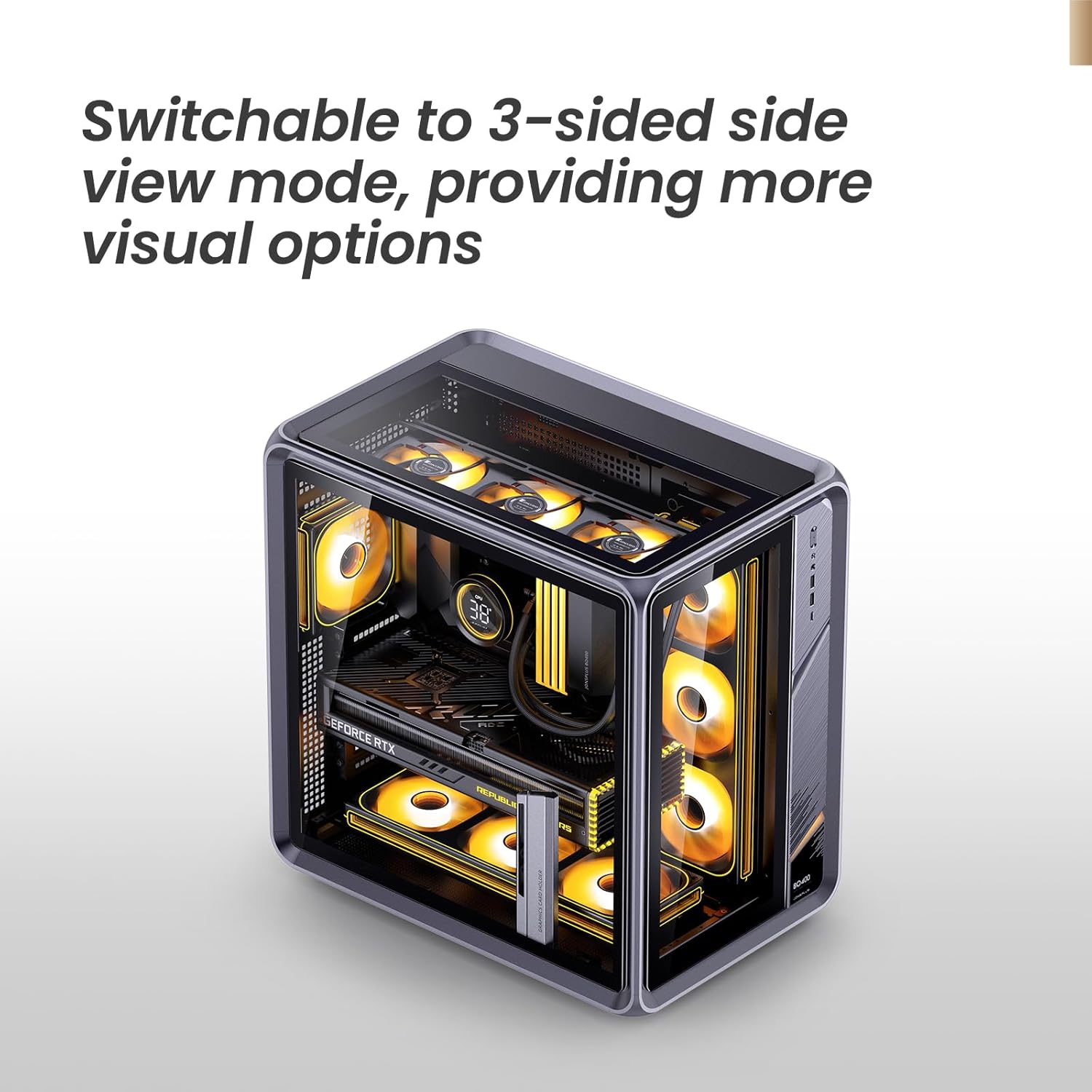
The case can be switched to a 3-sided side view mode by replacing the metal top cover with the included glass top cover.
5. Одржавање
Редовно одржавање помаже у обезбеђивању оптималних перформанси и дугог века трајања кућишта вашег рачунара и његових компоненти.
- Чишћење прашине: Periodically clean dust filters and internal surfaces using compressed air or a soft brush. Dust accumulation can impede airflow and lead to overheating.
- Спољно чишћење: Обришите спољашње површине меком, дamp крпом. Избегавајте абразивна средства за чишћење или раствараче који могу оштетити завршну обраду.
- Управљање кабловима: Ensure internal cables are neatly routed and secured to prevent interference with airflow or fan blades.
КСНУМКС. Решавање проблема
If you encounter issues with your PC build related to the case, consider the following:
- Component Fit: Double-check that all components (motherboard, GPU, PSU, coolers) are correctly seated and secured according to their respective manuals and the case's specifications.
- Airflow Issues: Ensure fans are installed in the correct orientation (intake/exhaust) and that no cables or obstructions are blocking airflow paths. Verify dust filters are clean.
- У/И на предњој плочи не ради: Confirm that all front panel connectors (USB, audio, power/reset switches, LED) are correctly plugged into the motherboard headers. Refer to your motherboard manual for pin assignments.
- Panel Opening Difficulty: Ensure no internal components are obstructing the panel mechanism. Apply gentle, even pressure when opening or closing.
7. Спецификације
| Феатуре | Спецификација |
|---|---|
| Модел бр. | BO400 Tempered glass version V1.0 |
| Case Dimensions (D x W x H) | 474 мм к 311 мм к 489 мм (18.66 к 12.24 к 19.25 инча) |
| Материјал кућишта | SPCC & SGCC Steel Plate, Aluminum Alloy, Tempered Glass |
| Подршка матичне плоче | Mini-ITX / Micro-ATX / ATX, Compatible with back-plug / BTF motherboard |
| GPU Compatible Size | Length limit 435mm |
| Висина хладњака за ЦПУ | 173мм |
| Подршка за водено хлађење | Top: 240/280/360 AIO; Side: 360 AIO; Bottom: 240/280/360 AIO |
| Подршка обожаватеља | Top: 3x120mm / 2x140mm; Rear: 1x120mm; Bottom: 3x120mm / 2x140mm; Side: 3x120mm |
| Storage Drive Bays | 2x 2.5" SSD (shared with 3.5" mounting) OR 4x 3.5" HDD |
| ATX PS2 Power Supply Length | ≤ 200мм |
| Слотови за проширење | 8 |
| Фронт И/О | USB 3.2 Gen 1 Type-A*2 / USB 3.2 Gen 2 Type-C*1 / AUDIO & MIC 2 in 1 |
| Product Weight (N.W./G.W.) | 12.9kg / 18.3kg (40.5 pounds) |

Готовоview of compatible data and detailed specifications.
8. Гаранција и подршка
For warranty information and technical support, please refer to the official JONSBO website or contact your point of purchase. Keep your proof of purchase for any warranty claims. Additional protection plans may be available from your retailer.