
Увод
This manual provides detailed instructions for the Micool Bluetooth Headset V5.4 (Model DY20PLUS). Please read this manual carefully before using the product to ensure proper operation and to maximize its features and lifespan. This headset is designed for clear communication and comfortable wear, featuring advanced noise cancellation and long battery life.
Безбедносне информације
To ensure safe and proper use of your headset, please observe the following guidelines:
- Do not expose the headset to extreme temperatures, direct sunlight, or high humidity.
- Avoid dropping or subjecting the headset to strong impacts, which may damage internal components.
- Do not attempt to disassemble, repair, or modify the headset. This will void the warranty and may cause harm.
- Keep the headset and its accessories out of reach of children and pets.
- Use only the provided USB-C charging cable or a certified equivalent to prevent damage to the battery.
- Избегавајте слушање на високим нивоима јачине звука током дужег периода да бисте спречили оштећење слуха.
Садржај пакета
Молимо вас да проверите да ли су све ставке присутне у вашем пакету:
- Micool Bluetooth Headset (DY20PLUS)
- УСБ-Ц кабл за пуњење
- Упутство за употребу
- Additional Eartips (Sizes L, M, S)
- Еар Хоок

Image: Micool Bluetooth Headset and its accessories, including different sized eartips and a charging cable.
Производ је завршенview
Familiarize yourself with the various components and controls of your Micool Bluetooth Headset:

Слика: Фронт view of the Micool Bluetooth Headset, highlighting the main call button, volume controls, and the LED battery indicator lights.
- Вишенаменско дугме: Used for power on/off, answering/ending calls, and playing/pausing music.
- Дугмад за јачину звука +/-: Adjust volume, skip tracks, and check battery level.
- ЛЕД екран напајања: Indicates the remaining battery level with four segments.
- микрофон: Equipped with dual-mic noise reduction for clear voice input during calls.
- УСБ-Ц прикључак за пуњење: For connecting the charging cable to power the headset.
Сетуп
1. Пуњење слушалица
Before initial use, fully charge your headset to ensure optimal battery performance.
- Connect the USB-C charging cable to the headset's charging port.
- Повежите други крај кабла на УСБ извор напајања (нпр. рачунар, зидни адаптер).
- The LED power display will illuminate to indicate charging. A full charge typically takes approximately 1.5-2 hours.
2. Упаривање са уређајем
The headset utilizes Bluetooth 5.4 for a stable and efficient wireless connection up to 50 meters.
- Ensure the headset is powered off and fully charged.
- Press and hold the Multi-function Button for approximately 3-5 seconds until the LED indicator flashes blue and red alternately. This indicates the headset is in pairing mode.
- On your desired device (smartphone, tablet, laptop), enable Bluetooth and search for available devices.
- Select "DY20PLUS" from the list of found devices.
- Once successfully connected, the LED indicator will flash blue slowly.
3. Connecting to Two Devices Simultaneously (Multi-point Connection)
The DY20PLUS supports connecting to two Bluetooth devices concurrently, allowing seamless switching between them.
- Pair the headset with the first device following the steps above.
- Disable Bluetooth on the first device. The headset will re-enter pairing mode (flashing blue and red).
- Упарите слушалице са другим уређајем.
- Re-enable Bluetooth on the first device. The headset should automatically connect to both devices. You can now receive calls or play audio from either device.
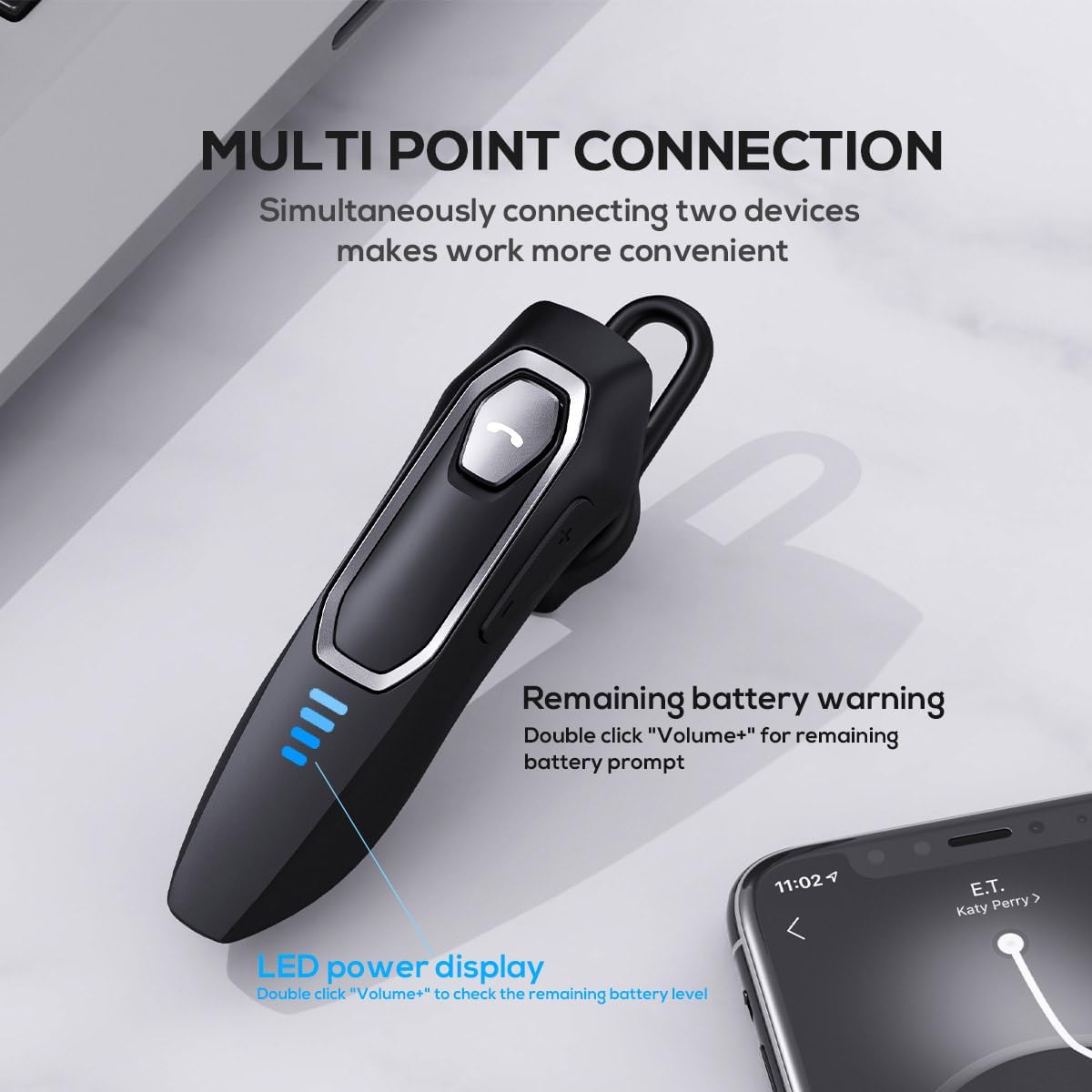
Image: The Micool headset demonstrating its multi-point connection capability, allowing simultaneous connection to two devices.
Упутство за употребу
Укључивање/искључивање
- Укључено: Притисните и држите вишенаменско дугме 3 секунде.
- Искључивање: Притисните и држите вишенаменско дугме 5 секунде.
Управљање позивима
- Одговори/заврши позив: Кратко притисните вишенаменско дугме.
- Одбиј позив: Притисните и држите вишенаменско дугме 2 секунде.
- Искључивање/Укључивање микрофона: During a call, press and hold the Volume "-" button for approximately 2 seconds.
- Redial Last Outgoing Call: Triple-tap the Multi-function Button.

Image: Illustration of the mute function, activated by holding the Volume '-' button.
Репродукција музике
- Пусти/паузирај: Кратко притисните вишенаменско дугме.
- Следећа нумера: Press and hold the Volume "+" button for 2 seconds.
- Претходни запис: Press and hold the Volume "-" button for 2 seconds.
Контрола јачине звука
- Повећајте јачину звука: Short press the Volume "+" button.
- Смањи јачину звука: Short press the Volume "-" button.
Гласовни асистент
- Активирајте гласовног асистента (Сири, Гугл асистент, итд.): Двапут кликните на вишефункционално дугме.
ЛЕД приказ снаге
- The four LED lights indicate the remaining battery level, with each light representing approximately 25% charge.
- To check the remaining power, double-click the Volume "+" button.
Image: The LED power display on the headset, indicating battery level.
Одржавање
Proper maintenance will help extend the life of your Micool Bluetooth Headset:
- Clean the headset regularly with a soft, dry, lint-free cloth.
- Do not use abrasive cleaners, solvents, or strong chemicals, as these may damage the surface or internal components.
- Чувајте слушалице на хладном и сувом месту, даље од директне сунчеве светлости и екстремних температура.
- Ensure the USB-C charging port is free of dust and debris to maintain proper charging connection.
- If the headset gets wet, wipe it dry immediately. Do not charge it until it is completely dry.
Решавање проблема
If you encounter any issues with your headset, please refer to the following common problems and solutions:
| Проблем | Могући узрок | Решење |
|---|---|---|
| Слушалице се неће укључити. | Слаба или испражњена батерија. | Потпуно напуните слушалице помоћу приложеног USB-C кабла. |
| Упаривање са уређајем није могуће. | Headset not in pairing mode; Bluetooth disabled on device; device too far. | Ensure headset is in pairing mode (flashing red/blue); enable Bluetooth on your device; move device closer (within 50m). Clear previous Bluetooth connections if necessary. |
| Нема звука или лош квалитет звука. | Volume too low; headset not connected; audio source issue; interference. | Adjust headset and device volume; re-pair headset; check audio source; move away from other wireless devices. |
| Микрофон не ради. | Mute function active; microphone blocked; device settings. | Deactivate mute function (hold Volume "-" for 2s); ensure microphone is clear; check microphone settings on your device. |
| Кратко трајање батерије. | Headset not fully charged; high volume usage; aging battery. | Ensure full charge before use; reduce volume; if issue persists after full charge, contact support. |
Спецификације
- Назив модела: DY20PLUS
- Технологија повезивања: бежични (Блуетоотх)
- Блуетоотх верзија: 5.4
- Блуетоотх опсег: До 50 метара
- Battery Life (Talk Time): До 36 сати
- Трајање батерије (репродукција музике): До 45 сати
- Време пуњења: Приближно 1.5-2 сати
- Порт за пуњење: УСБ-Ц
- Контрола буке: Active Noise Cancellation (Dual-Mic)
- Компатибилни уређаји: Smartphones, Tablets, Smart Speakers
- Тежина: 2.08 унце (приближно 59 грама)
- Материјал: акрилонитрил бутадиен стирен (АБС)
- Ниво водоотпорности: Отпоран на воду
- Фреквенцијски опсег: 20 Hz - 20,000 Hz
Гаранција и подршка
Micool products are designed for reliability and performance. For detailed warranty information, including coverage and terms, please refer to the warranty card included with your product or visit the official Micool webсајту.
For technical support, troubleshooting assistance, or any inquiries regarding your Micool Bluetooth Headset, please contact our customer service team through the contact information provided on your product packaging or via the Micool Amazon Store:
Micool Amazon Store: Посетите продавницу
Our support team is available to assist you with any questions or concerns you may have.