
Увод
This manual provides essential information for setting up, operating, and maintaining your FIREBAT Mini PC N100. Please read these instructions carefully before using the device to ensure proper functionality and longevity.
Садржај пакета
- FIREBAT Mini PC N100
- Повер Адаптер
- ХДМИ кабл
- Носач
- Монтажни завртњи
- Упутство за употребу
Сетуп
1. Повезивање периферних уређаја
Connect your monitor(s), keyboard, and mouse to the appropriate ports on the Mini PC. The device supports up to three 4K UHD displays simultaneously via its HDMI 2.0 ports. It also features three USB 3.1 ports for connecting peripherals.

Слика: Прекоview of the FIREBAT Mini PC N100's rich interfaces, including USB 3.1, LAN, Audio, and HDMI ports, demonstrating connectivity options for various devices.

Image: The FIREBAT Mini PC N100 demonstrating its capability to support a three-screen simultaneous display setup, ideal for multitasking.
2. Укључивање
Connect the power adapter to the DC12V port on the Mini PC and then to a power outlet. Press the power button located on the top of the device to turn it on. The power indicator light will illuminate.
3. Почетно подешавање система
Upon first boot, the system will guide you through the operating system setup process. Follow the on-screen instructions to configure your language, region, network settings, and user account. The device comes pre-installed with Windows 11 Pro.
Video: A detailed demonstration of the FIREBAT N100 Mini PC, including unboxing, connecting peripherals, initial power-on, and navigating the Windows setup process. This video highlights the ease of getting started with the device.
Оперативни
Основна операција
The FIREBAT Mini PC N100 functions like a standard desktop computer. Use your connected keyboard and mouse to navigate the operating system and applications. Its compact size allows for versatile placement, including mounting behind a monitor or discreetly on a desk.
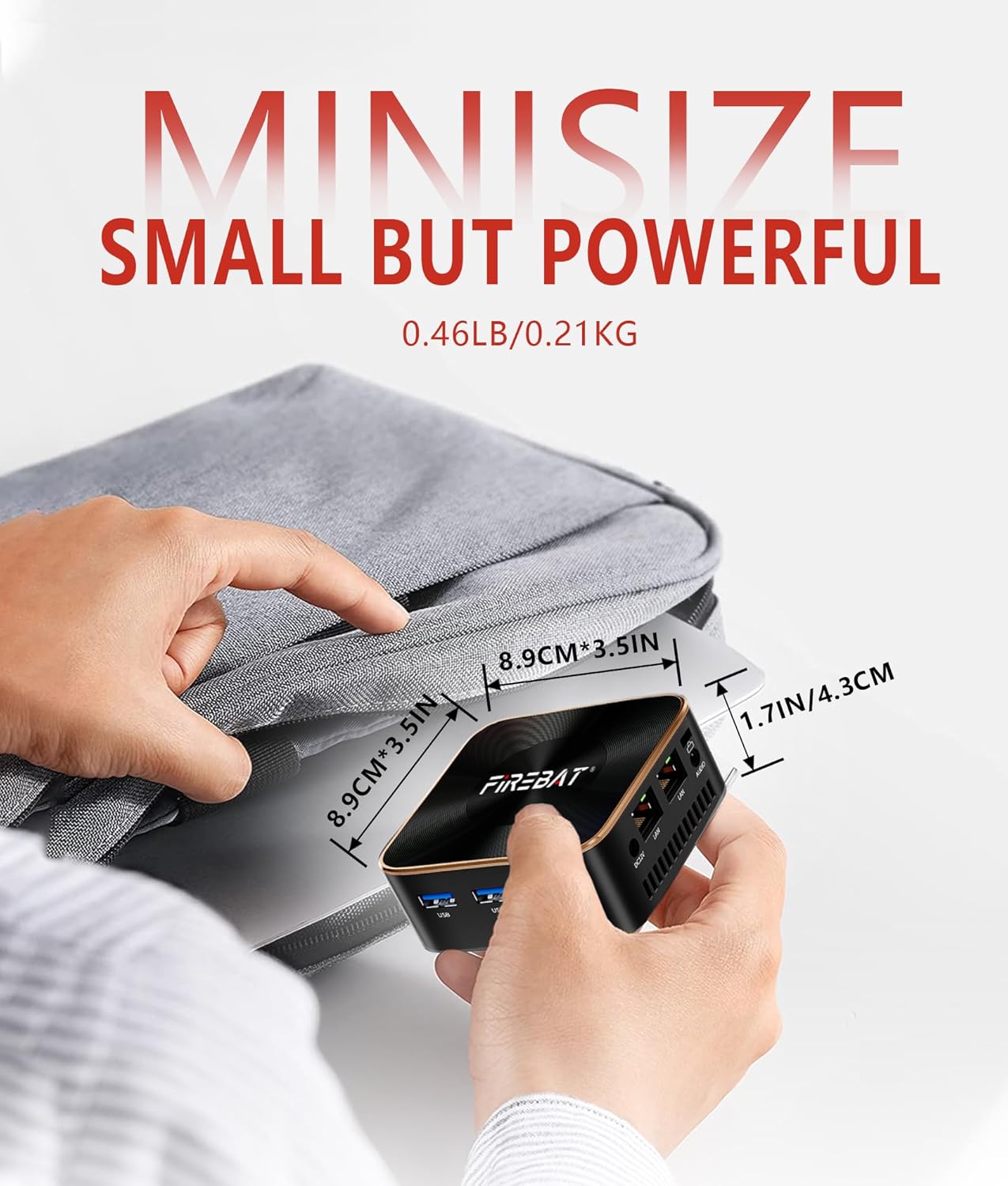
Image: The compact size of the FIREBAT Mini PC N100, measuring approximately 8.9cm (3.5in) on its longest side and weighing 0.21kg (0.46LB), making it highly portable.
Повезивање
The Mini PC supports Gigabit Ethernet for stable wired network connections, WiFi 5 (802.11a/b/g/n/ac) for fast wireless internet, and Bluetooth 4.2 for connecting wireless peripherals such as headphones or speakers.

Image: Visual representation of the FIREBAT Mini PC N100's wireless capabilities, including Bluetooth 4.2 and WiFi 5, supporting 2.4G and 5G bands for high-speed data transmission.
Одржавање
Општа нега
To ensure optimal performance and longevity, keep your Mini PC in a clean, dust-free environment. Avoid exposing it to extreme temperatures or direct sunlight. Regularly clean the exterior with a soft, dry cloth.
Хеат Диссипатион
The N100 Mini PC incorporates metal aluminum blocks for efficient heat conduction and an 8010 ultra-quiet axial flow fan to dissipate heat. Ensure that the ventilation openings are not obstructed to maintain proper airflow and prevent overheating.
Решавање проблема
Нема излаза на екрану
- Check all HDMI cable connections to ensure they are secure.
- Verify that your monitor is powered on and set to the correct input source.
- Try a different HDMI port or cable if available.
Уређај се не укључује
- Уверите се да је адаптер за напајање безбедно повезан и са Мини рачунаром и са исправном утичницом.
- Confirm the power outlet is functional by plugging in another device.
Лоша Ви-Фи веза
- Ensure the Mini PC is within range of your Wi-Fi router.
- Restart your Wi-Fi router and the Mini PC.
- Check for any physical obstructions that might interfere with the signal.
Спецификације
| Феатуре | Детаљ |
|---|---|
| Бранд | ФИРЕБАТ |
| Број модела | T8 PLUS-16-512 |
| ЦПУ модел | Intel N100 (12th Gen Alder Lake-N) |
| Брзина процесора | Up to 3.4 GHz (Turbo Speed) |
| Језгра/нити процесора | 4 језгара / 4 нити |
| Цацхе Сизе | 6 МБ |
| РАМ меморија | 16 GB LPDDR5 4800MHz |
| Складиштење | 512 GB M.2 2242 SSD (SATA, NVME compatible, up to 2TB) |
| графичка картица | Интегрисана Интел Грапхицс |
| Видео Оутпут | 3x HDMI 2.0 (4K UHD Triple Display) |
| УСБ портови | 3к УСБ 3.1 |
| Мрежна повезаност | Gigabit Ethernet, WiFi 5 (802.11a/b/g/n/ac), Bluetooth 4.2 |
| Аудио Интерфаце | КСНУМКСмм Аудио Јацк |
| Оперативни систем | Виндовс 11 Про (64-бит) |
| Димензије | 3.5 к 3.5 к 1.57 инча (8.9 к 8.9 к 4.3 цм) |
| Тежина | 210 Grams (0.46 LB) |
| Потрошња енергије | 6В (мала снага) |
Видео: Сажет прегледview of the FIREBAT N100 Mini PC, highlighting its key features such as the Intel N100 processor, 16GB RAM, and compact design. This video provides a quick visual summary of the product's capabilities.
Гаранција и подршка
Информације о гаранцији
The FIREBAT Mini PC N100 comes with a 1-годишња гаранција произвођачаМолимо вас да сачувате доказ о куповини за потребе гаранције.
Корисничка подршка
For technical assistance, troubleshooting, or warranty inquiries, please contact FIREBAT customer support through the official website or your retailer's support channels. Ensure you have your product model and purchase details ready.