
1. Увод
Thank you for choosing the LinZong Dualview Dash Cam 1080P. This device is designed to record your driving journey with high-definition video, providing security and peace of mind. This manual provides detailed instructions for the proper installation, operation, and maintenance of your dash camera. Please read it thoroughly before use.
2. Производ је готовview
The LinZong Dualview Dash Cam features a dual-channel recording system, capturing both the road ahead and the vehicle's interior. It includes a 3.16-inch IPS screen for immediate footagе реview and various functions such as night vision, parking monitoring, and loop recording.
2.1 Компоненте и контроле
Familiarize yourself with the main components and controls of your dash cam:

слика: Фронт view of the LinZong Dualview Dash Cam, highlighting its features. Visible components include the TF card slot, pull back camera interface, charging port, MIC, 3.16-inch screen, front camera lens, and control buttons (Switch, UP, Down, MODE, RESET, Speakers).
- Предња камера: Records the road ahead with a 170° wide-angle view.
- Камера у кабини: Records the vehicle interior with a 140° wide-angle view and can rotate 180°.
- 3.16-инчни IPS екран: За уживо view, репродукција и навигација по менију.
- Слот за ТФ картицу: For inserting the memory card (up to 64GB supported).
- Charging Port (USB2.0): Connects to the car charger for power.
- Контролна дугмад: For navigating menus and controlling recording functions.
- Микрофон (MIC): Records audio inside the cabin.
- говорници: За репродукцију звука.
3. Спецификације
| Феатуре | Спецификација |
|---|---|
| Пикел | 130В |
| Резолуција | 1080p/30 Frames |
| Екран | 3.16-инчни ИПС екран |
| Viewинг Англе | Front: 170°, Cabin: 140° |
| Функције | Loop Recording, Motion Detection, Parking Guard/Monitoring |
| Меморијска картица | Supports up to 64GB (64GB card included) |
| Повер Интерфаце | УСБ2.0 |
| Батерија | 150мАх |
| Излаз | ХДМИ |
| Фреквенција | 50/60Хз |
| Радна температура | -20°Ц до +70°Ц |
4. Подешавање и инсталација
Follow these steps for quick and easy installation of your dash cam:
- Уметните меморијску картицу: Ensure the dash cam is off. Insert the provided 64GB memory card into the TF card slot until it clicks into place.
- Монтирајте камеру за аутомобил: Attach the suction cup mount to a clean, dry area on your windshield, ensuring it does not obstruct your view. Secure the dash cam to the mount.
- Подесите угао камере: Position the front camera to capture the road ahead clearly. Adjust the cabin camera (it can rotate 180°) to monitor the vehicle's interior as desired.
- Прикључите напајање: Plug the included car charger into your vehicle's cigarette lighter socket. Connect the USB cable from the charger to the dash cam's charging port (USB2.0). Route the cable neatly to avoid interference with driving.
- Укључено: Start your vehicle. The dash cam should automatically power on and begin recording. If not, press the power button.

слика: An overhead diagram illustrating the wide viewing angles of the dual-channel dash cam. The front camera covers 170 degrees, and the cabin camera covers 140 degrees, helping to eliminate blind spots.
5. Упутство за употребу
5.1 Основно снимање (петљање)
The dash cam automatically starts recording when powered on. It uses loop recording to ensure continuous operation.
- Аутоматско снимање: Once powered, the dash cam will begin recording video in segments (e.g., 1, 3, or 5 minutes).
- Loop Overwrite: When the memory card is full, the system will automatically overwrite the oldest unlocked video files with new recordings. This ensures continuous recording without manual intervention.
- Ручно закључавање: During recording, you can press a specific button (refer to device controls) to manually lock the current video file, спречавајући његово преписивање.
слика: A visual representation of the loop recording function. Various driving scenarios are shown in a circular pattern around a central car, with arrows indicating that newly recorded videos will automatically overwrite unlocked older videos to free up memory space.
5.2 Ноћни вид
The dash cam is equipped with advanced night vision technology to ensure clear recordings in low-light conditions.
- Front Camera Night Vision: The front camera enhances clarity for full HD capture during both day and night.
- Cabin Camera LED Fill Lights: The built-in cabin camera utilizes 3 unique LED fill lights to accurately capture the driver and passengers even in complete darkness.

слика: A night scene with a car driving on a road, illustrating the 'Super Night Vision' capability. Icons for '6-Glass Lens', 'WDR Tech', and 'f1.6 Aperture' are shown, indicating the technologies used to enhance clarity in low light.
5.3 Надгледање паркинга
This feature provides 24-hour protection for your vehicle when parked.
- Аутоматско активирање: When a collision or bump is detected while the vehicle is parked, the dash cam will automatically turn on and begin recording.
- Непрекидна заштита: This function provides continuous surveillance, recording incidents even when you are away from your vehicle.
- Hardwire Kit Requirement: Please note that a hardwire kit (sold separately) is required for the 24-hour parking monitoring function to operate continuously without draining the car's battery.

слика: A blue sports car with a glowing outline, emphasizing the 'Parking Monitor' feature. The text '24H' is prominently displayed, indicating 24-hour protection, with a note that a hardwire kit is required for this function.
5.4 Г-сензор
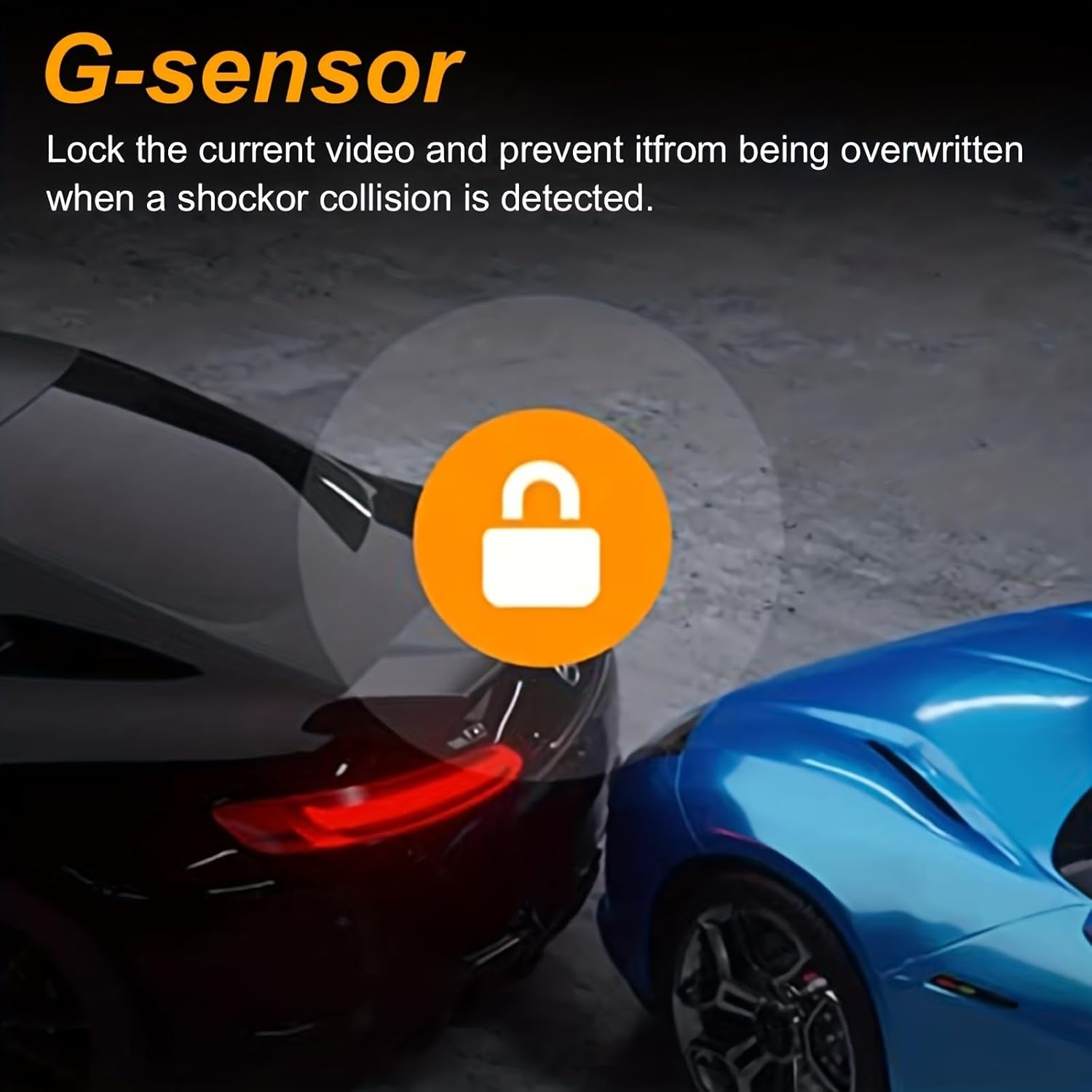
Уграђени Г-сензор детектује изненадне покрете или ударце.
- Event Locking: In the event of a shock or collision, the G-sensor automatically locks the current video file, preventing it from being overwritten by loop recording. This ensures critical footagе је сачувано.

слика: Two cars in a parking garage, one blue and one black, with a circular icon featuring a padlock in the center. This visually represents the G-sensor function, which locks the current video to prevent overwriting when a shock or collision is detected.
6. Одржавање
Правилно одржавање осигурава дуготрајност и оптималне перформансе ваше камере за аутомобил.
- Чиста сочива: Regularly clean the front and cabin camera lenses with a soft, lint-free cloth to ensure clear video quality. Avoid abrasive materials.
- Брига о меморијској картици: Periodically format the memory card (e.g., once a month) within the dash cam's settings to prevent data corruption and maintain optimal recording performance. Back up any important fileс пре форматирања.
- температура: Avoid exposing the dash cam to extreme temperatures for extended periods, as this can affect battery life and component integrity.
- Ажурирања фирмвера: Проверите произвођача webпериодично проверавајте сајт за доступна ажурирања фирмвера како бисте побољшали перформансе и додали нове функције.
КСНУМКС. Решавање проблема
If you encounter issues with your dash cam, refer to the following common solutions:
- Камера у аутомобилу се не укључује:
- Уверите се да је пуњач за аутомобил правилно повезан и са камером у возилу и са упаљачем за цигарете.
- Check if the vehicle's cigarette lighter socket is receiving power.
- Пробајте други УСБ кабл или ауто пуњач ако је доступан.
- Снимање се зауставља или замрзава:
- Format the memory card within the dash cam's settings.
- Ensure you are using a high-speed (Class 10 or U1/U3) memory card.
- The memory card might be full or corrupted. Replace if necessary.
- Лош видео квалитет:
- Очистите сочива камере меком крпом.
- Уверите се да је заштитна фолија уклоњена са сочива.
- Проверите подешавања резолуције видеа у менију камере у аутомобилу.
- Монитор за паркирање не ради:
- Verify that the parking monitoring feature is enabled in the settings.
- Confirm that a hardwire kit is correctly installed and connected for 24-hour functionality.
- Дугмад не реагују:
- Use a thin object (like a paperclip) to press the RESET button on the device.
8. Гаранција и подршка
Specific warranty information for the LinZong Dualview Dash Cam 1080P is not provided in this manual. For details regarding warranty coverage, technical support, or service inquiries, please refer to the product packaging, contact the retailer where you purchased the device, or visit the official LinZong webсајту.