
1. Производ је готовview
The Happybuy Smart Bird Feeder with Camera (Model FB-A01) is designed to enhance your birdwatching experience. It features a 2K ultra HD camera with a 145° wide-angle lens and full-color night vision, allowing for clear observation of birds day and night. Equipped with an advanced AI recognition system, it can identify over 10,000 bird species and send instant notifications to your smartphone. The feeder is solar-powered, ensuring continuous operation, and includes interactive features like an audible alarm and two-way audio.

Figure 1: Happybuy Smart Bird Feeder with Camera in use.
Кључне карактеристике:
- 2К Ултра ХД камера: 145° wide-angle lens with full-color night vision for detailed bird observation.
- Препознавање птица помоћу вештачке интелигенције: Identifies over 10,000 bird species and sends instant notifications.
- Соларни: External solar panel and 5200mAh battery for continuous operation.
- Интерактивне карактеристике: Audible alarm, two-way audio, and bird sound playback.
- Издржљив дизајн: IP65 waterproof and dustproof, with drainage holes to keep feed dry.
- Велики капацитет: 2L food container reduces refill frequency.
- Контрола апликације: Real-time birdwatching and control via smartphone app (2.4GHz Wi-Fi required).
2. Садржај пакета
Please check the package carefully to ensure all items are present and undamaged.
- 1 x Happybuy Smart Bird Feeder with Camera
- 1 x External Solar Panel (3W)
- 1 x Suet Ball
- 1 x Mini Hummingbird Feeder
- 1 x Fruit Holder
- 1 x Jelly Feeder
- 1 x Welcome Cardboard
- 1 к ТИПЕ-Ц кабл за пуњење
- 3 x Self-Tapping Screws M3.5*16
- 2 x Self-Tapping Screws M4*50
- 2 x Expansion Anchors (for M4*50 screws)
- 1 к Пхиллипс одвијач
- 1 x Velcro Strap
- 1 x Plastic Head Screw M6*20
- 1 x Fixed Plate
- 1 к Упутство за употребу
- 1 x Fixed Bracket
- 4 x Expansion Anchors (for M3.5*25 screws)
- 4 x Self-Tapping Screws M3.5*25
- 1 x Ejector Pin
3. Спецификације
| Број модела | ФБ-А01 |
| Резолуција камере | 2К (2304 к 1296) |
| Угао камере | 145° Широки угао |
| Нигхт Висион | Пуне боје |
| Капацитет батерије | 5200мАх |
| Снага соларне плоче | 3W |
| Food Container Capacity | 2L |
| Димензије производа (Д к Ш к В) | 13.1 к 8.6 к 10.8 инча (335 к 220 к 275 мм) |
| Тежина производа | 4.1 фунти (1.9 кг) |
| Оцена водоотпорности / отпорности на прашину | ИП65 |
| Ви-Фи повезивање | 2.4ГХз |
| Таргет Специес | Бирд |

Слика 2: Димензије производа.
4. Водич за подешавање
4.1 Почетно пуњење
Before outdoor installation, ensure the bird feeder's internal battery is fully charged. Connect the provided Type-C charging cable to the feeder and a 5V/1.5A charging adapter. The solar panel will maintain the charge once installed outdoors.

Figure 3: Charging the bird feeder and solar panel connection.
4.2 Mounting the Feeder and Solar Panel
- Choose a suitable location for the bird feeder, ensuring it is stable and has clear access for birds.
- Attach the fixed bracket to a sturdy surface (e.g., tree, wall) using the appropriate self-tapping screws and expansion anchors from the package.
- Secure the bird feeder onto the fixed bracket.
- Mount the external solar panel in a location that receives direct sunlight for most of the day. Connect the solar panel cable to the bird feeder.
4.3 Инсталација апликације и Wi-Fi веза
- Download the Happybuy companion app from your smartphone's app store (iOS or Android).
- Open the app and follow the on-screen instructions to create an account and add your new device.
- Ensure your smartphone is connected to a 2.4GHz Wi-Fi network. The bird feeder camera supports 2.4GHz Wi-Fi only.
- Follow the app's prompts to connect the bird feeder camera to your home Wi-Fi network. This typically involves scanning a QR code displayed on your phone with the camera.
5. Упутство за употребу
5.1 Пуњење хранилице
Open the top lid of the feeder and pour in your desired bird seed. The 2L capacity allows for extended periods between refills. Ensure the lid is securely closed to protect the feed from weather and pests.
5.2 Using the Camera and AI Features

Figure 4: AI bird identification and notification.
- Уживо View: Open the Happybuy app to access the live 2K HD video feed from your bird feeder.
- AI Recognition: The advanced AI system will automatically detect and identify visiting bird species (over 10,000 species supported).
- Тренутна обавештења: Receive real-time alerts on your phone when a bird is detected, often with the identified species.
- Capture and Record: The camera automatically snaps photos and records videos of visiting birds.
- Ноћни вид: The camera provides full-color night vision for clear observation in low-light conditions.
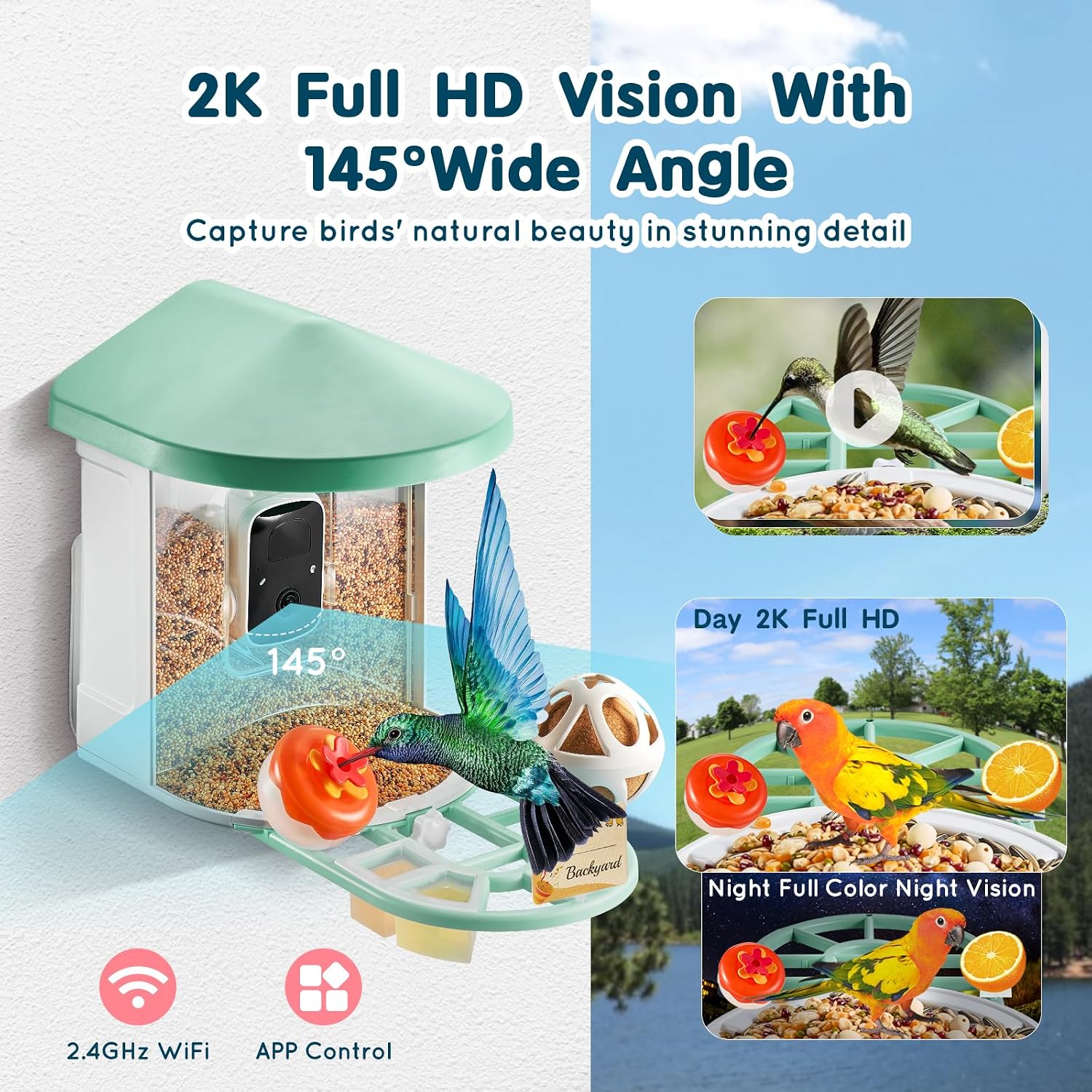
Figure 5: 2K Full HD and Full-Color Night Vision capabilities.
5.3 Интерактивне функције
- Звучни аларм: Use the app to activate an audible alarm, which can help deter squirrels or other unwanted visitors.
- Двосмерни аудио: Speak through the feeder's speaker to interact with birds or deter pests. You can also listen to the sounds around the feeder.
5.4 Video Storage and Sharing
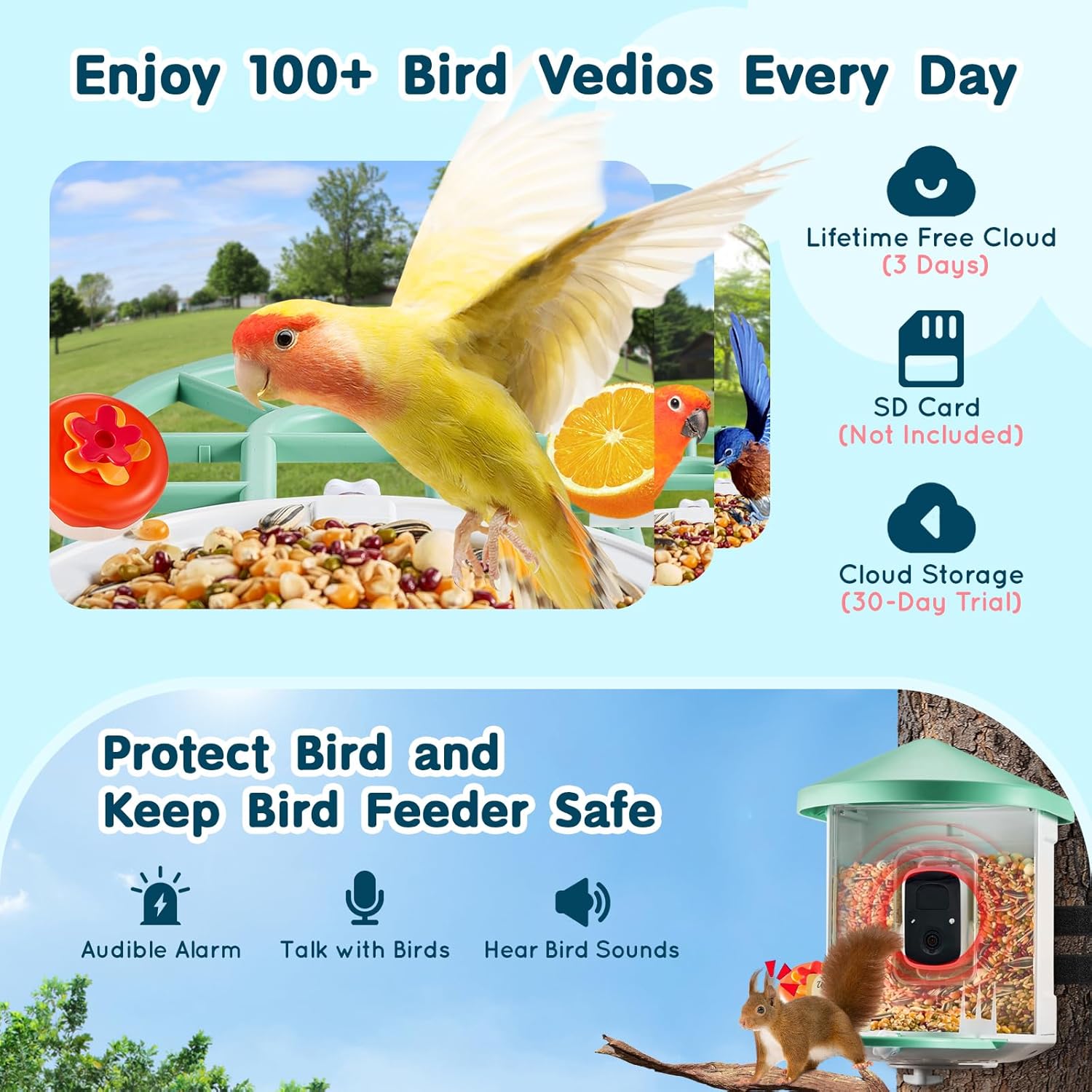
Figure 6: Video storage options.
- Цлоуд Стораге: Enjoy 3 days of lifetime free cloud storage for your bird videos. A 30-day trial for extended cloud storage is also available.
- Подршка за СД картицу: The feeder supports local storage via an SD card (not included).
- Дељење: The app allows for multi-device support, enabling you to share access to the camera feed and captured moments with family and friends.
6. Одржавање
6.1 Чишћење додавача
Regular cleaning is essential to maintain a healthy environment for birds and ensure optimal feeder performance. The feeder features drainage holes to prevent water accumulation and keep feed dry. Periodically empty old seed, clean the feeder with mild soap and water, rinse thoroughly, and allow it to dry completely before refilling.

Figure 7: Bird-friendly design features, including drainage holes.
6.2 Одржавање батерије и соларног панела
Ensure the solar panel remains clean and free of debris (leaves, dust) to maximize charging efficiency. Periodically wipe the solar panel surface with a soft, damp cloth. The 5200mAh battery is designed for long-lasting power, but consistent solar exposure is key for optimal performance.
6.3 Camera Lens Cleaning
Gently clean the camera lens with a soft, lint-free cloth to ensure clear image quality. Avoid abrasive materials that could scratch the lens.
КСНУМКС. Решавање проблема
- Нема напајања/не пуни се:
- Ensure the Type-C charging cable is securely connected and the adapter is working.
- Проверите да ли је соларни панел чист и да ли прима директну сунчеву светлост.
- Check the connection between the solar panel and the feeder.
- Проблеми са Ви-Фи везом:
- Confirm your router is broadcasting a 2.4GHz Wi-Fi signal. The feeder does not support 5GHz Wi-Fi.
- Ensure the feeder is within range of your Wi-Fi router.
- Restart your router and the bird feeder.
- Try re-pairing the device through the app.
- Лош квалитет слике/видеа:
- Нежно очистите сочиво камере меком крпом.
- Ensure there are no obstructions in front of the camera.
- Check your Wi-Fi signal strength; a weak signal can affect streaming quality.
- AI Not Identifying Birds:
- Ensure the camera lens is clean and clear.
- Verify the bird is clearly visible in the frame.
- Check if your AI recognition subscription (if applicable) is active.
- Squirrels or Pests:
- Utilize the audible alarm feature via the app to deter unwanted visitors.
- Consider relocating the feeder to a more open area if pests are persistent.
8. Гаранција и корисничка подршка
Happybuy products are designed for quality and reliability. For specific warranty information, please refer to the warranty card included in your package or visit the official Happybuy website. If you encounter any issues or have questions regarding your Smart Bird Feeder, please contact Happybuy customer support through the contact information provided on the official website or within the product app.
Произвођач: Хаппибуи
ASIN: B0DSP869BN