
1. Увод
Хвала вам на куповиниasing the AGPTEK A02XT MP3 Player. This device is designed to provide a high-quality audio experience with its HIFI lossless sound and Bluetooth 5.3 connectivity. It features a compact design, button operation, and various functions including FM radio, voice recording, and a pedometer. This manual will guide you through the setup, operation, and maintenance of your new MP3 player.

Figure 1.1: AGPTEK A02XT MP3 Player with accessories.
2. Производ је готовview
2.1 Садржај пакета
- AGPTEK A02XT MP3 Player (1)
- УСБ-Ц кабл за пуњење (1)
- Упутство за употребу (1)
- Earphones (1 pair) - May vary by region/package

Figure 2.1: Contents of the AGPTEK A02XT package.
2.2 Распоред и контроле уређаја
Familiarize yourself with the buttons and ports on your A02XT MP3 player.

Слика 2.2: Предња страна view of the A02XT MP3 Player.
- Екран: Displays menus, music information, and settings.
- М дугме: Menu/Back button. Long press to lock/unlock the screen.
- Дугме за репродукцију/паузу: Покреће или паузира репродукцију.
- Дугмад Претходно/Следеће: Navigates through tracks or menu options.
- Дугме ВОЛ: Контрола јачине звука.
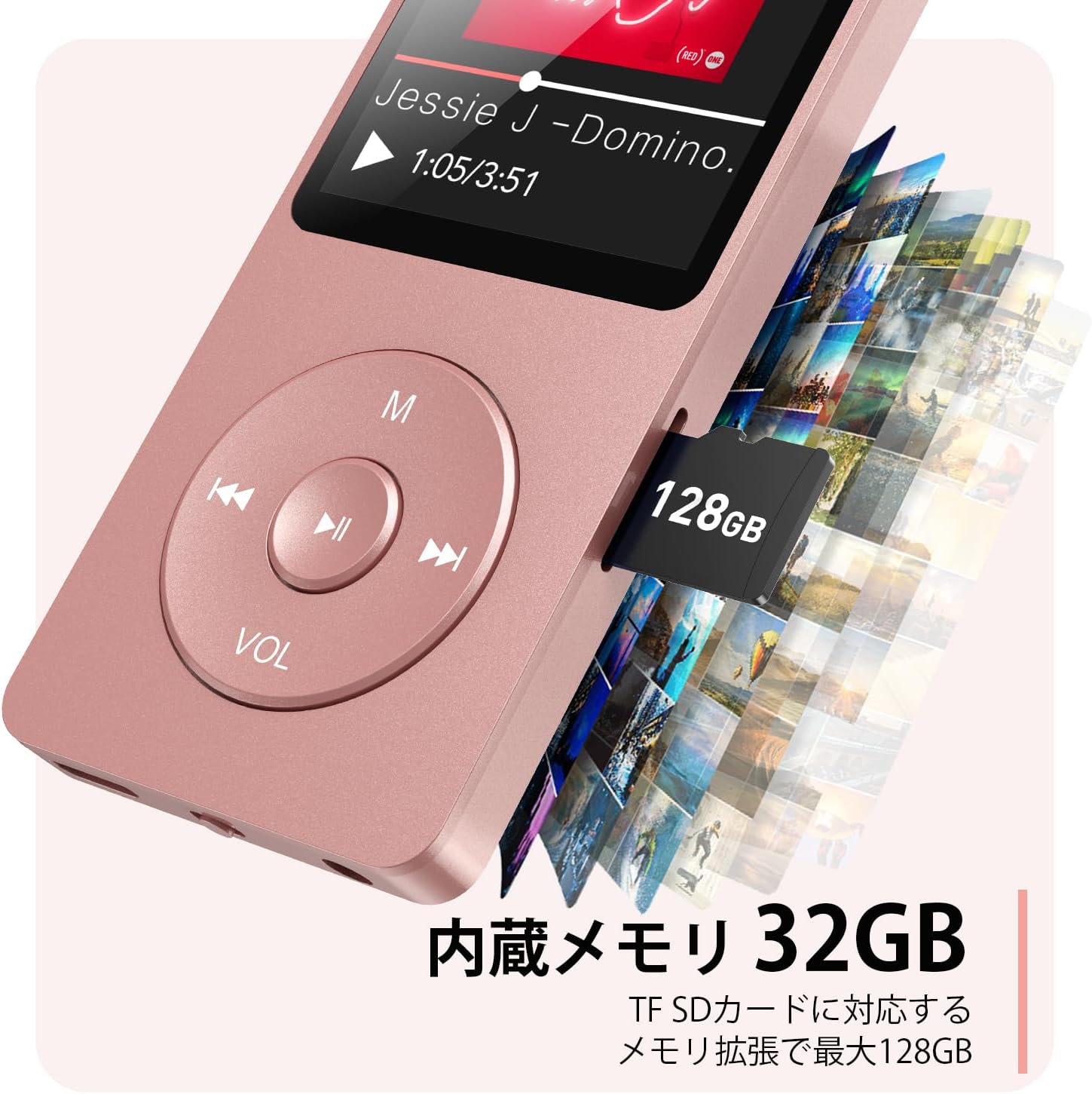
Слика 2.3: Страна view with microSD card slot.
- УСБ-Ц порт: За пуњење и пренос података.
- 3.5 мм прикључак за слушалице: За жични аудио излаз.
- Утор за мицроСД картицу: За прошириву меморију до 64 ГБ.
3. Подешавање
3.1 Пуњење уређаја
Before first use, fully charge the MP3 player. Connect the provided USB-C cable to the player's USB-C port and the other end to a USB power adapter (not included) or a computer's USB port. The screen will indicate charging status. A full charge takes approximately 2 hours and provides up to 40 hours of music playback.

Figure 3.1: MP3 Player charging indication.
3.2 Уметање MicroSD картице
The player has 32GB of internal storage. To expand storage, insert a microSD card (up to 64GB, not included) into the microSD card slot until it clicks into place. Ensure the card is inserted correctly to avoid damage.
3.3 Пренос музике Files
- Повежите МП3 плејер са рачунаром помоћу УСБ-Ц кабла.
- Плејер ће се појавити као преносиви диск на вашем рачунару.
- Превуците и испустите своју музику files (MP3, WMA, OGG, WAV, APE, FLAC, AAC, ACELP) into the 'Music' folder on the player or microSD card.
- Безбедно избаците уређај из рачунара пре него што искључите кабл.
4. Упутство за употребу
4.1 Укључивање/искључивање
- Укључено: Long press the Power button (usually on the side or top edge) until the screen lights up.
- Искључивање: Long press the Power button until the 'Power Off' option appears, then select it.
4.2 Основна навигација
Use the navigation buttons (Previous, Next, Play/Pause, M) to move through menus and select options. The Play/Pause button often acts as a 'Confirm' button in menus.

Figure 4.1: Main menu interface with various functions.
4.3 Репродукција музике
- Из главног менија изаберите „Музика“.
- Browse by Artist, Album, Songs, Playlists, etc.
- Изаберите песму да бисте започели репродукцију.
- Use the Previous/Next buttons to skip tracks, and Play/Pause to control playback.
- Adjust volume using the VOL button.
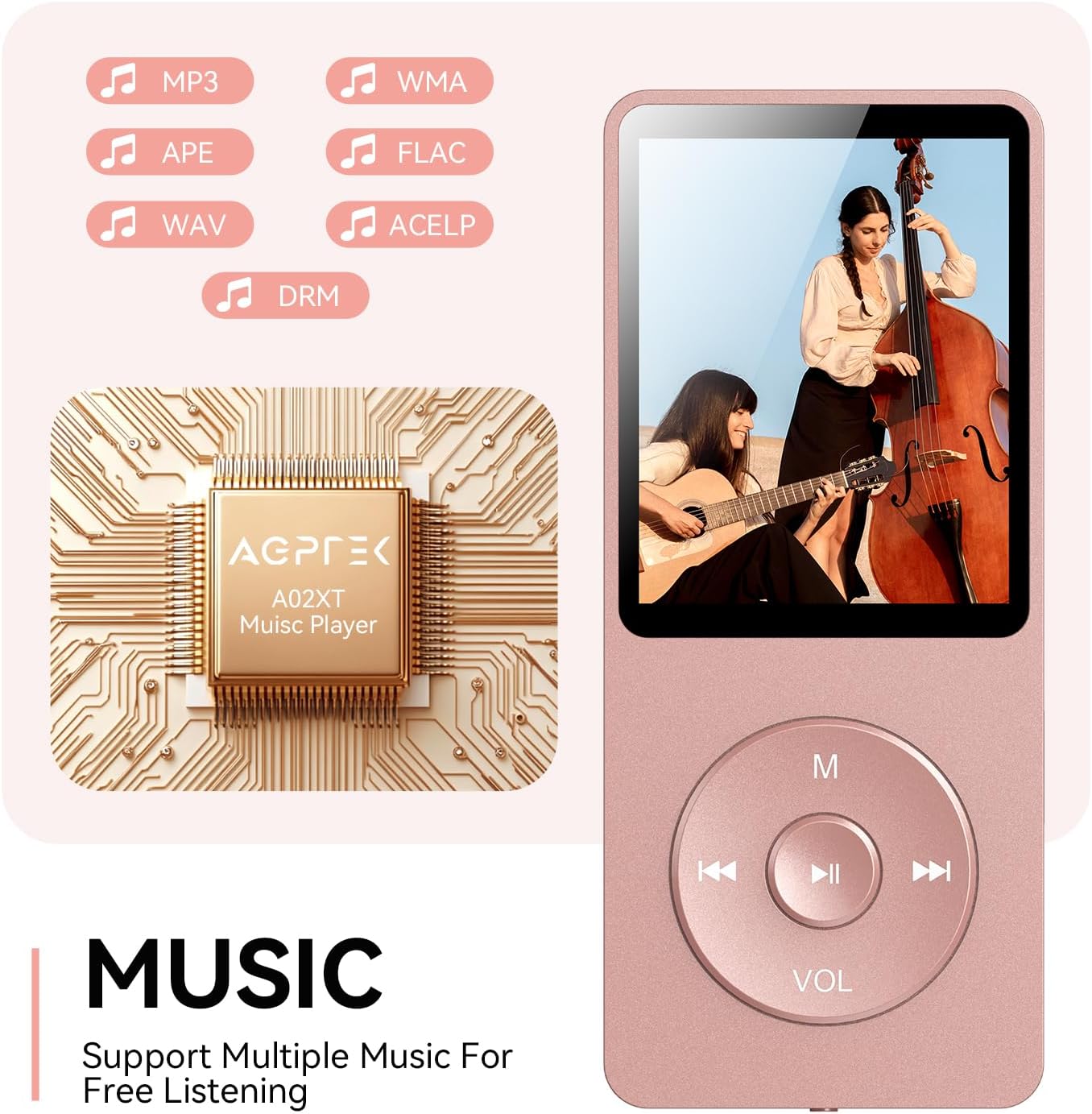
Figure 4.2: Music playback screen and supported formats.
4.4 Блуетоотх веза
The A02XT supports Bluetooth 5.3 for wireless audio output to headphones or speakers.
- From the main menu, select 'Bluetooth'.
- Turn on Bluetooth on the player.
- Уверите се да су ваше Bluetooth слушалице/звучник у режиму упаривања.
- The player will search for nearby devices. Select your device from the list to pair.
4.5 ФМ Радио
- Connect wired earphones to the 3.5mm jack; they act as the antenna.
- У главном менију изаберите „ФМ радио“.
- Користите дугмад за навигацију да бисте скенирали станице или ручно подесили станице.
4.6 Снимање гласа
- From the main menu, select 'Record'.
- Изаберите „Покрени снимање гласа“ да бисте започели.
- Press Play/Pause to stop and save the recording.
4.7 Закључавање екрана
To prevent accidental button presses, long press the 'M' button to lock the screen. Repeat the action to unlock.
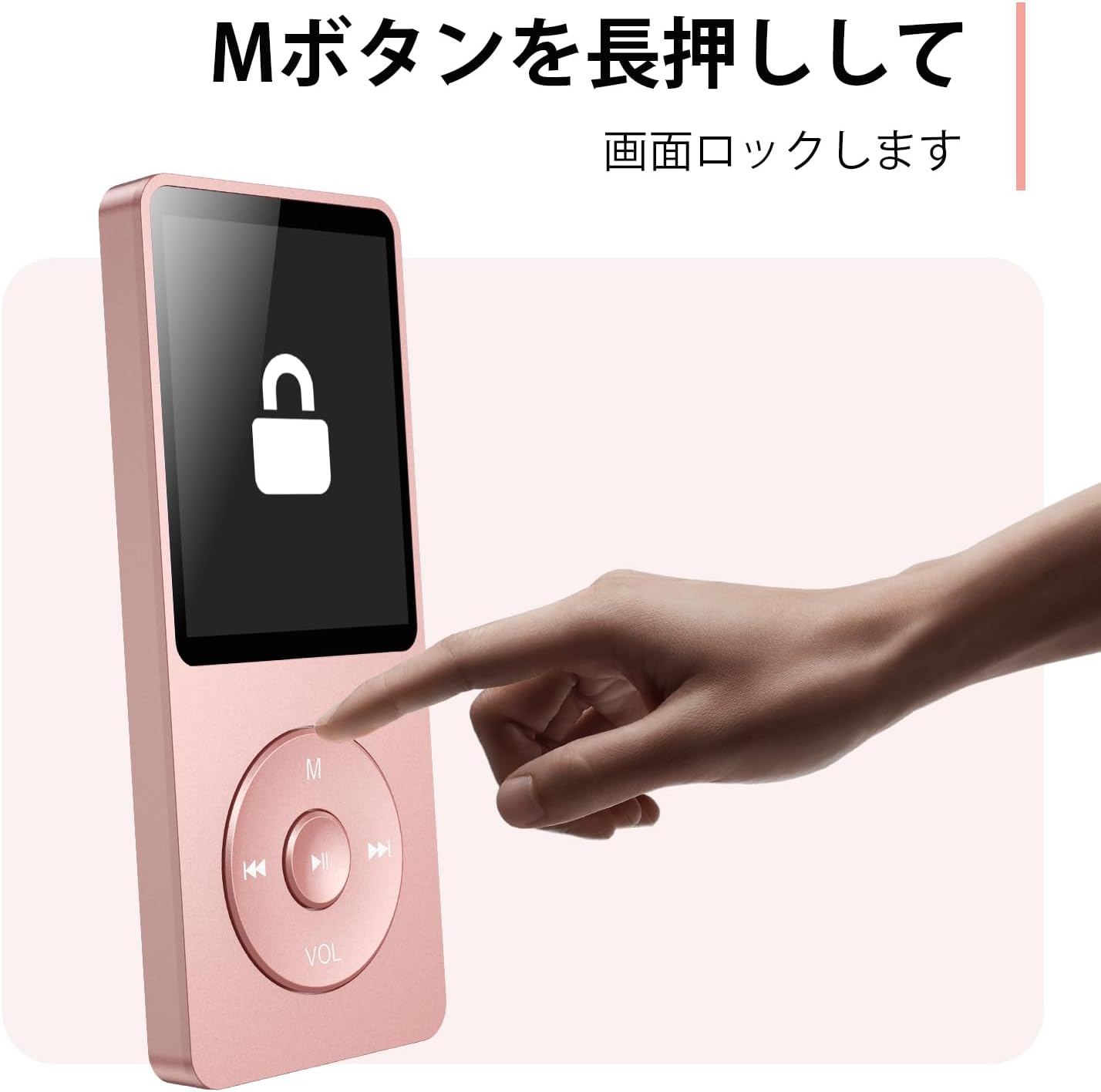
Figure 4.3: Screen lock function using the M button.
5. Одржавање
5.1 Чишћење
- Обришите уређај меком, сувом крпом.
- Не користите течна средства за чишћење или раствараче.
5.2 Складиштење
- Чувајте плејер на хладном и сувом месту, даље од директне сунчеве светлости и екстремних температура.
- Избегавајте испуштање или излагање уређаја јаким ударима.
5.3 Одржавање батерије
- Редовно пуните батерију, чак и ако је не користите, како бисте је одржали у добром стању.
- Избегавајте често потпуно пражњење батерије.
КСНУМКС. Решавање проблема
6.1 Уређај се не укључује
- Уверите се да је батерија напуњена. Прикључите се на извор напајања и покушајте поново.
- Perform a hard reset by pressing and holding the power button for 10-15 seconds.
6.2 Не може се пренети Files
- Check the USB-C cable connection. Try a different cable or USB port.
- Ensure the device is properly recognized by your computer.
- Проверите да ли је file format is supported by the player.
6.3 Проблеми са упаривањем преко Bluetooth-а
- Ensure both the player and the Bluetooth device are in pairing mode and within range.
- Turn off and on Bluetooth on both devices.
- Обришите претходна упаривања и покушајте поново да упарите.
6.4 Нема звука
- Проверите ниво јачине звука.
- Ensure headphones are properly connected or Bluetooth device is paired.
- Test with different headphones or Bluetooth device.
7. Спецификације
| Бранд | АГПТЕК |
| Назив модела | А02КСТ |
| Капацитет меморије | 32 GB (expandable up to 64 GB via microSD card) |
| Боја | Пинк |
| Величина екрана | 8.9 центиметара (приближно 3.5 инча) |
| Медиа Типе | мицроСД картица |
| Дисплаи Тецхнологи | ЛЦД |
| Подржани аудио формати | MP3, WMA, OGG, WAV, APE, FLAC, AAC, ACELP |
| Трајање батерије | До 40 сати |
| Тежина артикла | 130 грама |
8. Гаранција и подршка
8.1 Информације о гаранцији
This AGPTEK A02XT MP3 Player comes with a 1 година гаранције from the date of purchase. This warranty covers manufacturing defects and malfunctions under normal use. It does not cover damage caused by misuse, accidents, unauthorized modifications, or normal wear and tear.
8.2 Корисничка подршка
If you encounter any issues or have questions regarding your AGPTEK A02XT MP3 Player, please refer to the troubleshooting section of this manual first. If the problem persists, contact AGPTEK customer support through the official website or your retailer's support channels. Please have your purchase receipt and product model number (A02XT) ready when contacting support.