
1. Увод
Хвала вам на куповиниasing the Promate Beamer-A250 4K UHD LCD Projector. This manual provides essential information for setting up, operating, and maintaining your device. Please read it thoroughly before use to ensure optimal performance and safety.
2. Карактеристике производа
- 4К УХД резолуција: Experience stunning visuals with 3840 x 2160 resolution, powered by advanced LCD technology for vibrant colors and sharp clarity.
- Осветљеност 250 ANSI лумена: Enjoy clear and vivid images even in well-lit environments, ideal for daytime presentations or movie nights.
- Integrated Telescopic Monopod Stand: The built-in adjustable stand allows for effortless setup and perfect alignment with any screen or wall.
- Automatic Keystone Correction & Manual Focus: Achieve a perfectly aligned and sharp image every time with automatic angle adjustment and precise manual focus.
- Оперативни систем Андроид 11: Access your favorite streaming platforms like Netflix, YouTube, and Prime Video directly from the projector without additional devices.
- ХДМИ повезивање: Connect laptops, gaming consoles, or Blu-ray players via the HDMI port, supporting up to 4K resolution at 30Hz for smooth visuals.
- USB & HDD Storage Support: Play content directly from external storage devices, supporting USB flash drives up to 64GB and hard drives up to 512GB.
- Built-in Speaker & Bluetooth Audio: Enjoy clear and immersive sound from the integrated speaker or connect Bluetooth speakers/headphones for a personalized audio experience.
- Mini and Portable Design: Compact and lightweight, featuring a lens cover that doubles as a comfortable carrying handle, making it ideal for on-the-go use.
3. Садржај пакета
Уверите се да су све ставке присутне у пакету:
- Promate Beamer-A250 Projector
- Ремоте Цонтрол
- Повер Адаптер
- Упутство за употребу
Ако неке ставке недостају или су оштећене, обратите се корисничкој подршци.
4. Подешавање
4.1. Укључивање
- Прикључите адаптер за напајање на улазни порт за напајање пројектора.
- Укључите адаптер за напајање у зидну утичницу.
- Притисните дугме за напајање на пројектору или даљинском управљачу да бисте укључили уређај.
4.2. Подешавање постоља
The Beamer-A250 features an integrated telescopic monopod stand. Gently pull the stand to extend it to your desired height for optimal projection angle. Ensure the projector is stable on a flat surface.
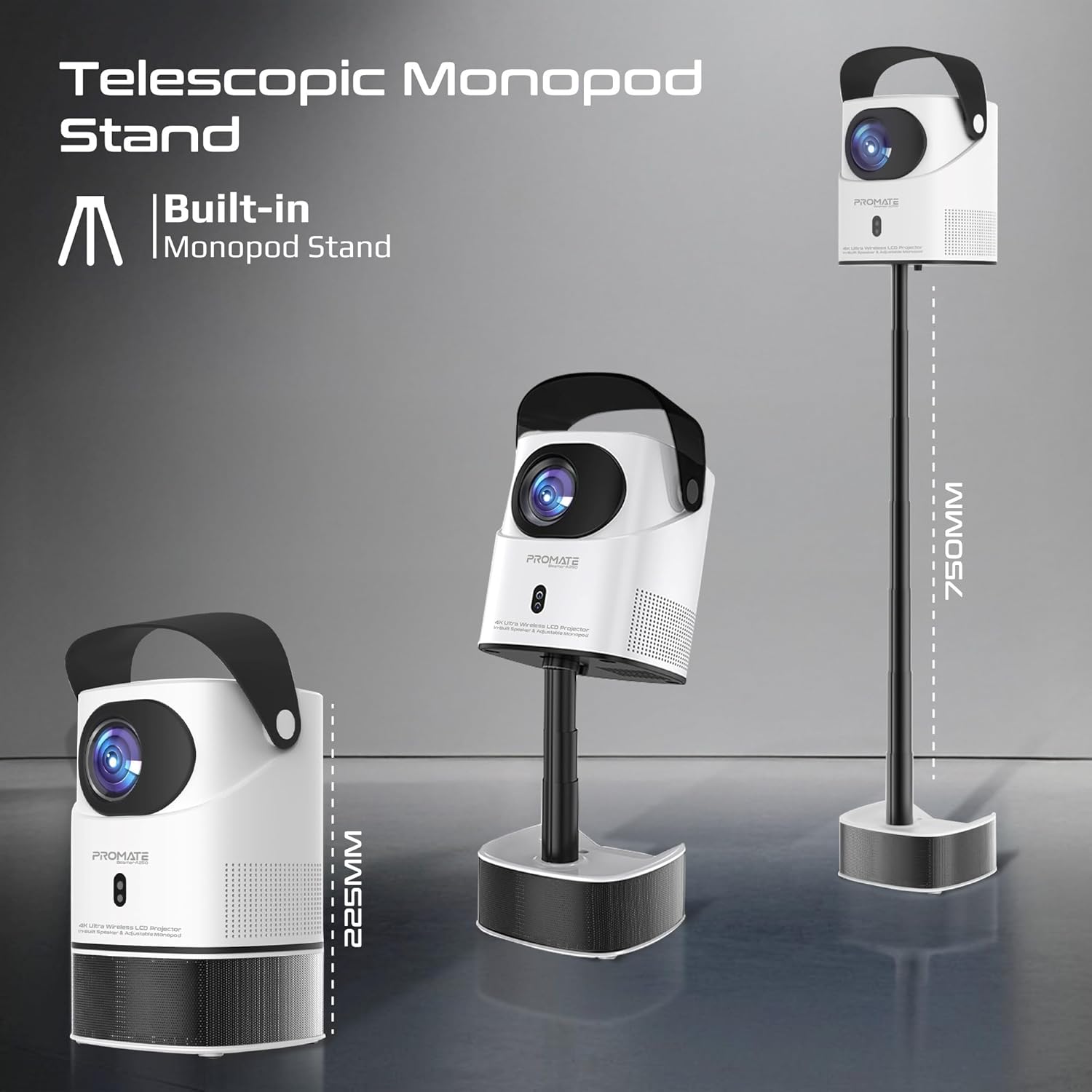
Image: The Promate Beamer-A250 projector demonstrating its adjustable telescopic monopod stand.
5. Упутство за употребу
5.1. Почетно подешавање (Android 11)
При првом укључивању, пратите упутства на екрану да бисте:
- Изаберите свој језик.
- Повежите се на Ви-Фи мрежу.
- Log in with your Google account (optional, for app access).
- Прилагодите подешавања датума и времена.

Image: The projector's interface showing the Android 11 home screen with streaming applications.
5.2. Фокус и корекција Кеистоне
The projector features automatic keystone correction and manual focus for a clear, rectangular image.
- Аутоматска корекција Кеистоне: The projector will automatically adjust the image angle to correct for distortion when placed at an angle.
- Ручно фокусирање: Use the focus ring on the projector lens or the remote control to fine-tune the image sharpness until it is perfectly clear.

Image: Visual representation of auto keystone correction and manual focus adjustment.
5.3. Опције повезивања
The Beamer-A250 offers multiple ways to connect your devices:
- ДВИ: Connect external devices like laptops, gaming consoles, or Blu-ray players using an HDMI cable. The projector supports 4K@30Hz input.
- УСБ: Insert a USB flash drive (up to 64GB) or an external hard drive (up to 512GB) into the USB port to play media fileс директно.
- Блуетоотх: Pair Bluetooth speakers or headphones for enhanced audio. Navigate to Settings > Bluetooth to connect.
- Ви-Фи: Connect to your home Wi-Fi network to access online streaming services and apps.

Слика: Позади view of the projector showing USB and HDMI ports.
5.4. Аудио излаз
The projector has a built-in speaker. For external audio, use the Bluetooth connectivity feature to pair with your preferred audio devices.
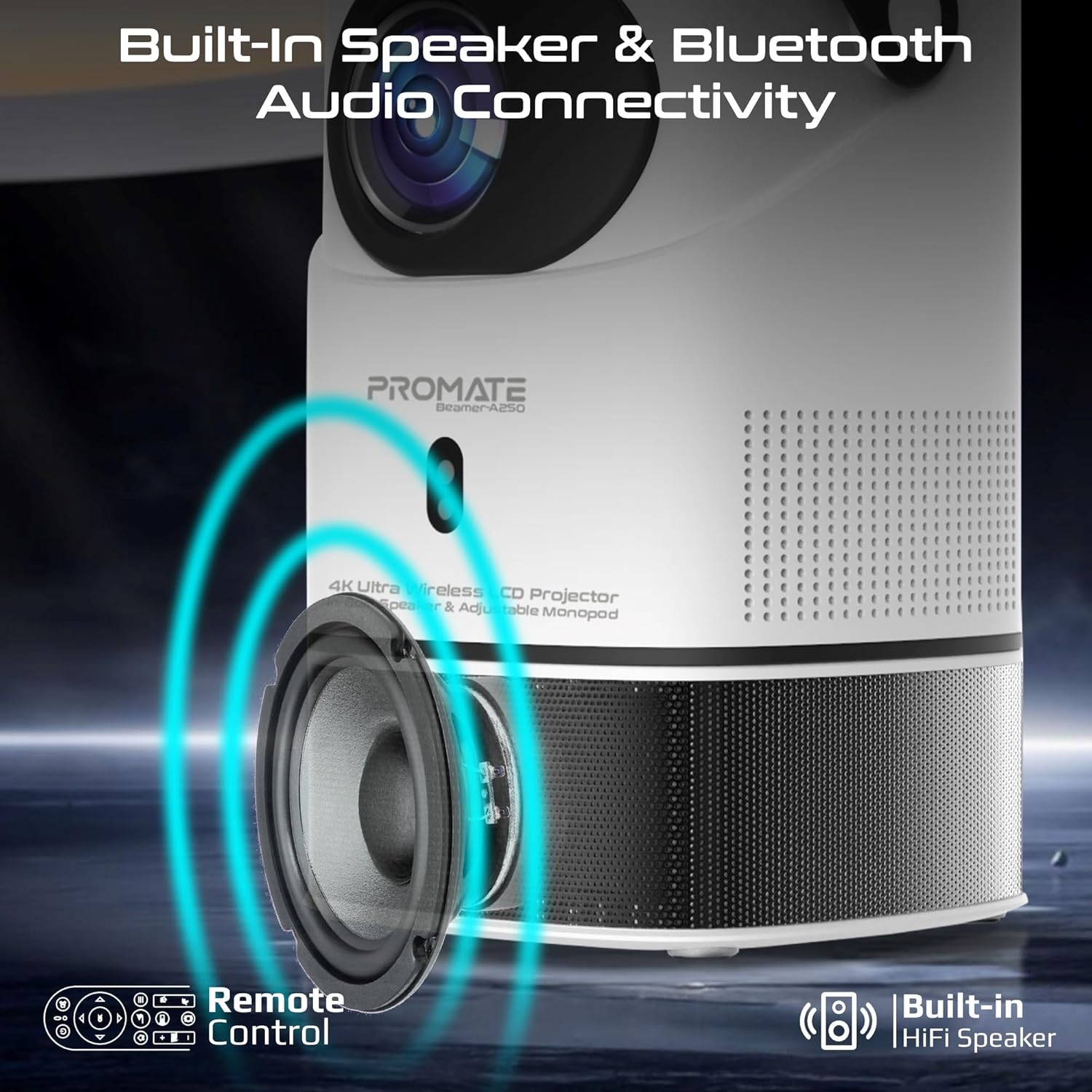
Image: Illustration of the projector's built-in speaker and Bluetooth audio capabilities.
6. Одржавање
6.1. Чишћење сочива
Use a soft, lint-free cloth specifically designed for optical lenses to gently wipe the projector lens. Avoid using abrasive cleaners or cloths that could scratch the lens.
6.2. Генерално чишћење
Wipe the exterior of the projector with a soft, dry cloth. Do not use liquid cleaners or solvents.
6.3. Складиштење
When not in use, store the projector in a cool, dry place away from direct sunlight and extreme temperatures. Use the integrated lens cover/handle for protection and easy transport.

Image: The projector's lens cover doubles as a handle for portability.
КСНУМКС. Решавање проблема
| Проблем | Могући узрок | Решење |
|---|---|---|
| Нема пројектоване слике | Power not connected; Input source incorrect; Lens cap on | Check power connection; Select correct input source (HDMI, USB); Remove lens cap |
| Слика је мутна | Focus not adjusted; Projector too close/far from screen | Adjust manual focus; Reposition projector within throw distance |
| Слика је искривљена (трапезоидног облика) | Keystone not corrected | Ensure auto keystone correction is enabled or manually adjust in settings |
| Нема звука | Volume too low; External audio device not connected/paired | Increase volume; Connect/pair Bluetooth audio device |
| Не могу да се повежем са Wi-Fi/Bluetooth-ом | Incorrect password; Device out of range; Interference | Verify password; Move closer to router/device; Reduce interference |
8. Спецификације
| Феатуре | Детаљ |
|---|---|
| Бранд | Промате |
| Назив модела | Beamer-A250 |
| Дисплаи Тецхнологи | ЛЦД |
| Нативе Ресолутион | 3840 к 2160 (4К УХД) |
| Осветљеност | КСНУМКС АНСИ Луменс |
| Однос контраста | 2000:1 |
| Оперативни систем | Андроид 11 |
| Повезивање | Wi-Fi, Bluetooth 4.0, HDMI (4K@30Hz input), USB |
| Подршка за USB меморију | Up to 64GB (Flash Drive), Up to 512GB (Hard Drive) |
| Величина слике | 2 to 10 meters (throw distance), Up to 150 inches (image size) |
| Димензије | 18Д к 18Ш к 31В цм |
| Тежина | 2.34 кг |
| Укључене компоненте | User Manual, Power Adapter |
9. Гаранција и подршка
The Promate Beamer-A250 projector comes with a two-year manufacturer's warranty. For warranty claims, technical support, or any inquiries, please contact Promate customer service through their official webсајт или продавницу где је производ купљен.
10. Видео снимци производа
10.1. Пројектор изнадview
Видео: Оверview of a 4K Android projector, showcasing features like auto-focus, keystone correction, and screen mirroring. This video provides a general demonstration of similar projector functionalities.